Schedule your SSIS Packages with SSMS in Azure Data Factory(ADF)
This week SQL Server Management Studio version 18.1 was released, which can be downloaded from here.
In version 18.1 the Database diagrams are back and from now on we can also schedule SSIS Packages in ADF via SSMS.
Select the package you want to schedule in your Integration Services Catalog,
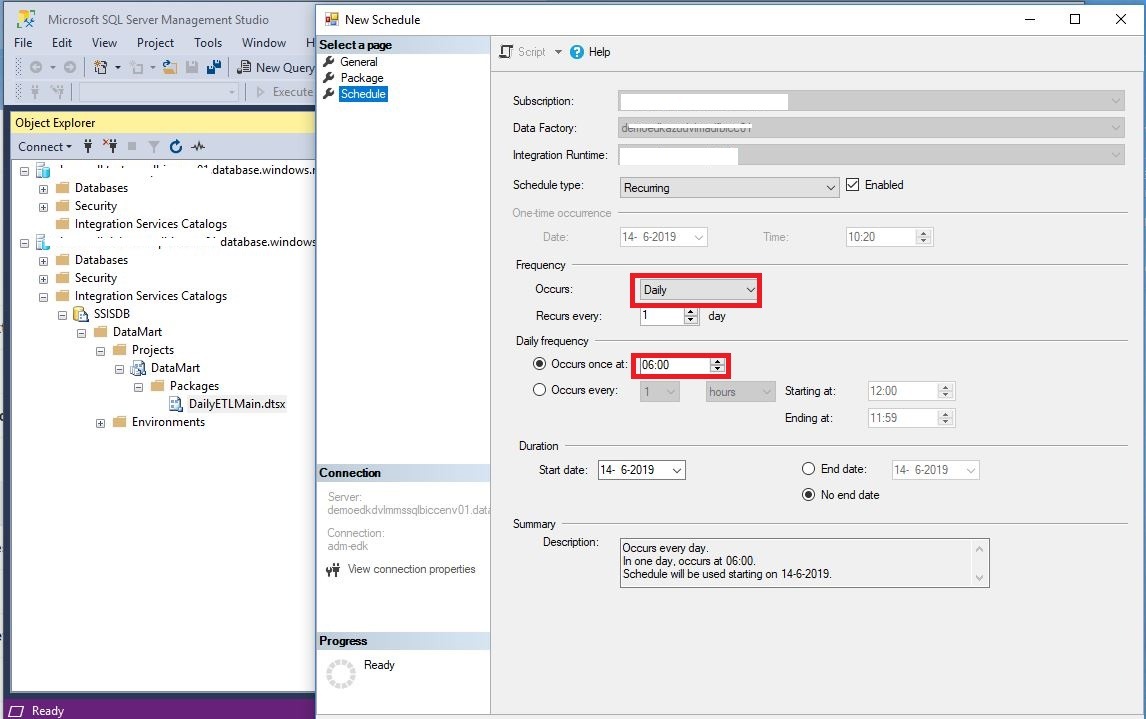

Create the schedule you want to create and click on OK.
Your schedule will be created in Azure Data Factory.
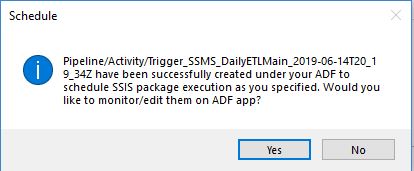

Azure Data Factory
In Azure Data Factory a pipeline and trigger are created automatically


Azure Dev Ops
Scheduling your SISS packages is not working fine when you have Azure Dev Ops Enabled. Pipeline and Trigger are published to the Data Factory instead of Azure DevOps GIT as you can see below.
My advice will be to build your schedule/trigger directly in Azure Data Factory when you 're using Azure Dev Ops.


In case you have any questions left, do not hesitate to ask them. I'm more then happy to answer them.