Microsoft Fabric Enterprise‑Grade: The Foundation for AI‑Ready Data Platforms
Month: March 2026
Table of Contents
Microsoft Fabric Becomes Enterprise‑Grade in the AI Era
Why FabCon Marked a Turning Point
FabCon Atlanta 2026 made one thing unmistakably clear: Microsoft Fabric has crossed the line from promise to production.
This was not a conference full of “what’s coming next.”
It was a conference about what is ready.
With roughly 80% of announced capabilities reaching General Availability (GA), Fabric is no longer approaching enterprise readiness. It is an enterprise platform, designed, secured, and governed for the AI era.
What mattered most was not the number of announcements, but which capabilities went GA: centralized security, enterprise networking patterns, OneLake governance, and platform-grade CI/CD.
These are not nice-to-haves. These are the foundations enterprises require before scaling analytics and AI responsibly.
Let’s unpack why this matters.
Why Enterprise AI Requires a Governed Data Foundation
AI amplifies everything, value and risk.
As models become more capable, the importance of controlled data access, policy enforcement, and end-to-end governance becomes non‑negotiable. At FabCon, Microsoft made a clear architectural statement:
OneLake is the enterprise data backbone for AI and security is enforced once and applied everywhere.
This represents a fundamental shift.
Not tool-level security.
Not fragmented enforcement.
But platform-level control.
For enterprises moving beyond experimentation into AI at scale, this distinction is critical.
Enterprise Networking for Secure AI Platforms
Real enterprises do not operate in open, internet-exposed architectures. They operate in hybrid, regulated, and security-sensitive environments and Fabric is increasingly aligned with that reality.
Fabric’s enterprise networking direction became unmistakable, reinforcing principles such as:
- Alignment with Zero Trust networking models
- Private endpoints and private links
- Outbound access protection for external shortcuts
- Workspace IP firewalling
- Resource instance rules restricting access to designated Azure resources
Rather than forcing customers into overly permissive designs, Fabric is evolving toward network-aware data platform patterns that fit inside enterprise boundaries.
This matters even more for AI workloads, where sensitive data is accessed by notebooks, agents, pipelines, and downstream applications at scale.
Microsoft is deliberately avoiding security sprawl, but the direction is clear:
Fabric is designed to live inside enterprise networks, not around them.
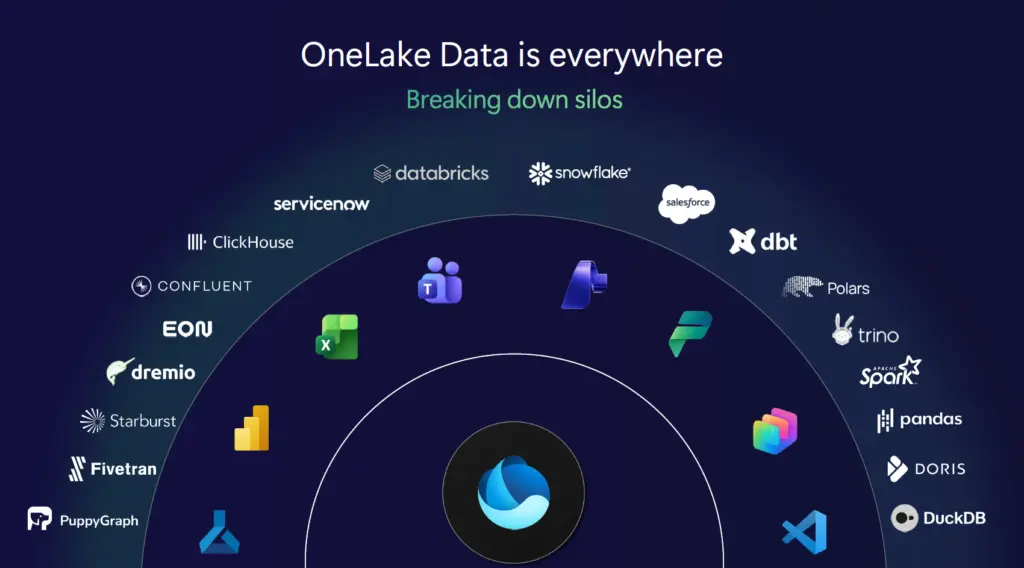
OneLake: One Logical Data Estate, Not Another Copy
OneLake has matured rapidly into the single logical data layer for Microsoft Fabric and by extension, for enterprise AI.
What makes OneLake enterprise-grade is not unification alone, but how that unification is achieved:
- Zero-copy shortcuts and mirroring reduce data duplication
- Data remains in place while becoming analytics and AI accessible
- Enterprises avoid the classic sprawl of unmanaged data copies
Microsoft reinforced that OneLake is not a convenience feature.
It is the governed foundation upon which analytics, BI, and AI agents operate.
AI models do not just need data.
They need trusted, current, policy-compliant data.
OneLake is how Fabric delivers that trust at scale.
OneLake Security: Secure Once, Enforced Everywhere
One of the most important GA milestones announced at FabCon was OneLake Security.
For years, enterprises have struggled with an obvious question:
Why does the same dataset require different security definitions for Spark, SQL, and Power BI?
OneLake Security directly addresses this problem.
With OneLake Security:
- Access policies are defined once
- Enforcement is consistent across Spark, SQL, Power BI, and AI workloads
- Governance moves from tool-specific configuration to platform-wide control
This “secure once, enforce everywhere” model is foundational for enterprise AI where the same data is reused across multiple engines, workloads, and autonomous agents.
Additional signals of maturity:
- Mirrored databases are already in Preview
- Eventhouse integration is coming
- OneLake Security APIs are on the roadmap, enabling any engine to integrate with the same security model
This is not incremental improvement.
This is platform consolidation.
OneLake Governance: From Discovery to Responsible AI
Enterprise AI rarely fails because the model is weak.
It fails because governance is fragmented or invisible.
Microsoft made it clear that OneLake is not just a storage abstraction, it is a governed data foundation designed for responsible AI adoption at scale.
With key governance capabilities now generally available, governance is no longer an afterthought or an external dependency.
Governance Embedded in the Data Experience
A major step forward is the OneLake Catalog Govern experience, which brings governance signals directly into data discovery and consumption.
Instead of asking users to check governance elsewhere, Fabric surfaces context by default, including:
- Clear ownership and accountability
- End-to-end lineage across ingestion, transformation, and consumption
- Sensitivity labels and policy inheritance across Fabric workloads
This closes a long-standing enterprise gap.
The question is no longer:
“Can I find the data?”
It becomes:
“Can I safely use this data for this purpose?”
That shift is essential for AI.
Data Sovereignty: Customer Managed Keys at Platform Scale
Fabric CI/CD: From Analytics to Platform Engineering
Another strong indicator of Fabric’s enterprise maturity is its evolution toward platform engineering and CI/CD.
At FabCon Atlanta, it became clear that Fabric is no longer optimized solely for interactive development. It now supports:
- Source-controlled artifacts
- Repeatable, automated deployments
- Clear environment separation (dev / test / prod)
- Alignment with existing enterprise DevOps practices
The new release of the Fabric CLIv1.5 introduces the deploy command, which wraps the fabric-cicd Python library and exposes it as a single CLI operation. The CLI integrates with fabric-cicd so deploying items from a Git-connected workspace to a target workspace
This is critical for AI scenarios, where experimentation must transition into governed, auditable production pipelines.
With Fabric CI/CD, data and AI assets are treated as first-class software products not ad-hoc analytics outputs.
From Features to Platform: Why GA Changes Everything
Preview features are exciting.
GA features are trustworthy.
The fact that the majority of FabCon Atlanta announcements reached GA sends a strong signal to enterprise decision-makers:
Fabric is stable, supported, and ready for mission-critical workloads.
That matters even more in the AI era, where:
- Data exposure risks are higher
- Regulatory scrutiny is increasing
- Operational reliability is non-negotiable
Fabric is no longer positioning itself as “the future.”
It is positioning itself as the platform enterprises can standardize on today.
Conclusion: Microsoft Fabric Is Built for Enterprise AI
FabCon Atlanta 2026 marked a clear inflection point.
With enterprise-grade networking, OneLake as a unified data estate, centralized OneLake security, and CI/CD-driven platform engineering, Microsoft Fabric has evolved into a complete enterprise data and AI platform.
Not a collection of tools.
Not an analytics add-on.
But a foundation for responsible, scalable AI.
And now that most of these capabilities are generally available, the conversation changes from:
“Is Fabric ready?”
To the only question that still matters:
“How fast can we adopt it responsibly?
This blog focused deliberately on the platform foundations of Microsoft Fabric. FabCon Atlanta 2026 included many more announcements and deep dives that go beyond the scope of this post.
For the complete set of updates, sessions, and demos, watch the full recording here:
- Fabric Metadata Driven Framework July 2026 Release Notes

- Reassigning Microsoft Fabric Capacities in Bulk: Don’t Let an Expiring Trial Catch You by Surprise
- Bringing Column-Level Lineage from Microsoft Fabric to Microsoft Purview with FMD
- My first experience: Building a Fabric App
- Fabric Metadata Driven Framework update May 2026