
My first experience: Building a Fabric App
Month: June 2026
My first experience: Building a Fabric App on top of my FMD Framework
At Microsoft Build 2026, Microsoft introduced Rayfin a major step forward in how we build applications on Microsoft Fabric.
If you’ve been working in the Fabric ecosystem, this is big.
Rayfin is an open‑source SDK + CLI that lets you define and deploy a complete, governed application backend directly on Microsoft Fabric.
No more stitching together databases, APIs, authentication, and governance yourself.
Instead:
You define your backend in code → Rayfin provisions everything → Fabric runs it with enterprise-grade governance by default.
So when Rayfin was introduces I couldn’t resist trying it out immediately.
So I did what I always do…
I plugged it into something real.
I built a simple web configuration portal on top of my Fabric Metadata-Driven (FMD) Framework to manage metadata not through notebooks or pipelines, but through a clean UI.
What I built (in a few hours)
I created a lightweight metadata management app:
- A web interface to fill metadata through a portal
- A light master data app using static tables
- But with the flexibility to:
- Add new tables
- Add new columns
- Extend the model yourself
Basically:
A dynamic metadata-driven admin UI on top of Fabric
Was it production-ready?
No, just a mockup.
Was it powerful?
Absolutely.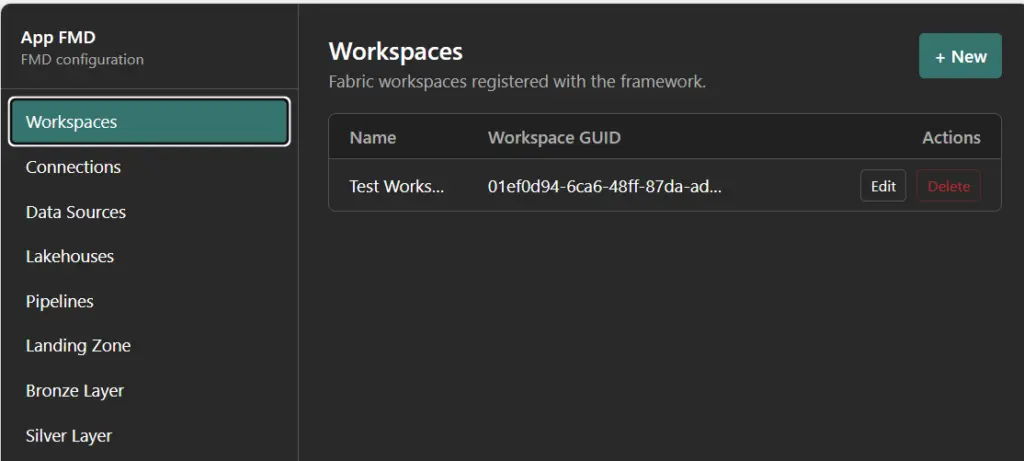
What surprised me most
The speed.
Normally, building something like this requires:
- Backend APIs
- Database configuration
- Authentication setup
- Access policies
- Deployment pipelines
With Rayfin?
None of that was manual anymore
I just:
- Defined the data model
- Added some logic
- Ran the deployment
And Fabric handled the rest:
- Database
- APIs
- Auth
- Governance
This aligns exactly with what Rayfin is designed to do:
Define your backend in code and deploy it directly to Fabric as a governed app.
What else did I try
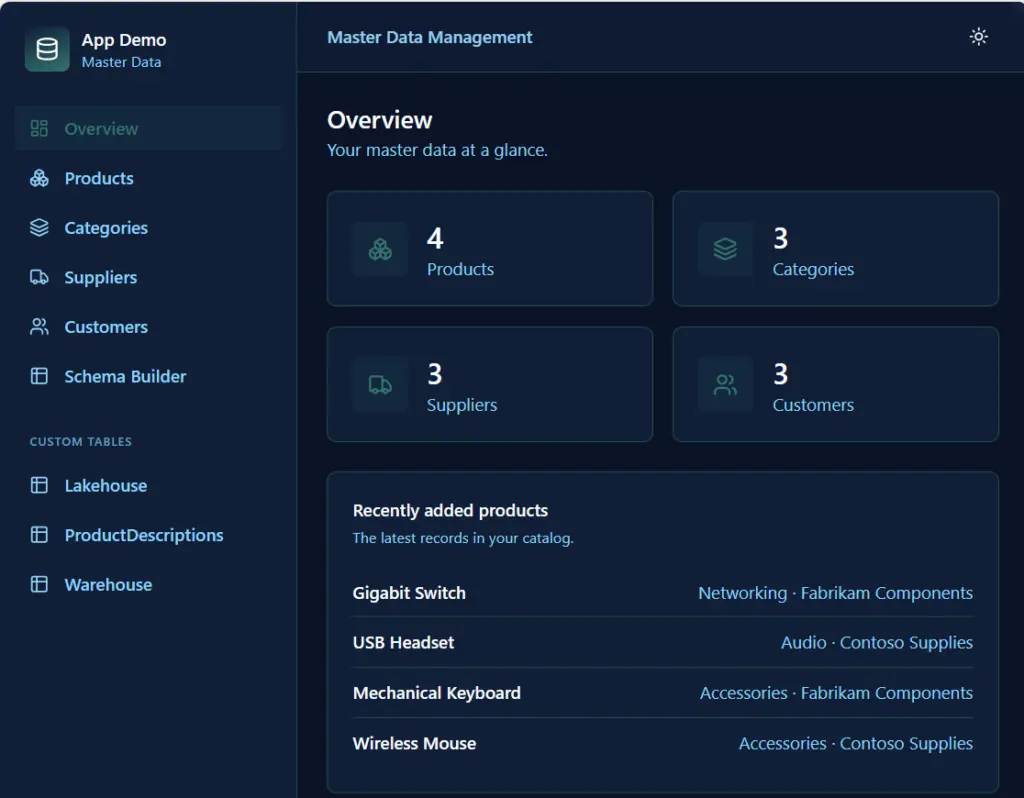
I build a master data management web app mockup, just as a try.
The master data management web app combines predefined tables with full flexibility to extend the model yourself. Core entities like products, categories, suppliers, and customers are available out of the box, providing a solid starting point for managing standard master data. At the same time, the app introduces a powerful capability: users can create custom tables and add new columns dynamically, effectively evolving the data model without needing to redeploy or change backend code.
Just try outs, but amazing fast. I will explore the Fabric app the coming weeks/months much more.
The essential Rayfin docs (bookmark this)
Create your first Fabric apps project
Deploy to Microsoft Fabric
Read & Write Data with GraphQL
Read and write data with GraphQL in Fabric Apps
Configure Authentication
fabric_webb_app_master data Configure Fabric SSO authentication for your Fabric app
Understand the Project Structure
Rayfin CLI Reference
Connect to a Semantic Model (Data App Template)
- Fabric Metadata Driven Framework July 2026 Release Notes

- Reassigning Microsoft Fabric Capacities in Bulk: Don’t Let an Expiring Trial Catch You by Surprise
- Bringing Column-Level Lineage from Microsoft Fabric to Microsoft Purview with FMD
- My first experience: Building a Fabric App
- Fabric Metadata Driven Framework update May 2026