Fabric Metadata Driven Framework July 2026 Release Notes

Month: July 2026
Table of Contents
Microsoft Fabric Metadata Driven Framework July 2026 Release
The Microsoft Fabric Metadata Driven Framework (FMD Framework) continues to evolve rapidly, driven by real-world customer implementations and an amazing open-source community. This July 2026 release focuses on improved lineage and governance, simplified deployment automation, stronger reliability, and enhanced security across the framework.
Before diving into the details, I would like to give special recognition to one contributor in particular.
Special Thanks to Matthias Falland
This release would not have been possible without the incredible contributions from Matthias
A large number of improvements in this release from deployment automation and security hardening to pipeline reliability and lineage enhancements, were contributed, reviewed and refined through their efforts.
Open-source projects thrive because of people who are willing to invest their expertise and time to make the platform better for everyone. The quality, attention to detail, and commitment to enterprise-grade reliability demonstrated in these contributions have significantly strengthened the FMD Framework.
A sincere thank you for helping make FMD more robust, secure, and adoption-ready for organizations building modern data platforms on Microsoft Fabric.
What's New in the Microsoft Fabric Metadata Driven Framework July 2026 Release
Enhanced Purview Lineage Integration
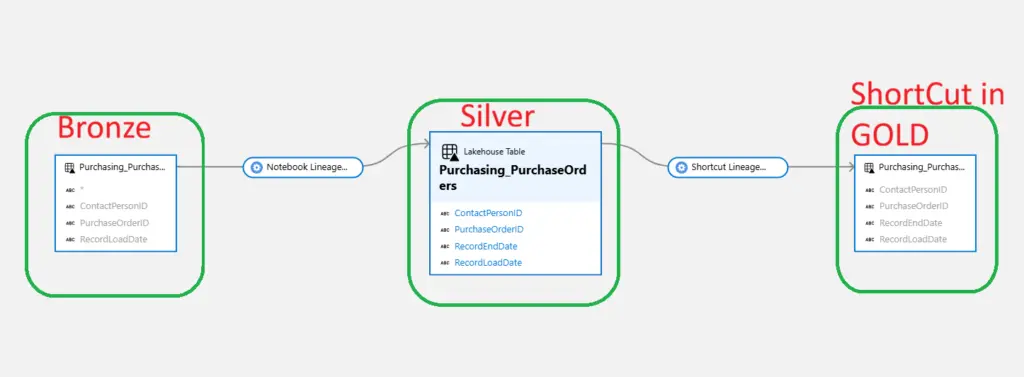
Following the recent introduction of the Fabric-to-Purview Lineage Extractor, several improvements have been implemented to simplify lineage management and make deployments more reliable.
Folder-Based Lineage Processing
One of the most requested enhancements was changing lineage extraction from a file-based approach to a folder-based approach.
Benefits:
- Simplified landing zone configuration
- Reduced maintenance effort
- More logical alignment with real-world data lake architectures
- Improved support for complex ingestion scenarios
This change allows FMD to automatically process all relevant files within a designated folder instead of requiring explicit file references.
Improved Workspace Reference Handling
The lineage extractor now correctly references Fabric Workspace identifiers through deployment placeholders, making multi-environment deployments considerably simpler.
Benefits:
- Easier Dev/Test/Prod deployments
- Reduced manual configuration
- Improved portability between tenants
Simplified Deployment and Onboarding
A major focus of this release was reducing deployment complexity.
Automated Fabric SQL Connection Creation
The Microsoft Fabric Metadata Driven Framework now supports automated Fabric SQL connection creation. You can now automatically create the CON_FMD_FABRIC_SQL connection using a Service Principal.
Why this matters
Previously, administrators needed to manually create and configure the connection before deployment.
Now FMD can:
- Create the connection automatically
- Configure authentication
- Reduce post-deployment manual steps
- Accelerate onboarding
This significantly improves first-time installations.
Improved Key Vault Integration
A new configuration option enables SQL connections to leverage Azure Key Vault.
Benefits
- Centralized credential management
- Better security posture
- Easier credential rotation
- Reduced operational risk
This aligns FMD more closely with enterprise security and governance standards.
Reliability Improvements Across Data Pipelines
This release contains several reliability-focused enhancements that improve monitoring, troubleshooting, and operational transparency.
Better Failure Detection
Multiple pipelines now correctly report failures instead of reporting successful execution when an underlying process fails.
Enhancements include:
- PL_FMD_LOAD_ALL
- Landing Zone processing
- Landing Zone audit activities
- Pipeline logging improvements
Operational impact
Data engineers and platform teams can now:
- Detect issues faster
- Trust audit results
- Improve monitoring accuracy
- Reduce troubleshooting time
Improved Pipeline Correlation Tracking
Pipeline executions now receive improved PipelineParentRunGuid fallback logic.
Extended support was added for:
- Notebook executions
- Bronze processing
- Silver processing
This improves observability and end-to-end execution tracking.
Watermark Synchronization Improvements
An issue was resolved where watermark advancement could occur before queue insertion completed.
The process is now serialized correctly to ensure:
- Better incremental load reliability
- Reduced chance of missed records
- Improved consistency during high-volume processing
Data Quality and Transformation Improvements
Several improvements have been made to metadata-driven transformations.
Improved Hash Generation
Stable Primary Key Hashes
Hashed primary keys are now generated independently of source column order.
Benefits:
- Consistent hash generation
- Reduced risk during schema changes
- Improved reproducibility
Better Change Detection
Primary key columns are now excluded from HashedNonKeyColumns calculations.
This improves:
- Change tracking accuracy
- Delta detection reliability
- Incremental processing performance
DACPAC Validation
Build pipelines now verify that:
- DACPAC artifacts match the SQL source project
- SQL changes are correctly included
- Deployment packages remain synchronized
Additionally:
- DACPAC generation has been automated
- Deployment consistency has improved
- Release quality has increased
Additional Fixes
This release also includes numerous bug fixes and quality-of-life improvements:
- Fixed StartCopyActivity typo affecting ADLS and ADF visibility
- Added missing invoke_fabric_api_request implementation
- Corrected deployment guide sequencing
- Improved demo data deployment
- Enhanced OneLake configuration deployment
- Updated Lakehouse assets and DACPAC packaging
- Improved namespace handling to prevent truncation issues
Community Contributions
A special thank you goes to Matthias Falland for a significant number of high-quality contributions in this release. These improvements help make FMD more reliable, secure, and easier to deploy across enterprise environments.
Open-source collaboration continues to play a crucial role in making FMD the leading metadata-driven framework for Microsoft Fabric.
Conclusion
This July release is less about introducing flashy new features and more about something equally important: enterprise readiness.
The improvements delivered in this update strengthen the framework in four critical areas:
✅ Better Purview integration and lineage management
✅ Simplified deployments and onboarding
✅ Improved operational reliability and monitoring
✅ Stronger security and governance controls
For organizations building large-scale Microsoft Fabric implementations, these enhancements further reduce deployment complexity while increasing trust in metadata-driven automation.
The FMD Framework continues its mission of helping organizations build scalable, governed, and AI-ready data platforms on Microsoft Fabric.
New to the Microsoft Fabric Metadata Driven Framework?
Learn more about the framework architecture, deployment model, and features here:
GitHub Repository
👉FMD_FRAMEWORK
Hit Subscribe to get future release notes delivered straight to your inbox!
- Fabric Metadata Driven Framework July 2026 Release Notes
- Bringing Column-Level Lineage from Microsoft Fabric to Microsoft Purview with FMD
- Fabric Metadata Driven Framework update May 2026
- FMD Framework Update April 2026: Identity Improvements, SCD2 Fixes & Stability Enhancements
- FMD Framework March 2026 Update: Data Lineage, Notebook Automation & Ingestion Improvements
- Fabric Metadata Driven Framework July 2026 Release Notes
- Reassigning Microsoft Fabric Capacities in Bulk: Don’t Let an Expiring Trial Catch You by Surprise

- Bringing Column-Level Lineage from Microsoft Fabric to Microsoft Purview with FMD
- My first experience: Building a Fabric App
- Fabric Metadata Driven Framework update May 2026