Speaking at SQL BITS 2022

Speaking at SQL BITS 2022

SQL BITS 2022

We’re Hitting the Arcade

SQL Bits is back this year in London from March 8-12 2022. SQLBits is the largest data conference in the world and this year's theme is to bring us back to our incandescent youth, so prepare to level up your data skills and reach a new high score at the arcade-themed 2022 conference!

Not 1 but 2 sessions

This year I will not present 1 session but 2 sessions.

Data Governance with Azure Purview - Ask the Experts

In this session you have to chance to ask any question on data governance for your business using Azure Purview.

We have a panel of 3 MVPs, Victoria, Wolfgang and myself. Richard we help us out with moderating the session.
If you have an urgent question, feel free to ask it via this form https://forms.office.com/r/dTP38LnmsJ
Of course you can also ask your question live during our session on Friday 11 March from 14:10-15:00. You will find us in room 04.

Looking forward to you all

Lake Database with Database Template and Mapping Data with Azure Synapse Analytics

Microsoft asked me to present a session during SQL Bits in the Cloud Scale Analytics solution area.
Of course I wanted to do that, it is an honor to be asked to do so. Once again thank you Tony and Wee Hyong for inviting me.

In this session I will take a closer look at Database Template in Azure Synapse Analytics

Database templates in Azure Synapse Analytics are blueprints which can be used by organizations to plan, architect and design solutions.

How can we use these Database Templates in a day-to-day business, in order to speed up to automate this process? Map data tool can help us with that. The map data tool can generate a mapping data flow without having to start from a blank canvas. In this presentation, you will see how this all works in a step-by-step demo-based session.

The session is on Friday 11 March from 12:00-12:50 and will be like the above session in Room 04

Do you want to know more which sessions Microsoft is delivering:  Ready for SQLBits 2022? - Microsoft Tech Community

Oh yeah, Thursday 10 March, 9:00 am, the keynote will start, which is being led by Bob Ward, along with Buck Woody, Anna Hoffman, Patrick LeBlanc, Evangeline White, and Pedro Lopes, to show you, from SQL Server on-prem to Azure Data in the cloud, the latest and greatest data platform on earth! You better not miss this one, promises to be a nice keynote.
 

My virtual session at Data Toboggan

My virtual session at Data Toboggan

Data Toboggan

This Saturday I've joined the Data Toboggan to talk about Azure Synapse Analytics.


Azure Synapse Analytics

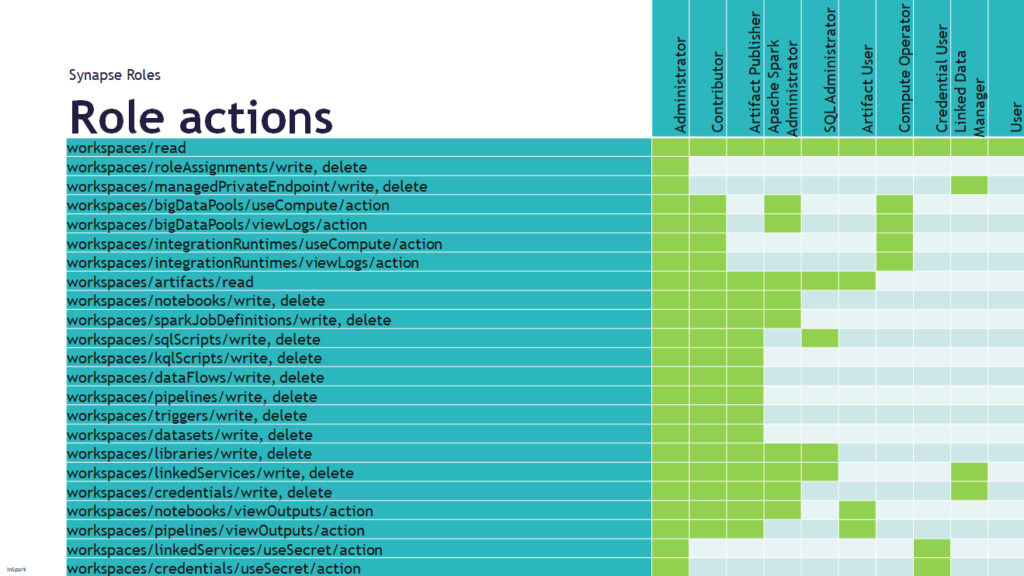
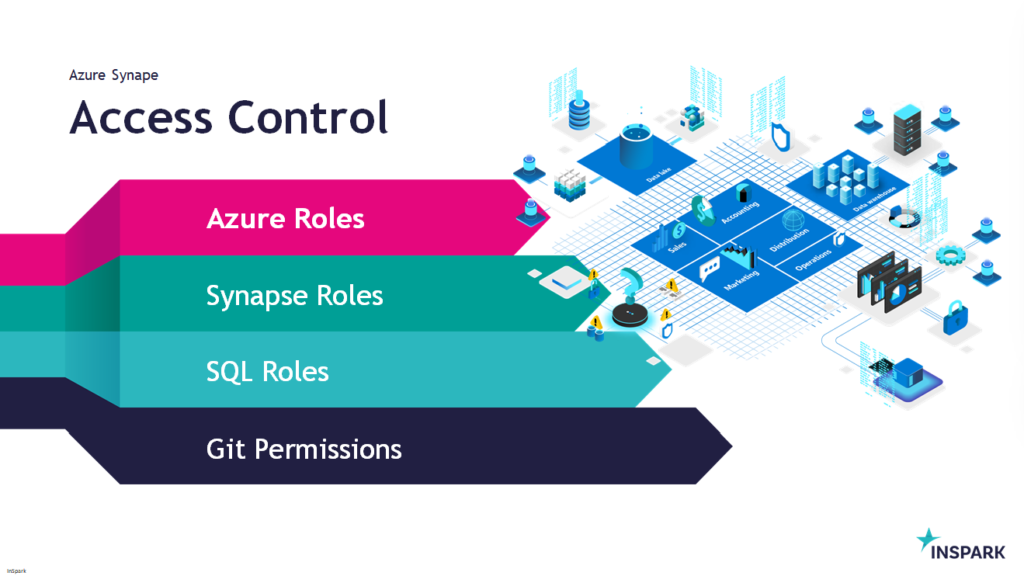
Today I've been talking on how to deal with all the different roles in Azure Synapse Analytics during Data Toboggan. An event 100% focussed on Azure Synapse Analytics.

Synapse-Access-Control

You can find my slides below on Slideshare:

Some useful links:
 
Azure-Synapse-Role-Actions


In case you have any questions left please feel free to ask them via the comment or Socials

How to use concurrency in Azure Synapse pipelines?

How to use concurrency in Azure Synapse pipelines?

How to prevent concurrent pipeline execution?

Concurrency

This week I had a discussion with a colleague about how we can now make sure that a Pipeline does not start when it's already started.

He then indicated, have you ever thought of the concurrency option?  I've seen this option before but never paid attention to it.

How does the concurrency work?

If you read the Microsoft documentation it says the following:
The maximum number of concurrent runs the pipeline can have. By default, there is no maximum. If the concurrency limit is reached, additional pipeline runs are queued until earlier ones complete.

The concurrency option is working in Azure Synapse Analytics and in Azure Data Factory.

I started to test this functionality and there are certainly some nice use cases for that:

  • If the Pipeline was started via a Schedule and someone else triggers this Pipeline Manually, the Pipeline is placed in a queue.
  • Sometimes it happens that there is a delay in the processing of data or that more data is delivered. If you process this data every 30 minutes and the 1st run is not yet ready and the 2nd starts again, this could result in incorrect data. Also in this case the to be executed run is placed in a queue and only starts when the previous one is ready.

It is a fairly simple process but can be quite useful especially in the case of short loading windows.

Azure-Synapse-Concurrency

Please pay attention, running the pipeline in a Debug modus has no effect on this and will run directly.
Check the monitoring regularly to check if this situation is not happening all the time, if so,  you better change the recurrence ​of your Triggered Pipeline. You still have the option to cancelled a queued pipeline.

How to enable concurrency?


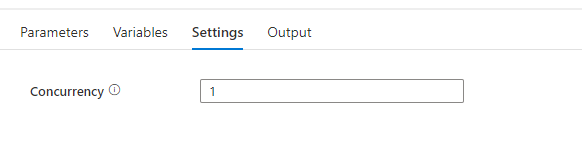
To enable concurrency in an Azure Synapse pipeline, you can use the Concurrency property in the pipeline settings. The default value is 1, which means that only one copy of the pipeline will run at a time. By default, there is no maximum. If the concurrency limit is reached, additional pipeline runs are queued until earlier ones complete. Setting the concurrency level to a higher value will cause multiple copies of the pipeline to run concurrently, which can improve performance if the pipeline is CPU-bound or if the data source can handle the increased load. If you leave the property blank the pipeline will not be queued. 

Enable-concurrency-Azure-Synapse

When you have any questions regarding concurrency, please let me know.

My first Virtual session in 2022 for Dataminds

My first Virtual session in 2022 for Dataminds

DataMinds

This Tuesday I've joined the DataMinds user Group to talk about Azure Purview.


Migrate Azure Storage to Azure Data Lake Gen2

Migrate Azure Storage to Azure Data Lake Gen2

Migrate Azure Storage to Storage Account with Azure Data Lake Gen2 capabilities

Does it sometimes happen that you come across a Storage Account where the Hierarchical namespace is not enabled or that you still have a Storage Account V1? In the tutorial below I describe the different steps that have recently become possible to perform this migration.

Azure Storage V1

The first step is to check what Account kind is currently deployed. If this is Storage (general purpose v1), we first need to Migrate the Storage account to V2, if this is already V2 then go to the next step.

Storage V1 Account

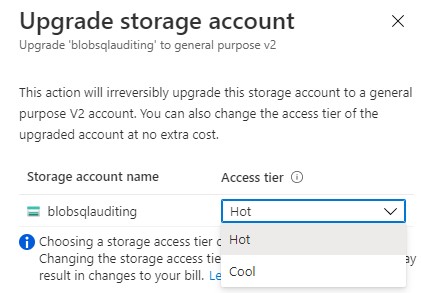
You can click on change and a new window will pop-up.

Upgrade Storage Account

Note: Choosing a storage access tier during account upgrade is free. Changing the storage access tier after the upgrade operation may result in changes to your bill.

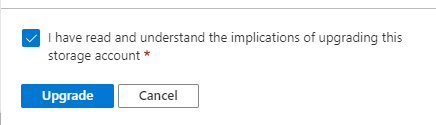
Select the Tier you want to Migrate to, once you have done that start the Upgrade.

Start Migration

When the upgrade is successful, you will see that the Account kind is now StorageV2. We can now continue to the next step.

Blob_Migration_V1_result

Azure Storage V2

To start the Migration click in the Taskbar on Data Lake Gen2 upgrade or click in the blob service properties on ‘Disabled’ for the Hierarchical namespace property.

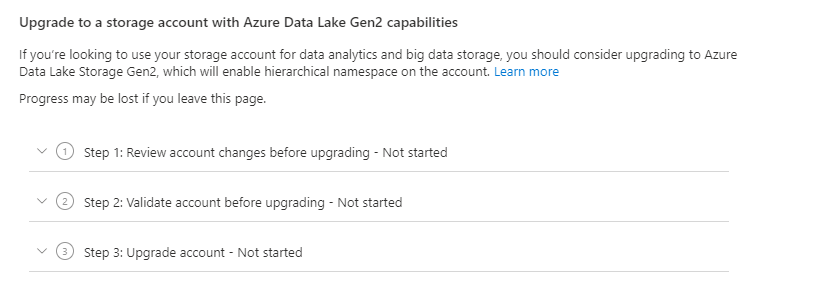
The Migration window will open and we can start with step 1.

Blob_Migration_V2

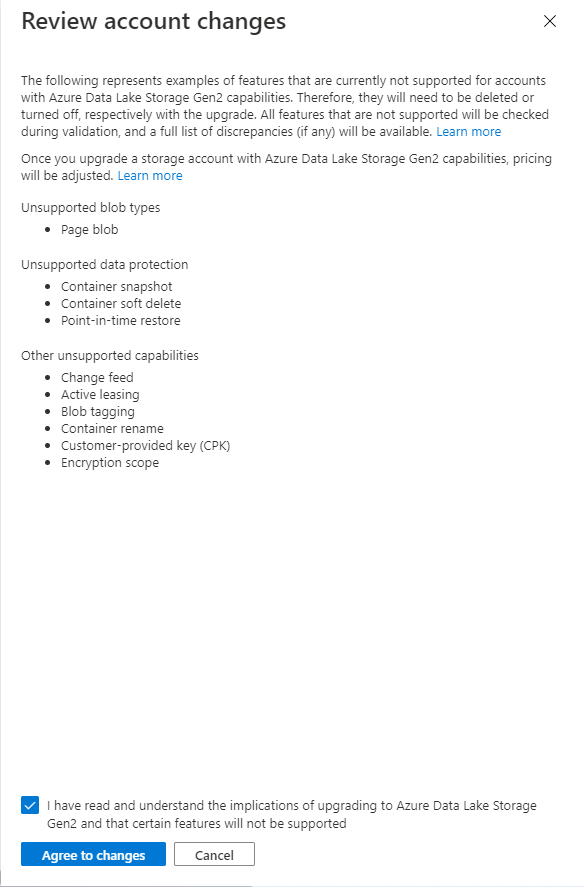
Take notice of the unsupported features/functionalities.

Blob_Migration_V2_step1

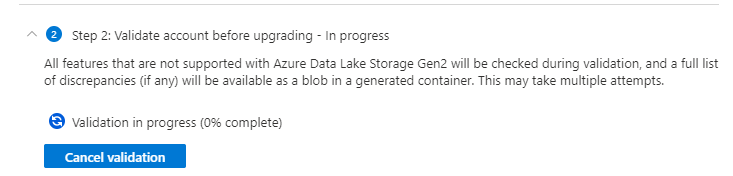
Agree with implications of Upgrading your Azure Data Lake Storage. Once this step is done we can continue with step 2, the validation.

If everything runs fine, you can start the upgrade step 3. If it fails check the errors. You need to download the error.json file to check which blobs are failing, mostly this are the unsupported functionalities or incompatible features.

{
“startTime”: “2021-08-04T18:40:31.8465320Z”,
“id”: “45c84a6d-6746-4142-8130-5ae9cfe013a0”,
“incompatibleFeatures”: [
“Blob Delete Retention Enabled”
],
“blobValidationErrors”: [],
“scannedBlobCount”: 0,
“invalidBlobCount”: 0,
“endTime”: “2021-08-04T18:40:34.9371480Z”
}


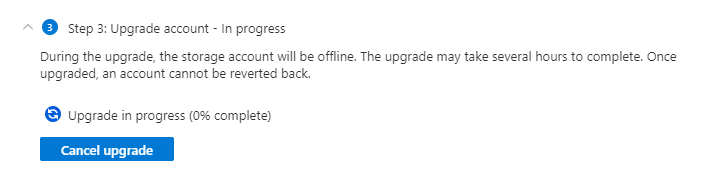
The upgrade will take a while, this mostly depends on how much data needs to be migrated.

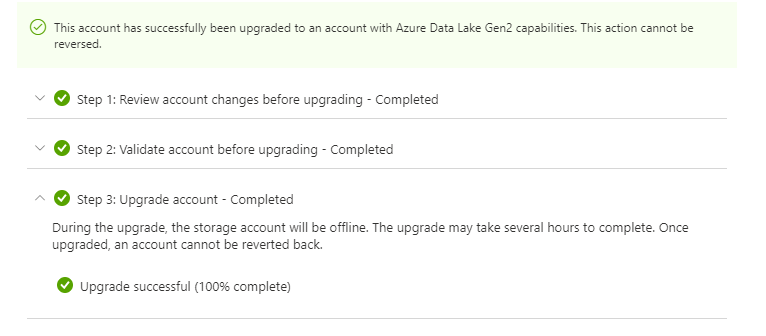
At the end of the process you notice that the Hierarchical namespace is now enabled and can not be changed anymore.

Blob_Migration_V2_finished

Post Migration

Create new linked services in Azure Data Factory and Azure Synapse Analytics to make sure that you will use the DFS file system.

Change any other application to the correct End Point.

Test, test and Test all your workloads to make sure everything is working like expected.

Start migrating your Development Storage Account, test all the workloads, before you start Migrating your Production Storage account.


Like always, in case you have questions, leave them in the comments or send me a message.

Useful links

Upgrade to a general-purpose v2 storage account

Upgrade Azure Blob Storage with Azure Data Lake Storage Gen2 capabilities