Data Saturday #1 Pordenone(Video)
Recording of my session during Data Saturday #1 Pordenone
Azure Purview Microsoft's answer to Data Governance and Data Lineage

Recording of my session during Data Saturday #1 Pordenone
Azure Purview Microsoft's answer to Data Governance and Data Lineage
This week the Azure Purview announced that they will extend the Azure Purview offer to provision 4 Capacity Units of the Data Map for free till May 31, 2021! Charging will start on June 1, 2021. Great news for customer who start exploring Azure Purview
More detail on Azure Purview pricing can be found here
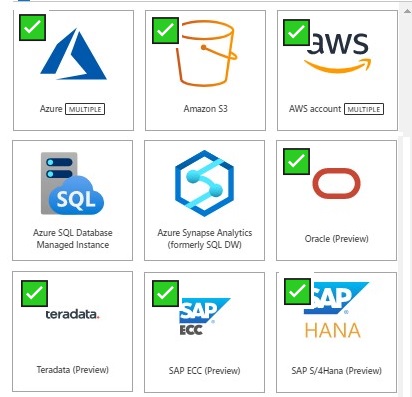
As you see above a lot of new Sources to scan have been announced and there will be more sources coming in the next months.
And last but least, Azure Multiple. With Azure Multiple you can now govern multiple Azure sources within Azure Purview by registering an entire Azure subscription or a resource group.
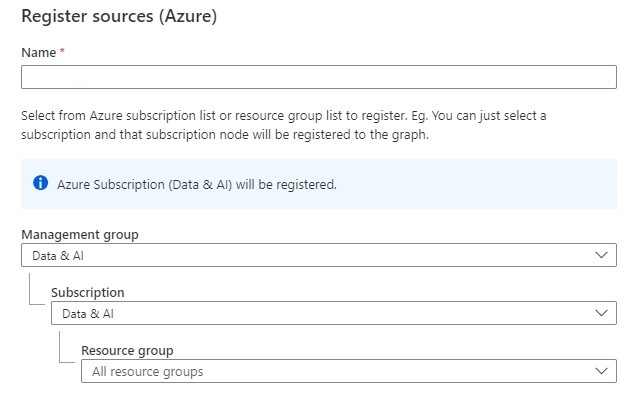
And you setup scan and triggers to the discover assets within your subscription.
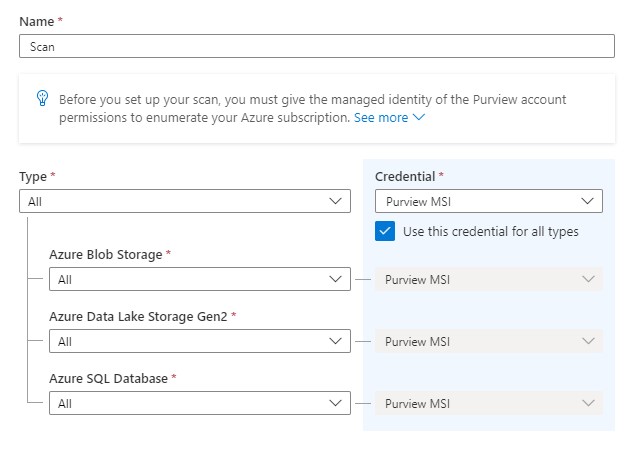
More detail on how to setup Azure Multipe How to scan Azure multiple sources.
Also for Azure Multiple more resource types are coming in the upcoming weeks
You can now set up scans on your on-premises and Azure data sources with ingestion private endpoints and a self—hosted integration runtime to ensure network isolation, and metadata traversing only via private networks end-to-end and block all access to your Purview instance from public internet.
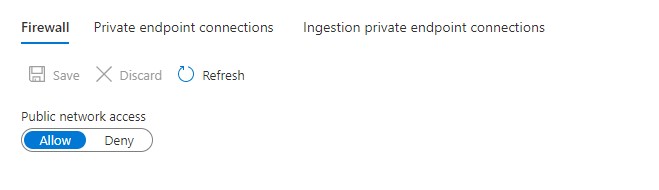
More details on pricing Pricing - Azure Purview
Azure Purview Documentation Documentation - Azure Purview
Azure Purview Q&A Q&A -Azure Purview
In case you have unanswered questions please do not hesitate to contact me.
This Saturday I've been speaking during DataSaturday #1 Pordenono. The first ever DataSaturday after Pass has retired. If you want to visit more Datasaturday events please visit the Data Saturdays event page.
I presented a session about Azure Purview Microsoft's answer to Data Governance and Data Lineage
You can find my slides below on Slideshare:
In case you have any questions left please feel free to ask them via the comment or Socials

This Saturday I've been speaking during Data Toboggan an inaugural event specializing on Azure Synapse Analytics. 12 Hours of sessions with amazing speakers.
I presented a session about Azure Purview Microsoft's answer to Data Governance and Data Lineage
It was the first time ever that I presented this session in Public. I've been working on this session the last couple weeks. Presented several times to my colleagues. In any case, I was well prepared.
During the day I attended several sessions and all of them were of high quality.
My session started at 16:00 GMT and I explained in 45 minutes what Azure Purview can mean within a Data Estate. Personally, I was very satisfied with the presentation of my session.
A big applause for Mark, Richard and Victoria for the organization and of course for having me
In case you have any questions left please feel free to ask them via the comment or Socials

This article explains how to integrate Azure Purview into your Azure Synapse workspace for data discovery and exploration. Follow the steps below to connect your Azure Purview account in your Azure Synapse Workspace.
In the Management Hub you will see now a new option called Azure Purview.
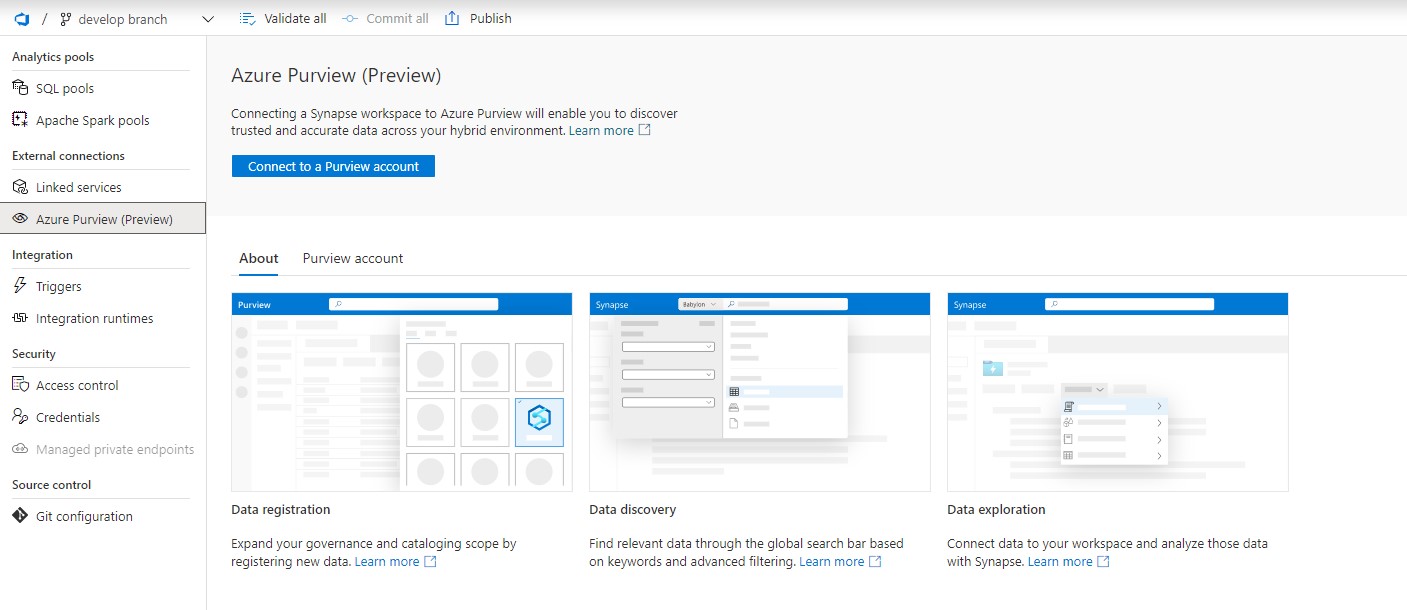
Click on the option "Connect to a Purview Account". Please be aware that you need a Contributor role in your Azure Synapse workspace and access to your Azure Purview Account(Purview Reader or Purview Curator).
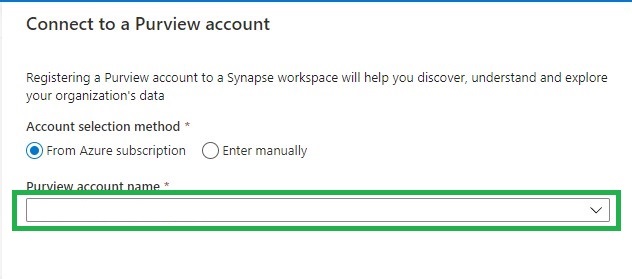
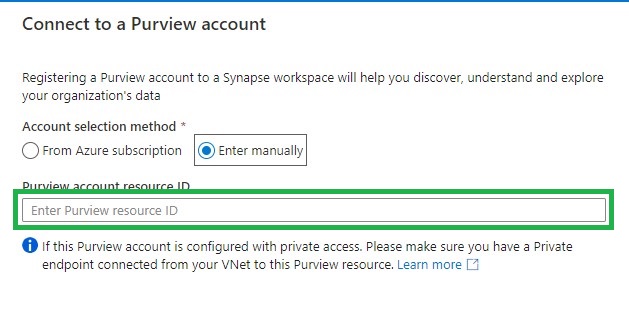
Find the Purview account you want to connect to from the drop down list or add it manually by adding the source ID.
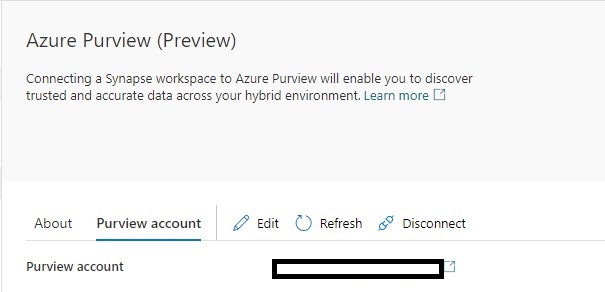
If the connection is successful, you will see the following screen. If not, make sure you have the correct role to connect to your Azure Purview account.
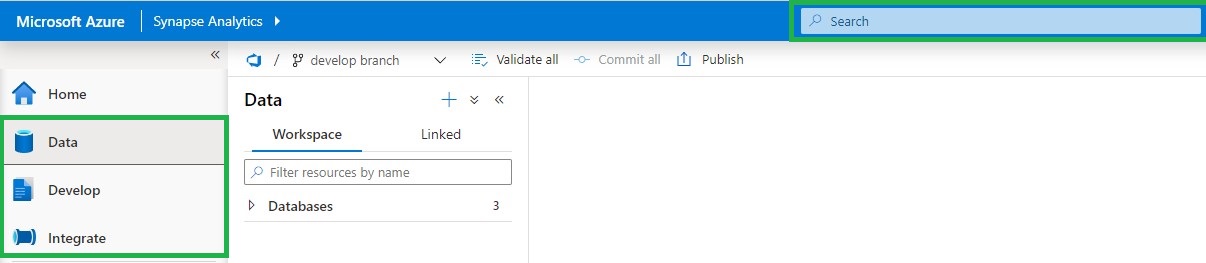
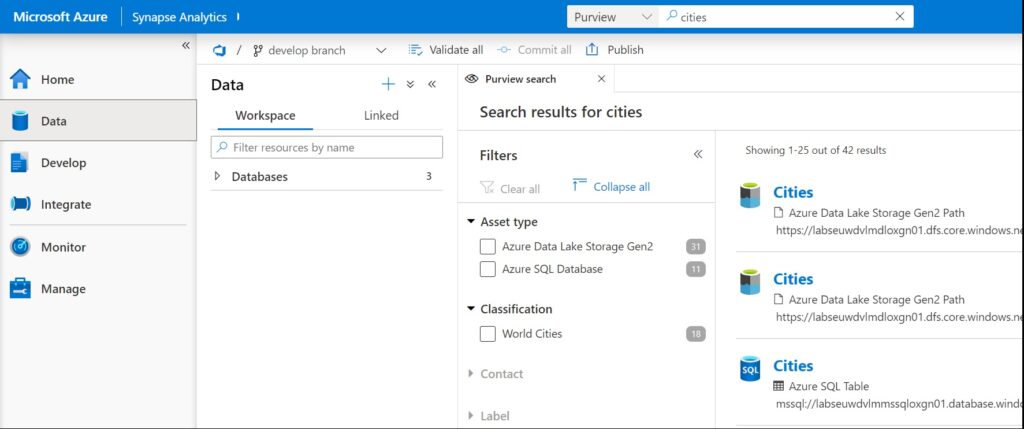
If you select your Data, Develop or Integrate HUB, you will see in the top center a Search bar.
To use Azure Purview in Azure Synapse it requires you to have access to the connected Azure Purview account. Azure Synapse will then passes-through the correct Azure Purview permissions.
The following Azure Purview features are available in Azure Synapse Analytics(based on your role):
Add addition to above features, you can also connect directly to the assets you have searched.
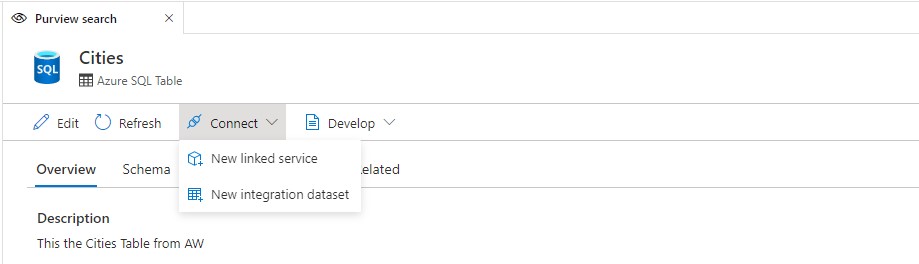
There are three actions that you can perform: New SQL Script, New Notebook, and New Data Flow.
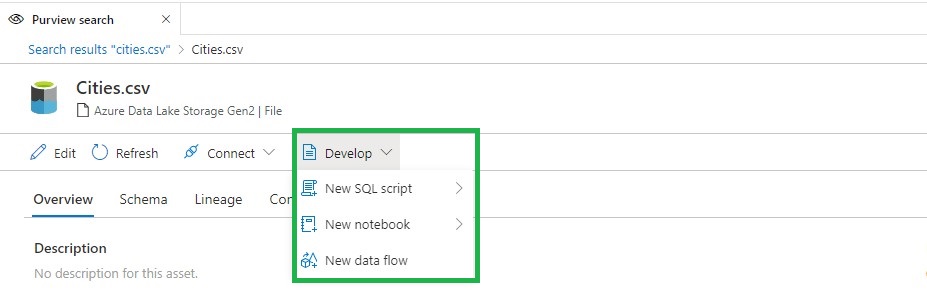
These new functionalities makes the integration between Azure Purview and Azure Synapse Analytics even more Powerful. More details can be found here.
Create an Azure Purview account
Thank you for reading, please feel free to ask questions and I'm more then happy to answer them.