10 Days of Azure Synapse Analytics
10 Days of Azure Synapse AnalyticsFor the next 10 days, every day a different topic is explained about Azure Synapse Analytics. The shortest and easiest way to see how Azure Synapse Analytics can help you, to make decisions within your data landscape.Day 1...
Azure Synapse Analytics Code Repository has arrived
Azure Synapse Analytics Code repositoryI just opened my Azure Synapse Analytics Workspace and got a great surprise, the option Git Configuration is available as of today. After a long wait, today the Git Configuration option became available in Azure Synapse...
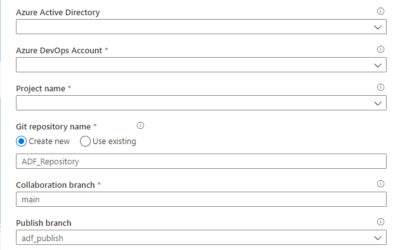
How to setup Code Repository in Azure Data Factory
Why activate a Git Configuration? The main reasons are: Source Control: Ensures that all your changes are saved and traceable, but also that you can easily go back to a previous version in case of a bug. Continuous Integration and Continuous Delivery (CI/CD): Allows...
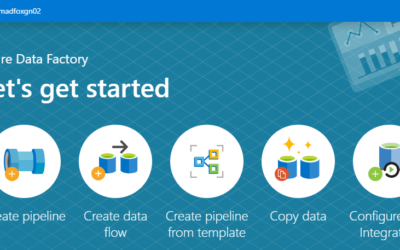
Azure Data Factory Let’s get started
Creating an Azure Data Factory Instance, let's get started Many blogs nowadays are about which functionalities we can use within Azure Data Factory. But how do we create an Azure Data Factory instance in Azure for the first time and what should you take into account? ...

My Virtual Session at SQLBits 2020
SQL BITS 2020, the greatest data show Last week was SQL BITS week. After the event was moved from April to September, it eventually became a Virtual event. Setting up a Virtual event requires a lot of adjustments in the Organization.Recording All regular sessions had...

Watch the MS Ignite sessions on-demand
MS Ignite SessionsMS Ignite 2020 was this year a virtual event. Most of the sessions were live in the evenings and the other sessions were available at different times in different time zones. Compliments to the MS Ignite team for organizing such a great event Most of...
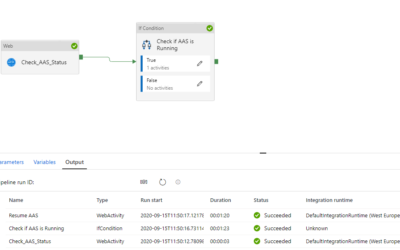
Use Global Parameters to Suspend and Resume your Analysis Services in ADF
Suspend or Resume your Azure Analysis Services in Azure Data Factory Last week one of my customer asked me if they could start or stop his Azure Analysis Services within Azure Data Factory. After a search on the internet I came across a blog from Joost, I'm using that...
Speaking(Virtual) at SQL Saturday #963 Denmark
SQL Saturday 963 DenmarkPASS SQLSaturday is a free training event for professionals who use the Microsoft data platform. These community events offer content across data management, cloud and hybrid architecture, analytics, business intelligence, AI, and more.My first...
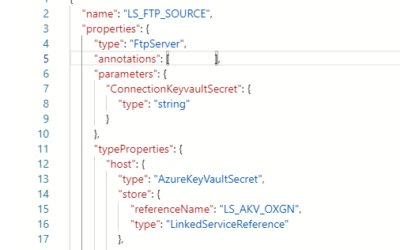
Parameterize Linked Services in ADF
Parameterize Linked Services For my Azure Data Factory solution I wanted to Parameterize properties in my Linked Services. Not all properties are Parameterized by default through the UI. But there's another way to achieve this. Linked Service Open your existing...
Azure Data Factory and Azure Synapse Analytics Naming Conventions
Naming Conventions More and more projects are using Azure Data Factory and Azure Synapse Analytics, the more important it is to apply a correct and standard naming convention. When using standard naming conventions you create recognizable results across different...