Custom comments in Azure Synapse Analytics

Custom comments in Azure Synapse Analytics

Azure Synapse

by Erwin | May 16, 2023

Add custom comments to your Azure DevOps and Github commits

Finally

​Finally and secretly hidden, we can now add a Comment to our commits in Azure Synapse Analytics and Azure Data Factory to Azure Dev Ops.

How do you activate this custom comment option in your existing environment. Read below.

Existing environment

In Azure Synapse Analytics, go to the Git Configuration in the Management Activity Hub.
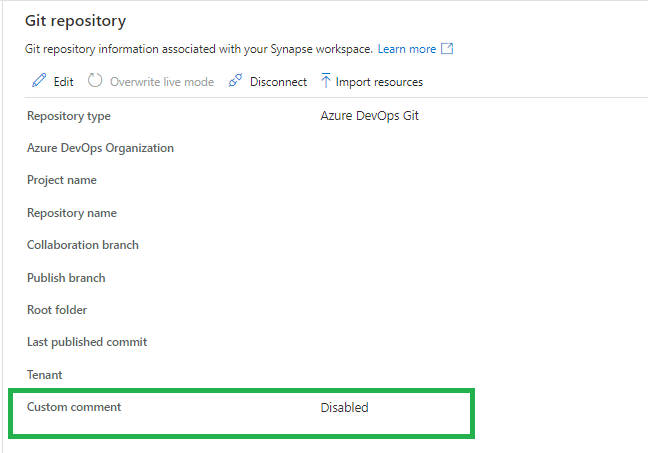
Synapse-overiview-custom-command

If the custom command is not enabled, you will see that this new feature is available.

When you click on edit you can enable this new feature. Make sure you're are allowed to make changes to your current branch. Otherwise create a new feature and make the change in this feature before you merge(Pull request) it into your develop branch.
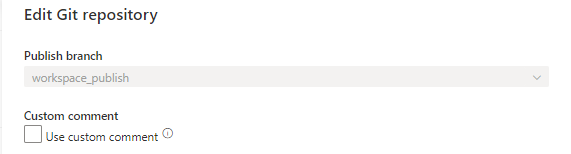
Enable-custom-command

You will get a warning, this is mainly because you're updating a configuration file.
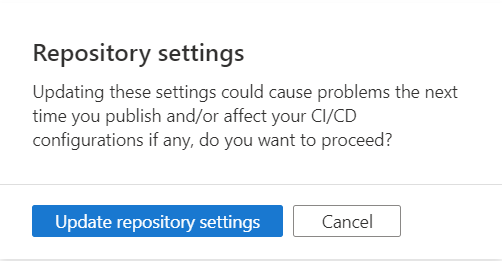
Update-repo-custom-comment

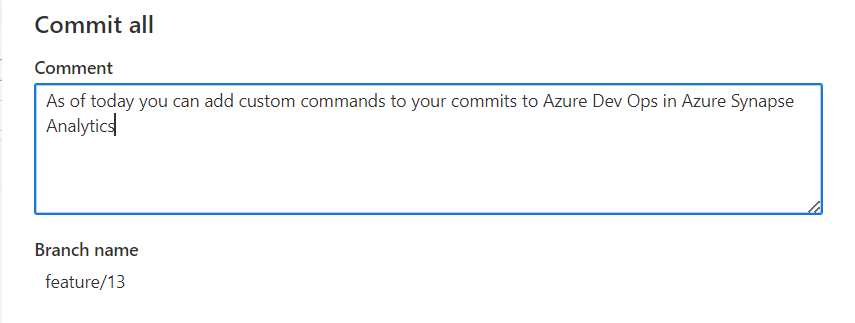
Once the option is enables, you will have the possibility to add a custom command on your commit. Which can be very useful.
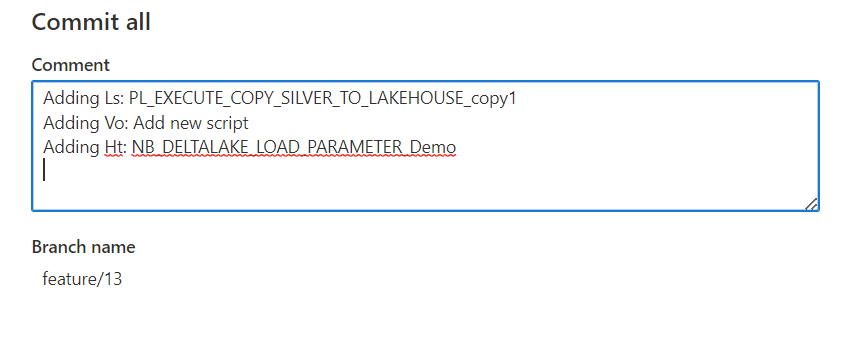
add-custon-command-in-synapse

This message will be pushed to Azure DevOps as well and can be found on your commit, including the custom commands you added.
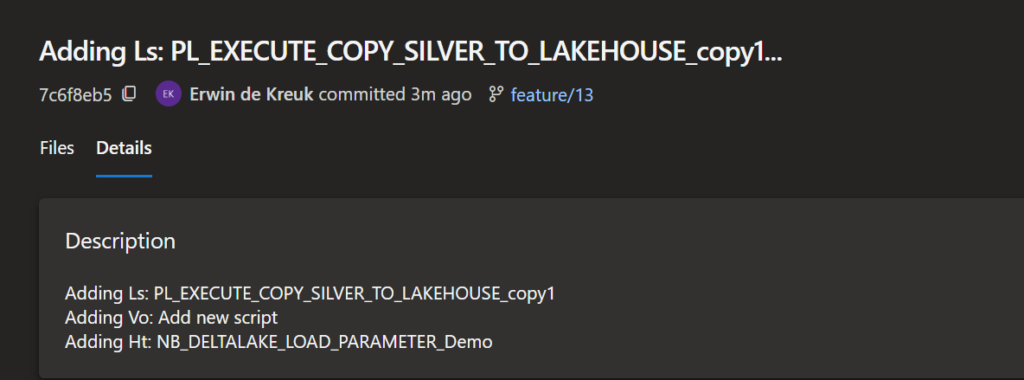
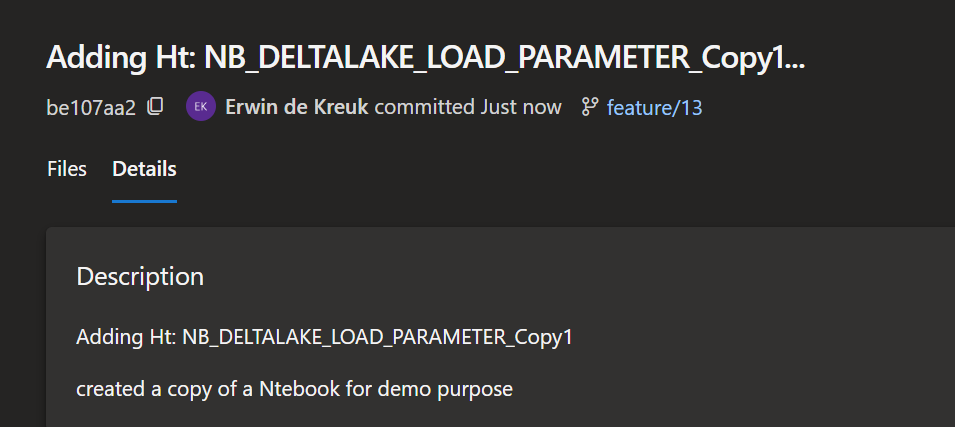
Overview-comments-in-DevOps

custom-command-synapse

New environment

The new option is now also available when you connect Azure DevOps for the first time, just enable the option in the configuration pane.
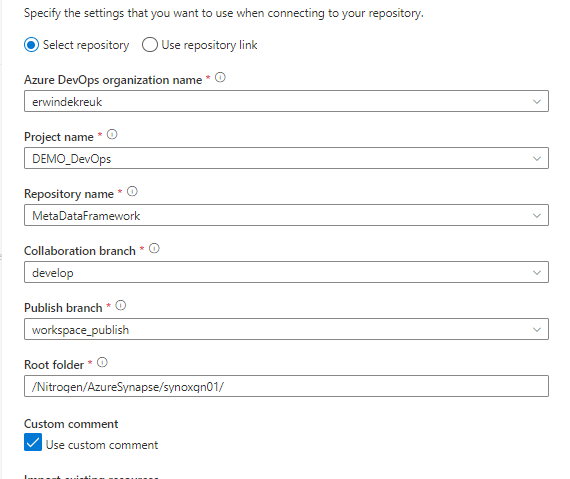
custom-command-new-connection

Azure DevOps

You can enable this option also directly in Azure DevOps by adding the following option in enableGitComment":true  in de publish_config.json file, which is located in the root folder of you Azure Synapse repository.

Azure Data Factory

The above steps are working the same in Azure Data Factory

Github

Custom comments are also available in Github, works the same as Azure DevOps

Remarks

The custom comment option is only working when you apply the Commit All button, it is not working on a single artifact commit.

Have fun with it and let me now your findings!

It's a fairly simple process, but you just need to know it. And it will ultimately makes the collaboration with your team members much easier.

If you have any questions regarding the above, please let me know.

Documentation:

Source control in Synapse Studio

Feel free to leave a comment

SQL BITS 2022 Session recordings

SQL BITS 2022 Session recordings

Recordings SQL Bits 2022

All sessions of SQLBits 2022 have been made available to everyone and can now be viewed via their Youtube channel. Microsoft asked me to present me this session during SQL Bits in the Cloud Scale Analytics solution area.

Session Title:

Lake Database with Database Template and Mapping Data with Azure Synapse Analytics

Description:

Database templates in Azure Synapse Analytics are blueprints which can be used by organizations to plan, architect and design solutions.

How can we use these Database Templates in a day-to-day business, in order to speed up to automate this process? Map data tool can help us with that. The map data tool can generate a mapping data flow without having to start from a blank canvas. In this presentation, you will see how this all works in a step-by-step demo-based session.

During SQL Bits the Mapping Data tool was still in Preview, the great news is that this functionality is now GA.

SAVE THE DATE

SQLBits 2023 will back next year 14 – 18 March 2023, so mark you calendars.

Azure Data Factory updates June

Azure Data Factory updates June

Azure Synapse

by Erwin | Jun 30, 2022

Azure Data Factory updates

There have been quite a few updates in Azure Data Factory and Azure Synapse Analytics in the last few days.
Below is a summary of these updates:


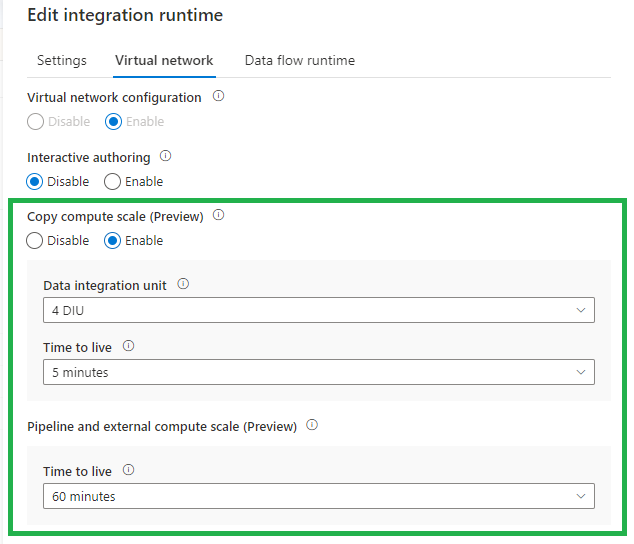
Time-To-Live (TTL) on Integration Runtime with managed virtual network enabled

The new TTL functionality, currently in Preview, will save you a lot of time. Instead of provision compute for every copy activity execution, with this new option the provisioned compute will be reserved. You can set this new option on every Integration Runtime with Managed Virtual Network enabled. Very handy and will advise you to do this direclty. This option is also available in Azure Synapse Analytics.

adf-ttl

More can be found on the blog below:

Time-To-Live (TTL)

CI/CD improvement using Global Parameters in Azure Data Factory

We used to have a PowerShell script to add the Global parameters to our CI/CD pipelines. Now we can include these as Override Parameters in our Deployment/Release Pipeline. Very handy and easy.

Deprecated:

adf-gloabal-parameters-depr

New:

adf-gloabal-parameters-new

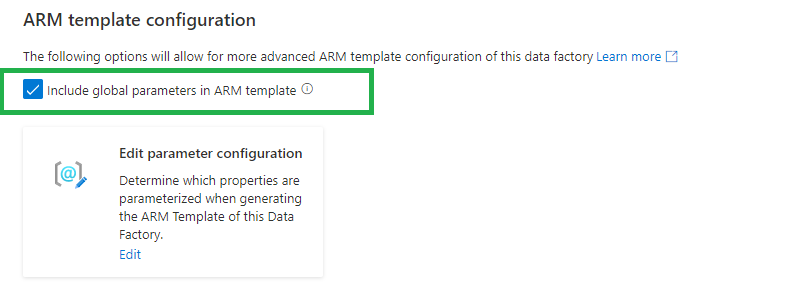
If you are using the arm-template-parameters-definition.json file to customize your parameters make sure you add the global parameters to this file. Otherwise you cannot override the parameters in the Deployment/Release Pipeline.

adf-gloabal-parameters-template

When we have created a Global Parameters Environment, we have now have the option to override this parameter option during the release:

-default_properties_Environment_value "Development"

More can be found on the blog below:

CI/CD improvement using Global Parameters in Azure Data Factory

Public Preview of the SAP CDC solution in Azure Data Factory

The new SAP ODP connector leverages SAP Operational Data Provisioning (ODP) framework, which is an established best practice for data integration within SAP landscapes. ODP provides access to a wide range of sources across all major SAP applications and comes with built-in CDC capabilities. In combination with the predefined data flow templates to process and update the changed records to any sink, this makes SAP data integration into Azure very much straight forward.

More can be found on the blog below:

Public Preview of the SAP CDC solution in Azure Data Factory

Azure Data Factory studio preview experience

You can now choose whether to enable preview experiences/functionality in your Azure Data Factory.

There are 2 ways how you can enable this preview experience:

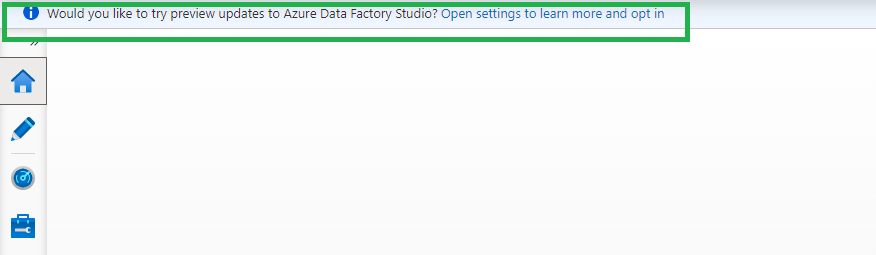
When opening the portal you will see banner, just click on the Open settings to learn more and opt in. link

adf-preview-update-portal

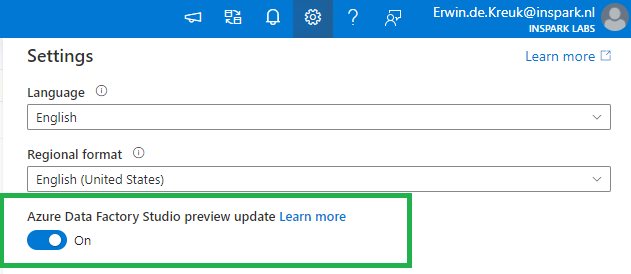
Or open the setting pane on the right top and enable the toggle Azure Data Factory Studio preview update.

Current Preview Updates

Currenlty the following options are available as preview features:

Dataflow data experimental view

Configuration panel

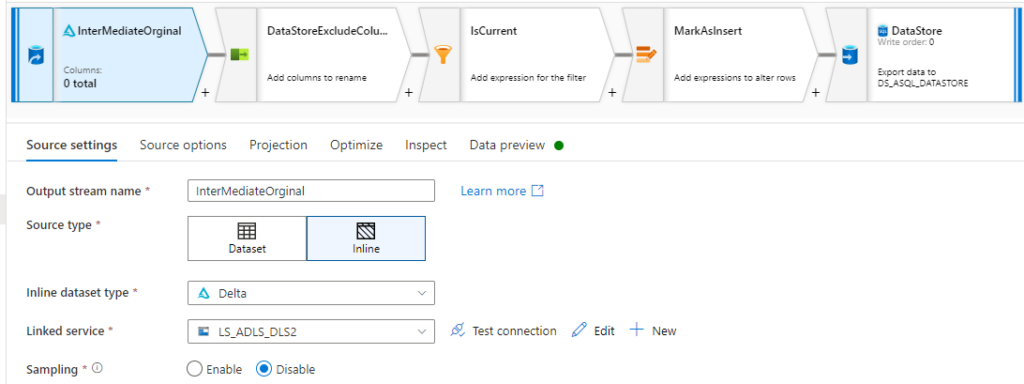
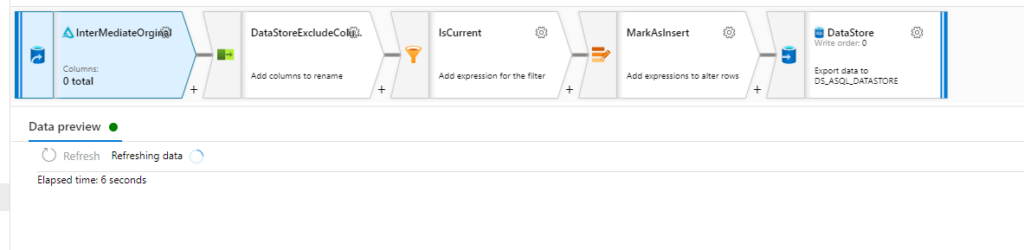
The configuration panel will only have Data Preview that will automatically refresh when changes are made to transformations.

Before:

adf-preview-before

After:

adf-preview-after
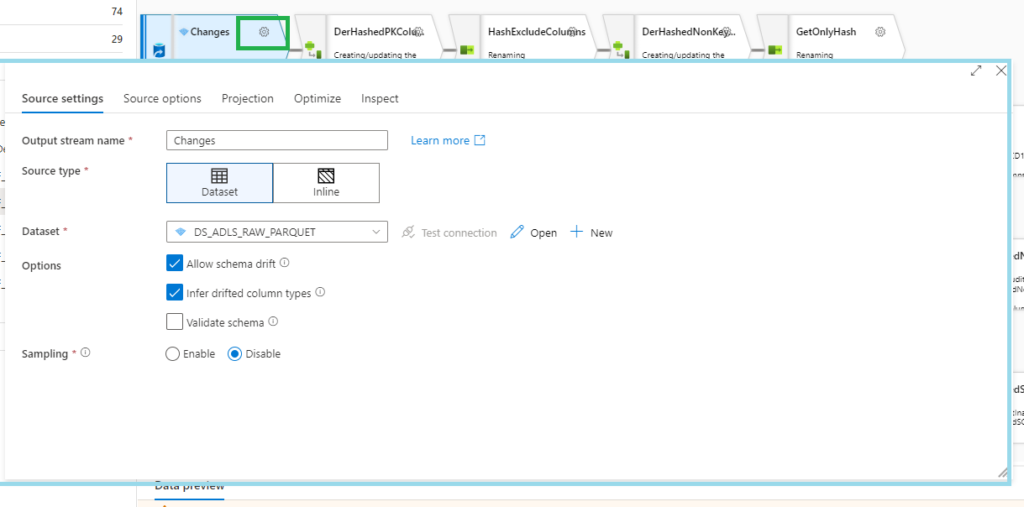
Transformation settings

A pop-up will now appear when you want to change your settings

adf-preview-transformation-settings
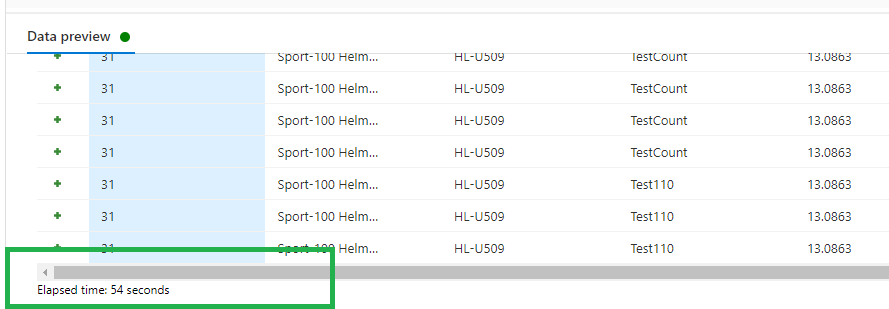
Data preview

Data preview now includes Elapsed time (seconds) to show how long your data preview took to load.

adf-preview-update-data-preview

Pipeline experimental view

Adding activities

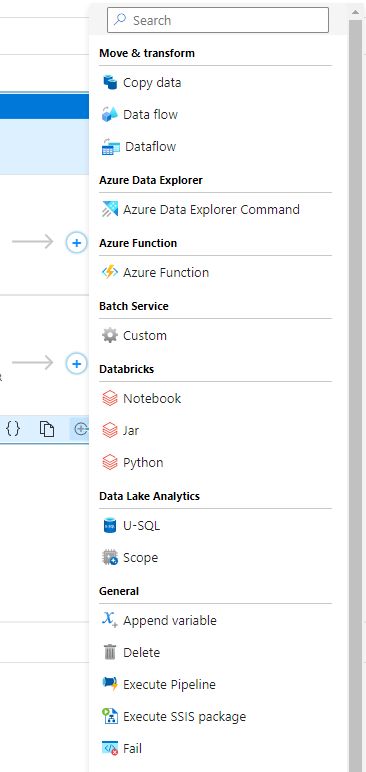
You now have the option to add an activity using the Add button in the bottom right corner of an activity in the pipeline editor canvas. Clicking the button will open a drop-down list of all activities that you can add.

 adf-preview-adding-activitities
Iteration & conditionals container view

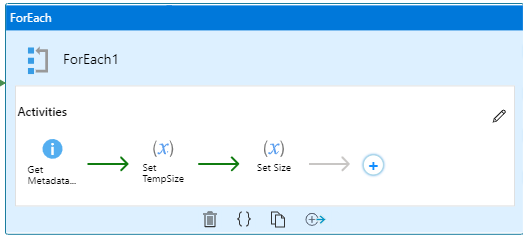
And the last one is really awesome, you now view the activities in the contained iteration and conditional activities like For each, Switch, Until and Switch

adf-preview-activitities

More can be found on the detailed page below:

Azure Data Factory studio preview experience

Please visit the blog below for all the latest update on Synapse Analytics in June 2022:

Azure Synapse Analytics June Update 2022


If you have any questions left, please leave them in the comments below.

Feel free to leave a comment

Data Saturday Stockholm

Data Saturday Stockholm

Data Saturday Stockholm

Bra så alla tillbaka personligen

This means great so everyone back in person.

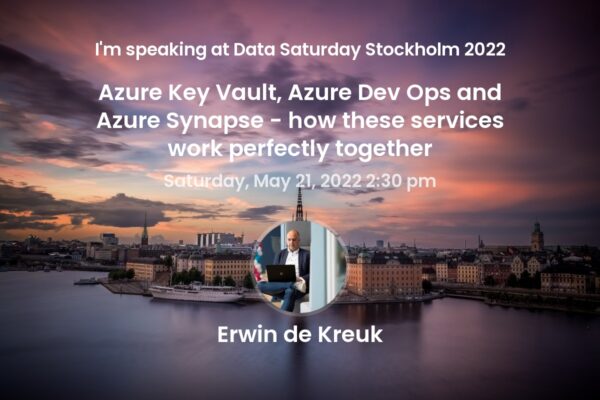
Last weekend I had the honor to speak at Data Saturday in Stockholm. About one of my favourite topics Azure Synapse Analytics. It was nice to see everyone in person again.
The organization was well organized down to the last detail, Daniel thanks for that. Thanks to all the sponsors this event could happen.

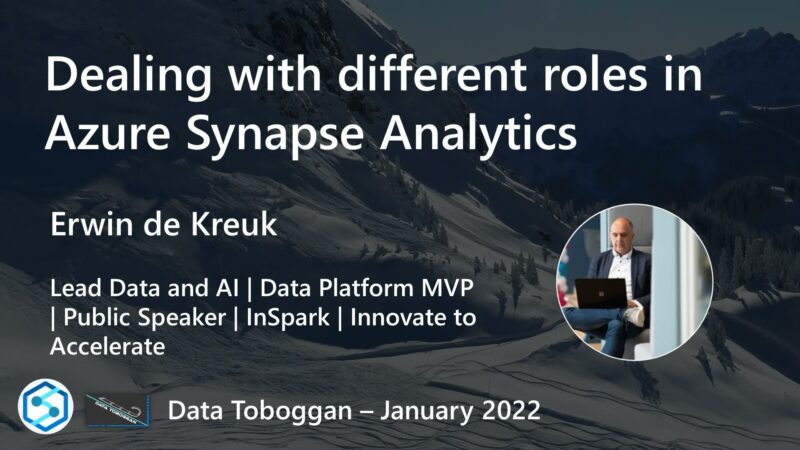
Below you find my slides and in case you have questions left, do not hesitate to contact me.