
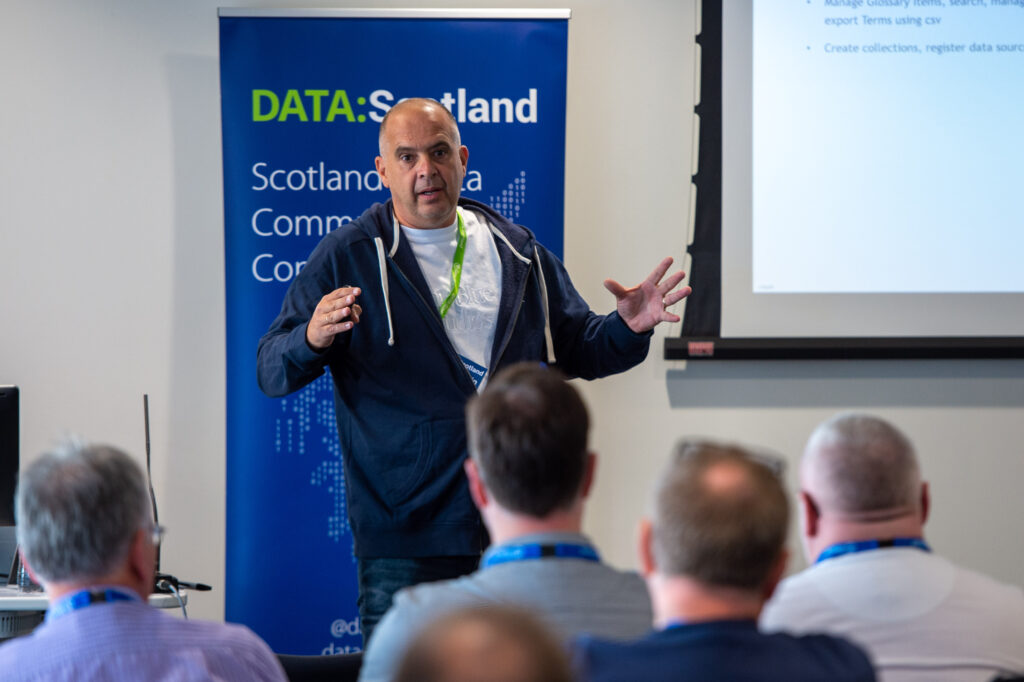
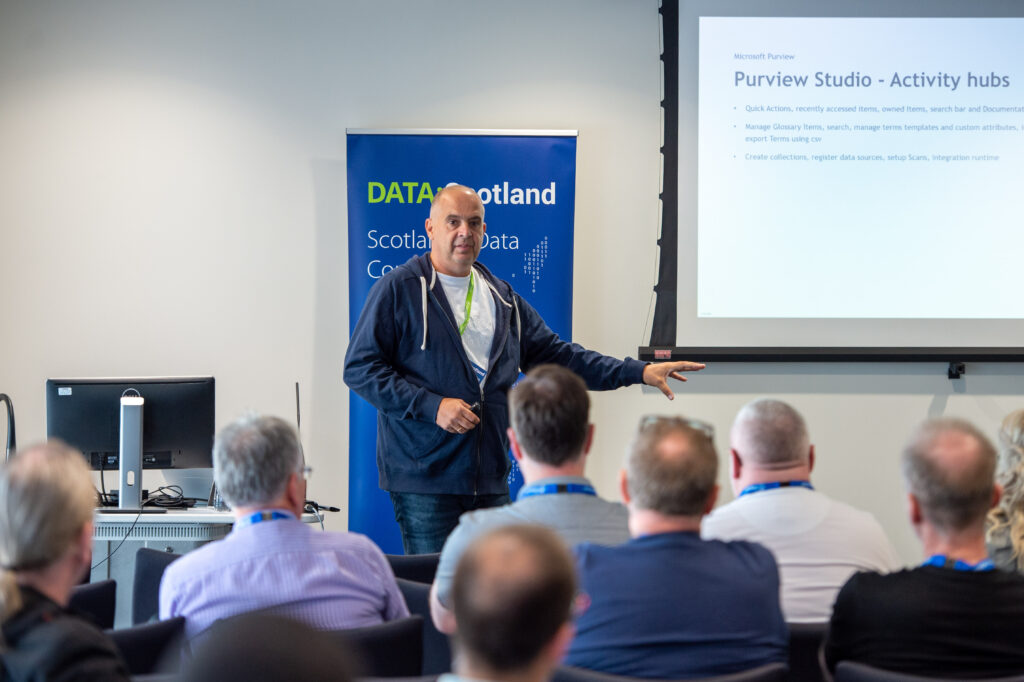
My sessions at Pass Data Community Summit
A hybrid conference in Seattle and online
This year's PASS Data Community Summit is more than a conference – it's a homecoming. Reconnect with old friends, build new relationships, gain new skills, and get the world-class training you need to take that next step in your data career. With 3 different themes, 6 different tracks and 9 Learning Path ways it promises to be a great Summit.
InSpark
When the Call for Speakers on March 10 was announced, I immediately called my CTO of InSpark, my employer, whether he thought it was okay to send in a number of sessions and whether InSpark could pay for the travel and accommodation costs. The answer was immediatly, awesome. great, do it. It's very nice to have an employer who facilitates you in this. And the good news is that my colleague Marco is joining me to Seattle.

My Sessions?
First of all, I was pleasantly surprised when I received an email stating that my session had been selected by an independent volunteer Program Committee. But that 3 of my sessions were directly selected is of course absolutely great. I've always wanted to speak at the Pass Data Community Summit and it's a dream come true and definitely one of my bucket list items.
How to use Data Lineage in Azure Purview?
Category: General Session
Location: In-Person
Type: Live Stream
Length: 60-minutes + 15-minute Q&A
Abstract:
The use of data Lineage is a hot topic for many organizations who struggle with answers to the following questions:
- I want to adjust a measure, but where do I have to adjust it and where does the data come from?
- What will be the effect on my data if I rename this column in the source?
- Can I visually overview my Data Estate including how the data has been transformed?
As you can see, data lineage is used for different kinds of backward-looking scenarios, such as troubleshooting, root cause discovery in data pipelines, and debugging. Lineage is also used for data quality analysis, compliance, and 'what if' scenarios, often referred to as impact analysis. How can Azure Purview helps us to create these visual overviews to better understand our Data Estate? During this session, I will show you how to enable Data Lineage with Azure Purview, Azure Synapse Analytics, and how to use Custom Lineage components for unsupported data sources.

How to Integrate Azure Purview in Azure Synapse Analytics
Category: Lightning Talk
Location: Online
Type: On-Demand
Length: 10-minutes
Abstract:
In this short talk I'll show you how to integrate Azure Purview with Azure Synapse Analytics and what extra possibilities you will have of using both Azure Data Services
Data Governance with Azure Purview - Ask the Experts
Category: Panel Session
Location: In-Person
Length: 60-minutes + 15-minute Q&A
Abstract:
This is going to be another very nice session, together with Victoria, Wolfgang and Richard. The first time we did this session was during SQL Bits, we got a lot of interesting and diverse types. Ask the question live during the session or submit your questions in advance here https://forms.office.com/r/dTP38LnmsJ
Pass Data Community Summit
You can still register for the In-person or Online event, just cilck here.
And have a look into all the sessions and pre cons this year
In the meantime my flights and hotels are booked and I started the preparation of my sessions. But first things first, it is first time to celebrate holidays with family and friends.
Hopefully I will see you in Seatlle and otherwise online.

Microsoft (Azure) Purview Pricing example
Azure Purview pricing?
Azure Purview is now Microsoft Purview as off April 2022
An updated post can be found here Updated Microsoft Purview Pricing and Applications
Note: Billing for Azure Purview will commence November 1, 2021.
Updated October 31st, 2021
Pricing for Elastic Data Map and Scanning for Other Sources are changed and updated in the blog below.
Since my last post on Azure Purview announcements and new functionalities I got some questions regarding pricing. In the meantime the pricing page has been updated and I've created also a new Azure Purview instance in my subscription(after August 18th). Currently most of the Azure Purview components are still free until further Notice. To get more details I still recommend everyone to watch the Azure Purview event from September 28th 2021, https://azuredatagovernance.eventcore.com/
Updated September 29th, 2021
Yesterday Microsoft announced the General Availability of Azure Purview, more on the announcement can be found in the blog from Rohan Kumar
Since September 28, 2021, the price of Azure Purview has been adjusted. The main change is that the use of the Elastic Data Map will remain free until November 1, 2021. To encourage trial of the Elastic Data Map, we are providing all customers free usage of Data Map from August 16, 2021 to October 31, 2021. I've updated the pricing details below.
As a small recap:
Azure Purview Elastic Data Map
| Price | |
| Capacity Unit | €0.353 per 1 Capacity Unit Hour |
Billing for Data Map capacity unit consumption will commence November 1, 2021.
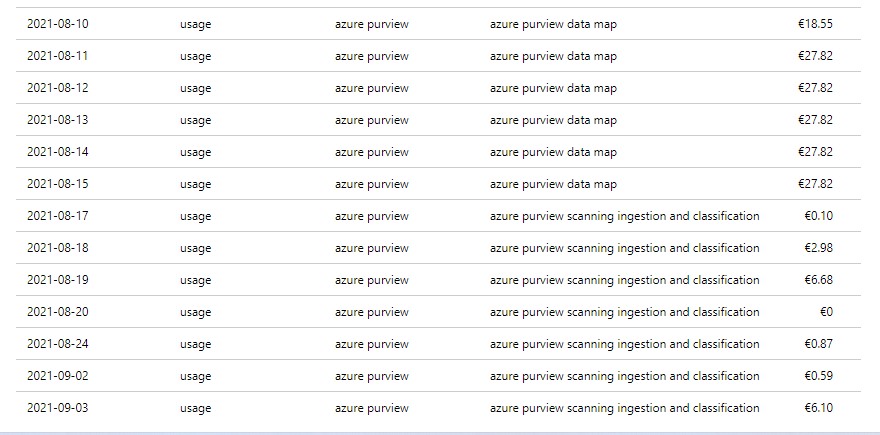
When you have created your Azure Purview after Augusts 18th, you will see that you are currently not charged for the Data Map Units.
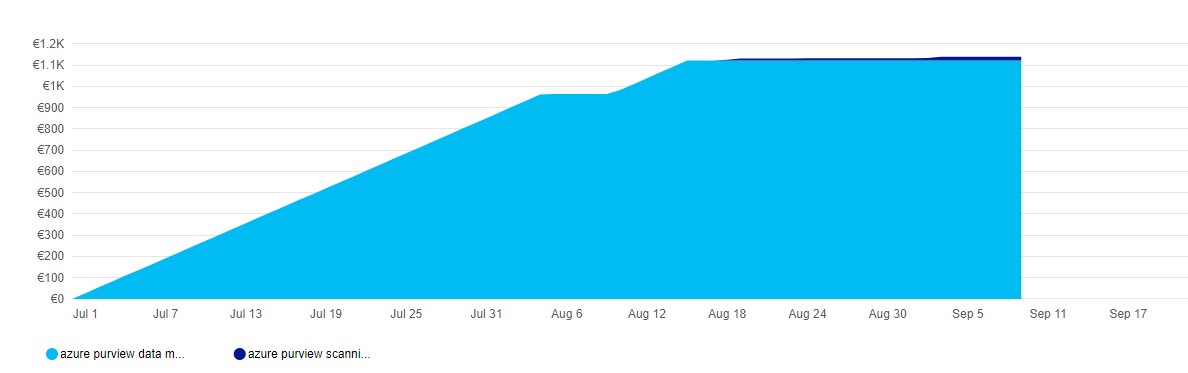
As you can see, no charging anymore for Data Map, I'm only charged for my scanning, which I only do manually do save some costs.
Automated Scanning & Classification
| Price | |
| For Power BI online | Free for a limited time |
| For SQL Server on-prem | Free for a limited time |
| For other data sources | €0.540 per 1 vCore Hour |
Other features
| Price | |
| Resource Set | €0.18 per 1 vCore Hour |
Billing for scanning duration will commence November 1, 2021.
Pricing Example
Based on the example which is published on the pricing page, I've done a Calculation:
Example Scenario:
Data Map can scale capacity elastically based on the request load. Request load is measured in terms of data map operations per second. As a cost control measure, a Data Map is configured by default to elastically scale up to a peak of 8 times the steady state capacity.
For dev/trial usage:
Data Map (Always on): 1 capacity unit x Price per capacity unit per hour x 730 hours per month
Scanning (Pay as you go): Total duration (in minutes) of all scans in a month / 60 min per hour x 32 vCore per scan x €0.540 per vCore per hour
Resource Set: Total duration (in hours) of processing resource set data assets in a month * Price per vCore per hour
The total cost per month for Azure Purview = cost of Data Map + cost of Scanning + cost of Resource Set
Assuming above Scenario that we only use 1 Capacity Unit and use not more then 2 GB of Metadata storage and we scan our data once a week for 2 hours.
Data Map 1 CPU x €0.353 X 730 hours = €257,69
Scanning 4 scans x 2 hours x 32 VCore x €0.540 per vCore per hour = €138,24
Resource Set 4 scans x 1 hour x €0.18 per vCore per hour €0,72
In Total €396,65including 4 scans. If you leave Azure Purview as is and no scanning you base fee will be €257,69.
Like always, in case you have questions, leave them in the comments or send me a message.
Useful links