Rerun Pipeline activities in Azure Data Factory

by Mar 7, 2019

Rerun Pipeline activities in ADF!

As of today you can rerun or partially, yes you’re reading it correct partially, rerun you Azure Data Factory pipeline.
Where you previously had to run the entire Pipeline again, you can now run a part of the Pipeline. This can save a lot of time if many different activities are created within one pipeline. Another nice step forward, I’m curious what else is coming in the next months.
 

Visualized

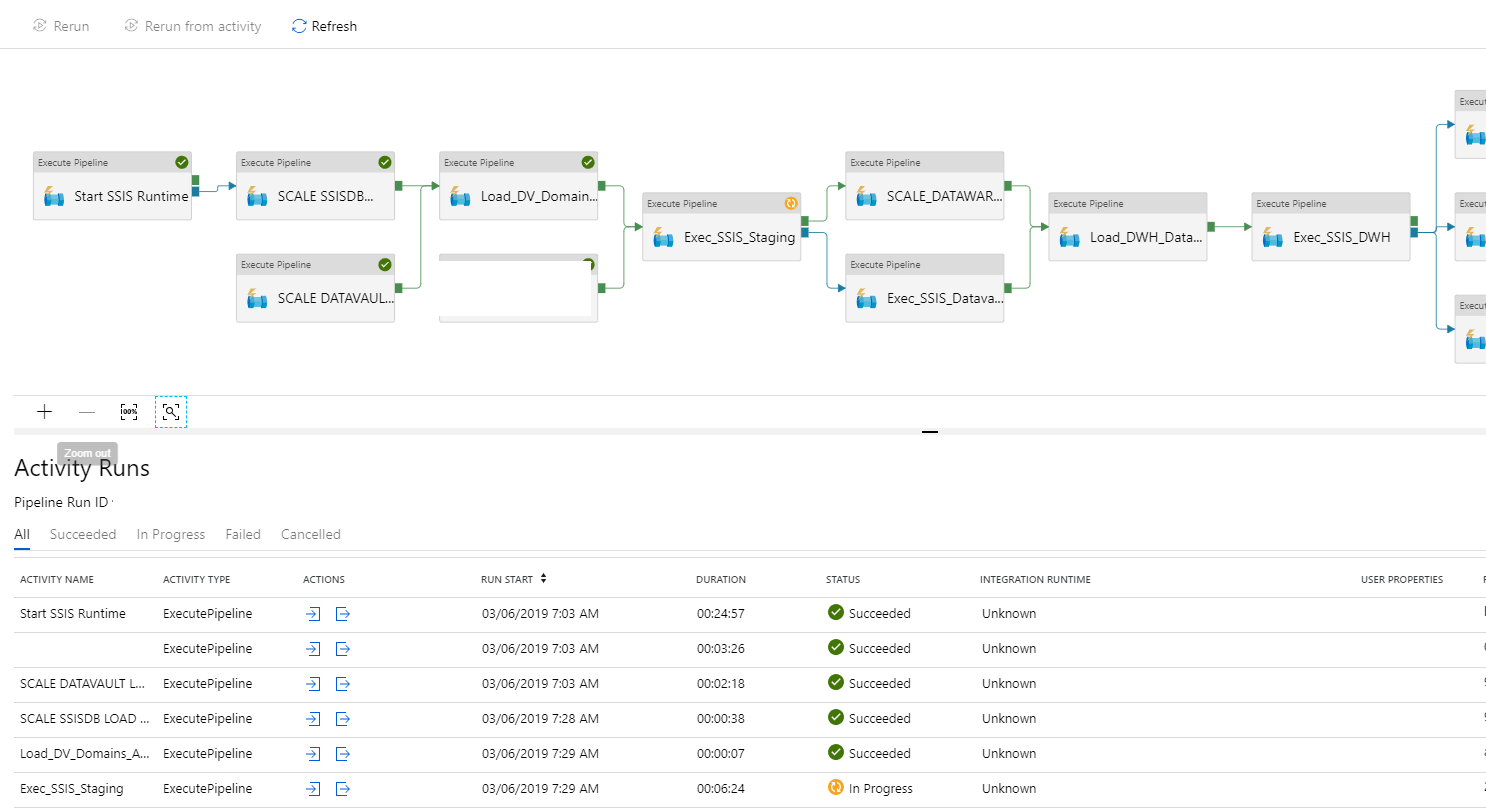
Besides that you can rerun your Pipeline in Azure Data Factory in a easy way, you also have the possibilities to see your run,  visualized in the Azure Data Factory Monitoring. This is a big improvement in my opinion.
Rerun a Pipeline

If you want to partially rerun a Pipeline, follow the steps below:
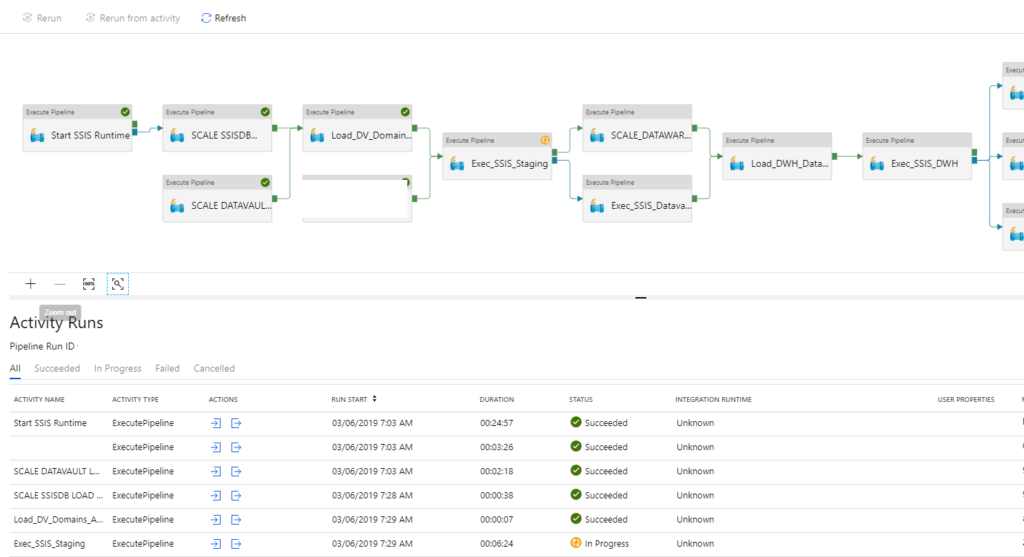
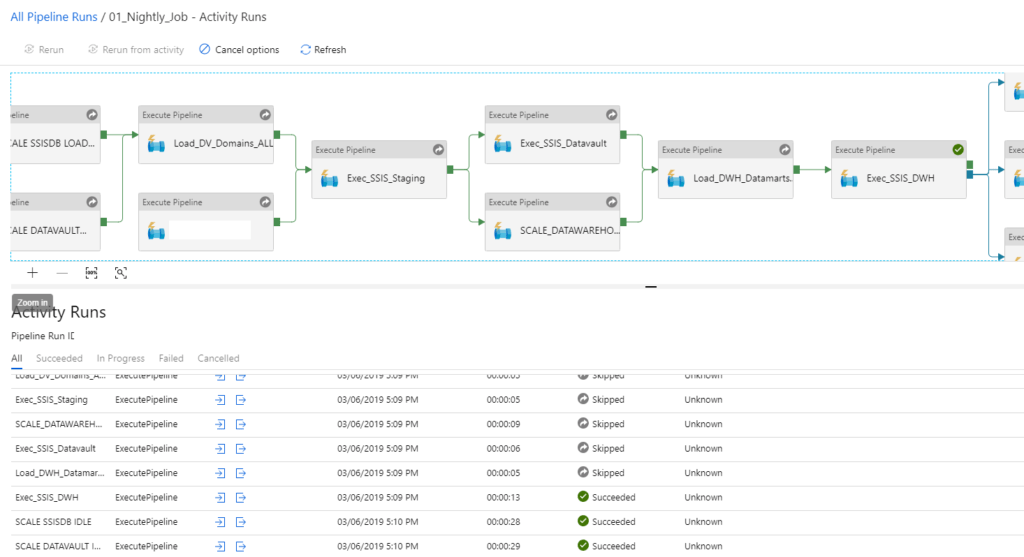
Select the Pipeline which has failed, go to the view activity runs and select the activity which failed.

Click on the Rerun Icon
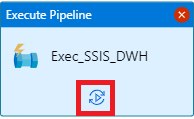


You need to confirm that you want to rerun this activity.

The Pipeline will start and will first skip all the activities(the grey new icons in the upper right corner of each activity) in the Pipeline before your selected Activity.
Your Pipeline will now finalize all the activities from your newly defined starting point.
 

What else is new?

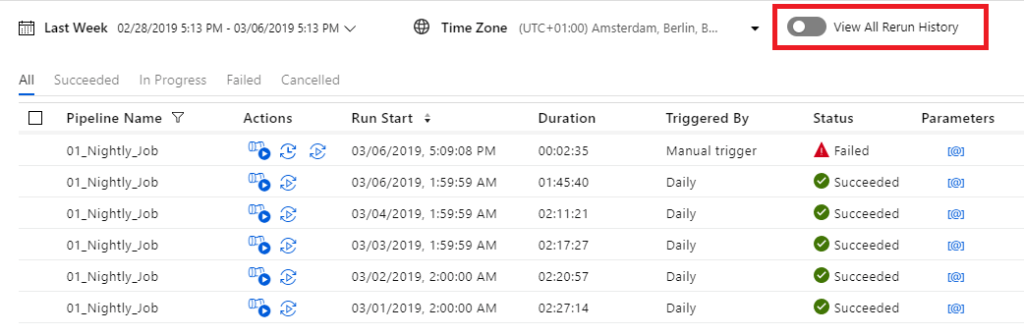
Monitor Rerun History

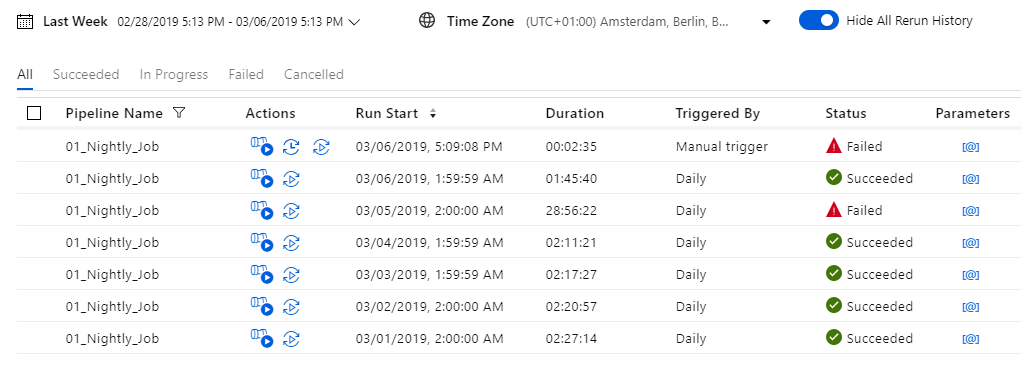
You can now view all the history reruns by clicking on the toggle to ‘View All Rerun History’.
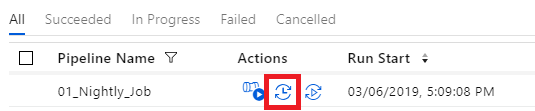
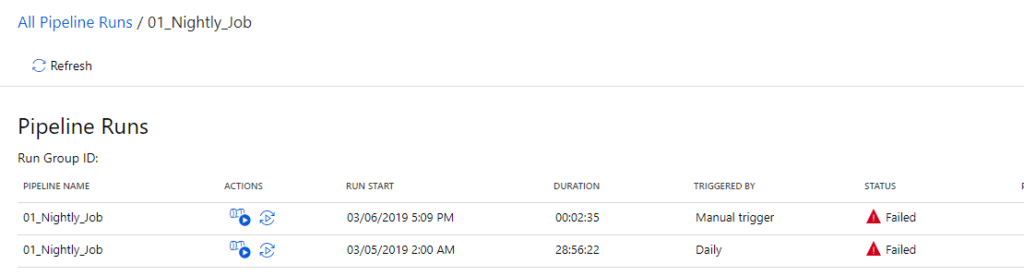
By clicking on the red marked action, you can see all the History from an particular Pipeline run.
 

Thanks for reading.


Updated 10th of March:


Found a video on Channel9 which explains how to  “Rerun activities inside your Azure Data Factory pipelines”

https://channel9.msdn.com/Shows/Azure-Friday/Rerun-activities-inside-your-Azure-Data-Factory-pipelines?ocid=player

Feel free to leave a comment

1 Comment

  1. curious_dev

    How can we automate this rerun activity process. If an activity fails and the pipeline is retriggered, it should start from the fail activity automatically.
    Looking for help on how to implement this using Python

    Reply

Leave a Reply

This site uses Akismet to reduce spam. Learn how your comment data is processed.

Goodbye 2020 Hello 2021

Goodbye 2020 Started to work for InSpark Last year was certainly an eventful year. Started with a new job at InSpark and after 10 weeks we all know what happened, the first intelligent lockdown. The Netherlands was partially locked, but our office was immediately...

Collection of all ADF Mapping Data Flow videos

ADF Mapping FlowDid you use the Dataflow preview functionality in Azure Data Factory? This has recently be renamed to Mapping Data Flows.  All video's which the ADF team has created, are collected. Start Here: ADF Data Flow: Overview ADF Data Flow: Data Flow...

10 Days of Azure Synapse Analytics

10 Days of Azure Synapse AnalyticsFor the next 10 days, every day a different topic is explained about Azure Synapse Analytics. The shortest and easiest way to see how Azure Synapse Analytics can help you, to make decisions within your data landscape.Day 1...

Microsoft Build 2022 Book of News

Microsoft Build 2022MSBuild 2022 has just started. A lot of new Announcement will be released or demonstrated the upcoming days. Like every year or event most of these announcement are added to the Book of News.The book of news can be downloaded from the link below...

New Microsoft Azure Certifications

Microsoft Certification by Solution Area Handy overview of the new Microsoft Azure Certifications. More details can be found here Feel free to leave a comment

LEAP 2018

Lead Enterprise Architect ProgramFrom the 4th of December until the 6th of December I've joined the LEAP (Lead Enterprise Architect Program) 2018 Data/AI from Microsoft NL. Three  days on the Microsoft Campus in Redmond joining business and technical sessions from a...

Azure Synapse Analytics Code Repository has arrived

Azure Synapse Analytics Code repository‎I just opened my Azure Synapse Analytics Workspace and got a great surprise, the option Git Configuration is available as of today‎.    After a long wait, today the Git Configuration option became available in Azure Synapse...

Azure Purview Public Preview Starts billing

Billing for Azure Purview(Public Preview)As of January 20th 2021 0:00 UTC Azure Purview will starts billing.Preview From January 20 ,2021 Azure Purview will start billing. During the Public Preview, you will only be billed if you exceed the 4 capacity units for Azure...

Azure Data Factory: New functionalities and features

New functionalities and featuresLast week, a number of great new functionalities and features were added within Azure Data Factory. I would like to take you in some details in the blog below:Customer key With this new functionality you can add extra security to your...

Book of News Microsoft Ignite 2019

Microsoft Ignite 2019MSIgnite 2019 has almost come to an end. A lot of new Annoucement have been released and presented.  Would you also like to know which announcements have been made?Microsoft has released during MSIgnite a "Book of News". This book contains all new...

Discover more from Erwin | Data & Intelligence

Subscribe to get the latest posts sent to your email.