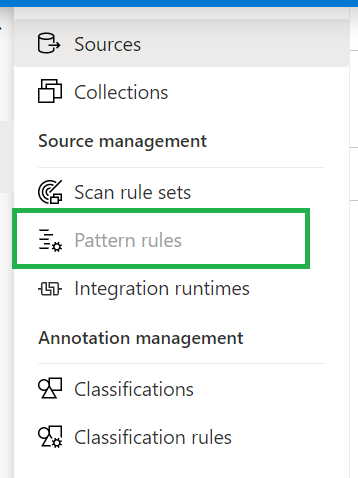
Last night I was preparing for a demo with Azure Purview. As always, I walk through all the activity hubs to see if there are any new options. This time I noticed that the Pattern Rules option was greyed out.
Resource Set
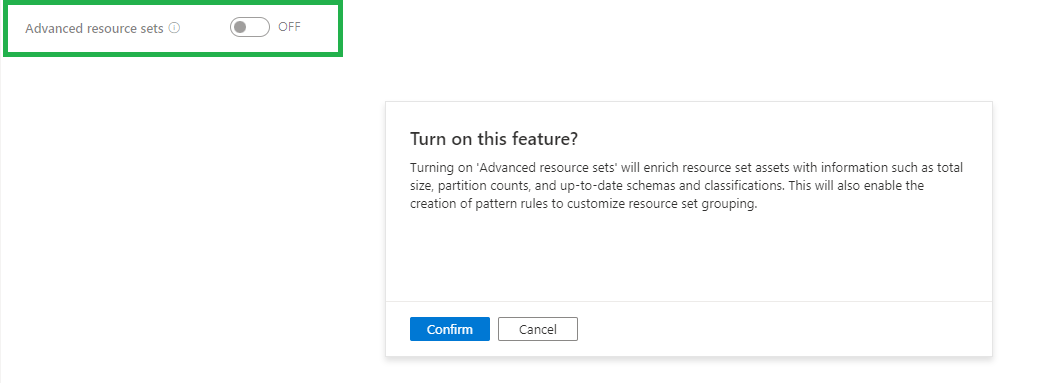
To enable this Pattern Rules you need to enable the option Advanced Resource Sets in the Management Activity tab.
The Resource set was already present in my Purview Account which was created before August 19th, so it was surprise for me that the pattern rules where greyed out for me. My Demo Purview account was created after August 19th and there differences between the 2 versions and available options/features. What has changed Azure Purview after August 19th can be read in my previously written blog.
Once you have enabled this feature, the Azure Purview team recommends waiting an hour before scanning in new Data Lake data. After scanning your Data Lake data manual or scheduled, you will see the Resource Sets.
When advanced resource sets feature is on, asset and classification insights will only update twice a day(every 12 hours).
More details on how to create Resource Set Pattern Rules, can be found here.
Costs
When you have enabled Advanced Resource Set feature you will be charged €0.18 per 1 vCore Hour(Free in preview). Billing for processing the resource set data assets is serverless and based on the duration of the processing, which can vary based on the change in partitioned files and resource set profile configured.
If you have any questions regarding the above, please let me know.
In Azure Synapse Analytics and Azure Data Factory is an new option available "Overwrite Live Mode", which can be found in the Management Hub-Git Configuration.
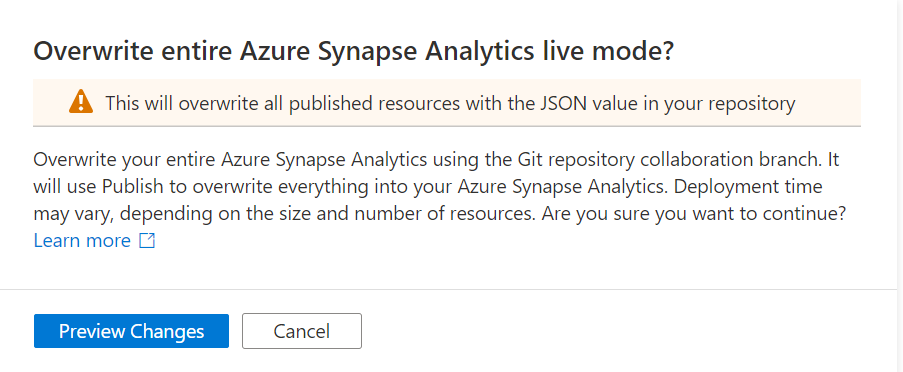
With this new option your can directly overwrite your Azure Synapse Analytics or Azure Data Factory Live mode code with the current Branch from your Azure Dev Ops.
It will use the Publish option to overwrite everything into your Azure Synapse Analytics or Azure Data Factory, so be careful with doing this. If you have a lot of code, the deployment time can take a while based on the size of the branch and the number of resources.
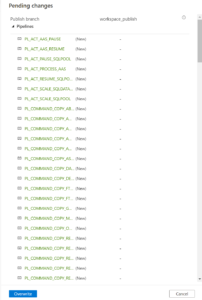
Once you click on Preview Changes you will see that all your code will be published. You need to confirm by clicking the Overwrite button.
After you clicked on overwrite, it will start publishing.
Why?
Sometimes your Live Mode has a different code than your current Git Branch, especially when it comes to Linked Services, Managed Vnets and when using multiple Feature Branches.Incidentally, this is also the case if you link your code (Solution Templates) to your Azure Synapse Workspace from Dev Ops for the first time.Then it is possible that you will not get this code published because there are still dependencies, what I've seen mostly because the use of Azure Key Vault or different Integration Runtime setup.According to the documentation from Microsoft which you can find here they add the following examples:
A user has multiple branches. In one feature branch, they deleted a linked service that isn't AKV associated (non-AKV linked services are published immediately regardless if they are in Git or not) and never merged the feature branch into the collaboration branch.
A user modified the Synapse or data factory using the SDK or PowerShell
A user moved all resources to a new branch and tried to publish for the first time. Linked services should be created manually when importing resources.
A user uploads a non-AKV linked service or an Integration Runtime JSON file manually. They reference that resource from another resource such as a dataset, linked service, or pipeline. A non-AKV linked service created through the UX is published immediately because the credentials need to be encrypted. If you upload a dataset referencing that linked service and try to publish, the UX will allow it because it exists in the git environment. It will be rejected at publish time since it does not exist in the Synapse or data factory service.
If the publish branch is out of sync with your collaboration branch and contains out-of-date resources despite a recent publish, you can use the solution above.
Conclusion
I used to disconnect my Git configuration, make the changes in Live Mode, and reconnect Azure Dev Ops again and imported the resource to my current Branch. This solution makes it much easier and will safe you definitely a lot of time.
If you haven't yet linked your Azure Synapse Workspace to Azure Dev Ops, read how to do this in a previous Blog.
Hopefully this article has helped you a step further. As always, if you have any questions, leave them in the comments.
Note:Billing for Azure Purview will commence November 1, 2021.
Updated October 31st, 2021
Pricing for Elastic Data Map and Scanning for Other Sources are changed and updated in the blog below.
Since my last post on Azure Purview announcements and new functionalities I got some questions regarding pricing. In the meantime the pricing page has been updated and I've created also a new Azure Purview instance in my subscription(after August 18th). Currently most of the Azure Purview components are still free until further Notice. To get more details I still recommend everyone to watch the Azure Purview event from September 28th 2021, https://azuredatagovernance.eventcore.com/
Updated September 29th, 2021
Yesterday Microsoft announced the General Availability of Azure Purview, more on the announcement can be found in the blog from Rohan Kumar
Since September 28, 2021, the price of Azure Purview has been adjusted. The main change is that the use of the Elastic Data Map will remain free until November 1, 2021. To encourage trial of the Elastic Data Map, we are providing all customers free usage of Data Map from August 16, 2021 to October 31, 2021. I've updated the pricing details below.
As a small recap:
Azure Purview Elastic Data Map
Price
Capacity Unit
€0.353 per 1 Capacity Unit Hour
Billing for Data Map capacity unit consumption will commence November 1, 2021.
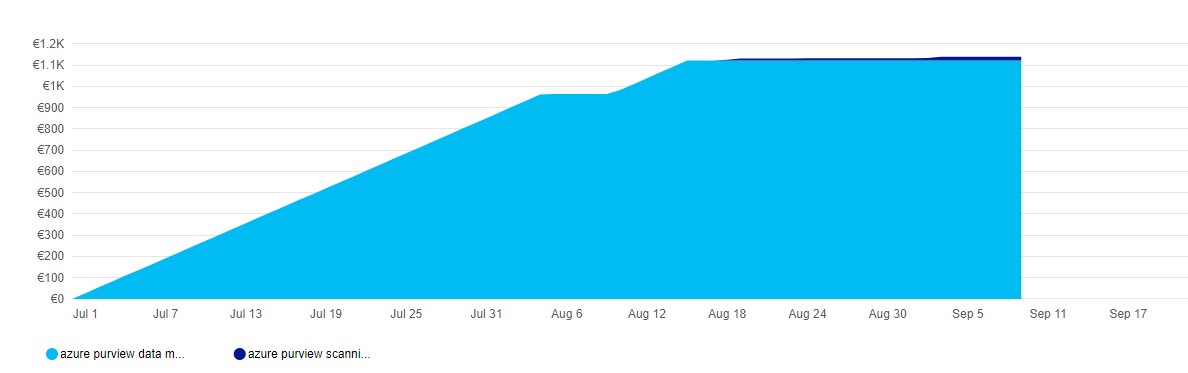
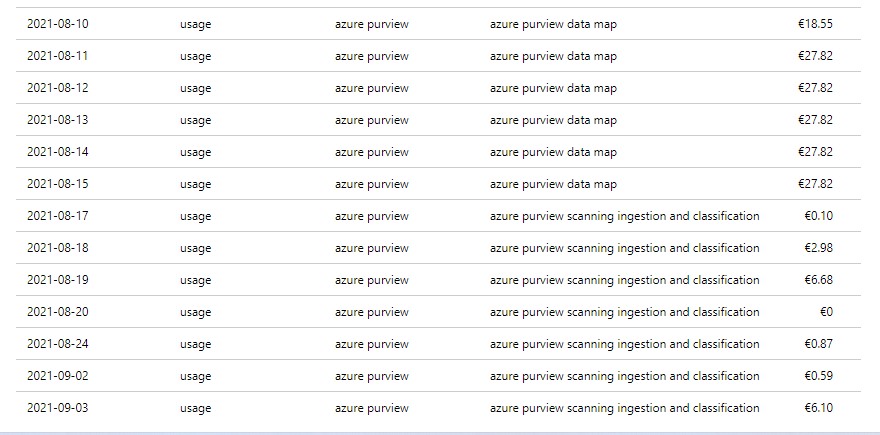
When you have created your Azure Purview after Augusts 18th, you will see that you are currently not charged for the Data Map Units.
As you can see, no charging anymore for Data Map, I'm only charged for my scanning, which I only do manually do save some costs.
Automated Scanning & Classification
Price
For Power BI online
Free for a limited time
For SQL Server on-prem
Free for a limited time
For other data sources
€0.540 per 1 vCore Hour
Other features
Price
Resource Set
€0.18 per 1 vCore Hour
Billing for scanning duration will commence November 1, 2021.
Pricing Example
Based on the example which is published on the pricing page, I've done a Calculation:
Example Scenario: Data Map can scale capacity elastically based on the request load. Request load is measured in terms of data map operations per second. As a cost control measure, a Data Map is configured by default to elastically scale up to a peak of 8 times the steady state capacity.
For dev/trial usage:
Data Map (Always on): 1 capacity unit x Price per capacity unit per hour x 730 hours per month
Scanning (Pay as you go): Total duration (in minutes) of all scans in a month / 60 min per hour x 32 vCore per scan x €0.540 per vCore per hour
Resource Set: Total duration (in hours) of processing resource set data assets in a month * Price per vCore per hour
The total cost per month for Azure Purview = cost of Data Map + cost of Scanning + cost of Resource Set
Assuming above Scenario that we only use 1 Capacity Unit and use not more then 2 GB of Metadata storage and we scan our data once a week for 2 hours.
Data Map 1 CPU x €0.353 X 730 hours = €257,69
Scanning 4 scans x 2 hours x 32 VCore x €0.540 per vCore per hour = €138,24
Resource Set 4 scans x 1 hour x €0.18 per vCore per hour €0,72
In Total €396,65including 4 scans. If you leave Azure Purview as is and no scanning you base fee will be €257,69.
Like always, in case you have questions, leave them in the comments or send me a message.
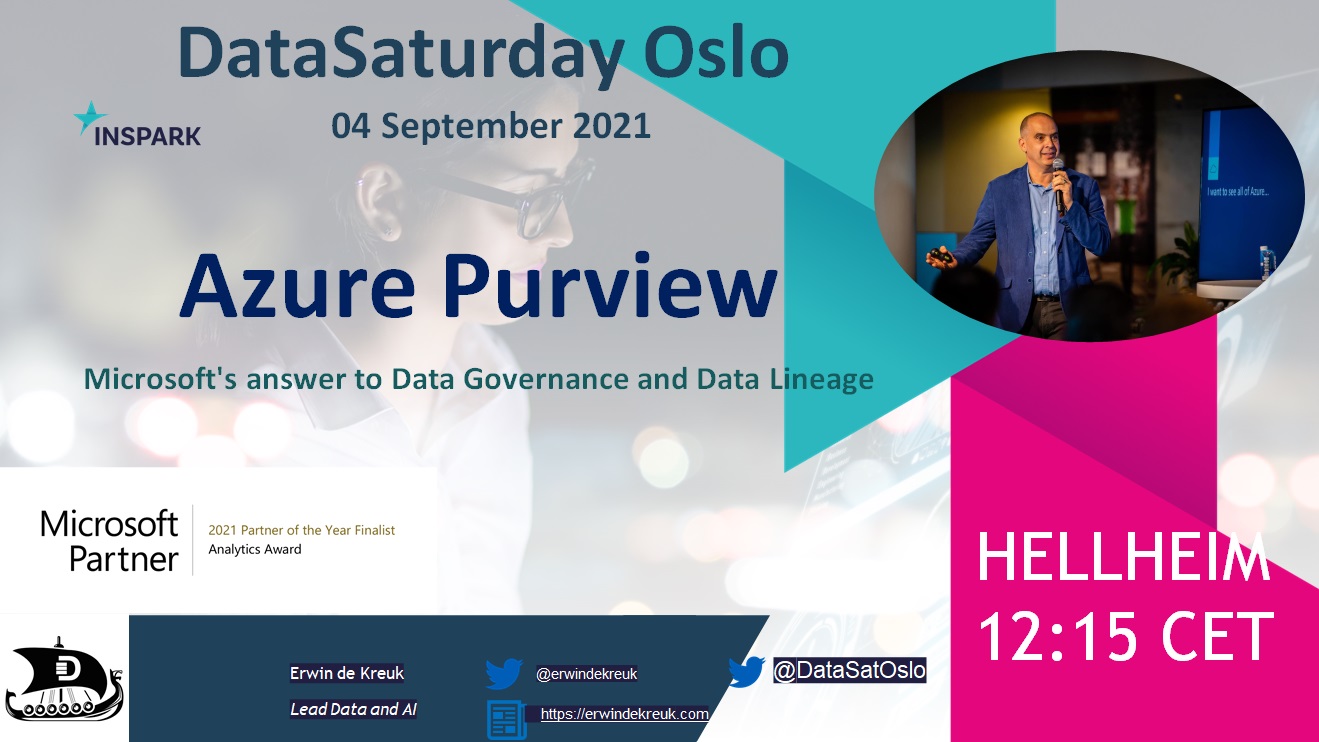
This Saturday I've been speaking during DataSaturday #4 Oslo. If you want to visit more Datasaturday events please visit the Data Saturdays event page.
Azure Purview
I presented a session on Azure Purview Microsoft's answer to Data Governance and Data Lineage
More clarity about pricing and when Azure Purview goes to GA is likely to become clear during the event on September 28. You can register for this event via the link below.
EVENT=>Achieve unified data governance with Azure Purview
As always, in case you have any questions, please feel free to contact me.
In case you have any questions left please feel free to ask them via the comment or Socials