
My sessions at Pass Data Community Summit
A hybrid conference in Seattle and online
This year's PASS Data Community Summit is more than a conference – it's a homecoming. Reconnect with old friends, build new relationships, gain new skills, and get the world-class training you need to take that next step in your data career. With 3 different themes, 6 different tracks and 9 Learning Path ways it promises to be a great Summit.
InSpark
When the Call for Speakers on March 10 was announced, I immediately called my CTO of InSpark, my employer, whether he thought it was okay to send in a number of sessions and whether InSpark could pay for the travel and accommodation costs. The answer was immediatly, awesome. great, do it. It's very nice to have an employer who facilitates you in this. And the good news is that my colleague Marco is joining me to Seattle.

My Sessions?
First of all, I was pleasantly surprised when I received an email stating that my session had been selected by an independent volunteer Program Committee. But that 3 of my sessions were directly selected is of course absolutely great. I've always wanted to speak at the Pass Data Community Summit and it's a dream come true and definitely one of my bucket list items.
How to use Data Lineage in Azure Purview?
Category: General Session
Location: In-Person
Type: Live Stream
Length: 60-minutes + 15-minute Q&A
Abstract:
The use of data Lineage is a hot topic for many organizations who struggle with answers to the following questions:
- I want to adjust a measure, but where do I have to adjust it and where does the data come from?
- What will be the effect on my data if I rename this column in the source?
- Can I visually overview my Data Estate including how the data has been transformed?
As you can see, data lineage is used for different kinds of backward-looking scenarios, such as troubleshooting, root cause discovery in data pipelines, and debugging. Lineage is also used for data quality analysis, compliance, and 'what if' scenarios, often referred to as impact analysis. How can Azure Purview helps us to create these visual overviews to better understand our Data Estate? During this session, I will show you how to enable Data Lineage with Azure Purview, Azure Synapse Analytics, and how to use Custom Lineage components for unsupported data sources.

How to Integrate Azure Purview in Azure Synapse Analytics
Category: Lightning Talk
Location: Online
Type: On-Demand
Length: 10-minutes
Abstract:
In this short talk I'll show you how to integrate Azure Purview with Azure Synapse Analytics and what extra possibilities you will have of using both Azure Data Services
Data Governance with Azure Purview - Ask the Experts
Category: Panel Session
Location: In-Person
Length: 60-minutes + 15-minute Q&A
Abstract:
This is going to be another very nice session, together with Victoria, Wolfgang and Richard. The first time we did this session was during SQL Bits, we got a lot of interesting and diverse types. Ask the question live during the session or submit your questions in advance here https://forms.office.com/r/dTP38LnmsJ
Pass Data Community Summit
You can still register for the In-person or Online event, just cilck here.
And have a look into all the sessions and pre cons this year
In the meantime my flights and hotels are booked and I started the preparation of my sessions. But first things first, it is first time to celebrate holidays with family and friends.
Hopefully I will see you in Seatlle and otherwise online.
Azure Data Factory updates June
Erwin
Azure Data Factory updates
There have been quite a few updates in Azure Data Factory and Azure Synapse Analytics in the last few days.
Below is a summary of these updates:
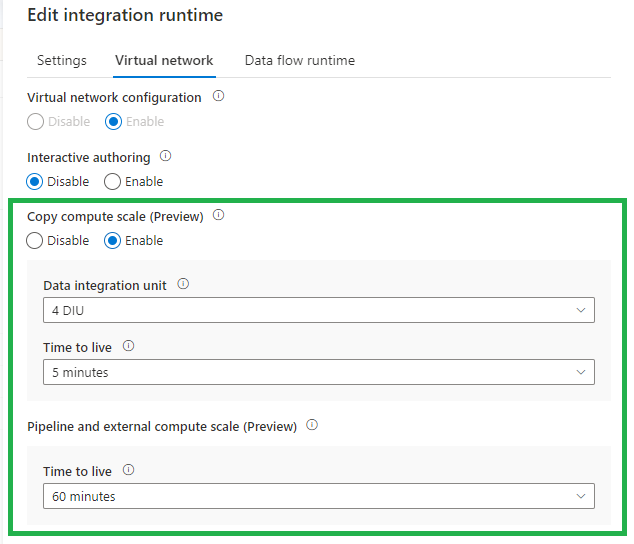
Time-To-Live (TTL) on Integration Runtime with managed virtual network enabled
The new TTL functionality, currently in Preview, will save you a lot of time. Instead of provision compute for every copy activity execution, with this new option the provisioned compute will be reserved. You can set this new option on every Integration Runtime with Managed Virtual Network enabled. Very handy and will advise you to do this direclty. This option is also available in Azure Synapse Analytics.
More can be found on the blog below:
CI/CD improvement using Global Parameters in Azure Data Factory
We used to have a PowerShell script to add the Global parameters to our CI/CD pipelines. Now we can include these as Override Parameters in our Deployment/Release Pipeline. Very handy and easy.
Deprecated:

New:
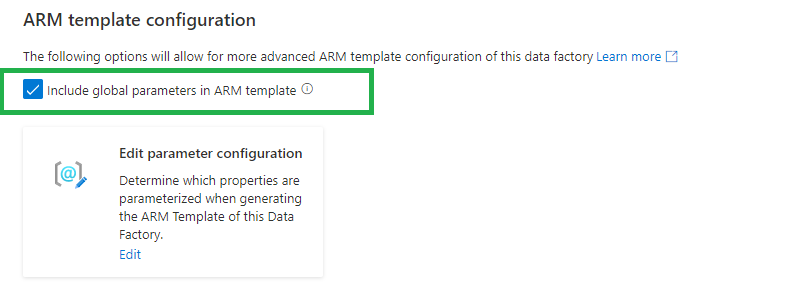
If you are using the arm-template-parameters-definition.json file to customize your parameters make sure you add the global parameters to this file. Otherwise you cannot override the parameters in the Deployment/Release Pipeline.

When we have created a Global Parameters Environment, we have now have the option to override this parameter option during the release:
-default_properties_Environment_value "Development"
More can be found on the blog below:
CI/CD improvement using Global Parameters in Azure Data Factory
Public Preview of the SAP CDC solution in Azure Data Factory
The new SAP ODP connector leverages SAP Operational Data Provisioning (ODP) framework, which is an established best practice for data integration within SAP landscapes. ODP provides access to a wide range of sources across all major SAP applications and comes with built-in CDC capabilities. In combination with the predefined data flow templates to process and update the changed records to any sink, this makes SAP data integration into Azure very much straight forward.
More can be found on the blog below:
Public Preview of the SAP CDC solution in Azure Data Factory
Azure Data Factory studio preview experience
You can now choose whether to enable preview experiences/functionality in your Azure Data Factory.
There are 2 ways how you can enable this preview experience:
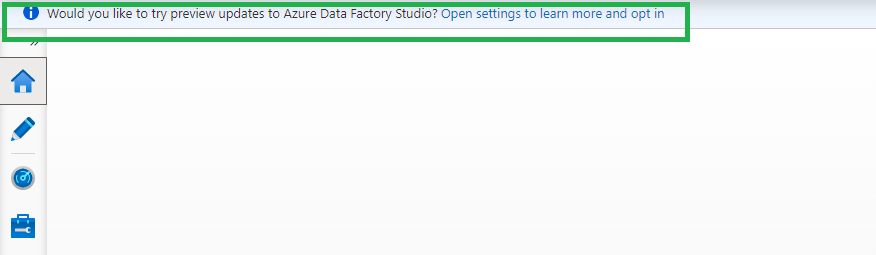
When opening the portal you will see banner, just click on the Open settings to learn more and opt in. link
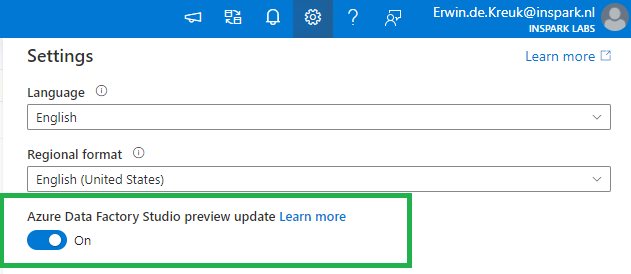
Or open the setting pane on the right top and enable the toggle Azure Data Factory Studio preview update.
Current Preview Updates
Currenlty the following options are available as preview features:
Dataflow data experimental view
Configuration panel
The configuration panel will only have Data Preview that will automatically refresh when changes are made to transformations.
Before:
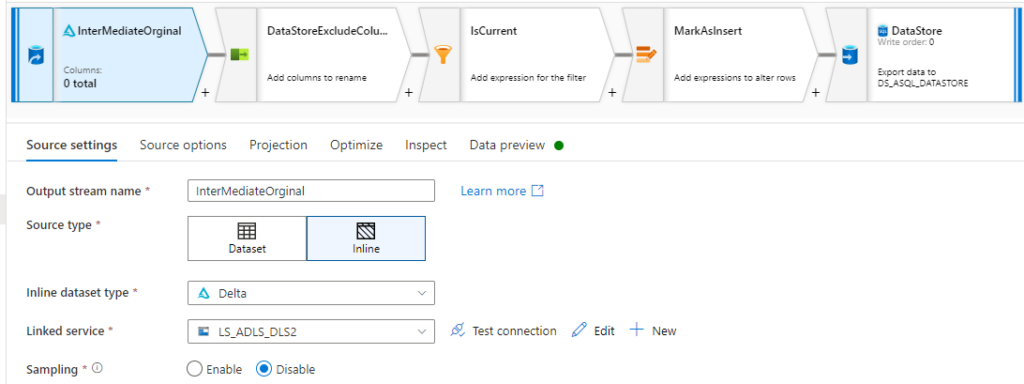
After:

Transformation settings
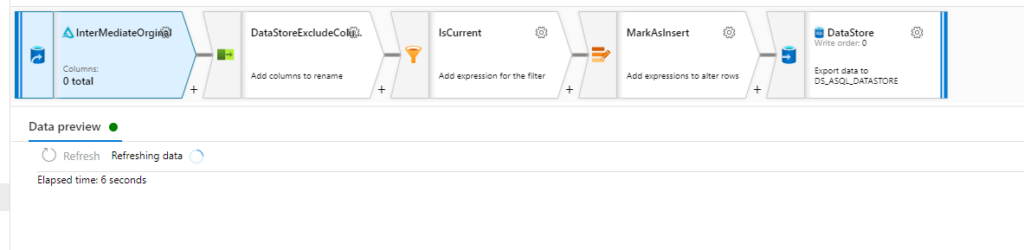
A pop-up will now appear when you want to change your settings

Data preview
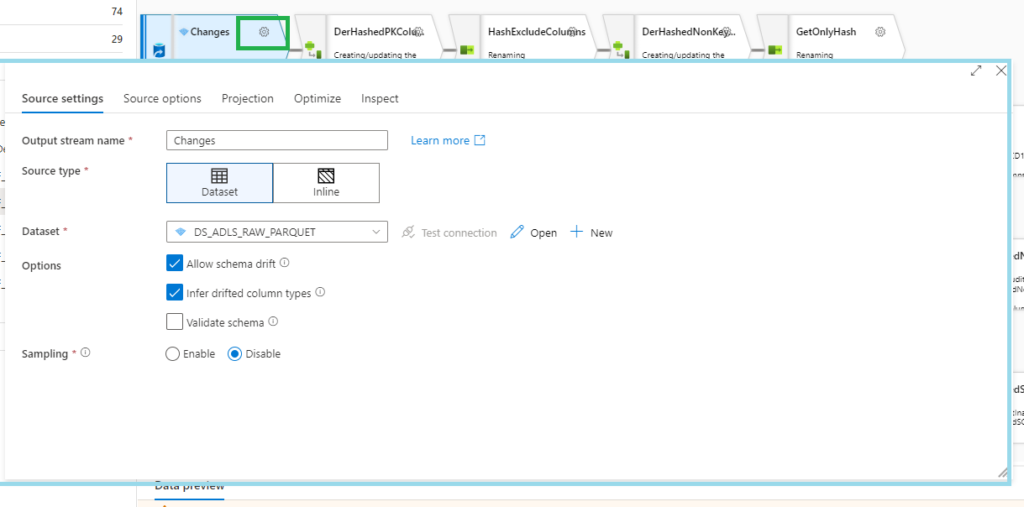
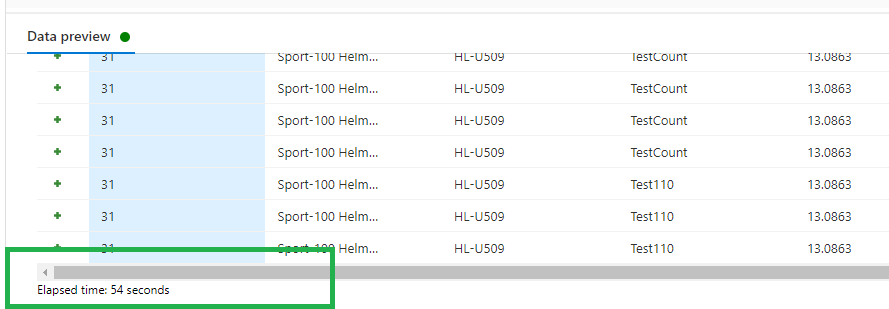
Data preview now includes Elapsed time (seconds) to show how long your data preview took to load.
Pipeline experimental view
Adding activities
You now have the option to add an activity using the Add button in the bottom right corner of an activity in the pipeline editor canvas. Clicking the button will open a drop-down list of all activities that you can add.

Iteration & conditionals container view
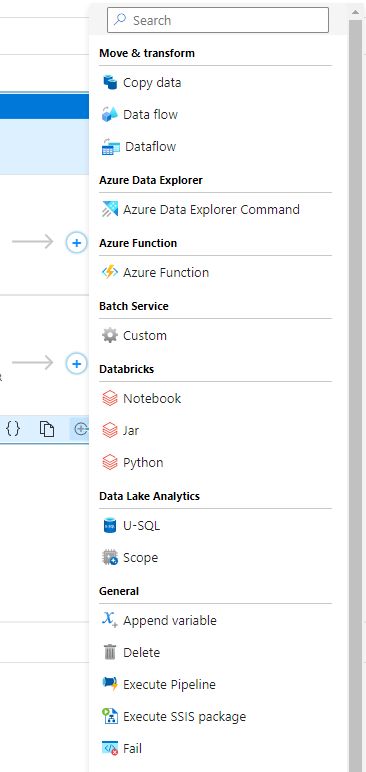
And the last one is really awesome, you now view the activities in the contained iteration and conditional activities like For each, Switch, Until and Switch
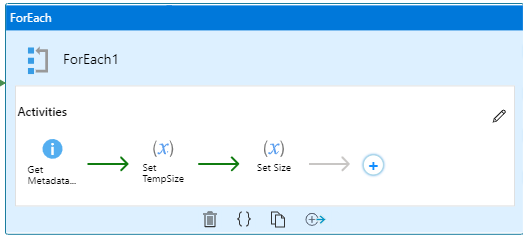
More can be found on the detailed page below:
Azure Data Factory studio preview experience
Please visit the blog below for all the latest update on Synapse Analytics in June 2022:
Azure Synapse Analytics June Update 2022
If you have any questions left, please leave them in the comments below.
- Fabric Metadata Driven Framework July 2026 Release Notes

- Reassigning Microsoft Fabric Capacities in Bulk: Don’t Let an Expiring Trial Catch You by Surprise
- Bringing Column-Level Lineage from Microsoft Fabric to Microsoft Purview with FMD
- My first experience: Building a Fabric App
- Fabric Metadata Driven Framework update May 2026


Feel free to leave a comment

DataGrillen 2022
DataGrillen 2022
Microsoft Purview
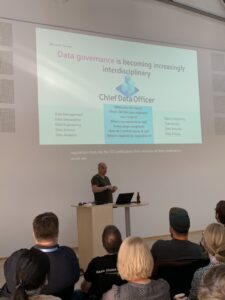
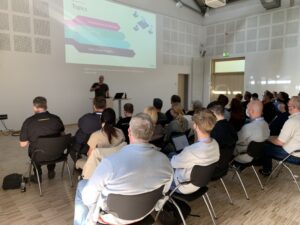
When we say: Data, bratwurst and beer, we are of course talking about DataGrillen. After more than 2 years of absence, it was time again in recent days, with speakers from all over the world with almost 50 sessions, good weather and a large group of participants, quite a bit of knowledge has been shared again.
And as is traditional with this event, the first day will be finalized with a barbecue for all participants.
The organization is in the hands of Ben and WIlliam and you can leave that up to them. Everything was well organized again.
My session on Microsoft Purview was well attended, the slides can be found in the link below.



Microsoft Build 2022 Book of News
Microsoft Build 2022
MSBuild 2022 has just started. A lot of new Announcement will be released or demonstrated the upcoming days. Like every year or event most of these announcement are added to the Book of News.
The book of news can be downloaded from the link below
https://aka.ms/build-2022-book-of-news
Do you want the watch the sessions? The keynotes are still live (or can be watched later on demand)
You can still register: