Connect Azure Databricks to Microsoft Purview

Connect Azure Databricks to Microsoft Purview

Erwin

by Erwin | Jan 16, 2023

Connect and Manage Azure Databricks in Microsoft Purview

This week the Purview team released a new feature, you’re now able to Connect and manage Azure Databricks in Microsoft Purview.

This new functionality is almost the same as the Hive Metastore connector which you could use earlier to scan an Azure Databricks Workspace. This new connector is an easier way to setup scanning for your Azure Databricks Workspace.

Note that this feature is currently in Public Preview.

The connector supports or will support:

  • Extracting technical metadata including:
    • Azure Databricks workspace.
    • Hive server.
    • Databases.
    • Tables including the columns, foreign keys, unique constraints, and storage description.
    • Views including the columns and storage description.
  • Fetching relationship between external tables and Azure Data Lake Storage Gen2/Azure Blob assets.
  • Fetching static lineage on assets relationships among tables and views.

Let’s have a look how to setup this connector, before you can start make sure you have the following Prerequisites in place:

  • Microsoft Purview account with Data Source Administrator and Data Reader permissions.
  • Self-Hosted Integration Runtime.
  • Personal access token in Azure Data Bricks.
  • Cluster in Azure Data Bricks.

Register the Azure Databricks Workspace

  • Select Data Map on the left pane and select Sources.
  • Select Register.
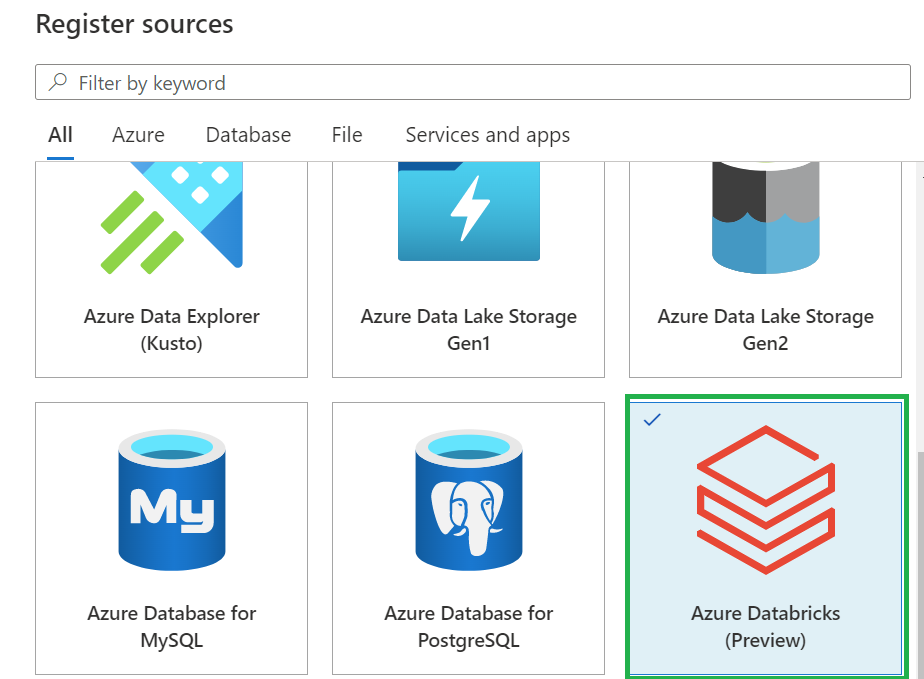
  • In Register sources, select Azure Databricks and click on  Continue.
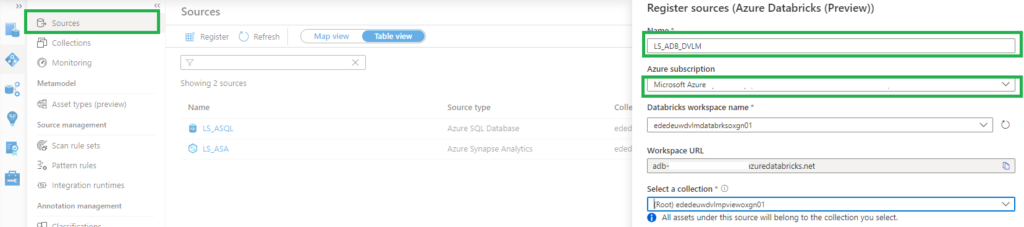
  • On the Register sources (Azure Databricks) screen, do the following:
    • Enter a name that Microsoft Purview will list as the data source.
    • Select the subscription and workspace that you want to scan from the dropdown list.
  • Select a collection. 
    • Azure Databricks setup in Microsoft Purview


 Setup the Integration Runtime

  • Select Data Map on the left pane and select Integration Runtime.
  • Click on New.
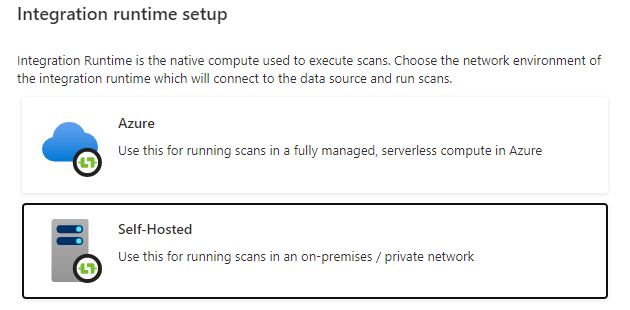
  • Select the Self-Hosted.

Self-Hosted IR Setup in Microsoft Purview

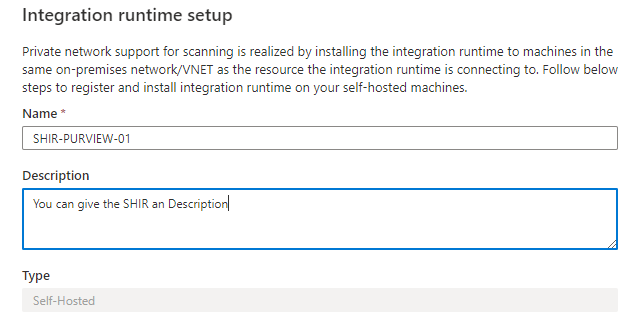
  • Enter a name and description, click on create.

SHIR configuration in Microsoft Purview

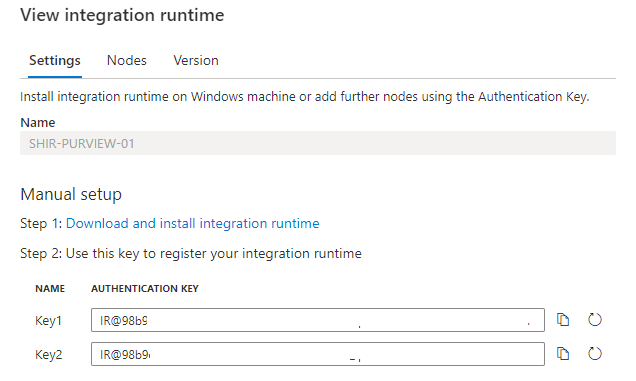
  • Copy the authentication key.

SHIR Authentication Key

Configure the Self-Hosted Integration Runtime

On an Virtual Machine in Azure:

After rebooting, Select Data Map on the left pane and select Integration Runtime and check if the SHIR is running.

Databricks-shir-running

Setup the Scan

The last step to configure is the scan.

  • Select Data Map on the left pane and select Sources and select the Azure Databricks you just created.
  • Select New Scan.
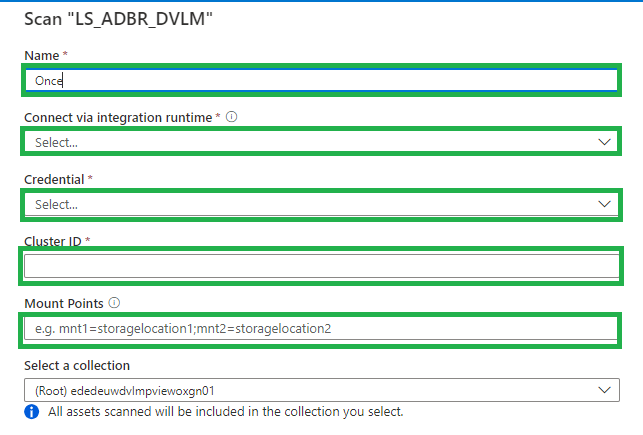
    • Name, create a logical name for your scan. Weekly, Monthly, Once or a different name. TIP, add your clustername or id to the scanname. You need to create a scan for every cluster in an Azure Databricks workspace. This way you can see the difference between the clusters.
    • Connect via IR, select the SHIR you just created.
    • Credential, select the Personal Acces token, which is stored in de Azure KeyVault.
    • Cluster ID, Specify the cluster ID that Microsoft Purview need to connect to, to perform the scan.
    • Mount Point, if you have external storage manually mounted to Databricks, you provide the locations here. Use the following format /mnt/<path>=abfss://<container>@<adls_gen2_storage_account>.dfs.core.windows.net/.
    • Maximum memory available: Specify the maximum memory available in GB to be used by scanning processes. If the field is left blank, 1 GB will be considered as a default value.

Setup Databricks scan

The default location of the cache in your VM is C:WindowsServiceProfilesDIAHostServiceAppDataLocalMicrosoftAzureDataCatalogCache. Unselect the checkbox if you want cache to be stored in a different location.

Click on continue.

Select the trigger you want. Click on save and run.

Check if the scan starts, be aware that the scan will trigger your Azure Databricks cluster to start.

Browse and search assets

Once the data is scanned you can browse and search the Metadata.

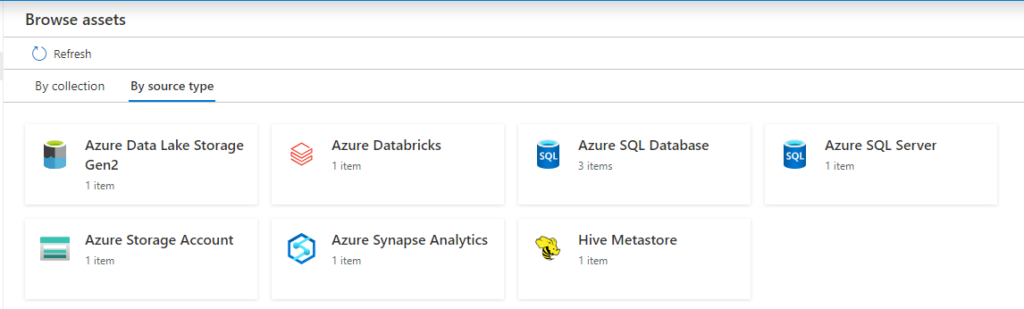
  • Select Data Catalog on the left pane and select Browse Assets.

Data Catalog with Databricks overview

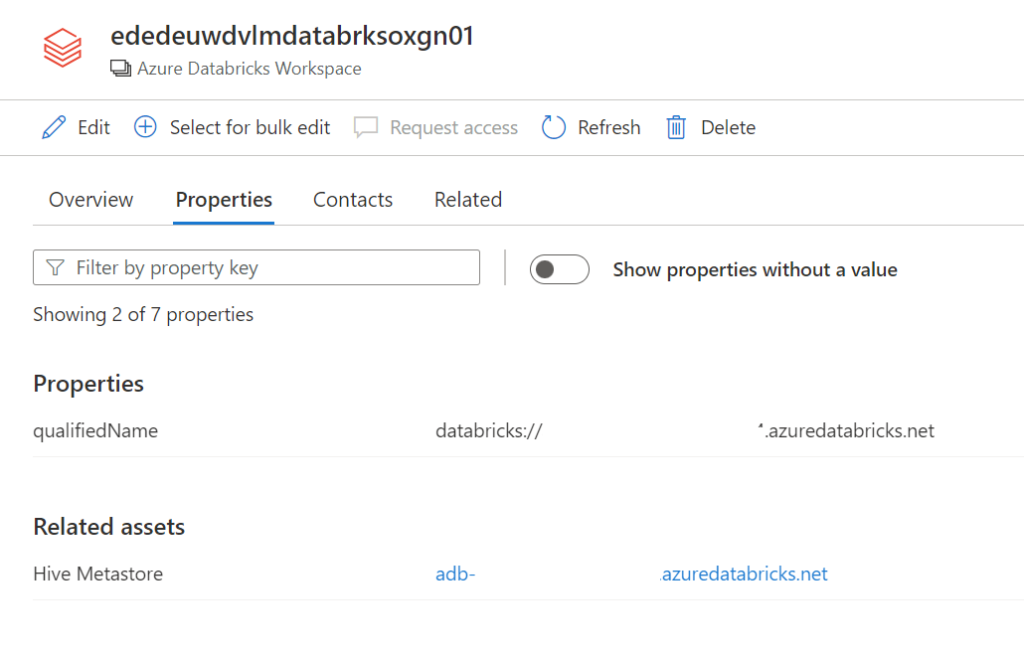
From the Databricks workspace asset, you can find the associated Hive Metastore.

Select the Azure Databricks and click on edit details on the right side.

Databricks details

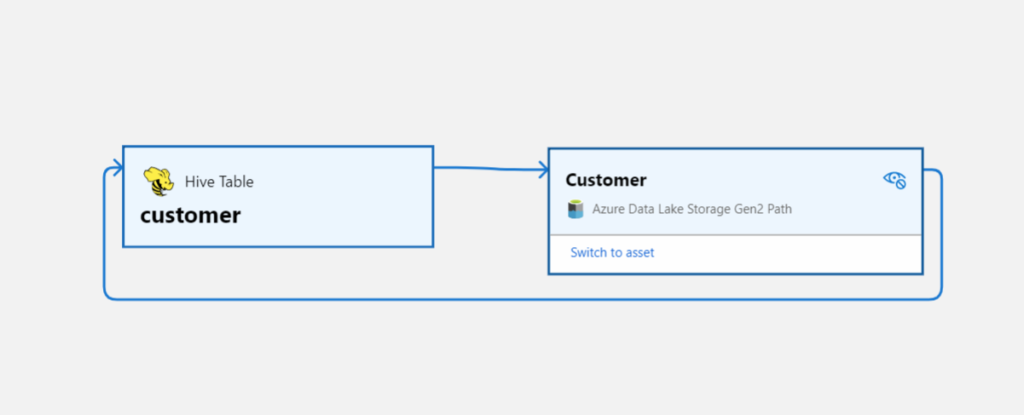
Click on Hive Metastore, on the Related tab you can see the Hive DB and the assets. Click on one of the assets to see the lineage when applicable.

databricks lineage

Conclusion

The first steps towards a Native integration of Azure Databricks is now available in Microsoft Purview, but we're not there yet.
If you want to have a more extensive lineage and can read more details from the Notebooks execution including Delta Lake than, I advise you to use the
Azure Databricks to Purview Lineage Connector.

In the notes of this Solution Accelerators, is noted "With native models in Microsoft Purview for Azure Databricks, customers will get enriched experiences in lineage such as detailed transformations." So hopefully we can expect more in the future.

Be aware that lineage is available at the asset level not at column level, hopefully that will arrive soon.

In the notes of the above Solution Accelerators, is noted "With native models in Microsoft Purview for Azure Databricks, customers will get enriched experiences in lineage such as detailed transformations." So hopefully we can expect more in the future.

Like always in case you have questions, do not hesitate to contact me.

More details on above topic can be found here:

Connect to and manage Azure Databricks

Microsoft Purview Data Map supported data sources and file types

Microsoft Purview data governance documentation

Feel free to leave a comment

Goodbye 2022, Hello 2023

Goodbye 2022, Hello 2023

Goodbye 2022

​Recap

It's that time of year again to reflect on the past year. Also think it's really good, to see what you've done in the past year. It is also the time again to traditionally bake Oliebollen on this day, a Dutch Tradition that we do on New Year's Eve.

Oliebollen

This year we celebrate New Year's Eve with the family, we were supposed to go to relatives, but unfortunately these have all been felled by the flu. We will enjoy an evening of games, oliebollen and some drinks.

Looking back at 2022, I can say that I personally had a great year. Finally we are released from all COVID restrictions, we can go to physical events again, back to our customers, back to the office and see many people in real life again.
It was a very busy year in terms of work, this is also one of the main reasons that I have blogged much less than other years. The inspiration and energy is slowly coming back for this, so with some hope I can change this soon.

And as many would say, I should exercise more in the evenings and not always sit behind my laptop. My work is my hobby, so that will be difficult, but it will be one of my New Year's Good intentions for 2023. A better work life balance would be better for my health and maybe I should seek help in the form of a coach for that. If you have suggestions for me, let me know.

Speaking/Volunteering

This year I have spoken at several events on the topics of Azure Synapse Analytics and Microsoft Purview.

DataMinds (Virtual)

Did a virtual session for the DataMinds UG on Data Governance with Azure Purview( Yes is was on that moment still Azure Purview and not Microsoft Purview)

Data Minutes (Virtual)

The second event of the year, within my team I proposed to attend this event together. During the event there was a Last-Minute cancellation, at the request of Ben Weissman I gave a short session about Access Control in Azure Synapse. It's a fun event where you have a bunch of 10 minute blocks. Works very inspiring.

Data Toboggan (virtual)

Talked about access control in Azure Synapse Analytics. Data Toboggan is one of the events that is 100% focused on Azure Synapse Analytics.

SQL BITS

This year I volunteered at SQLBits for the first time and became part of the Orange family and as you can see in the picture it is a very big family. In addition to volunteering, I was also asked by Microsoft to present a session during SQL Bits on Cloud Scale Analytics solutions. Thanks again Tony and Wee Hyong for the invite.
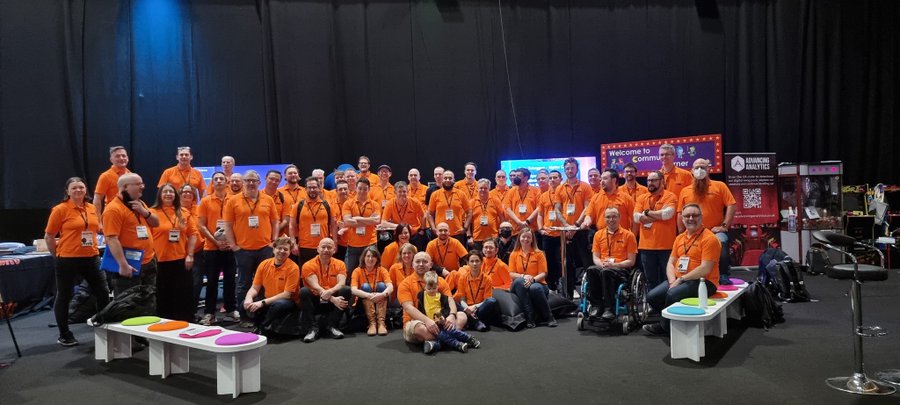
SQLBITS Orange Team 2022 SQLBITS Orange Team 2022

Data Saturday Stockholm

My first time in Stockholm, great event. Bra så alla tillbaka personligen This means great, so everyone back personally.

DataGrillen

When we say: Data, bratwurst and beer, we are of course talking about DataGrillen. After more than 2 years of absence, it was that time again in recent days, with speakers from all over the world, beautiful weather and a large group of participants.
And as usual with this event, the first day ends with a barbecue for all participants.
By the way, I can't imagine a better event to celebrate my 50th birthday. It is therefore a great pity that there will be no DataGrillen next year. Hopefully again soon, in any form.
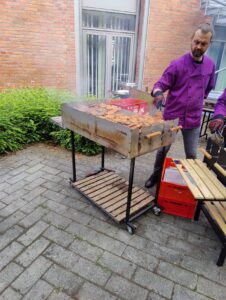
Datagrillen 2022 Datagrillen 2022

Scottish Summit

First time in Glasgow, second time speaking at the Scottish Summit on one of my favorite topics Data Governance and Purview.

DATA Scotland

Second time in 3 months coming to Glasgow and this time it was sunny, over 400 people in attendance and over 50 sessions.
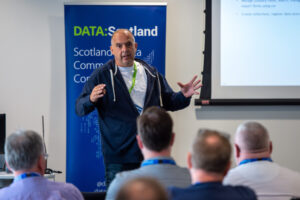
DATA SCOTLAND 2022 DATA SCOTLAND 2022

DataMindsConnect

This year I volunteered for 2 days, the event was sold out with over 650 attendees. For us as Dutch people, the event is easily accessible by car, which means that many Dutch people are also present as participants.

Experts Living in the Netherlands

This was a very big IT event in the Netherlands, my employer InSpark was one of the sponsors. But even better to mention that during this event I was allowed to give a session with my colleague Albert, this was the first time that I presented together with a colleague. And this is certainly worth repeating.

Pass Data Community Summit

I've always wanted to speak at the Pass Data Community Summit and it's a dream come true and definitely one of my bucket list items. I had 3 sessions on Microsoft Purview. The event was great again, had great conversations and met so many old and new people again. Nice thing about this event was that a MVP pre day was also organized on the Microsoft Campus, thanks again to Rie Merritt for the entire organization and putting together the agenda. It always remains a wonderful feeling to be on the Campus. Hopefully we can go to Seattle again next year. And let's not forget the day that as a community we showed our support to Hugo Kornelis #teamhugo. This was a very and beautifully moving moment, all messages on the socials, all blue shirts. Hugo is fighting Acute Myeloid Leukemia (AML.)
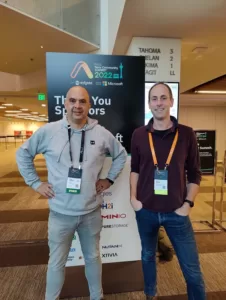
Pass Community Summit 2022 Pass Community Summit 2022

The above was not possible with the support from my wife and kids, you are also quite often on the road during the weekends and I would like to thank my employer InSpark very much as well, they are the ones who encourage and financially support all our MVPs, but also other colleagues, to speak at international events.

InSpark

At my employer InSpark, we have made great progress with the Data and AI team this year with Managed Oyxgen, our Data Platform as a Service. The 2023 roadmap for our solution looks impressive and I'm already looking forward to working on it with everyone.
👉 Within our team we can be proud that we:
✅ Having challenging and varied work.
✅ Added even more gears to our accelerators.
✅ Creating lots of space for your own input, innovation and creativity.
✅ Working and contributing to many interesting projects.
✅ Having a good working atmosphere.
✅ Even took yoga classes.
✅ Attend the coolest events and even speak there.

I am therefore very proud of the team that we have all achieved together this year, on to even more beautiful and innovative projects

And the above certainly contributes to the fact that I can close 2022 as a great year and I look forward to 2023 with great pleasure and enthusiasm.

I wish everyone a great 2023, on to a successful year

Rotterdam Vuurwerk Erasmusbrug.
SQL BITS 2022 Session recordings

SQL BITS 2022 Session recordings

Recordings SQL Bits 2022

All sessions of SQLBits 2022 have been made available to everyone and can now be viewed via their Youtube channel. Microsoft asked me to present me this session during SQL Bits in the Cloud Scale Analytics solution area.

Session Title:

Lake Database with Database Template and Mapping Data with Azure Synapse Analytics

Description:

Database templates in Azure Synapse Analytics are blueprints which can be used by organizations to plan, architect and design solutions.

How can we use these Database Templates in a day-to-day business, in order to speed up to automate this process? Map data tool can help us with that. The map data tool can generate a mapping data flow without having to start from a blank canvas. In this presentation, you will see how this all works in a step-by-step demo-based session.

During SQL Bits the Mapping Data tool was still in Preview, the great news is that this functionality is now GA.

SAVE THE DATE

SQLBits 2023 will back next year 14 - 18 March 2023, so mark you calendars.