Azure Data Factory and Azure Synapse Analytics Naming Conventions
Naming Conventions More and more projects are using Azure Data Factory and Azure Synapse Analytics, the more important it is to apply a correct and standard naming convention. When using standard naming conventions you create recognizable results across different...

Azure Synapse Analytics Power BI Integration
Creating a Linked Service for Power BI Open your Synapse Studio and select the Management Hub. Add a new Linked Service If you haven't connect to Power BI before, you will see the screen above. If you want to add another Power BI Linked Service(Workspace). Search for...
Create an Azure Synapse Analytics SQL Pool
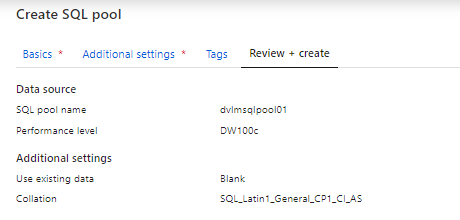
Adding a new SQL Pool There are 2 options to create a SQL Pool. Go to your Synapse Workspace in de Azure Portal and add a new SQL Pool. Or go to the Management Tab in your Azure Synapse Workspace and add a new Pool. Creating a new SQL Pool SQL Pool Name (SQL pool name...
Create an Azure Synapse Analytics Apache Spark Pool
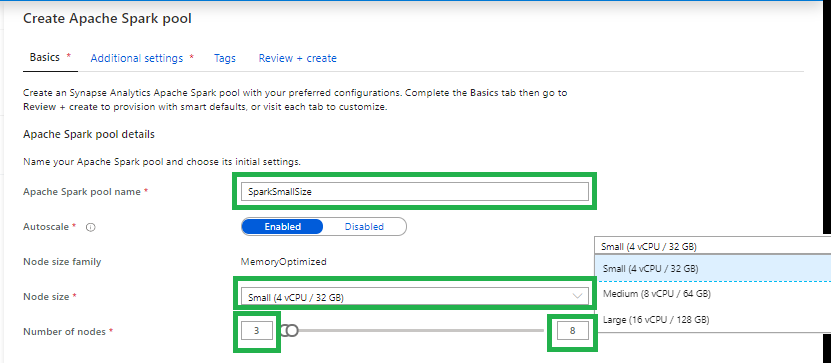
Adding a new Apache Spark Pool There are 2 options to create an Apache Spark Pool.Go to your Azure Synapse Analytics Workspace in de Azure Portal and add a new Apache Spark Pool. Or go to the Management Tab in your Azure Synapse Analytics Workspace and add a new...

Exploring Azure Synapse Analytics Studio
Azure Synapse Workspace Settings In my previous article, I walked you through "how to create your Azure Synapse Analytics Workspace". It's now time to explore the brand new Synapse Studio. Most configuration and settings can be done through the Synapse Studio. In your...

How to create a Azure Synapse Analytics Workspace
Creating your Azure Synapse Analytics Workspace In the article below I would like to take you through, how you can configure an Azure Synapse Workspace and not the already existing Azure Synapse Analytics SQL Pool(formerly Azure SQL DW): In de Azure Portal search for...

Azure Synapse Analytics
Azure Synapse Analytics Insights for all Azure Synapse provides a breathtaking view of your data across data warehouses and big data analytics systems. Bringing these two worlds together into a single service is challenging as it requires unifying similar...
Azure Data Factory: New functionalities and features
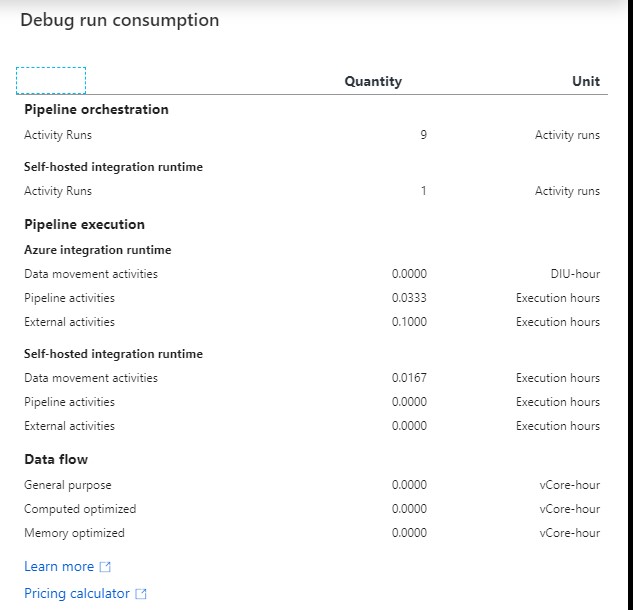
New functionalities and featuresLast week, a number of great new functionalities and features were added within Azure Data Factory. I would like to take you in some details in the blog below:Customer key With this new functionality you can add extra security to your...
Azure Data Factory: How to assign a Customer Managed Key
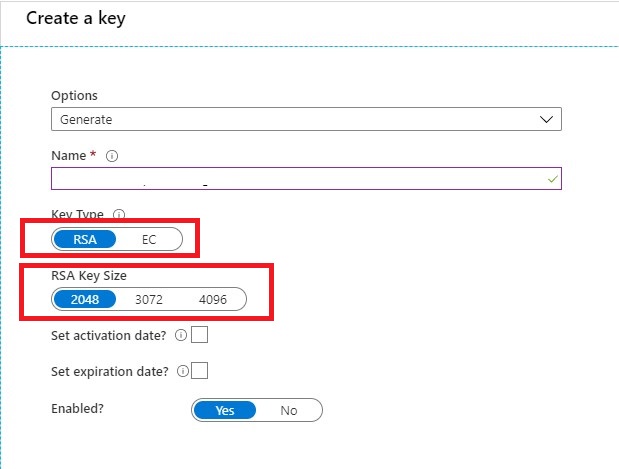
Customer key With this new functionality you can add extra security to your Azure Data Factory environment. Where the data was first encrypted with a randomly generated key from Microsoft, you can now use the customer-managed key feature. With this Bring Your Own Key...

Working from Home: How do I get my energy and focus back on track?
Working from home It has now been exactly 7 weeks since I started working from home. In the beginning this went with full energy, but now gradually the energy and the focus on the work is starting to drain.I'm the only one in here? I'm sure, I'm not. I regularly hear...