
Scottisch Summit 2021(Video)
Azure
Recording of my session during Scottisch Summit 2021
Is there a way that we can build our Azure DataFactory all with parameters based on MetaData?

Recording of my session during Scottisch Summit 2021
Is there a way that we can build our Azure DataFactory all with parameters based on MetaData?
This week the Azure Purview announced that they will extend the Azure Purview offer to provision 4 Capacity Units of the Data Map for free till May 31, 2021! Charging will start on June 1, 2021. Great news for customer who start exploring Azure Purview
More detail on Azure Purview pricing can be found here
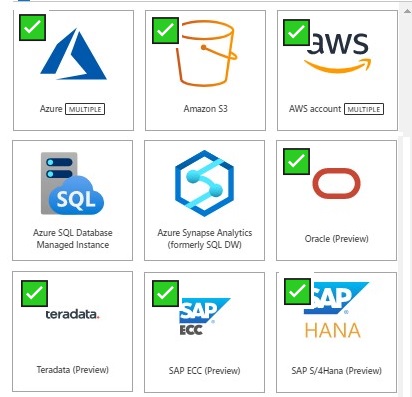
As you see above a lot of new Sources to scan have been announced and there will be more sources coming in the next months.
And last but least, Azure Multiple. With Azure Multiple you can now govern multiple Azure sources within Azure Purview by registering an entire Azure subscription or a resource group.
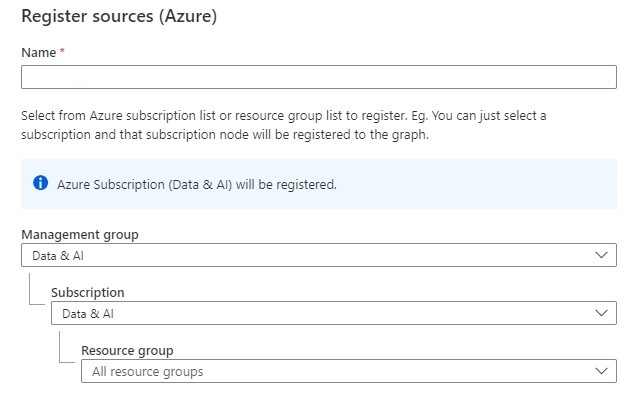
And you setup scan and triggers to the discover assets within your subscription.
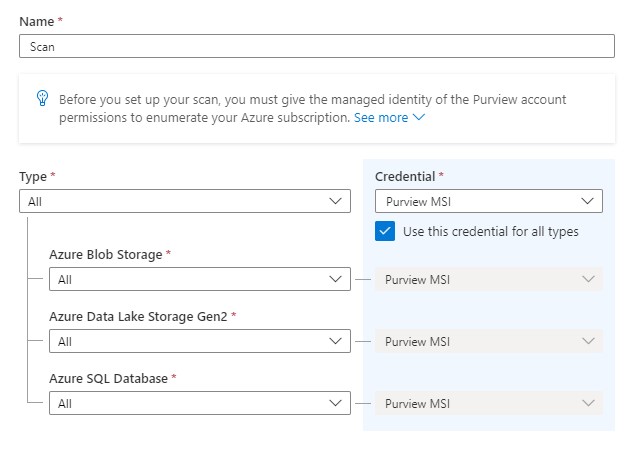
More detail on how to setup Azure Multipe How to scan Azure multiple sources.
Also for Azure Multiple more resource types are coming in the upcoming weeks
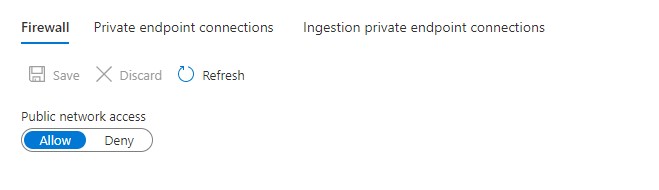
You can now set up scans on your on-premises and Azure data sources with ingestion private endpoints and a self—hosted integration runtime to ensure network isolation, and metadata traversing only via private networks end-to-end and block all access to your Purview instance from public internet.
More details on pricing Pricing - Azure Purview
Azure Purview Documentation Documentation - Azure Purview
Azure Purview Q&A Q&A -Azure Purview
In case you have unanswered questions please do not hesitate to contact me.
This Saturday I've been speaking during Scottisch Summit 2021. It was my first Summit, but is was a great event, with more than 400 sessions covering the full Microsoft Stack in 7 different language English, Spanish, German, French, Italian, Portuguese and Polish. Proud that I was to able to join and to present.
I presented a session on if there is a way that we can build our Azure Data Factory all with parameters based on MetaData?
In the beginning of my sessions the audio wasn't that well. I just double checked my uploaded recording and in there audio was fine.
You can watch the recording of my session Scottisch Summit 2021
Code from my demos can be found here.
You can find my slides below on Slideshare:
In case you have any questions left please feel free to ask them via the comment or Socials.
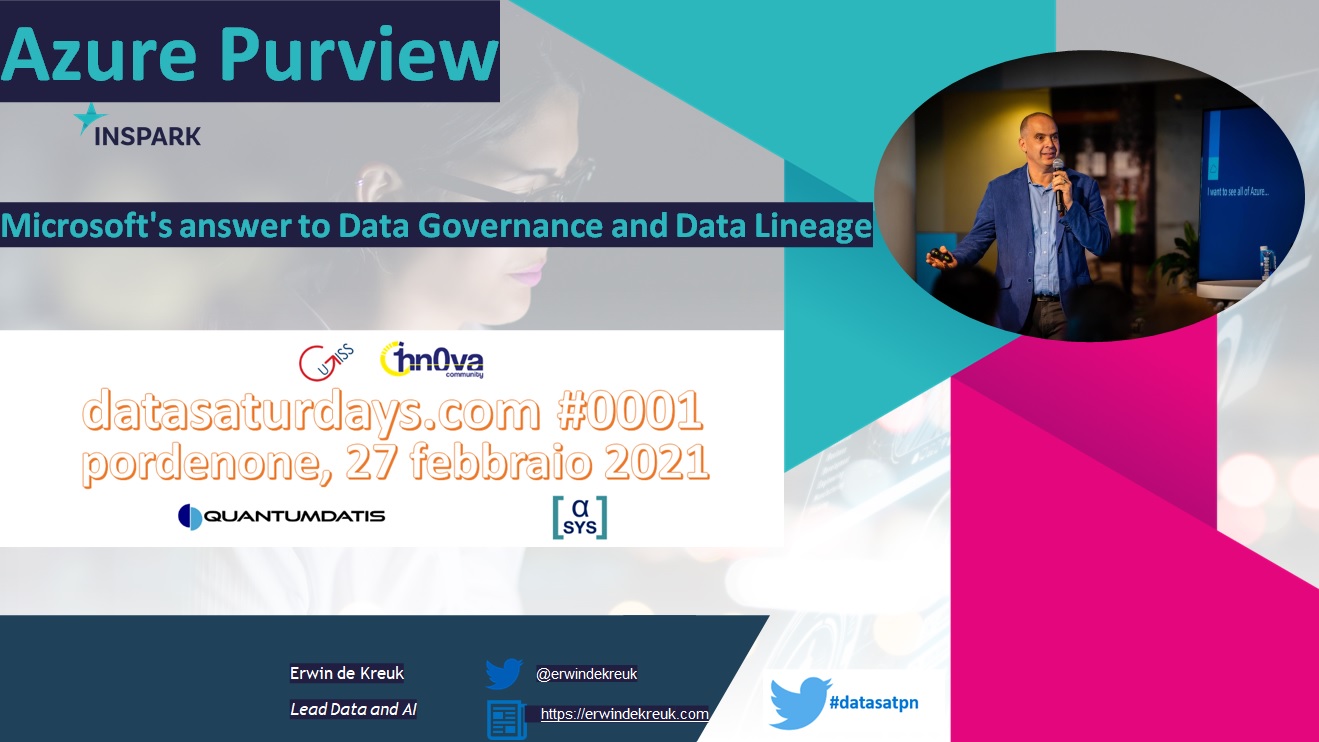
This Saturday I've been speaking during DataSaturday #1 Pordenono. The first ever DataSaturday after Pass has retired. If you want to visit more Datasaturday events please visit the Data Saturdays event page.
I presented a session about Azure Purview Microsoft's answer to Data Governance and Data Lineage
You can find my slides below on Slideshare:
In case you have any questions left please feel free to ask them via the comment or Socials
In my previous article, I explained how you can Pause and Resume your Dedicated SQL Pool with a Pipeline in Azure Synapse Analytics. In this article I will explain how to scale up and down a SQL Pool via a Pipeline in Azure Synapse Analytics. This is actually a necessary functionality during your Data Movement Solutions. In this way you can optimize costs.
The Pipeline can be added before and after your Nightly Run.

As a quick resume from the previous article, a SQL Pool can have different statuses:
To allow the Synapse workspace to call the REST API we need to give the Synapse workspace access to the SQL Pool. In the Access control (IAM) of the SQL Pool assign the contributor role to your Synapse Workspace.
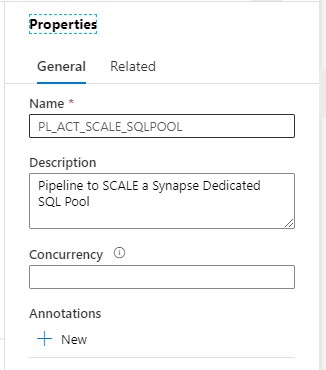
Clone the Pipeline PL_ACT_RESUME_SQLPOOL and rename it to PL_ACT_SCALE_SQLPOOL.
Change the description of the Pipeline, 'Pipeline to SCALE a Synapse Dedicated SQL Pool'
Add the PerformanceLevel parameter to the Parameters of the Pipeline:
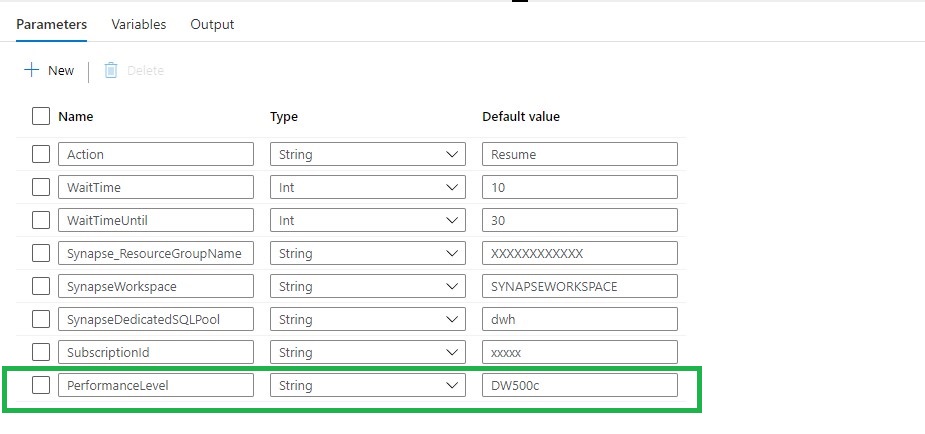
Action: RESUME(Leave this on RESUME, if we want to SCALE the SQL Pool must be Online)
WaitTime: Wait time in seconds before the Pipeline will finish
WaitTimeUntil: Wait time in seconds for the retry process
Synapse_ResourceGroupName: Name of the ResourceGroup of the used Synapse Workspace
SynapseWorkspace: SynapseWorkspace
SynapseDedicatedSQLPool: Name of the dedicated SQL Pool
SubsriptionId: SubscriptionId of Synapse Workspace
PerformanceLevel: The Database Performance level (DW100c, DW200c, DW300c, DW400c DW500c, DW1000c, DW1000c, DW1500c, DW2000c, DW2500c, DW3000c, DW5000c, DW6000c, DW7500c, DW10000c, DW15000c, DW30000c)
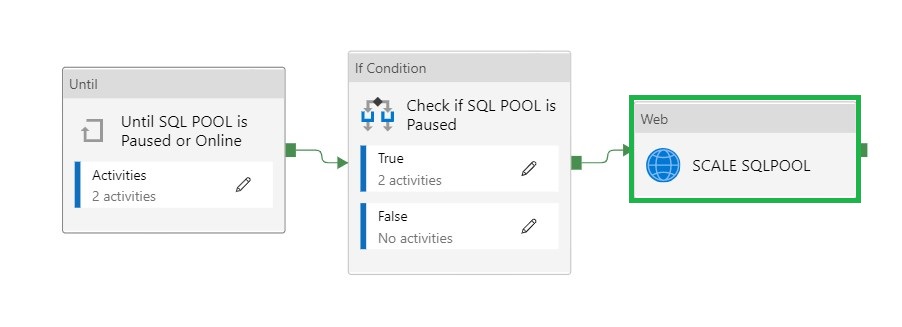
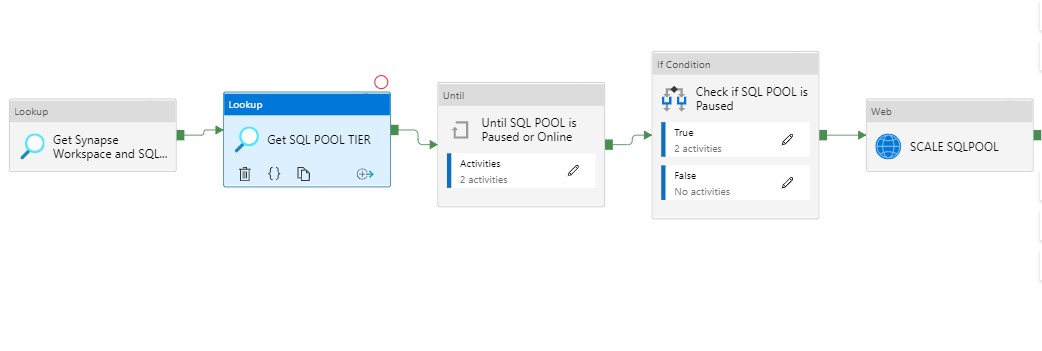
We leave the first two activities as is. The Pipeline can only continue when the status is Paused or Online and not one of the other statuses. When the SQL Pool is Paused, the second activity will Resume the SQL Pool.
To Scale the SQL Pool we need add a new Web Activity.
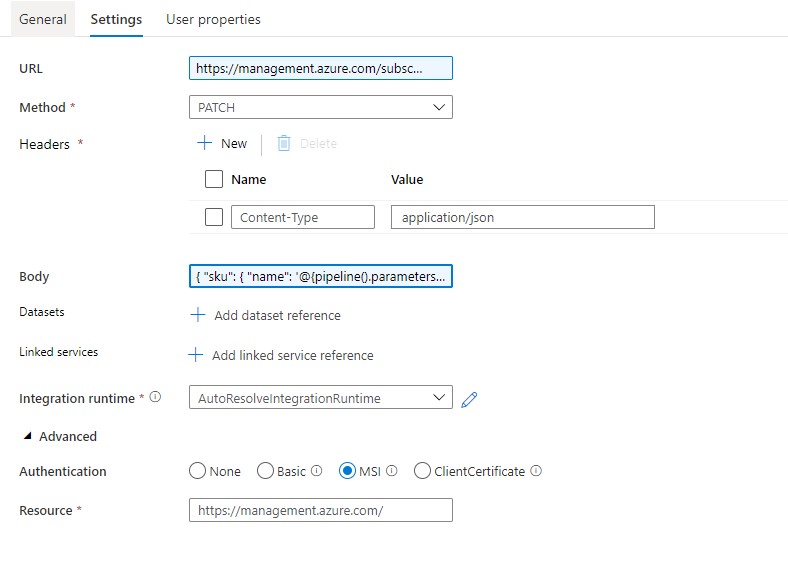
Name = SCALE SQLPOOL
URL= https://management.azure.com/subscriptions/XXX/resourceGroups/XXX/providers/Microsoft.Synapse/workspaces/XXX/sqlPools/XXX/?api-version=2019-06-01-preview
The <xxx> we need to replace with the Pipeline Parameters. The final Result will be:
https://management.azure.com/subscriptions/@{pipeline().parameters.SubscriptionID}/resourceGroups/@{pipeline().parameters.Synapse_ResourceGroupName}/providers/Microsoft.Synapse/workspaces/@{pipeline().parameters.SynapseWorkspace}/sqlPools/@{pipeline().parameters.SynapseDedicatedSQLPool}/?api-version=2019-06-01-preview
Method = PATCH
Headers = Name = Content-Type Value= application/json
Body = { "sku": { "name": '@{pipeline().parameters.PerformanceLevel}' } }
Resource =https://management.azure.com/
Please feel free to download the Pipeline code here.
Add the above Pipeline as a Start Pipeline before your Daily run and Scale up to the desired Performance Level. When the Daily run is finished you Scale Down to a lower level or can you add the Pipeline to Pause the SQL Pool.
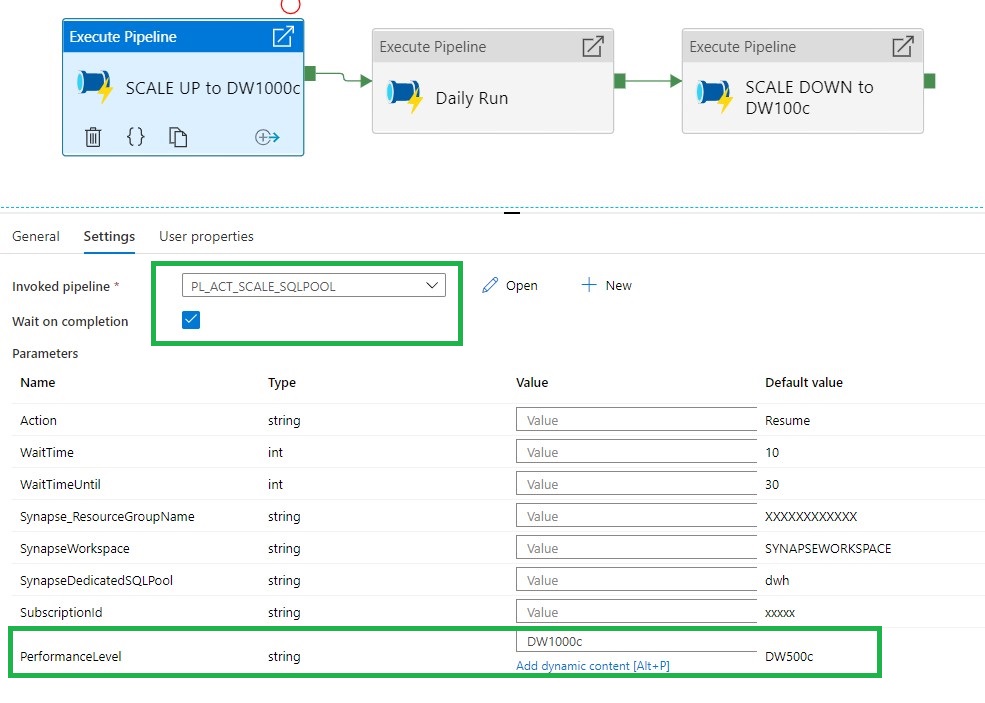
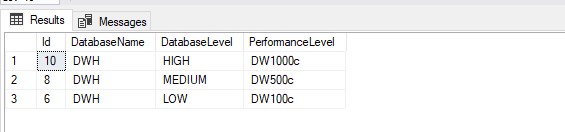
If you're already using a database where you store your Meta Data, you can create a table where you store the desired Performance Level The only thing you need to do is adding a Lookup Activity to get the parameters from your database and replace the parameters with the output from the lookup activity.
[sql]
CREATE TABLE [configuration].[Database_Level](
[Id] [int] IDENTITY(1,1) NOT NULL,
[DatabaseName] [varchar](30) NULL,
[DatabaseLevel] [varchar](10) NOT NULL,
[PerformanceLevel] [varchar](10) NOT NULL,
CONSTRAINT [PK_Pipeline_ExecutionLog] PRIMARY KEY CLUSTERED
(
[Id] DESC
)WITH (STATISTICS_NORECOMPUTE = OFF, IGNORE_DUP_KEY = OFF, OPTIMIZE_FOR_SEQUENTIAL_KEY = OFF) ON [PRIMARY]
) ON [PRIMARY]

[/sql]
A SQL Pool(Former SQL DW) linked to a SQL (Logical) Server has a slightly different approach.
Use the settings below to create a Pipeline to Scale the SQL Pool.
Action: RESUME
WaitTime: Wait time in seconds before the Pipeline will finish
WaitTimeUntil: Wait time in seconds for the retry process
SQLServer_ResourceGroupName: Name of the ResourceGroup of the used SQL(Logical) Server
SQLServer: SQL(Logical) Server name
SQLServerDedicatedSQLPool: Name of the dedicated SQL Pool
SubsriptionId: SubscriptionId of Synapse Workspace
DatabaseTier: The Database Performance level (DW100c, DW200c, DW300c, DW400c DW500c, DW1000c, DW1000c, DW1500c, DW2000c, DW2500c, DW3000c, DW5000c, DW6000c, DW7500c, DW10000c, DW15000c, DW30000c)
Body: { "requestedServiceObjectiveName": { "name": '@{pipeline().parameters.PerformanceLevel}' } }
Hopefully this article has helped you a step further. As always, if you have any questions, leave them in the comments.