Connect Azure Databricks to Microsoft Purview

Connect Azure Databricks to Microsoft Purview

Data Governance

by Erwin | Jan 16, 2023

Connect and Manage Azure Databricks in Microsoft Purview

This week the Purview team released a new feature, you’re now able to Connect and manage Azure Databricks in Microsoft Purview.

This new functionality is almost the same as the Hive Metastore connector which you could use earlier to scan an Azure Databricks Workspace. This new connector is an easier way to setup scanning for your Azure Databricks Workspace.

Note that this feature is currently in Public Preview.

The connector supports or will support:

  • Extracting technical metadata including:
    • Azure Databricks workspace.
    • Hive server.
    • Databases.
    • Tables including the columns, foreign keys, unique constraints, and storage description.
    • Views including the columns and storage description.
  • Fetching relationship between external tables and Azure Data Lake Storage Gen2/Azure Blob assets.
  • Fetching static lineage on assets relationships among tables and views.

Let’s have a look how to setup this connector, before you can start make sure you have the following Prerequisites in place:

  • Microsoft Purview account with Data Source Administrator and Data Reader permissions.
  • Self-Hosted Integration Runtime.
  • Personal access token in Azure Data Bricks.
  • Cluster in Azure Data Bricks.

Register the Azure Databricks Workspace

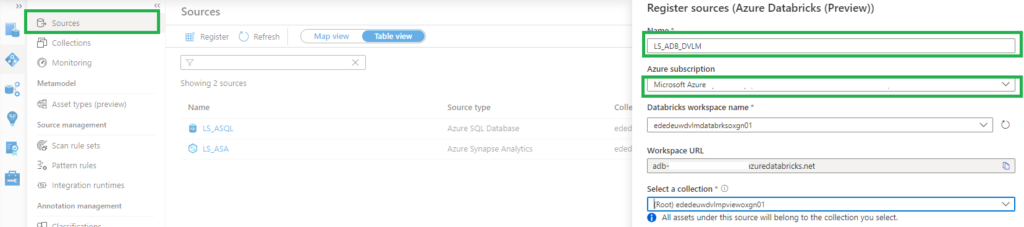
  • Select Data Map on the left pane and select Sources.
  • Select Register.
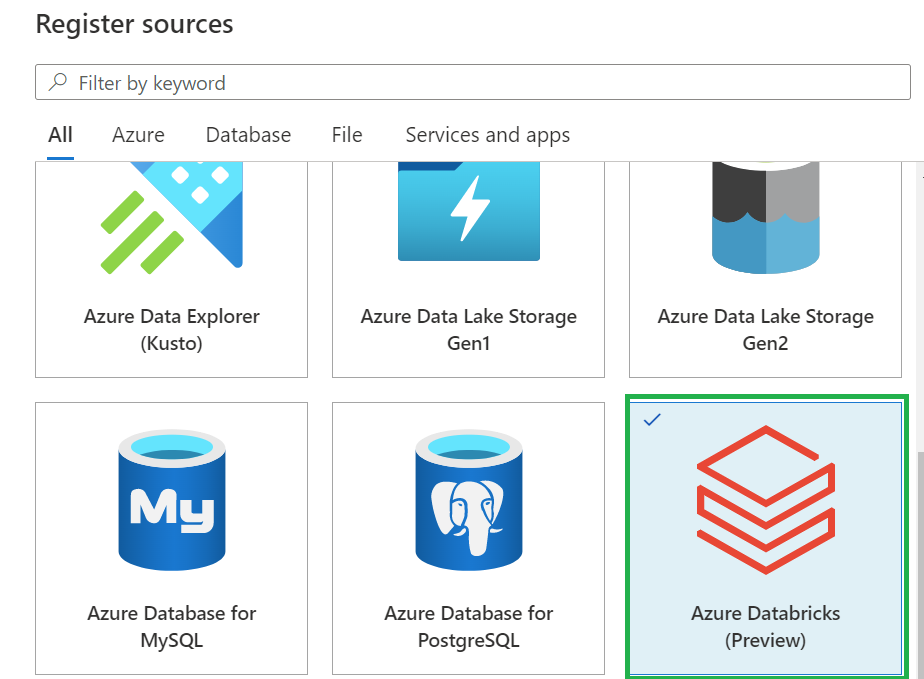
  • In Register sources, select Azure Databricks and click on  Continue.
  • On the Register sources (Azure Databricks) screen, do the following:
    • Enter a name that Microsoft Purview will list as the data source.
    • Select the subscription and workspace that you want to scan from the dropdown list.
  • Select a collection. 
    • Azure Databricks setup in Microsoft Purview


 Setup the Integration Runtime

  • Select Data Map on the left pane and select Integration Runtime.
  • Click on New.
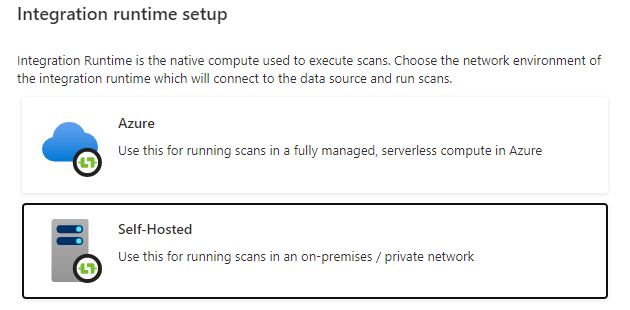
  • Select the Self-Hosted.

Self-Hosted IR Setup in Microsoft Purview

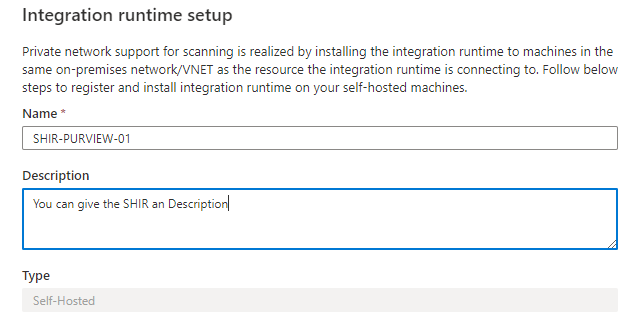
  • Enter a name and description, click on create.

SHIR configuration in Microsoft Purview

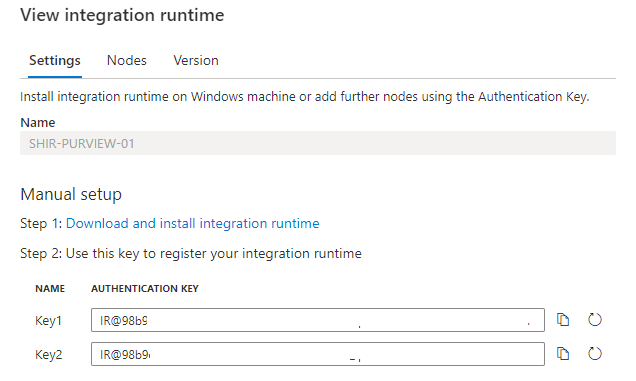
  • Copy the authentication key.

SHIR Authentication Key

Configure the Self-Hosted Integration Runtime

On an Virtual Machine in Azure:

After rebooting, Select Data Map on the left pane and select Integration Runtime and check if the SHIR is running.

Databricks-shir-running

Setup the Scan

The last step to configure is the scan.

  • Select Data Map on the left pane and select Sources and select the Azure Databricks you just created.
  • Select New Scan.
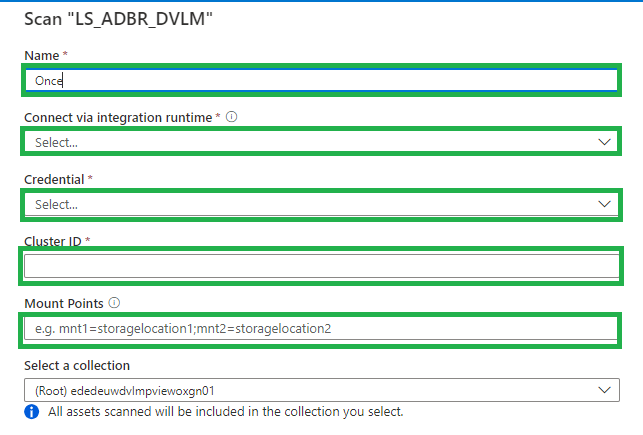
    • Name, create a logical name for your scan. Weekly, Monthly, Once or a different name. TIP, add your clustername or id to the scanname. You need to create a scan for every cluster in an Azure Databricks workspace. This way you can see the difference between the clusters.
    • Connect via IR, select the SHIR you just created.
    • Credential, select the Personal Acces token, which is stored in de Azure KeyVault.
    • Cluster ID, Specify the cluster ID that Microsoft Purview need to connect to, to perform the scan.
    • Mount Point, if you have external storage manually mounted to Databricks, you provide the locations here. Use the following format /mnt/<path>=abfss://<container>@<adls_gen2_storage_account>.dfs.core.windows.net/.
    • Maximum memory available: Specify the maximum memory available in GB to be used by scanning processes. If the field is left blank, 1 GB will be considered as a default value.

Setup Databricks scan

The default location of the cache in your VM is C:WindowsServiceProfilesDIAHostServiceAppDataLocalMicrosoftAzureDataCatalogCache. Unselect the checkbox if you want cache to be stored in a different location.

Click on continue.

Select the trigger you want. Click on save and run.

Check if the scan starts, be aware that the scan will trigger your Azure Databricks cluster to start.

Browse and search assets

Once the data is scanned you can browse and search the Metadata.

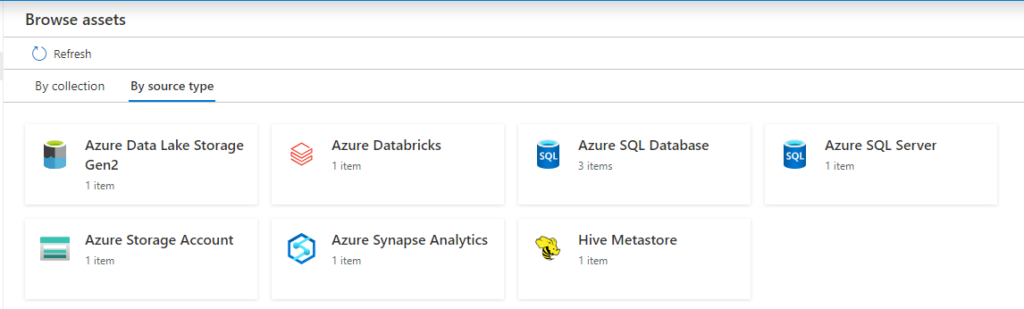
  • Select Data Catalog on the left pane and select Browse Assets.

Data Catalog with Databricks overview

From the Databricks workspace asset, you can find the associated Hive Metastore.

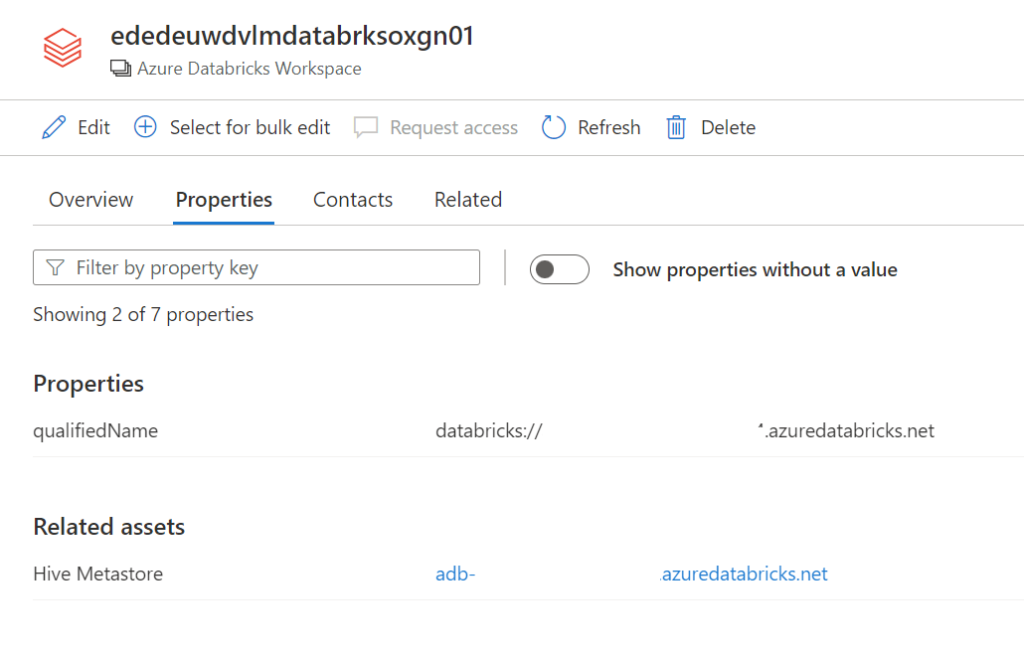
Select the Azure Databricks and click on edit details on the right side.

Databricks details

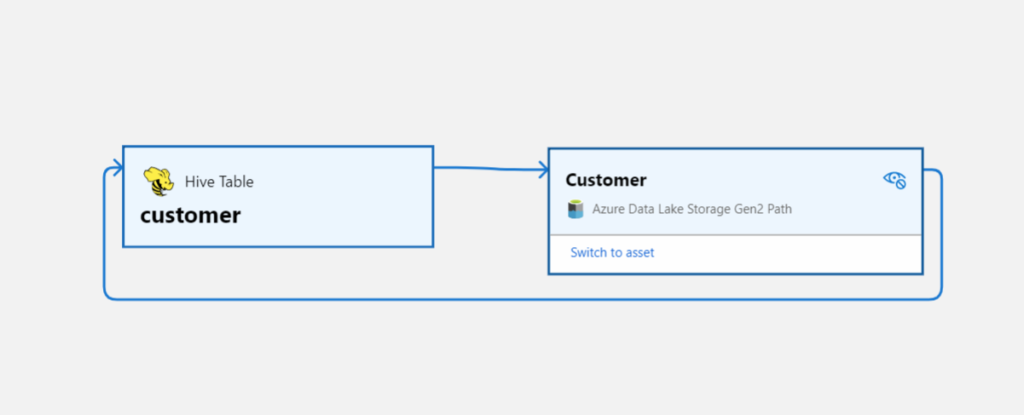
Click on Hive Metastore, on the Related tab you can see the Hive DB and the assets. Click on one of the assets to see the lineage when applicable.

databricks lineage

Conclusion

The first steps towards a Native integration of Azure Databricks is now available in Microsoft Purview, but we're not there yet.
If you want to have a more extensive lineage and can read more details from the Notebooks execution including Delta Lake than, I advise you to use the
Azure Databricks to Purview Lineage Connector.

In the notes of this Solution Accelerators, is noted "With native models in Microsoft Purview for Azure Databricks, customers will get enriched experiences in lineage such as detailed transformations." So hopefully we can expect more in the future.

Be aware that lineage is available at the asset level not at column level, hopefully that will arrive soon.

In the notes of the above Solution Accelerators, is noted "With native models in Microsoft Purview for Azure Databricks, customers will get enriched experiences in lineage such as detailed transformations." So hopefully we can expect more in the future.

Like always in case you have questions, do not hesitate to contact me.

More details on above topic can be found here:

Connect to and manage Azure Databricks

Microsoft Purview Data Map supported data sources and file types

Microsoft Purview data governance documentation

Feel free to leave a comment

Data:Scotland

Data:Scotland

Data: Scotland 2022

Microsoft Purview

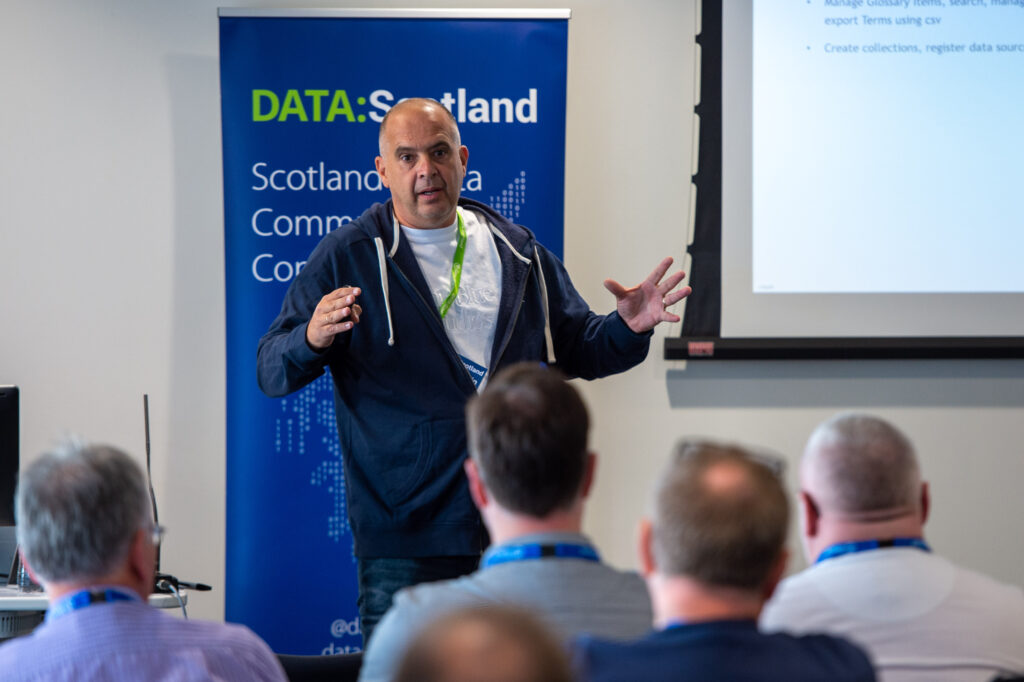
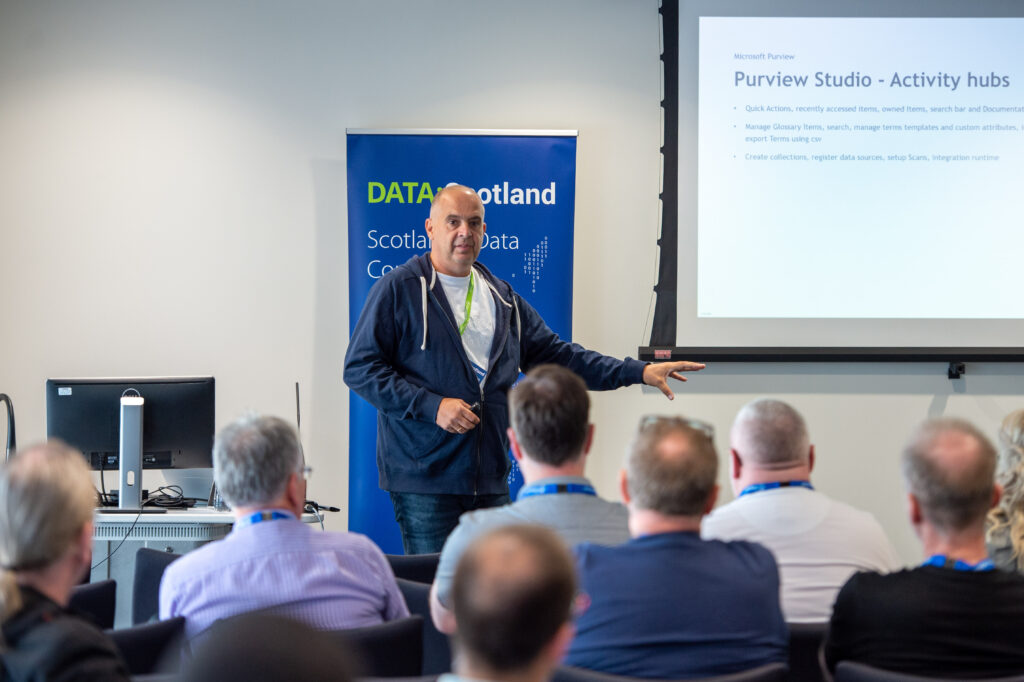
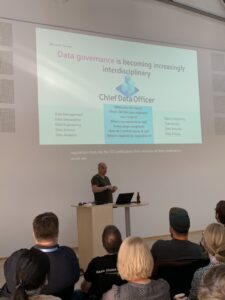
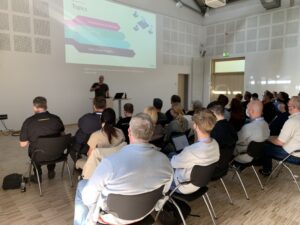
Scotland’s Data Community Conference happened this year again in Glasgow. This years event was happening in  a sunny Glasgow, more then 400 attendees and more then 50 sessions.

It was great to see so many people live again. I presented a session on one of my favorite subjects Microsoft Purview. My session was well attended, the slides can be found in the link below.

My sessions at Pass Data Community Summit

My sessions at Pass Data Community Summit

A hybrid conference in Seattle and online

This year's PASS Data Community Summit is more than a conference – it's a homecoming. Reconnect with old friends, build new relationships, gain new skills, and get the world-class training you need to take that next step in your data career. With 3 different themes, 6 different tracks and 9 Learning Path ways it promises to be a great Summit.

InSpark

When the Call for Speakers on March 10 was announced, I immediately called my CTO of InSpark, my employer, whether he thought it was okay to send in a number of sessions and whether InSpark could pay for the travel and accommodation costs. The answer was immediatly, awesome. great, do it. It's very nice to have an employer who facilitates you in this. And the good news is that my colleague Marco is joining me to Seattle.

InSpark_Logo_FC

My Sessions?

First of all, I was pleasantly surprised when I received an email stating that my session had been selected by an independent volunteer Program Committee. But that 3 of my sessions were directly selected is of course absolutely great. I've always wanted to speak at the Pass Data Community Summit and it's a dream come true and definitely one of my bucket list items.

How to use Data Lineage in Azure Purview?

Category: General Session

Location: In-Person

Type: Live Stream

Length: 60-minutes + 15-minute Q&A

Abstract:

The use of data Lineage is a hot topic for many organizations who struggle with answers to the following questions:

  • I want to adjust a measure, but where do I have to adjust it and where does the data come from?
  • What will be the effect on my data if I rename this column in the source?
  • Can I visually overview my Data Estate including how the data has been transformed?

As you can see, data lineage is used for different kinds of backward-looking scenarios, such as troubleshooting, root cause discovery in data pipelines, and debugging. Lineage is also used for data quality analysis, compliance, and 'what if' scenarios, often referred to as impact analysis. How can Azure Purview helps us to create these visual overviews to better understand our Data Estate? During this session, I will show you how to enable Data Lineage with Azure Purview, Azure Synapse Analytics, and how to use Custom Lineage components for unsupported data sources.

DataLineage-Purview

How to Integrate Azure Purview in Azure Synapse Analytics

Category: Lightning Talk

Location: Online

Type: On-Demand

Length: 10-minutes

Abstract:

In this short talk I'll show you how to integrate Azure Purview with Azure Synapse Analytics and what extra possibilities you will have of using both Azure Data Services

Data Governance with Azure Purview - Ask the Experts

Category: Panel Session

Location: In-Person

Length: 60-minutes + 15-minute Q&A

Abstract:

This is going to be another very nice session, together with Victoria, Wolfgang and Richard. The first time we did this session was during SQL Bits, we got a lot of interesting and diverse types. Ask the question live during the session or submit your questions in advance here https://forms.office.com/r/dTP38LnmsJ

Pass Data Community Summit

You can still register for the In-person or Online event, just cilck here.

And have a look into all the sessions and pre cons this year

Session Catalog

Pre Cons

In the meantime my flights and hotels are booked and I started the preparation of my sessions. But first things first, it is first time to celebrate holidays with family and friends.

Hopefully I will see you in Seatlle and otherwise online.

DataGrillen 2022

DataGrillen 2022

DataGrillen 2022

Microsoft Purview

When we say: Data, bratwurst and beer, we are of course talking about DataGrillen. After more than 2 years of absence, it was time again in recent days, with speakers from all over the world with almost 50 sessions, good weather and a large group of participants, quite a bit of knowledge has been shared again.
And as is traditional with this event, the first day will be finalized with a barbecue for all participants.
The organization is in the hands of Ben and WIlliam and you can leave that up to them. Everything was well organized again.
My session on Microsoft Purview was well attended, the slides can be found in the link below.

Datagrillen_4

Azure Purview March Updates

Azure Purview March Updates

Azure Purview updates

Announcements

Last week during SQLBITS, quite a few new updates were announced. I would like to include you in these announcements.

March updates

Support for SAP Business Warehouse (Preview)

Blogpost:

https://techcommunity.microsoft.com/t5/azure-purview-blog/azure-purview-adds-support-for-sap-business-warehouse/ba-p/3253404

Documentation:

https://docs.microsoft.com/en-us/azure/purview/register-scan-sap-bw

Azure Purview SAP BW

Dynamic lineage extraction from Azure SQL Databases (Preview)

Documentation:

https://docs.microsoft.com/en-us/azure/purview/register-scan-azure-sql-database?tabs=sql-authentication#lineagepreview

Video:


Certify assets in the Azure Purview data catalog

Blogpost:

https://techcommunity.microsoft.com/t5/azure-purview-blog/certify-assets-in-the-azure-purview-data-catalog/ba-p/3249460

Documentation:

https://docs.microsoft.com/en-us/azure/purview/how-to-certify-assets

Purview_Certified_Datasets

Ability to delete child terms when parent term is deleted

Documentation:

https://docs.microsoft.com/en-us/azure/purview/how-to-create-import-export-glossary

Connect to and manage an on-premises SQL server instance in Azure Purview

Documentation:

https://docs.microsoft.com/en-us/azure/purview/register-scan-on-premises-sql-server

Approval workflow for business terms (Preview)

Before you can start Authoring your workflows make sure you the correct user to the role assignment Workflow administrators, if you haven't done that correctly the option will be greyed out.

Purview_Workflow_Admin

workflow-authoring-experience

Blogpost:

Approval workflow for business glossary

Documentation:

https://docs.microsoft.com/en-us/azure/purview/how-to-workflow-business-terms-approval

Self-service data access workflows for hybrid data estates (Preview)

Purview-data-access-request

Documentation:

https://docs.microsoft.com/en-us/azure/purview/how-to-workflow-self-service-data-access-hybrid

Azure integration runtime supports scanning more source types

Azure Purview now supports scanning Snowflake, Salesforce, PostgreSQL, MySQL, Cassandra and Looker using managed Azure integration runtime.

Blogpost:

https://techcommunity.microsoft.com/t5/azure-purview-blog/azure-integration-runtime-supports-scanning-more-source-types/ba-p/3254148

Documentation:

https://docs.microsoft.com/en-us/azure/purview/manage-integration-runtimes

Localization

Azure Purview is localized in 18 languages. To change the language used, go to the Settings from the top bar and select the desired language from the dropdown.

Purview-Localization

Blogpost:

https://techcommunity.microsoft.com/t5/azure-purview-blog/localization-generally-available-in-azure-purview-studio/ba-p/3249453

Documentation:

https://docs.microsoft.com/en-us/azure/purview/use-azure-purview-studio#localization