
Calculate the Last Day of the Month using SQL
Calculate the Last Day
Today I needed to calculate the last day of the previous month for a Customer.
Ever heard from the function EOMONTH?
Searching on the web I came across a function I never heard from before EOMONTH, this function can be used as of SQL Server 2012.
With this function you never have to worry anymore about how many days(28,29,30,31) your month has.
The function works as follows:
Defined date:
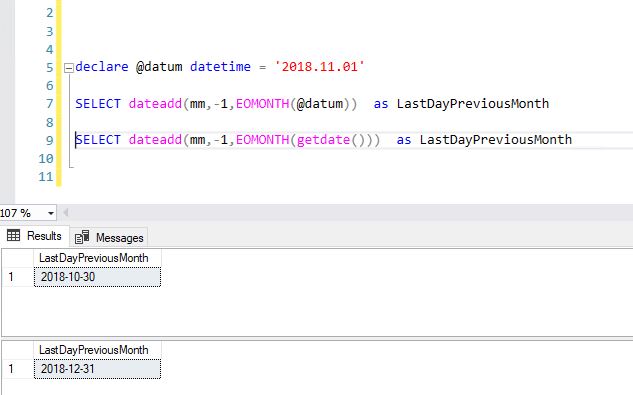
declare @datum datetime = '2018.11.01'
SELECT EOMONTH(DATEADD(mm, -1, @datum)) as LastDayPreviousMonth
Getdate()
SELECT EOMONTH(DATEADD(mm, -1, getdate())) as LastDayPreviousMonth
Current Month
SELECT EOMONTH(getdate()) as LastDayCurrentMonth
Feel free to leave a comment
2 Comments
Leave a Reply
Discover more from Erwin | Data & Intelligence
Subscribe to get the latest posts sent to your email.
The dateadd adds/subtracts on the month number. So between October and November, you still have the issue of 28-29-30-31. I would use EOMONTH(DATEADD(mm, -1, @datum)). You first get to the correct month and then get the last day.
BR, Steven.
Thanks Steven, I have changed it