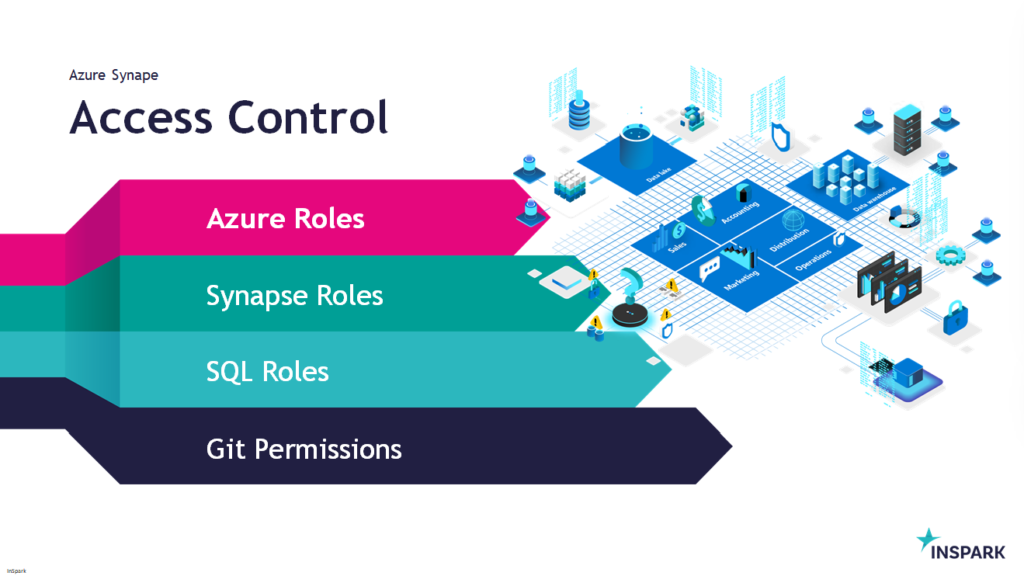
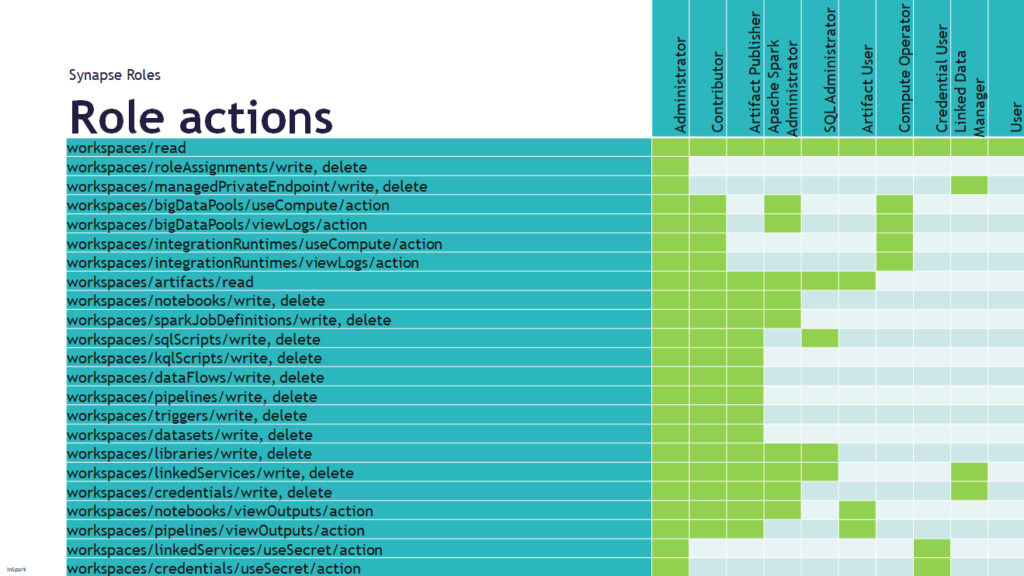
This Saturday I've joined the Data Toboggan to talk about Azure Synapse Analytics.
Azure Synapse Analytics
Today I've been talking on how to deal with all the different roles in Azure Synapse Analytics during Data Toboggan. An event 100% focussed on Azure Synapse Analytics.
This week I had a discussion with a colleague about how we can now make sure that a Pipeline does not start when it's already started.
He then indicated, have you ever thought of the concurrency option? I've seen this option before but never paid attention to it.
How does the concurrency work?
If you read the Microsoft documentation it says the following: The maximum number of concurrent runs the pipeline can have. By default, there is no maximum. If the concurrency limit is reached, additional pipeline runs are queued until earlier ones complete.
The concurrency option is working in Azure Synapse Analytics and in Azure Data Factory.
I started to test this functionality and there are certainly some nice use cases for that:
If the Pipeline was started via a Schedule and someone else triggers this Pipeline Manually, the Pipeline is placed in a queue.
Sometimes it happens that there is a delay in the processing of data or that more data is delivered. If you process this data every 30 minutes and the 1st run is not yet ready and the 2nd starts again, this could result in incorrect data. Also in this case the to be executed run is placed in a queue and only starts when the previous one is ready.
It is a fairly simple process but can be quite useful especially in the case of short loading windows.
Please pay attention, running the pipeline in a Debug modus has no effect on this and will run directly. Check the monitoring regularly to check if this situation is not happening all the time, if so, you better change the recurrence of your Triggered Pipeline. You still have the option to cancelled a queued pipeline.
How to enable concurrency?
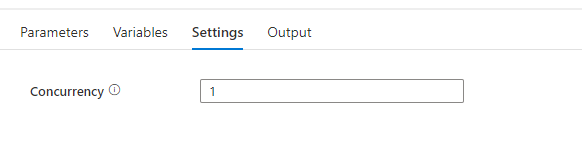
To enable concurrency in an Azure Synapse pipeline, you can use the Concurrency property in the pipeline settings. The default value is 1, which means that only one copy of the pipeline will run at a time. By default, there is no maximum. If the concurrency limit is reached, additional pipeline runs are queued until earlier ones complete. Setting the concurrency level to a higher value will cause multiple copies of the pipeline to run concurrently, which can improve performance if the pipeline is CPU-bound or if the data source can handle the increased load. If you leave the property blank the pipeline will not be queued.
When you have any questions regarding concurrency, please let me know.
First of all, I would like to wish everyone a very beautiful and healthy 2022.
We are now 3 days on the road into the new year and it is always good to look back at what happened last year. It's certainly been an eventful year, topped off with my MVP Award, which I'm super proud of. Within InSpark there were a number of changes within our Management Team and that had a significant effect, partly expected but sometimes not completely. Everyone has now been able to find their way and the various Teams are making quite a lot of progress. Our office is currently closed due to the Lock down in the Netherlands and we communicate through Teams again. I certainly look back to the months that our office was open and that you also saw other colleagues outside your own team. I continue to find meetings via teams very difficult and I regularly have trouble finding the right drive and inspiration there, but unfortunately it is no different and let's hope for better.
Managed Oxygen
With Managed Oyxgen, our Data Platform as a Service, we have once again made such major improvements that I did not think it was possible at the beginning of this year, but confirmation came in July 2021. We submitted Managed Oxygen for the Microsoft Partner of the Year awards, we just didn't win the award but we did become a finalist in the Category Analytics and that out of 4400 entries. Wow we were so happy with this appreciation, then you know were you worked hard for every day. Compliments to all my colleagues who work every day with such a drive and energy on the development of our Managed Oxygen.
In addition to our Managed Oxygen, we continued working with the whole team on our Nitrogen Accelerator.
Metadata-driven Framework for Azure Data Factory and Azure Synapse Analytics which allows us to automatically extract data from various sources and building a Lakehouse.
Monitoring, Logging and Audit Pipelines
Build and release pipelines for all the necessary Azure Data services and Power BI in DevOps.
Data quality and privacy patterns.
Automated Documentation and other best practices.
An Accelerator that greatly benefits our customers and to which we as a team provide input from all disciplines.
Cool and innovative projects
As InSpark, we are the Cloud Incubator for our mother company KPN, which has the advantage that we can work a lot on innovation. We have done a lot of connected projects this year, such as Connected Vehicles, Connected Ships, Connected containers, with some projects processing more than 70 million messages per day. Still pretty cool to see how easy it all goes and fit within Managed Oxygen. In addition to these Connected projects, we have done projects in which we help cities and local governments with their ever-growing demand for data and data solutions, the Urban Data Platform. We have made the first steps with Azure Percept and I'm looking forward to start our first Azure Percept project this year.
We are still looking for new colleagues to help us with these cool projects. If you want to know more about InSpark and what cool projects we do even more, let me know.
Blog
Just like last year, I wanted to write more blogs and articles, but unfortunately the counter has stopped at 20 this time. My blogs and articles were mostly about Azure Synapse Analytics and Azure Purview. It was good to see that the community is finding my blogs and articles better and better and that's what it's all about in the end.
MVP Award
In October last year I became a Data Platform MVP, a great appreciation from Microsoft for all the input and feedback I provide on the various Azure Data Services and my contribution to the Community. When I saw the message in my mailbox I didn't know what I saw, so happy, I immediately called my colleagues to share the news. They have always supported me in everything I do.
ADF Hackathon
I submitted a ADF Pipeline Template “Scale Dedicated SQL Pool Dynamically using Azure Data Factory control flow“ to the ADF Hackathon in March and my submission was marked as WINNER. I am very proud that a simple template where you can easily save costs has won. This template will help you to scale up and down a Dedicated SQL Pool in Azure Synapse Analytics. See full post of the announcement here.
Events
This year I regularly spoke at Virtual Events such as SQL Bits, Scottisch Summit, DataWeekender, Data Toboggan, Cloud Lunch and Learn Marathon and various DataSaturdays. In October I helped as a volunteer during DataMinds Connect a physical event(my only one in 2021) which was held in Mechelen. This event gave me so much energy again because I saw so many great sessions and talked to so many people again. The event was perfectly organized according to the then applicable conditions in Belgium. My brain and body were no longer used to that and I was completely exhausted after these 2 super fantastic days.
SQL Bits, Scottish Summit, DataMinds and Datagrillen are already planned for this year. I look forward to seeing everyone again.
Whatever a year looks like, the most important thing is that everyone is healthy and safe. I look forward to a great collaboration with everyone.
Migrate Azure Storage to Storage Account with Azure Data Lake Gen2 capabilities
Does it sometimes happen that you come across a Storage Account where the Hierarchical namespace is not enabled or that you still have a Storage Account V1? In the tutorial below I describe the different steps that have recently become possible to perform this migration.
Azure Storage V1
The first step is to check what Account kind is currently deployed. If this is Storage (general purpose v1), we first need to Migrate the Storage account to V2, if this is already V2 then go to the next step.
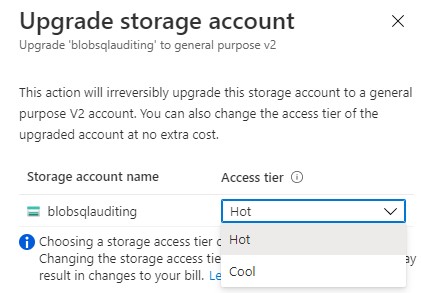
You can click on change and a new window will pop-up.
Note: Choosing a storage access tier during account upgrade is free. Changing the storage access tier after the upgrade operation may result in changes to your bill.
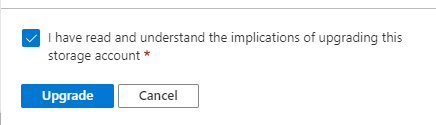
Select the Tier you want to Migrate to, once you have done that start the Upgrade.
When the upgrade is successful, you will see that the Account kind is now StorageV2. We can now continue to the next step.
Azure Storage V2
To start the Migration click in the Taskbar on Data Lake Gen2 upgrade or click in the blob service properties on 'Disabled' for the Hierarchical namespace property.
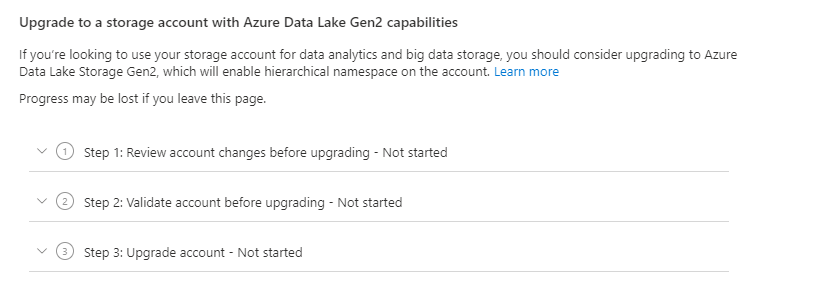
The Migration window will open and we can start with step 1.
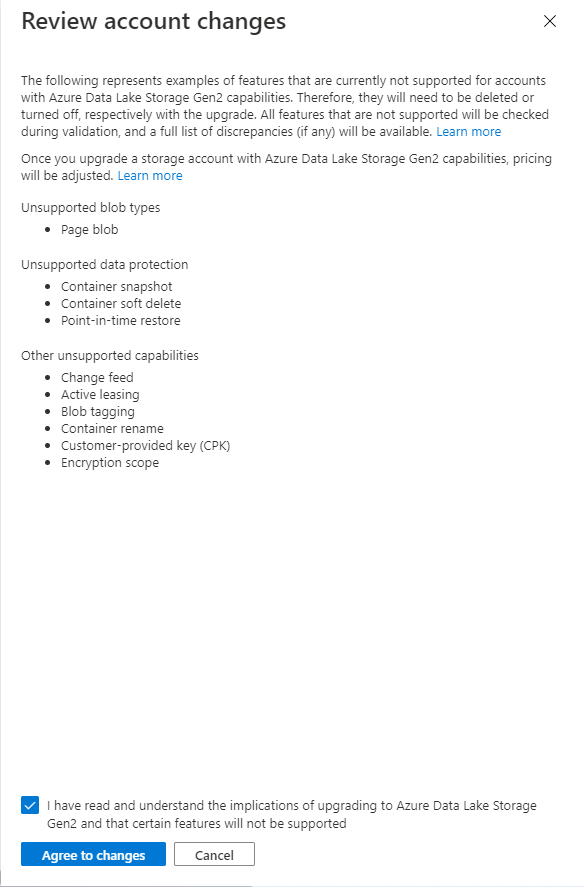
Take notice of the unsupported features/functionalities.
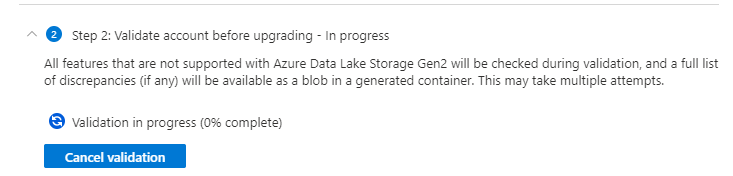
Agree with implications of Upgrading your Azure Data Lake Storage. Once this step is done we can continue with step 2, the validation.
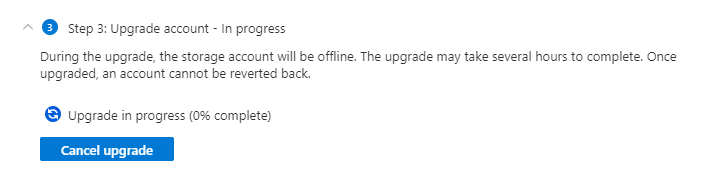
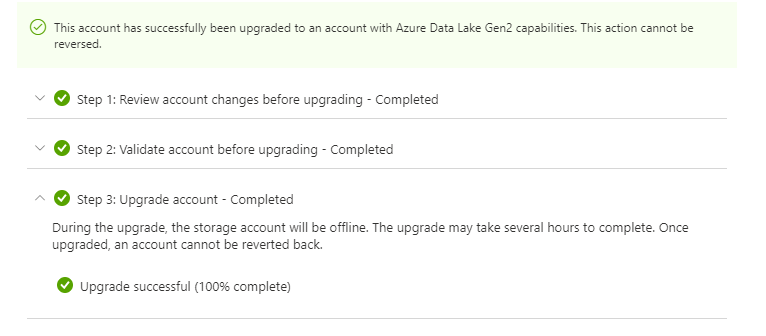
If everything runs fine, you can start the upgrade step 3. If it fails check the errors. You need to download the error.json file to check which blobs are failing, mostly this are the unsupported functionalities or incompatible features.