Microsoft Purview Pricing and Applications

Microsoft Purview Pricing and Applications

Synapse

by Erwin | Apr 25, 2023

Microsoft Purview Pricing and introduction of Purview Applications

The Microsoft Purview pricing page has been updated. Below I have listed most of the changes. The most important changes are the introduction of the Microsoft Purview Applications and the pricing of the Insights Generation. The standard level of 1 capacity unit of 2 GB metadata storage and 25 operations per sec has been increased to 10 GB.

Post has been updated on April 25th.

Microsoft Purview Data Map

The Microsoft Purview Data Map stores metadata, annotations and relationships associated with data assets in a searchable knowledge graph.

Data Map is billed across three types of activities:

  • Data Map Population– examples include metadata & lineage extraction or classification based on metadata & content inspection.
  • Data Map Enrichment– examples include use of resource sets to optimize storage of data lake assets, or aggregation of classifications to generate insights
  • Data Map Consumption- examples include serving up search results or rendering lineage graph. This also includes the use of Apache Atlas API to build apps on Data Map.

Data Map Population

Automated Scanning, Ingestion & Classification

Data Map population is serverless and billed based on the duration of scans (includes metadata extraction and classification) and ingestion jobs. Automated scans using native connectors trigger both scan and ingestion jobs. Push based updates from a Microsoft Purview client (e.g., lineage push from Azure Data Factory or Azure Synapse Analytics) only trigger ingestion jobs.

Price
For Power BI online Free for a limited time
For SQL Server on-prem Free for a limited time
For other data sources €0.582 per 1 vCore Hour

Data Map Enrichment

Advanced Resource Set

Advanced Resource Set is a built-in feature of the Data Map used to optimize the storage and search of data assets associated with partitioned files in data lakes. Billing for processing the resource set data assets is serverless and based on the duration of the processing, which can vary based on the change in partitioned files and resource set profile configured. In the Management Center you have an option to toggle on or off.

Note:  By default, the advanced resource set processing is run every 12 hours for all the systems configured for scanning with resource set toggle enabled.

Price
Advanced Resource Set €0.194 per 1 vCore Hour

Insights Generation

Insights Generation aggregates metadata and classifications in the raw Data map into enriched, executive-ready reports that can be visualized in the Data Estate Insights application and granular asset level information in business-friendly format that can be exported. Report visualization and export incurs charges from Insights Report Consumption in the Data Estate Insights application.

Price
Report Generation €0.758 per 1 vCore Hour

Insight Generation is new for me, currently it looks like around €70,00.

Note: By default, Insights Generation is enabled and provisioning and can be turned off in the Management center of Microsoft Purview governance portal. In the Management Center you have now an option to toggle on  or off the Insight Generation. If the  toggle is on and the report frequency is off than you can still see the reports with the latest report generation. If set to automatic your reports will refreshed based on your scanning and activities in de Portal. Currently the automatic refresh is weekly.
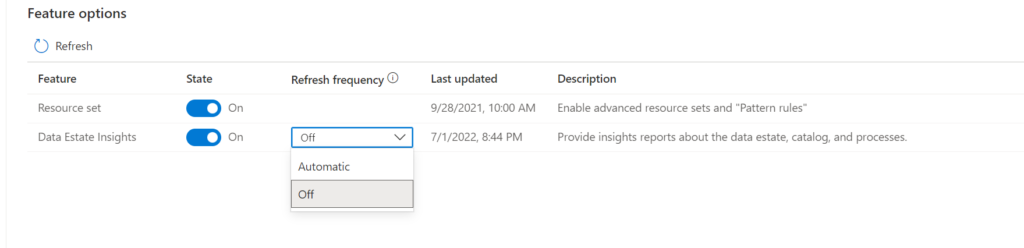
Microsoft Purview Data Estate Insights Feature enabling


If the toggle is off the Insight Generation activity will you give you the following warning:
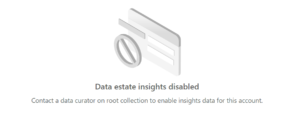
Microsoft Purview Data Estate Insights Feature disabled

Data Map Consumption

Elastic Data Map

By default, a Microsoft Purview account is provisioned with a Data Map of at least 1 Capacity Unit. 1 Capacity Unit supports requests of up to 25 data map operations per second and includes storage of up to 10 GB of metadata about data assets.

Price
Capacity Unit €0.380 per 1 vCore Hour

Note: The storage size was until last week 2 GB for 1 capacity Unit and has been resized to 10 GB. so that is a major change.
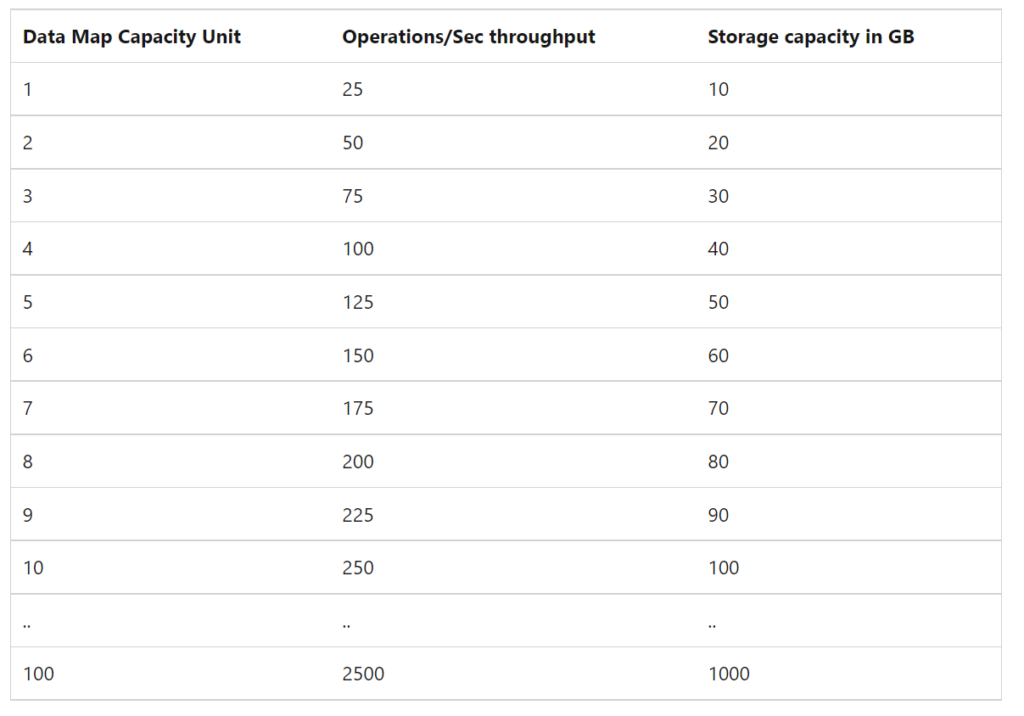
Microsoft Purview Data Map Capacity Unit

Microsoft Purview Applications

Microsoft Purview Applications are replacing the C0, C1 and D0 options which we had previously. Microsoft Purview Applications are a set of independently adoptable, but highly integrated user experiences built on the Data Map including Data Catalog, Data Estate Insights and more. These applications are used by data consumers, producers, data stewards and officers that enable enterprises to ensure that data is easily discoverable, understood, high quality, and all use is per corporate and regulatory requirements.

Data Catalog

Data Catalog is an application built on Data Map for use by business users, data engineers and stewards to discover data, identify lineage relationships and assign business context quickly and easily.

Price
Search and browse of data assets Included with the Data Map
Business Glossaries Included with the Data Map
Lineage Visualization Included with the Data Map
Self-Service Data Access Free in preview

Data Estate Insights

Price
Insights Consumption €0.194 per API call

Note: Insights consumption is billed per API call. One API call returns up to 10,000 rows of tabular result. Like Insight Generation I've no idea yet what this will do with the cost. As soon this is available I will update this article.

Data Access Policies for SQL and Data Lakes(preview)

Data owners can centrally manage thousands of SQL Servers and data lakes to enable quick and easy access to data assets mapped in the Data Map for performance monitors, auditors, and data users.

Price
SQL DevOps access Free in preview
Data Lake data asset access Free in preview

Workflows(Preview)

Data owners and stewards can automate commonly used repetitive tasks associated with business processes like glossary curation and approval tracking using workflow management.

Price
Business Workflows Free in preview

Data Sharing(Preview)

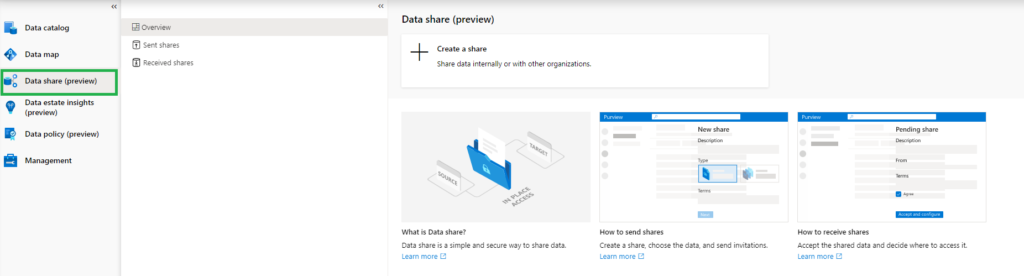
In-place Data Sharing lets users share data easily from within Microsoft Purview governance portal both within and between organizations, providing near real-time access to data without duplication.

Price
In place sharing for Azure Blob Storage and Azure Data Lake Storage (ADLS Gen2) storage accounts Free

Purview Data Share

More details on data sharing in Microsoft Purview can be found here.

Pricing Example

Based on the example which is published on the pricing page, I've done a Calculation:

Example Scenario:
Data Map can scale capacity elastically based on the request load. Request load is measured in terms of data map operations per second. As a cost control measure, a Data Map is configured by default to elastically scale up to a peak of 8 times the steady state capacity.

For dev/trial usage:

Data Map (Always on): average of 2 capacity unit x Price per capacity unit per hour x 730 hours per month

Scanning (Pay as you go): Total duration (in minutes) of all scans in a month / 60 min per hour x 32 vCore per scan x €0.582 per vCore per hour

Resource Set: Total duration (in hours) of processing resource set data assets in a month * Price per vCore per hour

The total cost per month for Azure Purview = cost of Data Map + cost of Scanning + cost of Resource Set

Assuming above Scenario that we only use 1 Capacity Unit and use not more then 10 GB of Metadata storage and we scan our data once a week for 2 hours.

Data Map 2 CU x €0.380 X 730 hours = €554

Scanning 4 scans x 4 hours x 32 VCore x €0.582 per vCore per hour = €297

Resource Set 30 days x every 12 hrs x 8 Vcore x €0.194 per vCore per hour €93

In Total €944 including 4 scans, Data Estate Insight excluded. If you leave Microsoft Purview as is and no scanning you base fee will be €277 for 1 CU and Resource Set toggle need to be switch off

Data Estate Insights   every week(4) x 8 Vcore x 4 hours x €0.758 = €97

Like always, in case you have questions, leave them in the comments or send me a message.

Useful links


Feel free to leave a comment

Data Sharing in Microsoft Purview

Data Sharing in Microsoft Purview

Synapse

by Erwin | Mar 9, 2023

In today's world, data is the key to success for businesses. The more data a business has, the better it can make decisions and stay ahead of its competitors. However, data is not always easy to come by, and many businesses struggle with finding and accessing the data they need. This is where Microsoft Purview comes in.

Benefits

There are several benefits for data sharing in Microsoft Purview:

  • Safe time and resources from the business
  • Share data, Businesses can control who has access to their data
  • Secure, Businesses can control who has access to their data

Data sharing scenarios

Microsoft Purview Data Sharing can help with various data sharing scenarios, including:

  • Collaborate with external business partners while maintaining data security in your own environment.
  • Outsource data transformation and processing to third party ISVs or data aggregators by sharing raw data and receiving normalized data and analytics results back.
  • Automate sharing of big data (for example: IoT data, scientific data, satellite and surveillance images or videos, financial market data) in near real time and without data duplication.
  • Share data between different departments within the organization.

In place Data Sharing/Receiving in Microsoft Purview

Currently in Preview

Requirements:

Or do we need to say current limitations:

  • Supported Azure Regions: Canada Central, Canada East, UK South, UK West, Australia East, Japan East, Korea South, and South Africa North
  • Performance: Standard
  • Redundancy Options:  LRS, GRS, RA-GRS
  • Storage Accounts: ADLS Gen2 or Blob Storage accounts
  • Source and Target storage account must be in the same region, this can be different from your Purview Account

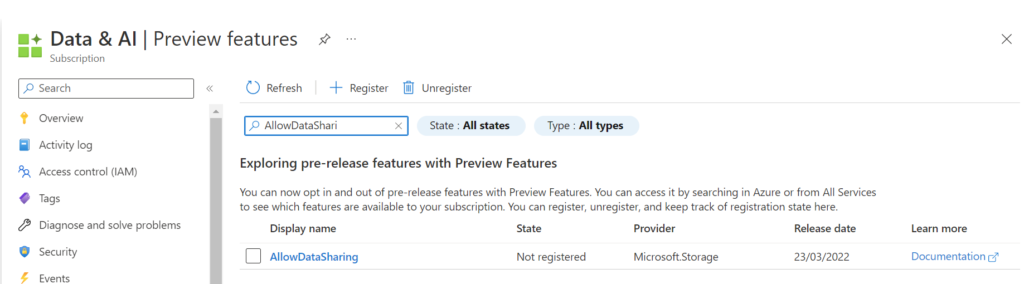
Before we can start we need to register the AllowDataSharing feature on the subscription.

AllowDataSharing

Attention

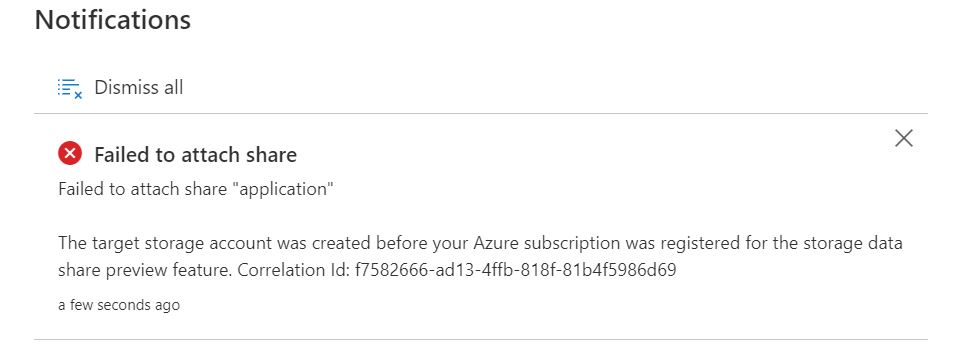
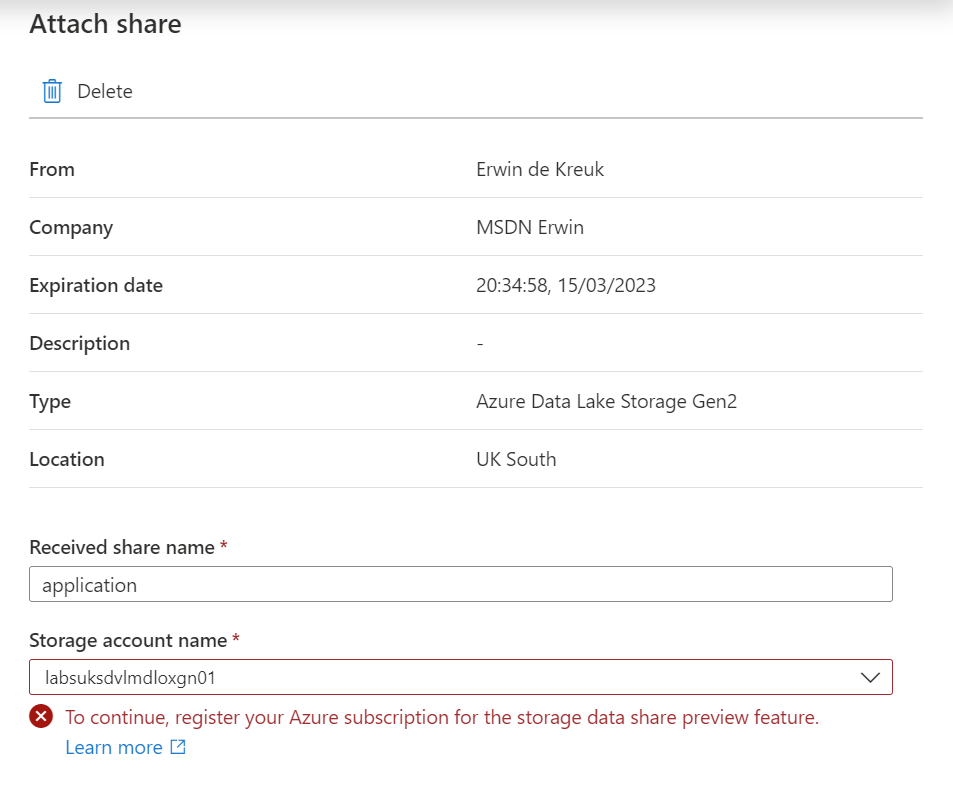
Only storage accounts registered after registration will work. If you did the registration after the storage account creation you will receive the following error message upon creation of the data share:

Failed to attach

Create Share

To create a Data Share you must have the Microsoft Purview Collection Role, Data Share Contributors, assigned.

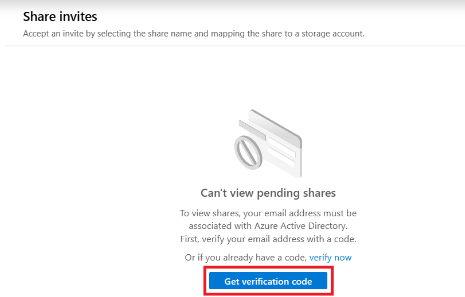
The first time you will start using Data Sharing and you're a Guest user,  your account must first be associated with the Azure Active Directory.

Verification Guest user

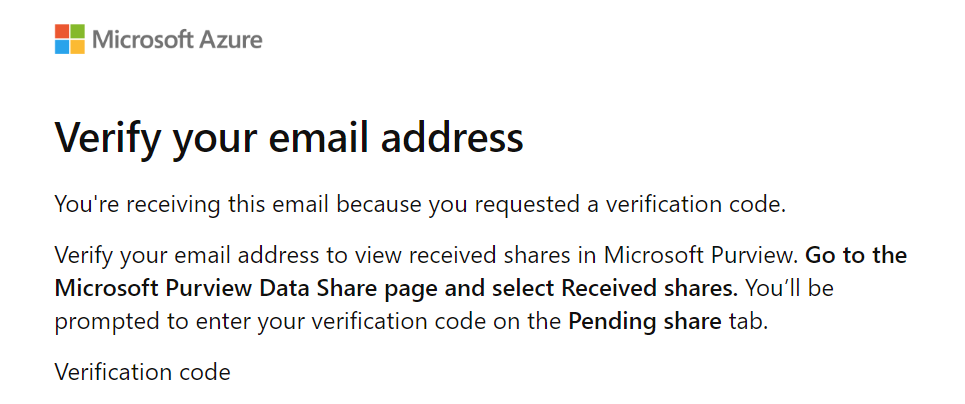
You will receive a email with code, copy/paste the code before you continue.

Verify emailaddress

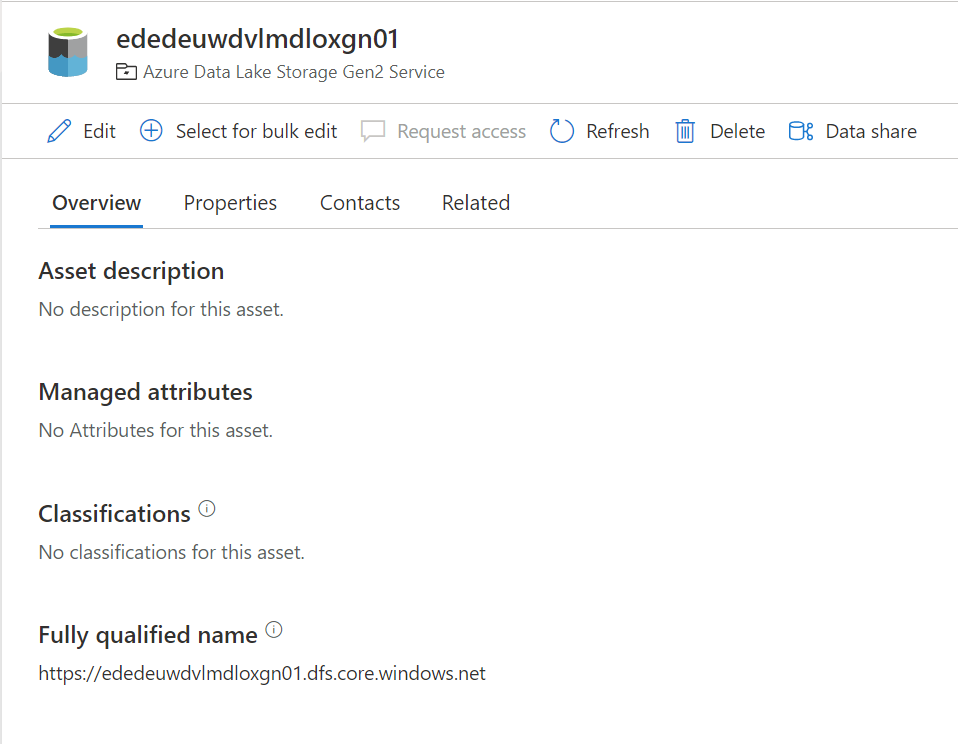
To enable a data Share, select the Azure Storage or Azure Data Lake Storage (ADLS) Gen 2 data asset you would like to share data from.

Select ADLS or Storage account

Click on Data Share.

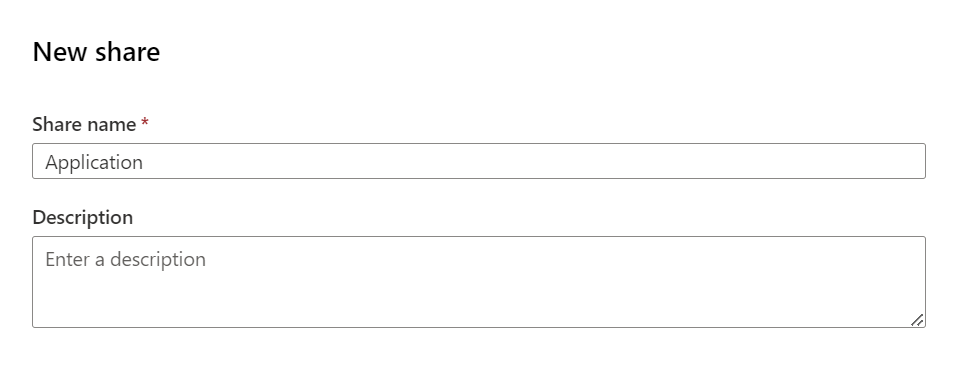
Create a New Share. Specify a name and a description of share contents (optional). Then select Continue.

Create new share

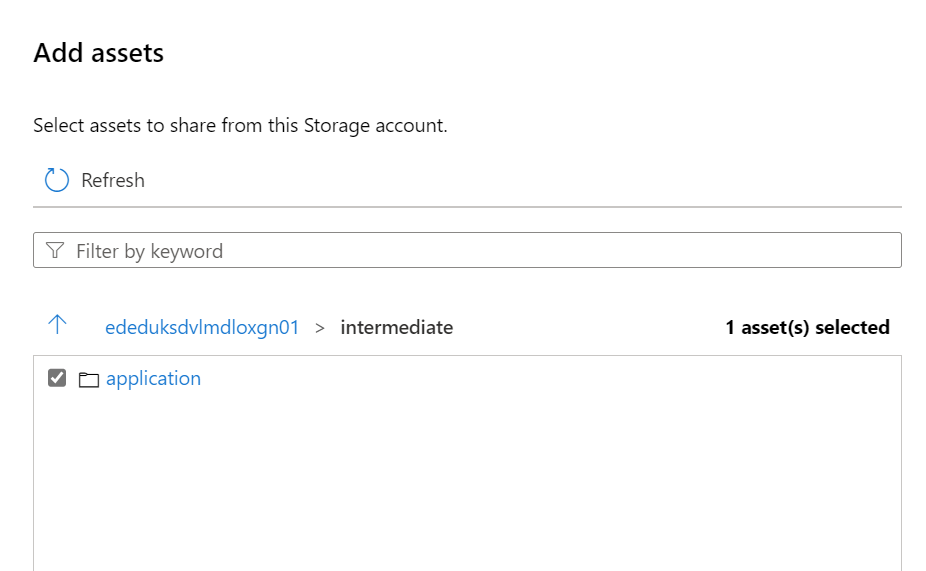
Search for the assets you want to Share and specify the Share name.

Data assets selection

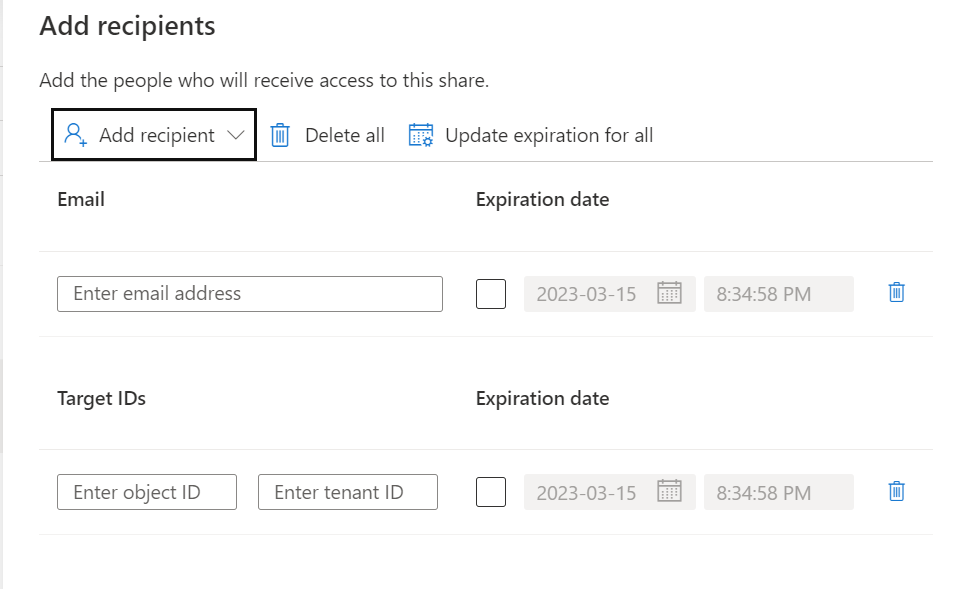
Add the Recipient, in this situation I've selected a user in a different tenant but you can also select in the same tenant, same subscription or different subscription.

Recipients

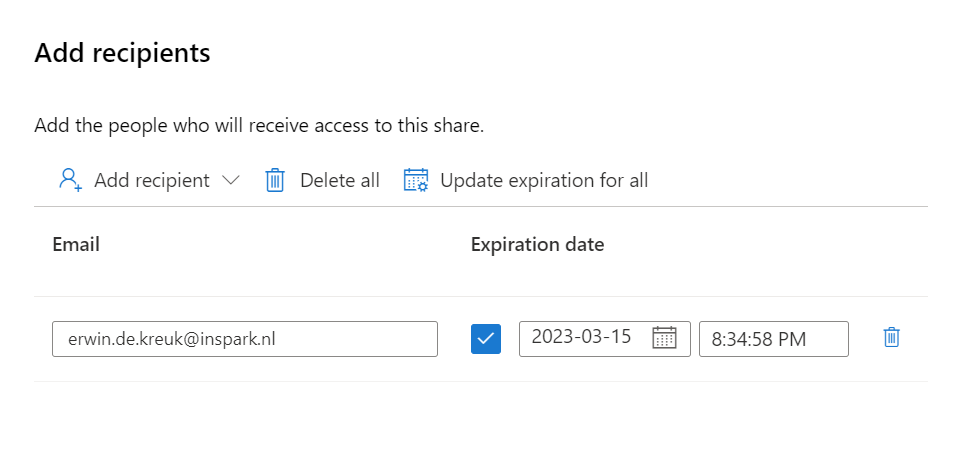
Add the Recipient, in this situation I've selected a user in a different tenant and defined an expiration date of the share, the share will be terminated on this date.

Click on Create and Share, adding more users can be easily done afterwards.

The Share is created, The recipients of your share will receive an invitation and they can view the pending share in their Microsoft Purview account.

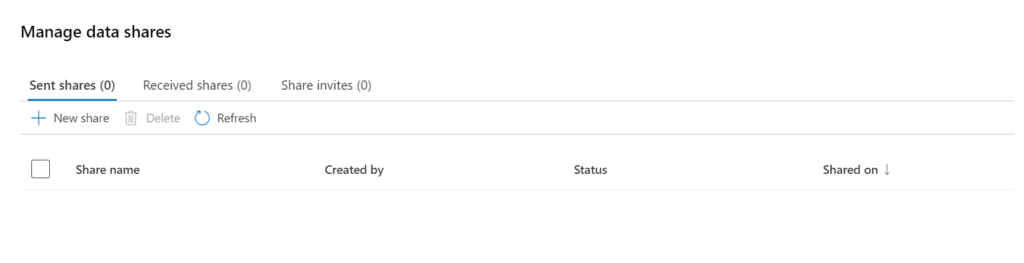
In Purview you will have an overview of all Shares you created:

Share overview

Receive Share

Now we have setup the Sent Share, we're ready to receive the data. In this situation, it will be a different Purview account in a different Tenant.

All invites which have been shared and not have attached can be found in the Share Invites tab.

Share overview

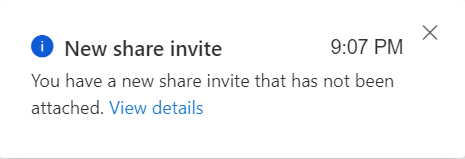
A notification will also be send, that a new Invite has been received.

Share Invite

Click on Receive Share to attached to the correct Storage Account, make sure that the AllowDataSharing feature on the Azure Subscription has been registered, otherwise you will receive the message below.

Attache Share with error

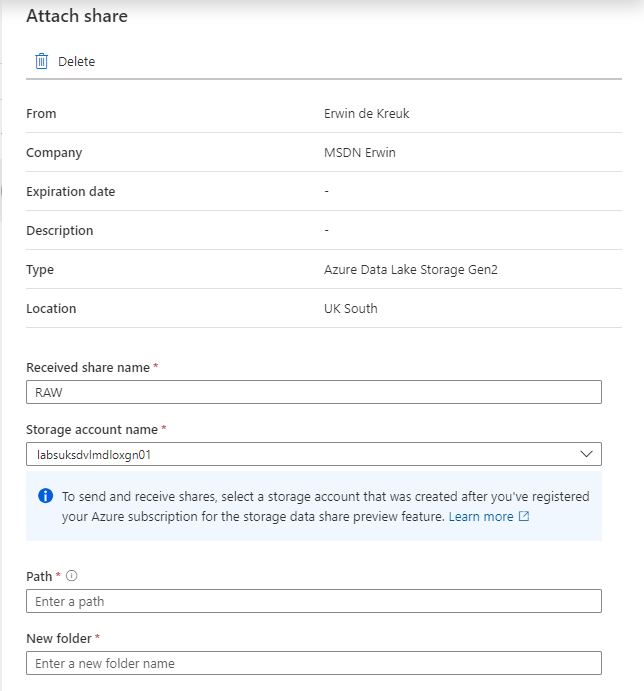
Select the Storage account where you want to receive data or create a new storage.

Attach Share

  • Received share name: Leave as is or change it as you like it.
  • Path: New or existing container in Storage Account
  • Folder: The Folder where you want to receive the data

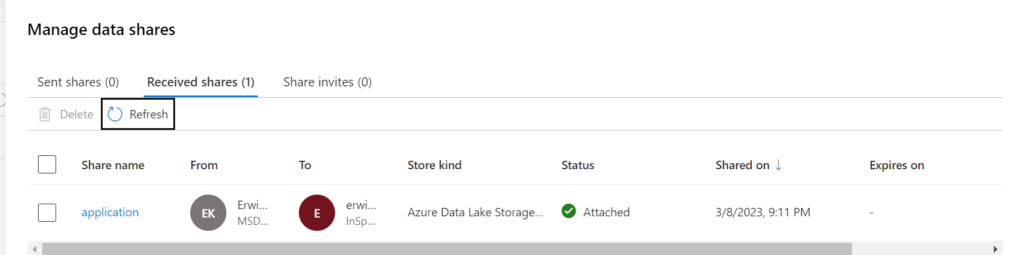
Attach the target to continue. When the storage account is attached you will see that on the Received Share overview.

Attached state

You can now access the shared data in your storage account.

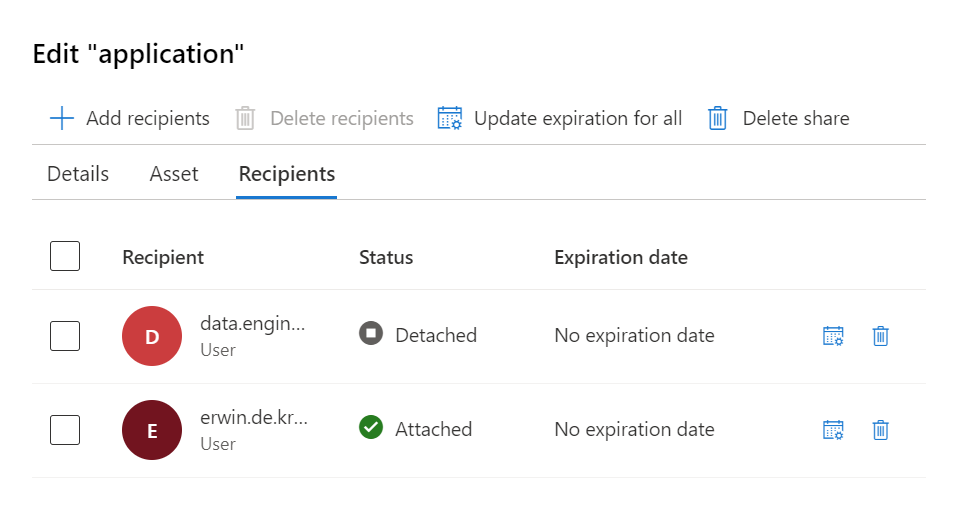
In the Purview account where we create the data Share we can also see that the data is attached.

Overview of attached data shares

Great to know, in the receive share the data is read-only, updated data in the sent share will be synced in real-time to the receive share.

In my next blog I will explain, how Microsoft Purview Data Sharing Lineage will work, just as a quick teaser. Have look in you data Assets, you will now find a new data asset:

Azure Active Directory Asset Purview

Conclusion

Data sharing is a crucial component of modern business, and Microsoft Purview makes it easy and secure. By sharing data within and across organizations, businesses can improve collaboration, save time and resources, and stay ahead of their competitors. If you're interested in learning more about Microsoft Purview and its data sharing capabilities, be sure to check it out!

If you want to know more on Data Share Lineage in Microsoft Purview you read my blog on that topic.

Like always, if you have any questions leave them in the comments.

Documentation Links as reference:

How to share data in Microsoft Purview

How to receive shared data in Microsoft Purview

Microsoft Purview Data Sharing FAQ

Feel free to leave a comment

Connect Azure Databricks to Microsoft Purview

Connect Azure Databricks to Microsoft Purview

Synapse

by Erwin | Jan 16, 2023

Connect and Manage Azure Databricks in Microsoft Purview

This week the Purview team released a new feature, you’re now able to Connect and manage Azure Databricks in Microsoft Purview.

This new functionality is almost the same as the Hive Metastore connector which you could use earlier to scan an Azure Databricks Workspace. This new connector is an easier way to setup scanning for your Azure Databricks Workspace.

Note that this feature is currently in Public Preview.

The connector supports or will support:

  • Extracting technical metadata including:
    • Azure Databricks workspace.
    • Hive server.
    • Databases.
    • Tables including the columns, foreign keys, unique constraints, and storage description.
    • Views including the columns and storage description.
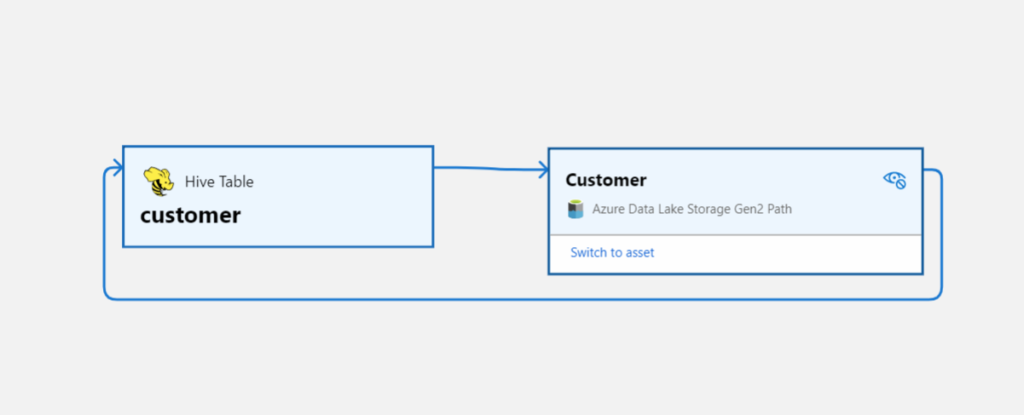
  • Fetching relationship between external tables and Azure Data Lake Storage Gen2/Azure Blob assets.
  • Fetching static lineage on assets relationships among tables and views.

Let’s have a look how to setup this connector, before you can start make sure you have the following Prerequisites in place:

  • Microsoft Purview account with Data Source Administrator and Data Reader permissions.
  • Self-Hosted Integration Runtime.
  • Personal access token in Azure Data Bricks.
  • Cluster in Azure Data Bricks.

Register the Azure Databricks Workspace

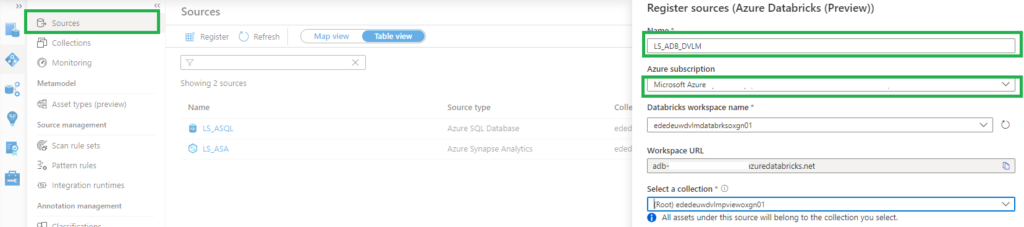
  • Select Data Map on the left pane and select Sources.
  • Select Register.
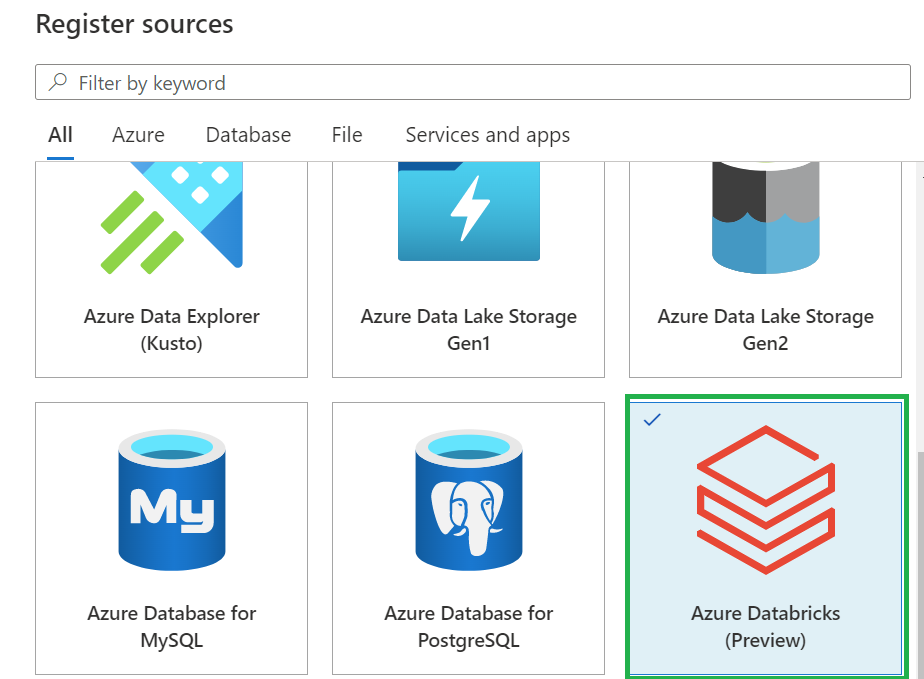
  • In Register sources, select Azure Databricks and click on  Continue.
  • On the Register sources (Azure Databricks) screen, do the following:
    • Enter a name that Microsoft Purview will list as the data source.
    • Select the subscription and workspace that you want to scan from the dropdown list.
  • Select a collection. 
    • Azure Databricks setup in Microsoft Purview


 Setup the Integration Runtime

  • Select Data Map on the left pane and select Integration Runtime.
  • Click on New.
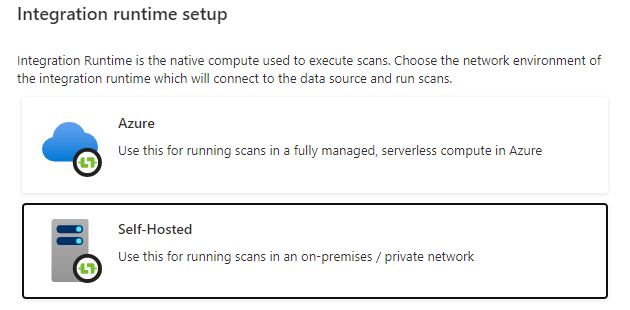
  • Select the Self-Hosted.

Self-Hosted IR Setup in Microsoft Purview

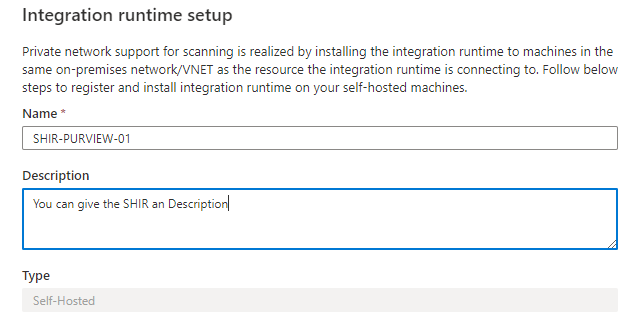
  • Enter a name and description, click on create.

SHIR configuration in Microsoft Purview

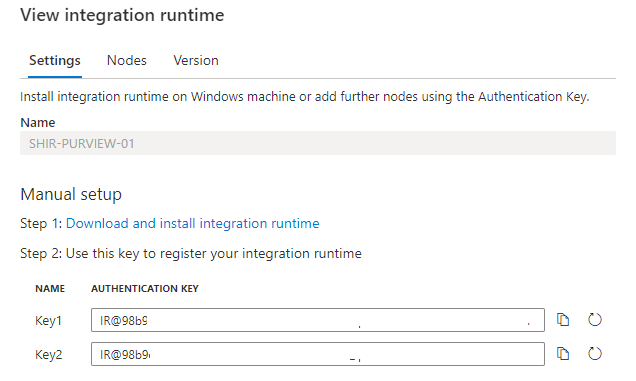
  • Copy the authentication key.

SHIR Authentication Key

Configure the Self-Hosted Integration Runtime

On an Virtual Machine in Azure:

After rebooting, Select Data Map on the left pane and select Integration Runtime and check if the SHIR is running.

Databricks-shir-running

Setup the Scan

The last step to configure is the scan.

  • Select Data Map on the left pane and select Sources and select the Azure Databricks you just created.
  • Select New Scan.
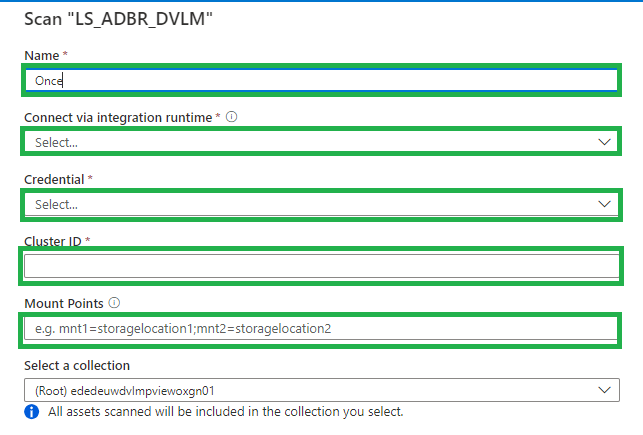
    • Name, create a logical name for your scan. Weekly, Monthly, Once or a different name. TIP, add your clustername or id to the scanname. You need to create a scan for every cluster in an Azure Databricks workspace. This way you can see the difference between the clusters.
    • Connect via IR, select the SHIR you just created.
    • Credential, select the Personal Acces token, which is stored in de Azure KeyVault.
    • Cluster ID, Specify the cluster ID that Microsoft Purview need to connect to, to perform the scan.
    • Mount Point, if you have external storage manually mounted to Databricks, you provide the locations here. Use the following format /mnt/<path>=abfss://<container>@<adls_gen2_storage_account>.dfs.core.windows.net/.
    • Maximum memory available: Specify the maximum memory available in GB to be used by scanning processes. If the field is left blank, 1 GB will be considered as a default value.

Setup Databricks scan

The default location of the cache in your VM is C:WindowsServiceProfilesDIAHostServiceAppDataLocalMicrosoftAzureDataCatalogCache. Unselect the checkbox if you want cache to be stored in a different location.

Click on continue.

Select the trigger you want. Click on save and run.

Check if the scan starts, be aware that the scan will trigger your Azure Databricks cluster to start.

Browse and search assets

Once the data is scanned you can browse and search the Metadata.

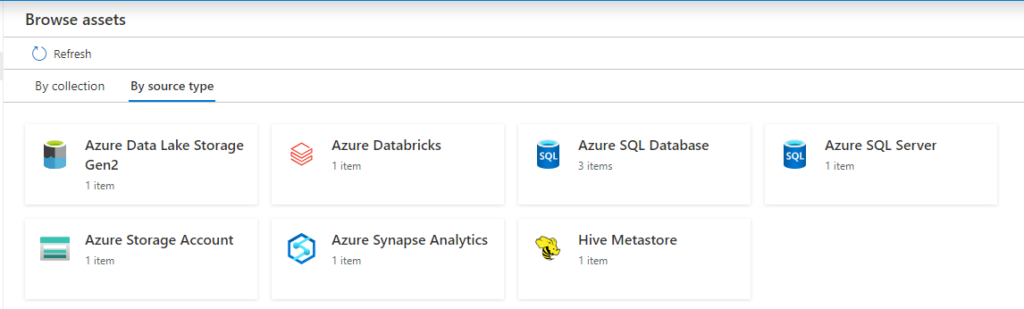
  • Select Data Catalog on the left pane and select Browse Assets.

Data Catalog with Databricks overview

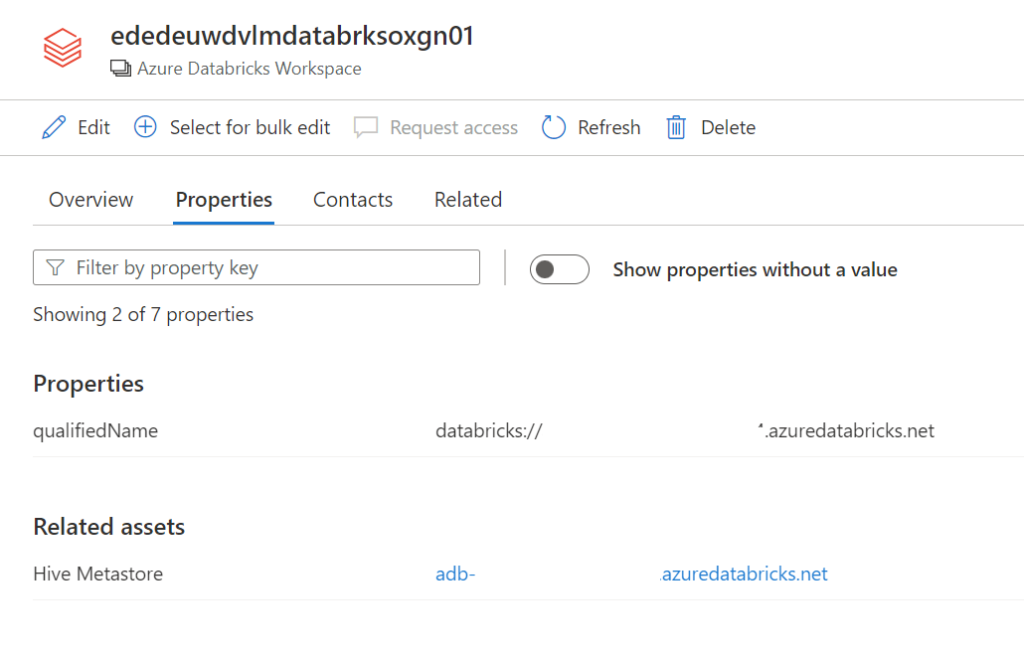
From the Databricks workspace asset, you can find the associated Hive Metastore.

Select the Azure Databricks and click on edit details on the right side.

Databricks details

Click on Hive Metastore, on the Related tab you can see the Hive DB and the assets. Click on one of the assets to see the lineage when applicable.

databricks lineage

Conclusion

The first steps towards a Native integration of Azure Databricks is now available in Microsoft Purview, but we're not there yet.
If you want to have a more extensive lineage and can read more details from the Notebooks execution including Delta Lake than, I advise you to use the
Azure Databricks to Purview Lineage Connector.

In the notes of this Solution Accelerators, is noted "With native models in Microsoft Purview for Azure Databricks, customers will get enriched experiences in lineage such as detailed transformations." So hopefully we can expect more in the future.

Be aware that lineage is available at the asset level not at column level, hopefully that will arrive soon.

In the notes of the above Solution Accelerators, is noted "With native models in Microsoft Purview for Azure Databricks, customers will get enriched experiences in lineage such as detailed transformations." So hopefully we can expect more in the future.

Like always in case you have questions, do not hesitate to contact me.

More details on above topic can be found here:

Connect to and manage Azure Databricks

Microsoft Purview Data Map supported data sources and file types

Microsoft Purview data governance documentation

Feel free to leave a comment

SQL BITS 2022 Session recordings

SQL BITS 2022 Session recordings

Recordings SQL Bits 2022

All sessions of SQLBits 2022 have been made available to everyone and can now be viewed via their Youtube channel. Microsoft asked me to present me this session during SQL Bits in the Cloud Scale Analytics solution area.

Session Title:

Lake Database with Database Template and Mapping Data with Azure Synapse Analytics

Description:

Database templates in Azure Synapse Analytics are blueprints which can be used by organizations to plan, architect and design solutions.

How can we use these Database Templates in a day-to-day business, in order to speed up to automate this process? Map data tool can help us with that. The map data tool can generate a mapping data flow without having to start from a blank canvas. In this presentation, you will see how this all works in a step-by-step demo-based session.

During SQL Bits the Mapping Data tool was still in Preview, the great news is that this functionality is now GA.

SAVE THE DATE

SQLBits 2023 will back next year 14 – 18 March 2023, so mark you calendars.

Data:Scotland

Data:Scotland

Data: Scotland 2022

Microsoft Purview

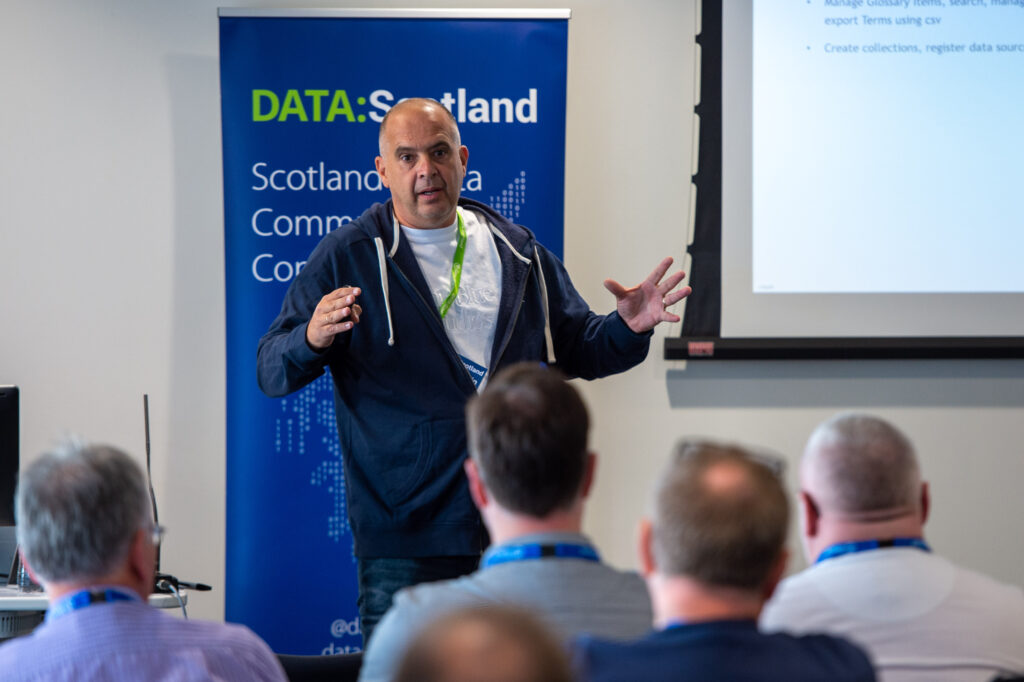
Scotland’s Data Community Conference happened this year again in Glasgow. This years event was happening in  a sunny Glasgow, more then 400 attendees and more then 50 sessions.

It was great to see so many people live again. I presented a session on one of my favorite subjects Microsoft Purview. My session was well attended, the slides can be found in the link below.