Restore a accidentally deleted Azure SQL Database

Restore a accidentally deleted Azure SQL Database

Help I deleted my Logical Server

​OOPS

Have you ever experienced that you accidentally deleted your Logical Server in Azure?  Because, for example, you made your Pipeline wrong. Surely. And of course you didn't have a backup in your storage either.
Well I must confess that happened to me recently. It was on my test environment but if you delete a configuration database with your metadata it is quite annoying.

How to Resolve?

But there is a solution to get the deleted Azure SQL databases back.

You need to take the following steps for this:

  • Recreate the Logical server with the same name and in the same region.
  • Do not re-deploy the deleted databases from your pipeline.
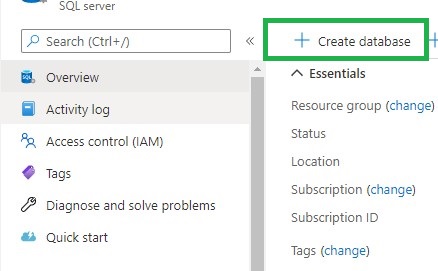
  • After the Logical Server has been created, click Create Database in the Azure Portal
  • Create database
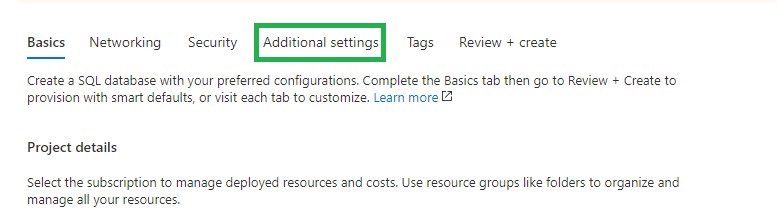
  • Go directly to the tab Additional Settings
  • Additional Settings
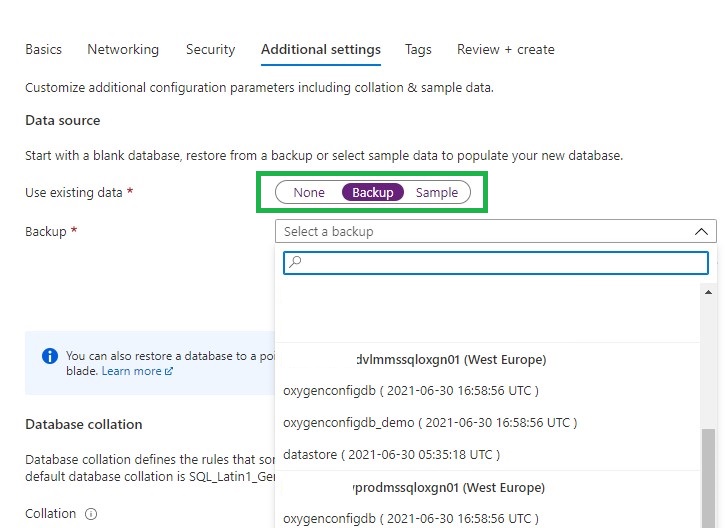
  • Select Backup
  • Select Backup
  • Search for your deleted Logical Server and you will see that you can restore your removed databases.
  • Select the correct database, click on review and create. Your database will now be restored
  • The last thing you need to do is to remove the datetime extension from your database
  • You can now start using your database again and all security roles that were there before are also present.
  • Repeat above steps in case you had more databases attached to the same server.
It's a fairly simple process, but you just need to know it. And it will ultimately save you a lot of time and frustration.
If you have any questions regarding the above, please let me know.
Using Azure Automation to generate data in your WideWorldImporters database

CASE:

For my test environment I want to load every day new increments into the WideWorldImporters Azure SQL Database with Azure Automation. The following Stored Procedure is available to achieve this.

 EXECUTE DataLoadSimulation.PopulateDataToCurrentDate

@AverageNumberOfCustomerOrdersPerDay = 60,

@SaturdayPercentageOfNormalWorkDay = 50,

@SundayPercentageOfNormalWorkDay = 0,

@IsSilentMode = 1,

@AreDatesPrinted = 1;

For this case I’m going to use Azure Automation to Execute this Stored Procedure on a daily base.

More details on above Stored Procedure can be found here.

In case you don’t have a WideWorldImporters database in your Azure environment you can download it from GitHub.

  1. Create an Azure Automation Account
  2. Add module to Azure Automation Account
  3. Adding a SQL Server Credential 
  4. Create a Runbook
  5. Create a Schedule

Create an Azure Automation Account

First of all we need to create an Azure Automation Account in our Azure Environment.

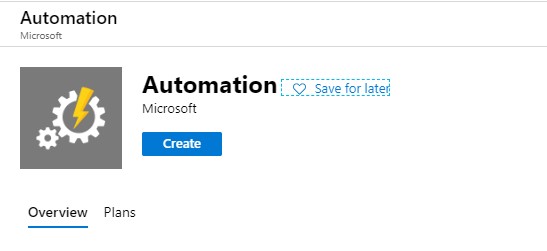
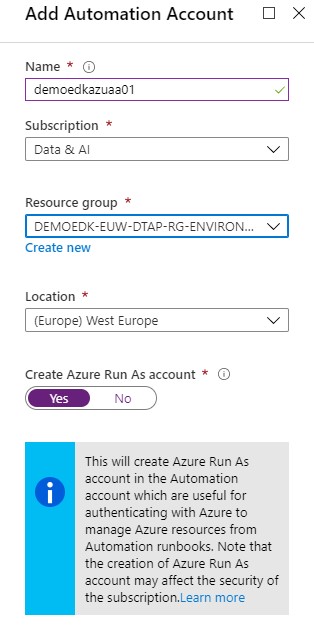
Go to the portal and search for Automation and click op Create

Create Azure Automation

Fill in the details and select the correct subscription and Resource Group.

Create Azure Automation

Click on create and wait for the account to be created. The new Automation Account configuration blade will be opened once the provision is completed.

Add module to Azure Automation Account

The next step is that we need to add the “SQLSERVER” module to our Automation Account.

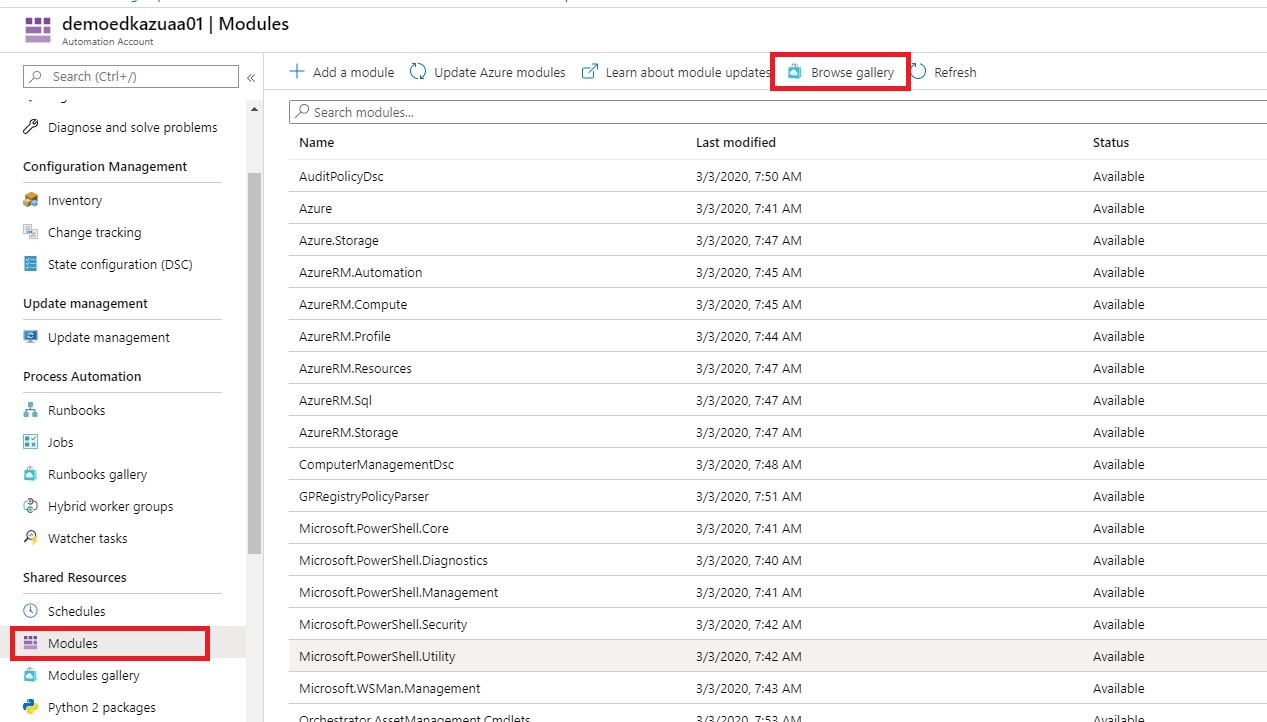
Select Modules and Browse Galery.

Create Azure Automation

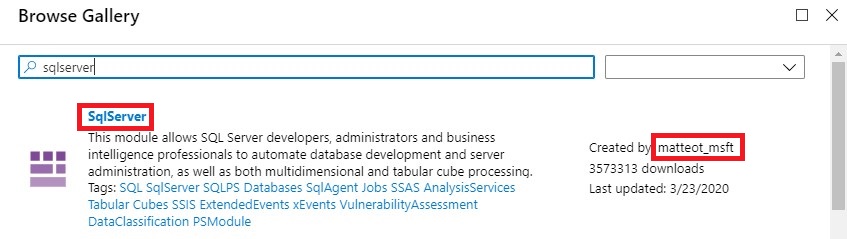
Search for sqlserver Created by matteot_msft.

Create Azure Automation

Then click on Import and OK and wait for the import to complete.

Add SQL Server Credentials

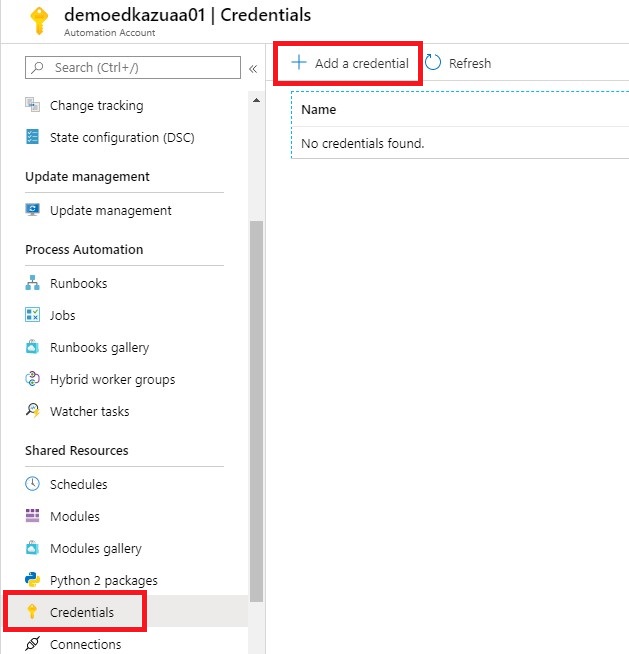
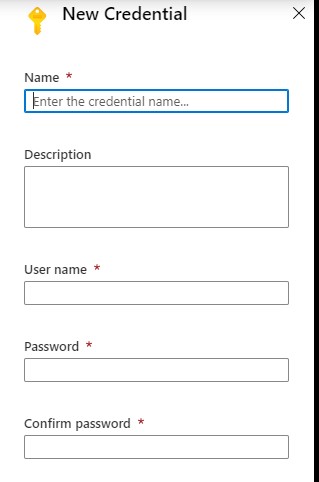
Click on add a Credential, this is a secure way to hold your login name and password that will be used to access the Azure SQL Database.

Create Azure Automation

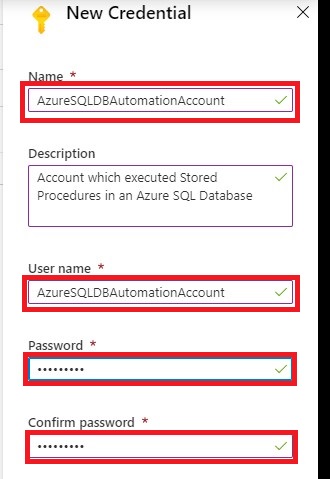
Add a Credential name AzureSQLDBAutomationAccount and define a password.

Create Azure Automation

If this account is not created in your Azure SQL Database, then you need to add this account as well:

[sql]

–Execute in Master Database

create login AzureSQLDBAutomationAccount with password=’Your defined Password’           

–Execute in WideworldImporters Database

create user AzureSQLDBAutomationAccount

for login AzureSQLDBAutomationAccount

with default_schema= dbo

–add user to the dabase role

exec sp_addrolemember  N’db_owner’ , N’AzureSQLDBAutomationAccount’
[/sql]

Create a Runbook

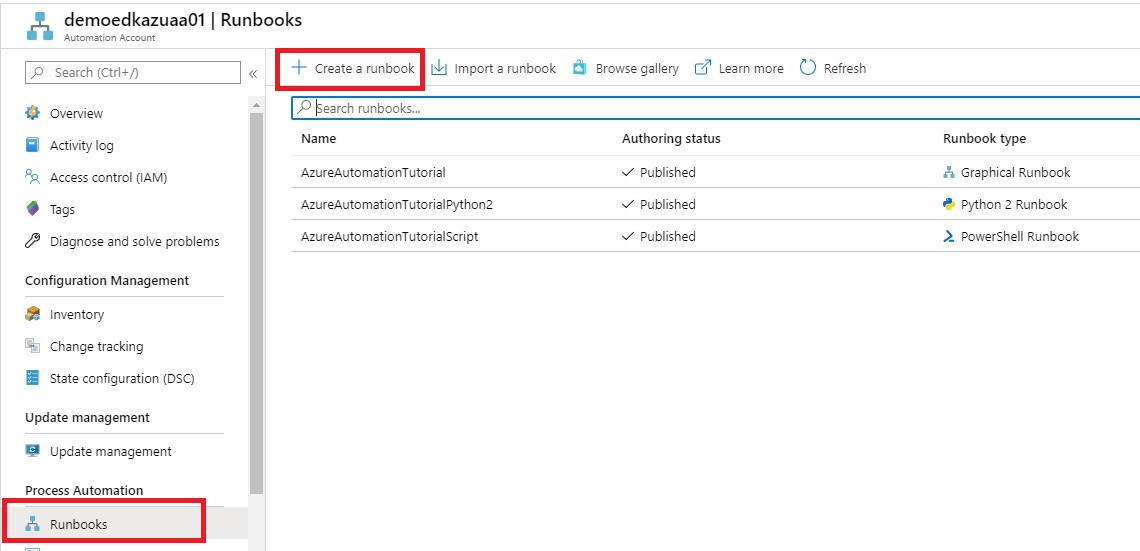
The next step is to create a Runbook.

You can Import an existing Runbook or Create a new Runbook.

For now we will Create a new RunBook.

Create Azure Automation

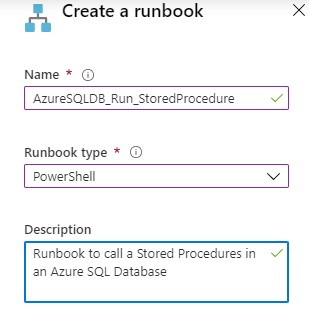
Name = “AzureSQLDB_Run_StoredProcedure”

Runbook Type =”Powershell”

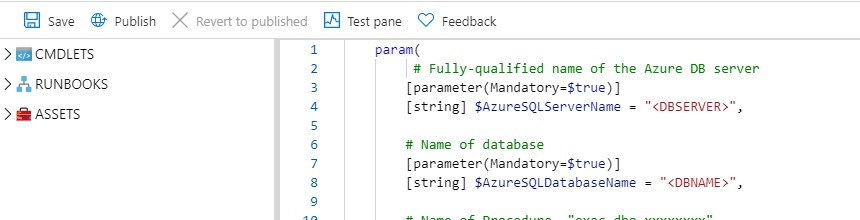
Create Azure Automation

[ps]
param(
# Fully-qualified name of the Azure DB server
[parameter(Mandatory=$true)]

[string] $AzureSQLServerName = ‘DBSERVER’,

# Name of database
[parameter(Mandatory=$true)]

[string] $AzureSQLDatabaseName = ‘DBNAME’,

# Name of Procedure ‘exec dbo.xxxxxxxx’
[parameter(Mandatory=$true)]

[string] $ProcedureName = ‘exec name’,

# Credentials for $SqlServerLogin stored as an Azure Automation credential asset
[parameter(Mandatory=$true)]

[string] $SqlCredential
)
$Credential = Get-AutomationPSCredential -Name $SqlCredential
$AzureSQLServerName = $AzureSQLServerName + ‘.database.windows.net’

$SQLOutput = $(Invoke-Sqlcmd -ServerInstance $AzureSQLServerName -Username $Credential.UserName -Password $Credential.GetNetworkCredential().Password -Database $AzureSQLDatabaseName -Query $ProcedureName -QueryTimeout 65535 -ConnectionTimeout 60 -Verbose) 4>&1

Write-Output $SQLOutput
[/ps]

This a simple Powershell script which can execute a Stored Procedure. More details about the PS Invoke-Sqlcmd can be found here.  You can download the Powershell script from my Github

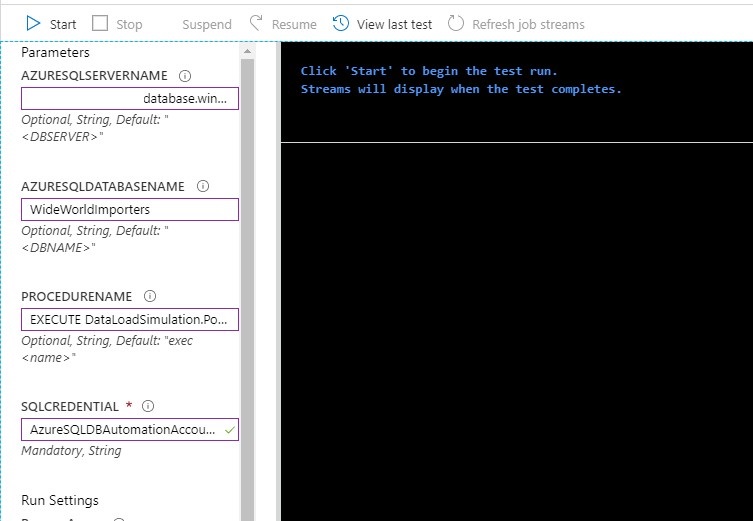
Save the Runbook and then test the runbook. After you tested your Runbook you can Publish the Runbook

Create Azure Automation

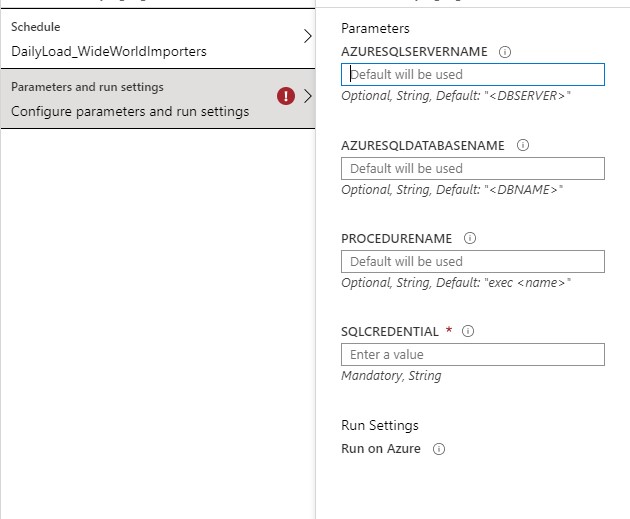
Fill in the requested Parameters as showed in the picture above and click on Start. The requested procedure will be executed.


Create A Schedule

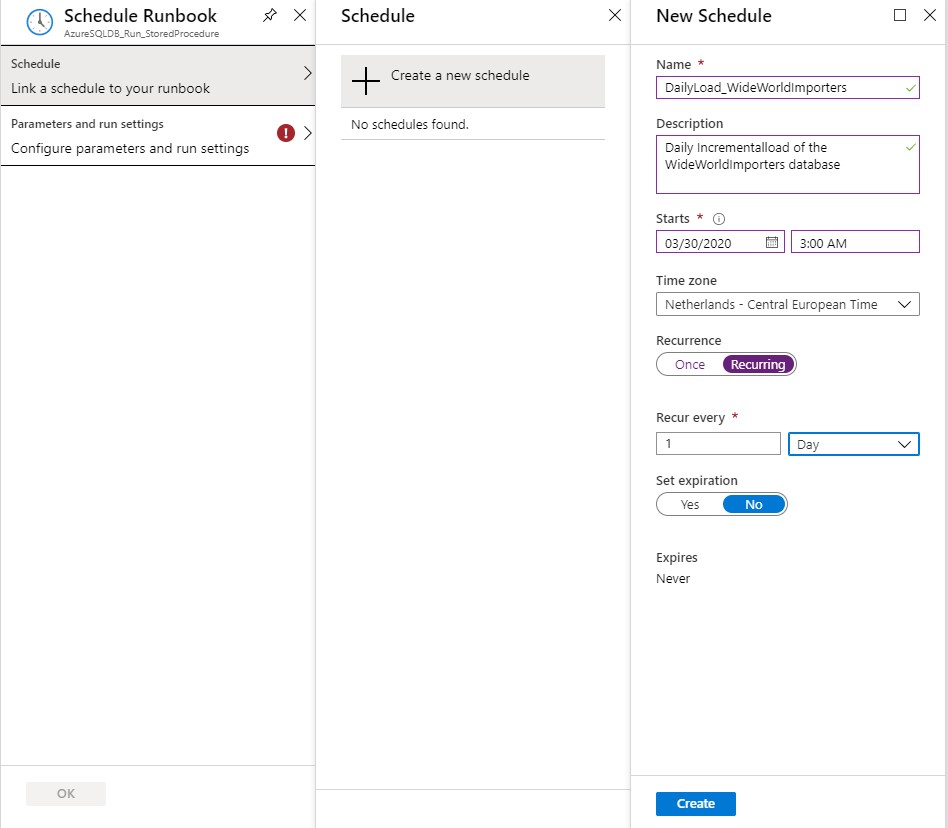
That last step is create a Schedule which will run every day to incremental load your data.

Create Azure Automation


Create Azure Automation

Define a Name, Schedule Start Time and the Recurrence for the Schedule and click on Create

Create Azure Automation


Fill in the requested Parameters and click on Save.

I assume that you have now succeeded in creating an Azure Automation Account with these steps and that you could execute a Stored Procedure in an Azure SQL Database. If you have any questions, leave a message in the comments below. Thanks for reading.

TIP:

To update your database to the current date you have to run this procedure quit  lot of times so create a query where you execute the Procedure 100x times in  a row. The downloaded database has data up to may 2016.

In case you get error regarding the Temporal Tables, check your errors in this blog post. I helped me a lot.


I my next blog I will describe how you easily can extract data(full and Incremental) from your WideWorldImporters Database to Azure Data Lake Gen2 with Azure Data Factory.

Speaking at SQL Server Konferenz 2020

Speaking at SQL Server Konferenz 2020

SQL Server Konferenz 

SQL Server Konferenz 2020 is a international Conference which is held each year in Darmstadt, Germany.

Trilled to be speaking

This year I will speak and attend SQL Server Konferenz 2020 from March 3th until March 5th. I was very happy when I received a message that my session was selected. It’s going to be my first time that I will be speaking in Germany, it’s definitely going to be fun. A lot of great speakers with a lot great session are selected. Are you curious which sessions are on the schedule please follow this link.

My Session

Session Title:

Azure Key Vault, Azure Dev Ops and Data Factory how do these Azure Services work perfectly together!

Session Details

Can we store our Connectionstrings or BlobStorageKeys or other Secretvalues somewhere else then in Azure Data Factory(ADF)? Yes you can! You can store these valuable secrets in Azure Key Vault(AKV). But how can we achieve this in ADF? And finally how do we deploy our DataFactories in Azure Dev Ops to Test, Acceptance and Production environments with these Secrets ? Can this be setup dynamically? During this session I will give answers on all of these questions. You will learn how to setup your Azure Key Vault, connect these secrets in ADF and finally deploy these secrets dynamically in Azure Dev Ops. As you can see a lot to talk about during this session.

Wednesday March 4th, 2020 17:15pm – 18:15pm

Tickets

No yet tickets yet, they are still available for sale

Do I see you in Darmstadt?


My Virtual Session at SQLBits 2020

SQL BITS 2020, the greatest data show  Last week was SQL BITS week. After the event was moved from April to September, it eventually became a Virtual event. Setting up a Virtual event requires a lot of adjustments in the Organization. Recording All regular sessions…

Datagrillen: Data, Bratwurst und Beer

Data, Bratwurst and Beer An event that started 5 years ago as a small event, that has grown into an event with 200 participants, 50+ sessions, 5 tracks, 2 days and a BBQ in a small place in Germany, called Lingen. William Durkin and Ben Weissman are the main…

My Virtual Session Cloud Lunch and Learn Marathon

Cloud Lunch and Learn Marathon 2021 This Thursday May 13th 2021 I’ve been speaking during Cloud Lunch and Learn Marathon 2021. It was the first Cloud Lunch and Learn Marathon conference, more then 1200 registered attendees, 24hours Live and pre recorded sessions….

SQLBits 2020(Video)

All sessions of SQLBits 2020 have been made available to everyone and can now be viewed via their Youtube channel. To make it easier to find a recording of your choice, a number of playlists have been created: Developer SQLBits 2020 – Developer sessions High…

Speaking at SQL Server Konferenz 2020

SQL Server Konferenz  SQL Server Konferenz 2020 is a international Conference which is held each year in Darmstadt, Germany. Trilled to be speaking This year I will speak and attend SQL Server Konferenz 2020 from March 3th until March 5th. I was very happy when I…

My sessions at Pass Data Community Summit

A hybrid conference in Seattle and online This year’s PASS Data Community Summit is more than a conference – it’s a homecoming. Reconnect with old friends, build new relationships, gain new skills, and get the world-class training you need to take that next step in…

Video: Learn Live Use Data Factory pipelines in Microsoft Fabric

Below you find the recording form the session for Learn Live which I did together with Javier. Use Data Factory pipelines in Microsoft Fabric Use Data Factory pipelines in Microsoft Fabric – Training | Microsoft Learn     After you have followed above learning…

Speaking(Virtual) at SQL Saturday #963 Denmark

SQL Saturday 963 Denmark PASS SQLSaturday is a free training event for professionals who use the Microsoft data platform. These community events offer content across data management, cloud and hybrid architecture, analytics, business intelligence, AI, and more. My…

SQL SERVER KONFERENZ 2020

SQL SERVER KONFERENZ 2020 Date: 4-5 March Location: KongressCenter Darmstadt   Speaking Dinner The speaker dinner on Tuesday evening was held in Restaurant Sitte. And yes what do you eat when you are in Germany a delicious Schnitzel with baked potatoes. It was a…

Techoroma NL 2019

Azure Key Vault, Azure Dev Ops and Azure Data Factory how do these Azure Services work perfectly together! Some impressions during Techorama NL 2019.    

My Sessions at DataSaturdayNL 2019

My Sessions at DataSaturdayNL 2019

SQL Server

by Erwin | Oct 13, 2019

DataSaturday NL 2019

Date: 5 th October

Location: Pathé Leidsche Rijn

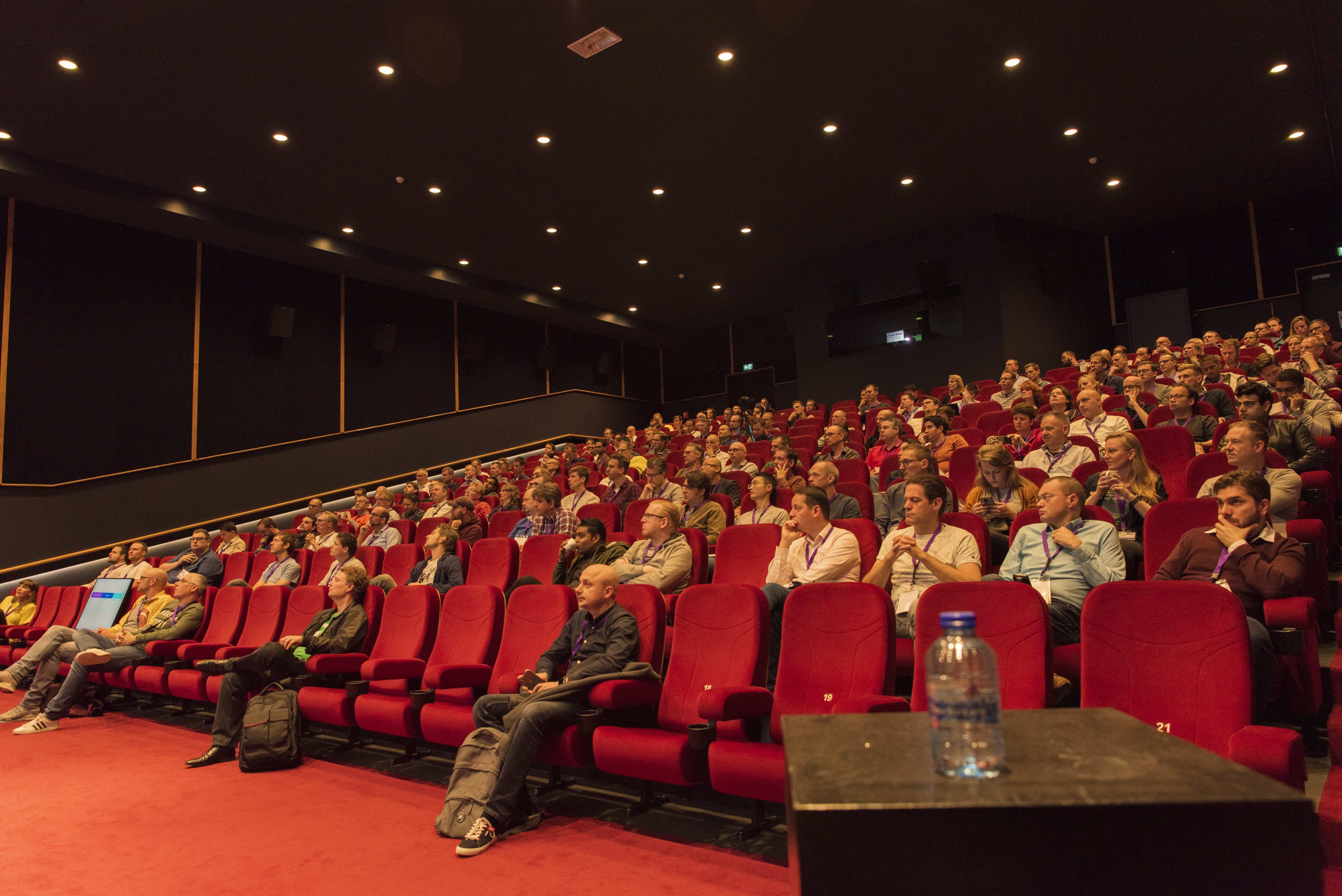
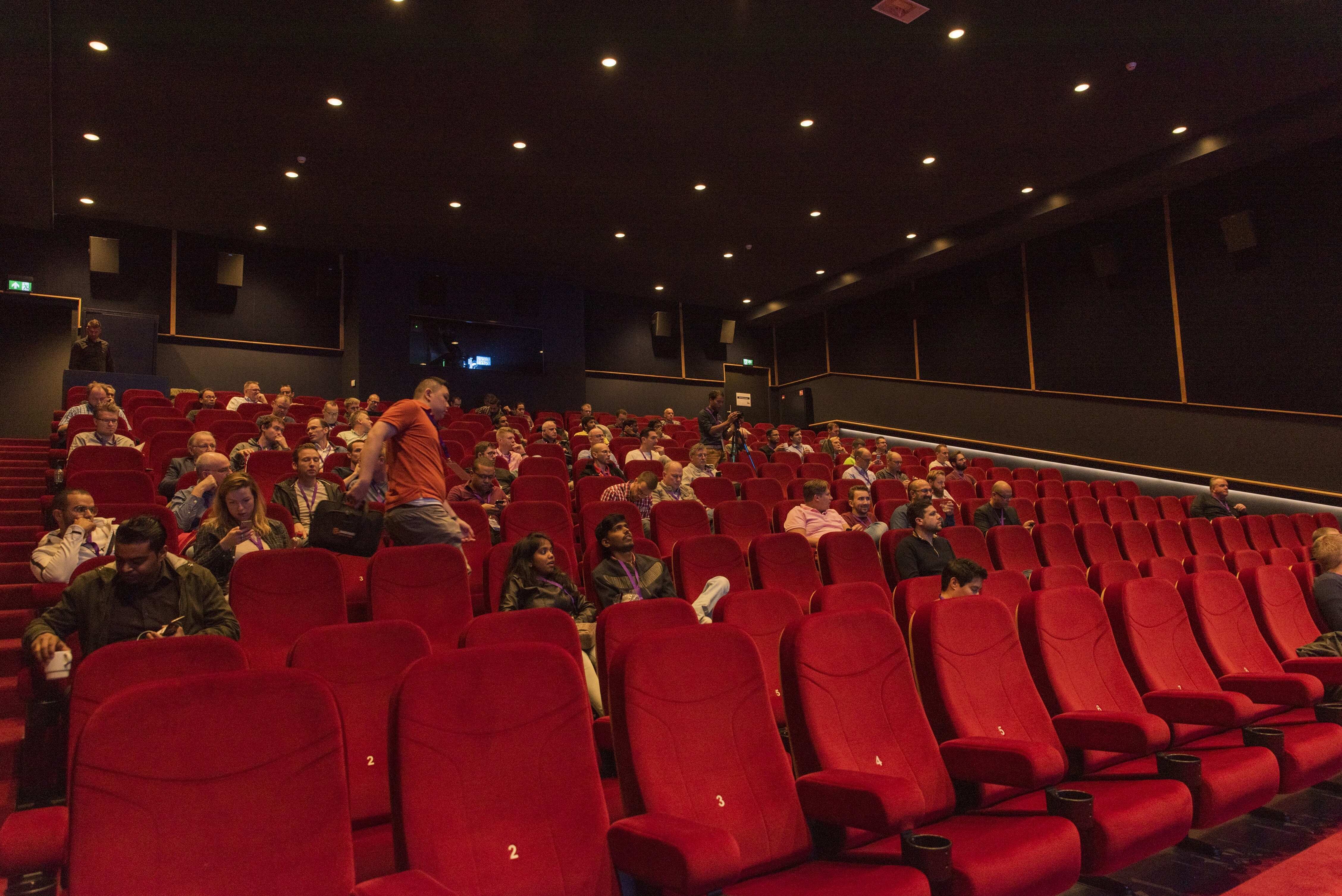
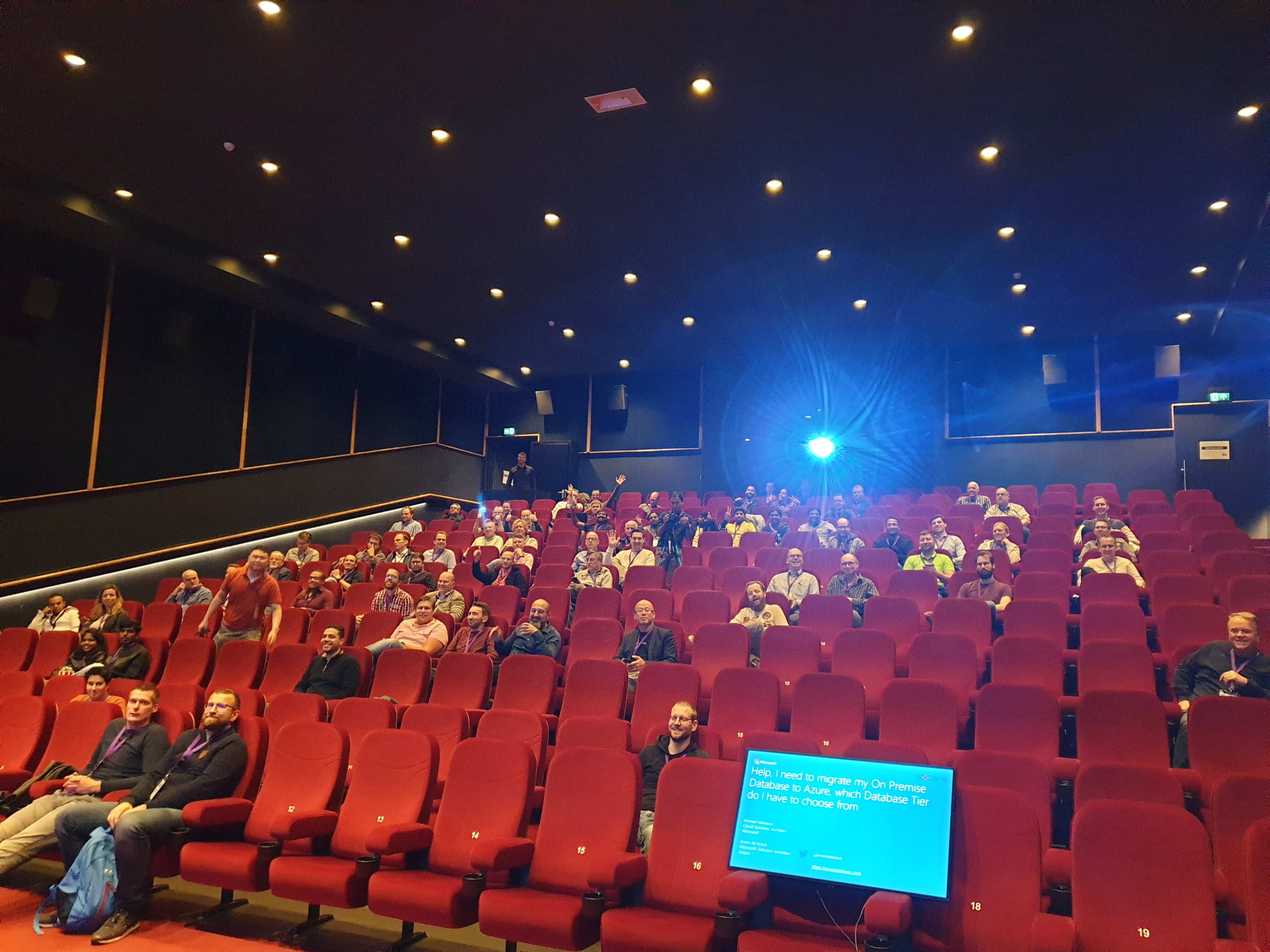
Data Saturday Holland is the new name for SQL Saturday Holland. A new start a new location and wow what a top location, Pathé Leidsche Rijn. A cinema with 7 screens and ranging from 180 to 668 seats.

Speaking Dinner

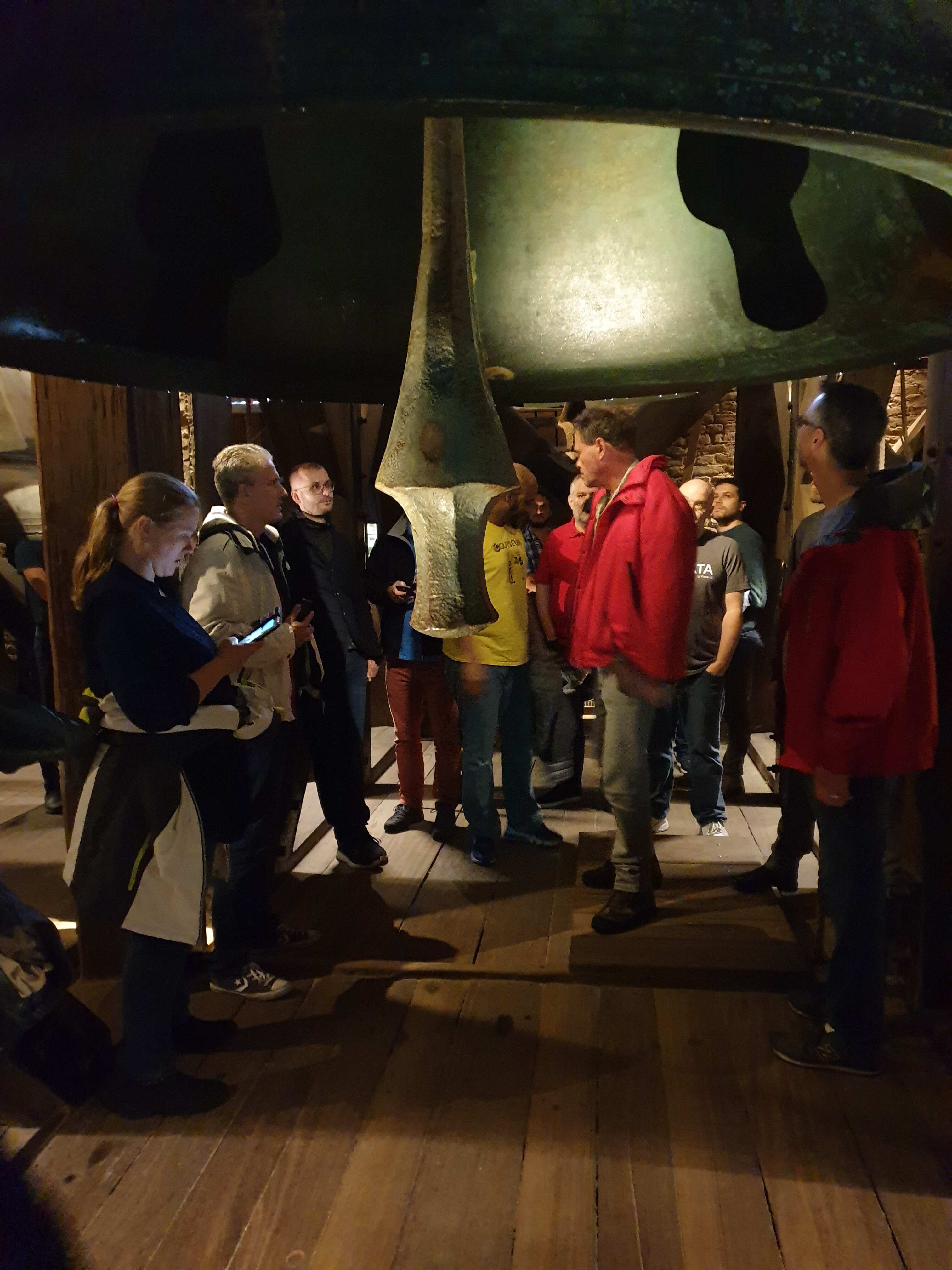
The speaker dinner on Friday evening started with a climb of the Dom tower in Utrecht. Unfortunately, due to the renovation, we were unable to reach the top entirely, but we have achieved the 318 steps upwards. At the same time we were briefed about the history of this tower. After the climb we had a nice dinner together.

Event

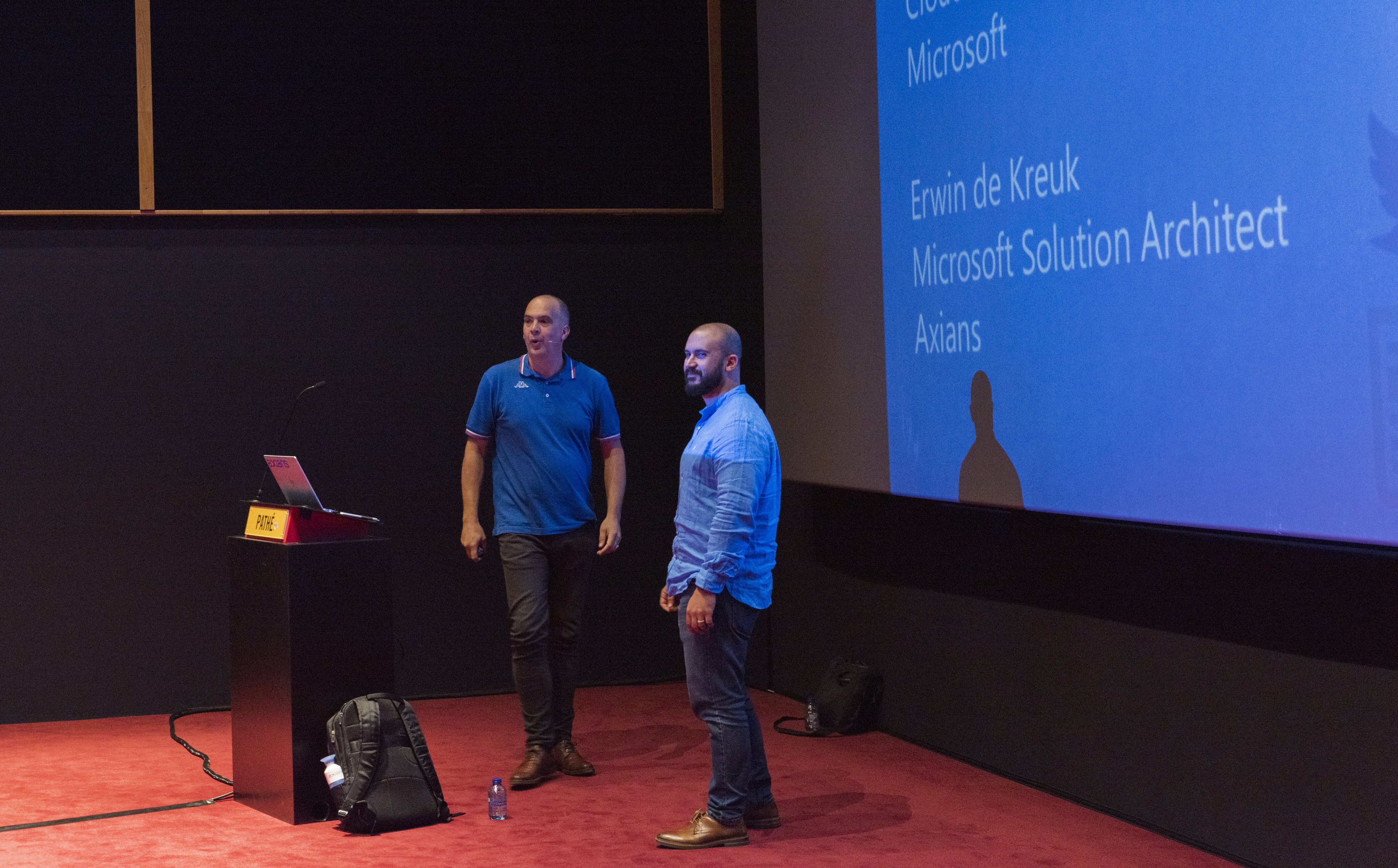
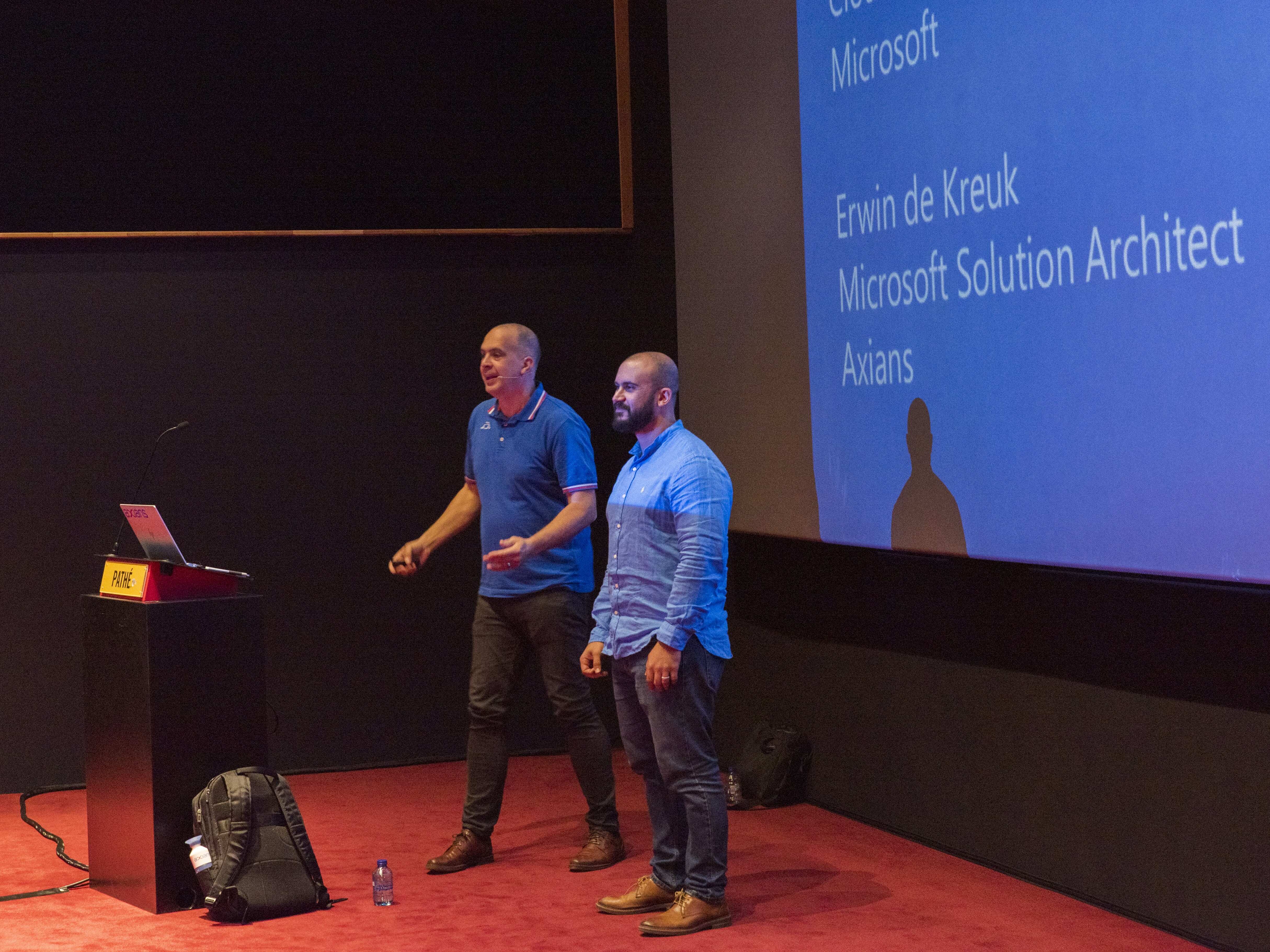
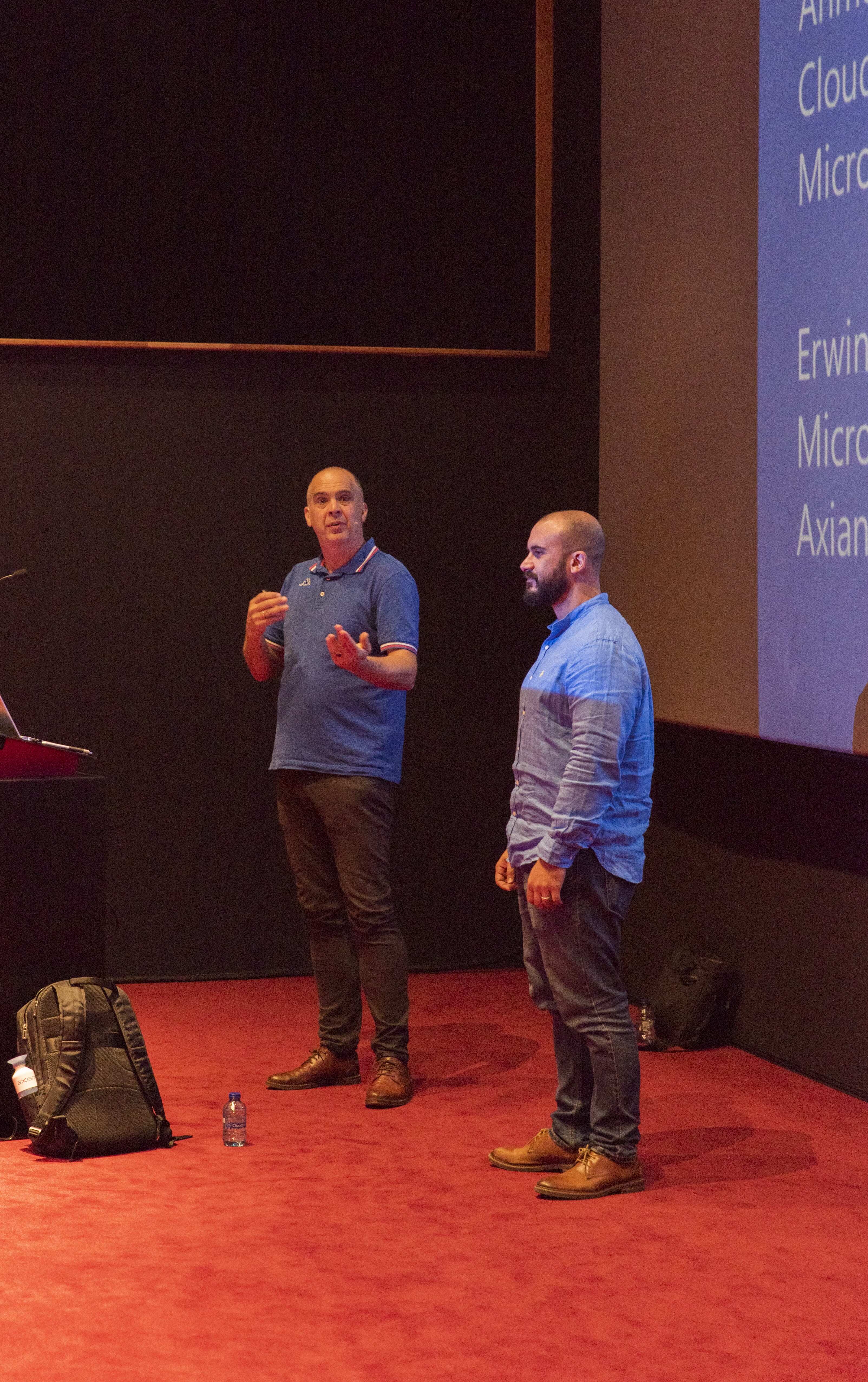
Saturday the day of the event started early, the event was sold out with 750 tickets. Due to illness of 1 of the speakers I was asked to give an extra session. It's always an honor when they ask you to do an extra session. There was not much time left to prepare, but it worked out eventually. After this session the other session followed immediately. I did this session together with Ahmed Mansour. I had never did co-present a session before, but I really enjoyed it and will certainly do this more often. It brings a lot of variety during a session, but the session also becomes more interactive. In addition, the fun Ahmed and I had during the preparations was definitely worth it.

Thank you

Thanks again to the organization and the crew, and of course all sponsors because without sponsors it is almost impossible to organize such a big event. As usual, it was another top event and I am already looking forward to next year.

The presentations of DataSaturdayNL and sample code can be found here.

Recorded Sessions

This is the first time I have recorded a session. Nice to see again, but also to learn from it again.

Feel free to leave a comment

October=Speaking Month

October=Speaking Month

DataSaturday Holland and DataMinds in Belgium

Like last year I have been selected again this year for both events to speak.

Cool to be able to speak at 3 different events within 7 days, but also to see many known people and to met new people.

Data DSaturdayData Saturday

Data Saturday Holland is the new name for SQL Saturday Holland, The Microsoft Data Platform themed community event which will be held at a new location Pathé Leidsche Rijn.

This year I will for the first time join forces with Ahmed Mansour, Cloud Solution Architect @Microsoft


Session Title:

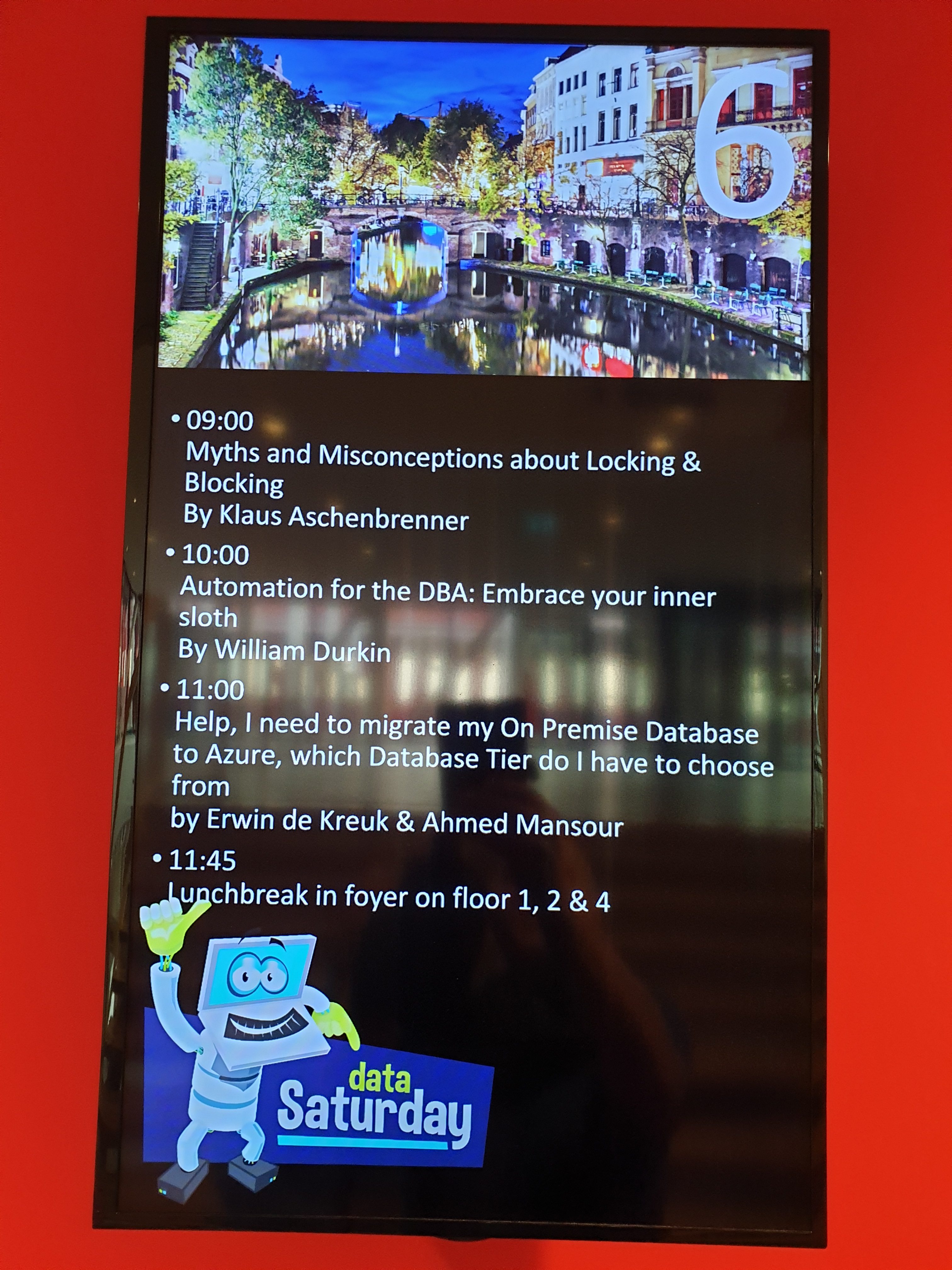
Help, I need to migrate my On Premise Database to Azure, which Database Tier do I have to choose from.

Session Details:

During this session we will walk you through all the different Tiers in Azure, DTU, Vcore, Serverless and Managed Instance and will provide examples when to use which Tier.
We will also show you the Microsoft Data Migration Assesment (DMA). This tool will help you to decide which tier you should choose. So if you need help or just interested in the different Azure Database Tiers then visit our session

Saturday October 5, 2019 16:00pm – 16:45pm

Room 4

Tickets are still available, so reserve your spot quickly.

ConnectDataMinds Connect

This year DataMinds Connect will be held in Lamot, a unique convention center located along the water, in the historic center of Mechelen.


Session Title:

Azure Key Vault, Azure Dev Ops and Data Factory how do these Azure Services work perfectly together!

Session Details:

Can we store our Connectionstrings or BlobStorageKeys or other Secretvalues somewhere else then in Azure Data Factory(ADF)? Yes you can! You can store these valuable secrets in Azure Key Vault(AKV). But how can we achieve this in ADF? And finally how do we deploy our DataFactories in Azure Dev Ops to Test, Acceptance and Production environments with these Secrets ? Can this be setup dynamically? During this session I will give answers on all of these questions. You will learn how to setup your Azure Key Vault, connect these secrets in ADF and finally deploy these secrets dynamically in Azure Dev Ops. As you can see a lot to talk about during this session.

Tuesday October 8, 2019 16:45pm – 17:45pm

Room Alcazar

No tickets yet,  you can order them here!

Techorama NL

I will speaking during Techorama NL, I’ve written a post about this event a couple days ago, which you can find here

See you all in October on one of these events.

Video: Learn Live Use Data Factory pipelines in Microsoft Fabric

Below you find the recording form the session for Learn Live which I did together with Javier. Use Data Factory pipelines in Microsoft Fabric Use Data Factory pipelines in Microsoft Fabric – Training | Microsoft Learn     After you have followed above learning…

Watch the MS Ignite sessions on-demand

MS Ignite Sessions MS Ignite 2020 was this year a virtual event. Most of the sessions were live in the evenings and the other sessions were available at different times in different time zones. Compliments to the MS Ignite team for organizing such a great event Most…

My Virtual Session Cloud Lunch and Learn Marathon

Cloud Lunch and Learn Marathon 2021 This Thursday May 13th 2021 I’ve been speaking during Cloud Lunch and Learn Marathon 2021. It was the first Cloud Lunch and Learn Marathon conference, more then 1200 registered attendees, 24hours Live and pre recorded sessions….

My sessions at Pass Data Community Summit

A hybrid conference in Seattle and online This year’s PASS Data Community Summit is more than a conference – it’s a homecoming. Reconnect with old friends, build new relationships, gain new skills, and get the world-class training you need to take that next step in…

Speaking(Virtual) at SQL Saturday #963 Denmark

SQL Saturday 963 Denmark PASS SQLSaturday is a free training event for professionals who use the Microsoft data platform. These community events offer content across data management, cloud and hybrid architecture, analytics, business intelligence, AI, and more. My…

Scottisch Summit 2021(Video)

Recording of my session during Scottisch Summit 2021 Is there a way that we can build our Azure DataFactory all with parameters based on MetaData?

Speaking at SQLBits in London (postponed to September 2020)

SQLBits 2020 SQLBits is the largest Microsoft Data Platform conference in Europe taking place between 29nd September and 3rd October2020 at the Excel London. Proud to be speaking I am very proud and happy that one of my sessions was selected for SQLBits. It’s not the…

Data Saturday Stockholm

Data Saturday Stockholm Bra så alla tillbaka personligen This means great so everyone back in person. Last weekend I had the honor to speak at Data Saturday in Stockholm. About one of my favourite topics Azure Synapse Analytics. It was nice to see everyone in person…

My Virtual Session DataSaturday #14 Oslo

DATA SATURDAY #14 OSLO This Saturday I’ve been speaking during DataSaturday #4 Oslo. If you want to visit more Datasaturday events please visit the Data Saturdays event page. Azure Purview I presented a session on Azure Purview Microsoft’s answer to Data Governance…

My Virtual Session DataSaturday #1 Pordenone

DATA SATURDAY #1 PORDENONE This Saturday I’ve been speaking during DataSaturday #1 Pordenono. The first ever DataSaturday after Pass has retired. If you want to visit more Datasaturday events please visit the Data Saturdays event page. Azure Purview I presented a…