How to create a Azure Synapse Analytics Workspace

How to create a Azure Synapse Analytics Workspace

Creating your Azure Synapse Analytics Workspace

In the article below I would like to take you through,  how you can configure an Azure Synapse Workspace and not the already existing Azure Synapse Analytics SQL Pool(formerly Azure SQL DW):

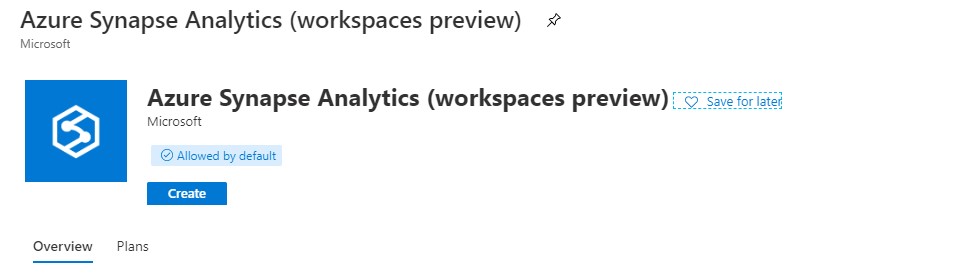
In de Azure Portal search for Azure Synapse Analytics. Make sure you select Workspaces Preview.
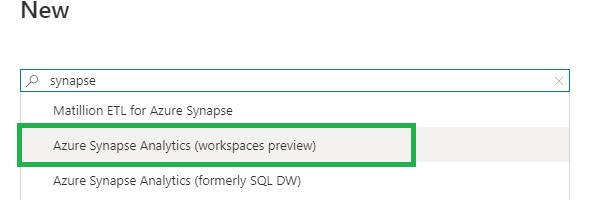
Select Azure Synpase Analytics Workspace


Create Azure Synpase Analytics Workspace

Click on Create to start the configuration of your Workspace.
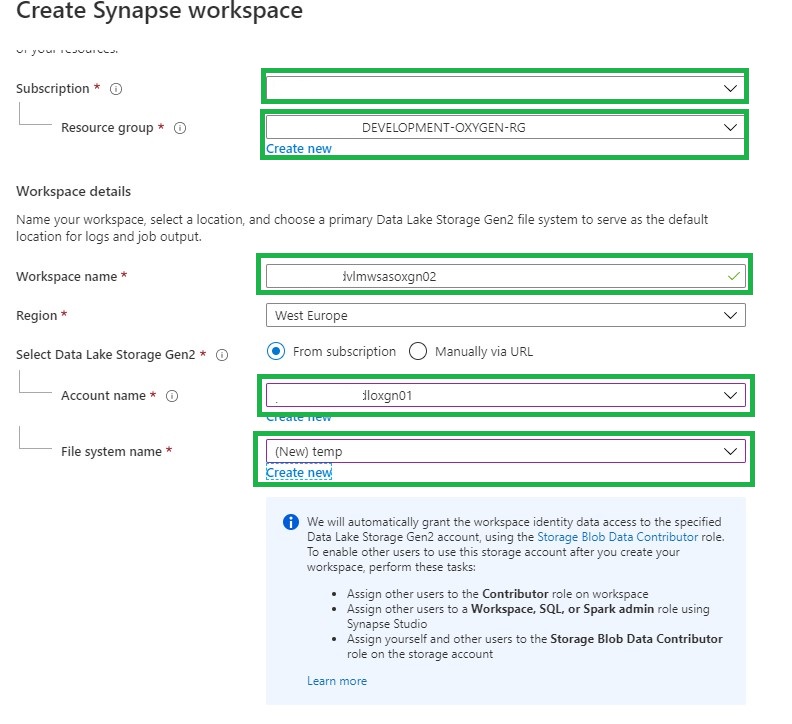
Configure Azure Synpase Analytics Workspace

Make sure you select the correct:

Subscription

Resource Group

The seconds part of this configuration is to setup your Workspace:

Workspace Name I'm using <customername><environment><wsas><department>  wsas=WorkSpace Azure Synapse prevwsdvlmwsasoxgn01
Region The desired Region <West Europe>
Data Lake Storage Gen 2 Select an existing Data Lake Storage Gen 2
Data Lake Storage Gen 2 File System I'm creating a new container here temp. This directory is used to store temporary files and workspace settings and I don't want to mix this temporary data in 1 of my other containers.

Assign Workspace Managed Identity


The above option will assign the managed identity of the workspace the Storaqe Blob Data Contributor role with full access on the selected Data Lake Storage Gen2 file system. Leave the option to on unless you want to grant access manualy.
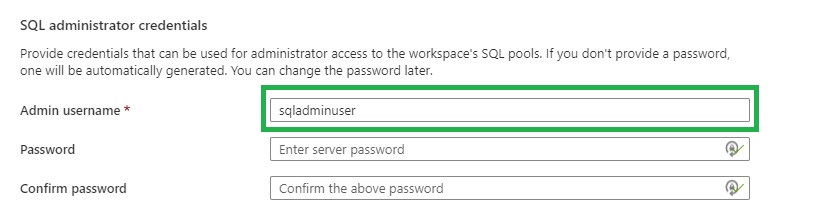
Assign sql admin user

You can set the sqladmin user. But it can set be in a later stage as well.

Managed Virtual Network

Leave this option empty, I will explain in a later article how this will work.
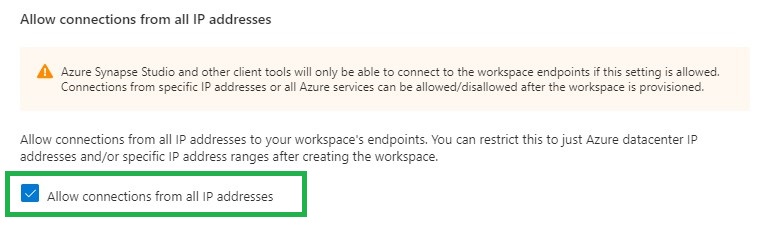
ip-address Connection

Normally you do not want to allow all IP addresses, for our initially setup we leave is as is. We can also adjust these settings in a later stage.
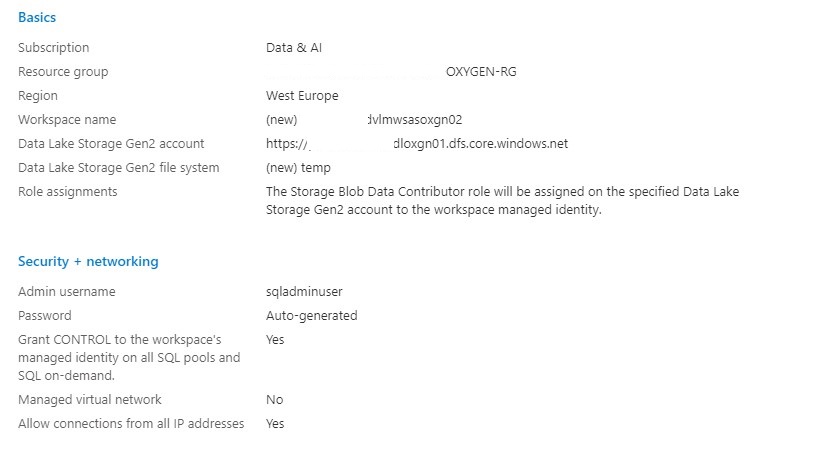
Overview Azure Synapse Analytics Workspace

Review all your settings and click on create. And you deployment is underway.

After the deployment is finalized, the workspace will be available in your selected Resource Group.
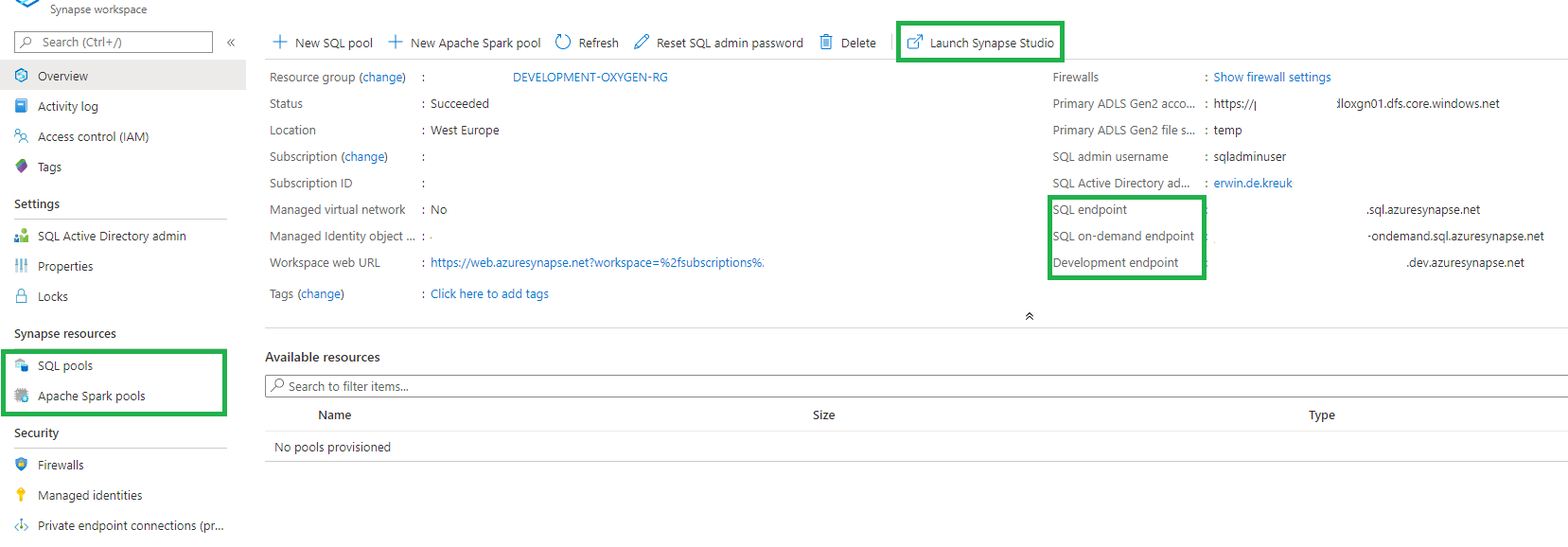
Azure Synapse Analytics Workspace Studio

You have now created your Azure Synapse Analytics Workspace and you can start using the new functionalities which are currently in Public Preview

Public Preview Features

Azure Synapse studio
Unified Security Model
Private endpoints
Power BI integration
Azure Machine Learning integration
Data lake exploration
Apache Spark integration
Data Movement
Pipeline Orchestration
On-demand query
Notebooks
SQL Script editor

In my next article I will walk you through the new Azure Synapse Studio. Stay tuned!
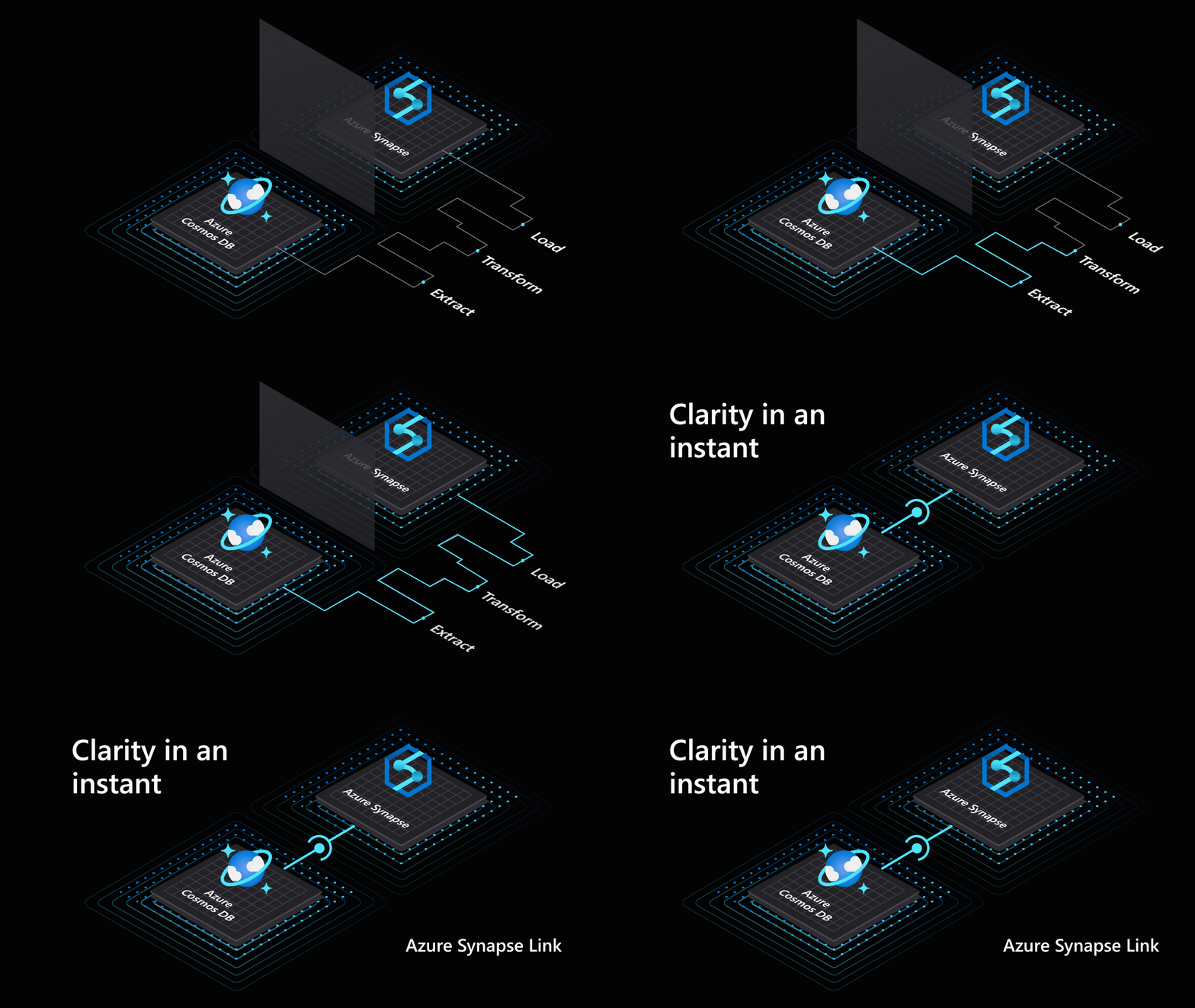
Azure Synapse Analytics

Azure Synapse Analytics

Erwin

by Erwin | Jun 15, 2020

Azure Synapse Analytics


Insights for all

Azure Synapse provides a breathtaking view of your data across data warehouses and big data analytics systems. Bringing these two worlds together into a single service is challenging as it requires unifying similar concepts that operate differently in each world such as security, privacy, and performance. With Azure Synapse, this seamless unification of data warehousing and big data not only simplifies a business’s analytics platform, but also breaks down silos that exist today because of teams, data, and skills. (source Azure blog)

Azure Synapse Analytics Workspace

During Ignite 2019 we already saw the first announcement about Azure Synapse Analytics. The first Public Preview was announced during Build 2020.

Immediately after Build 2020, I started playing and exploring with Azure Synapse Analytics Workspace.
Fortunately, I was off for a few days and was able to use this free time to dive a little bit into Azure Synapse.

A few days later during the Analytics in a Day workshops that I gave for my employer InSpark in collaboration with Microsoft, I immediately took the time to give a Live demo. I found the inspiration for this Live demo during a YouTube session presented by Simon Whiteley.

For many participants it is more imaginative,  to walk through the product Live than to tell a story via PowerPoint Slides.

Upcoming Articles

In the coming days I will try to write a number of articles so that you become more familiar with the various possibilities of Azure Synapse Analytics.

I have the following articles in mind:

✅ Creating your Azure Synapse Analytics Workspace

✅ Exploring the new Azure Synapse Analytics Studio

Creating an Apache Spark Pool

Creating a SQL Pool

Integration with Power BI

And if you have more subject which needs to be explained feel free to leave them in the comments.

Happy reading!


Feel free to leave a comment

Azure Data Factory: New functionalities and features

Azure Data Factory: New functionalities and features

Erwin

by Erwin | May 22, 2020

New functionalities and features

Last week, a number of great new functionalities and features were added within Azure Data Factory. I would like to take you in some details in the blog below:

Customer key

With this new functionality you can add extra security to your Azure Data Factory environment. Where the data was first encrypted with a randomly generated key from Microsoft, you can now use the customer-managed key feature. With this Bring Your Own Key (BYOK) you can add extra security to your Azure Data Factory environment. If you use the customer-managed key functionality, the data will be encrypted in combination with the ADF system key. You can create your own key or have it generated by the Azure Key Vault API.

You can read more in this Article which I wrote.

Pipeline Consumption Report

Last week the Azure Data Factory added the Pipeline Consumption Report.

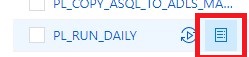
The report can be used for your Triggered runs, just go to your Triggered runs and click on the new Icon.

ADFMonitor

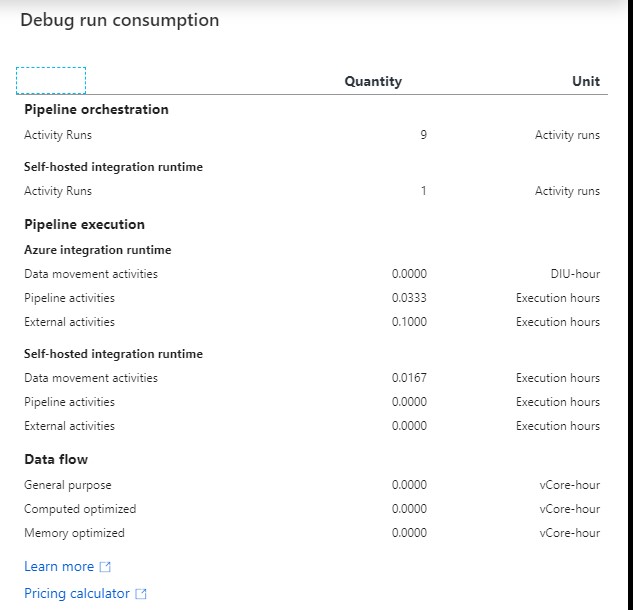
The consumption of the selected Pipeline will be displayed. The data shown is only from this Pipeline and not from other Pipelines fired by this Pipeline. Would be a nice addition if the report shows the aggregation of the complete Triggered Run.

For your debug run, click on right site of your Output pane:

ADF DEBUG button

ADF DEBUG Report

The ADF consumption report is only surfacing Azure Data Factory related units. There may be additional units billed from other services that you are using and accessing which are not accounted for here including Azure SQL Database, Synapse Analytics, CosmosDB, ADLS, etc. More detailed can be found here.

Parameters from Execute Pipeline Activity

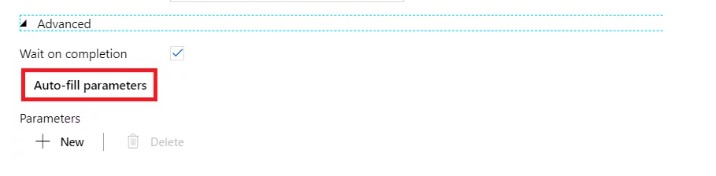
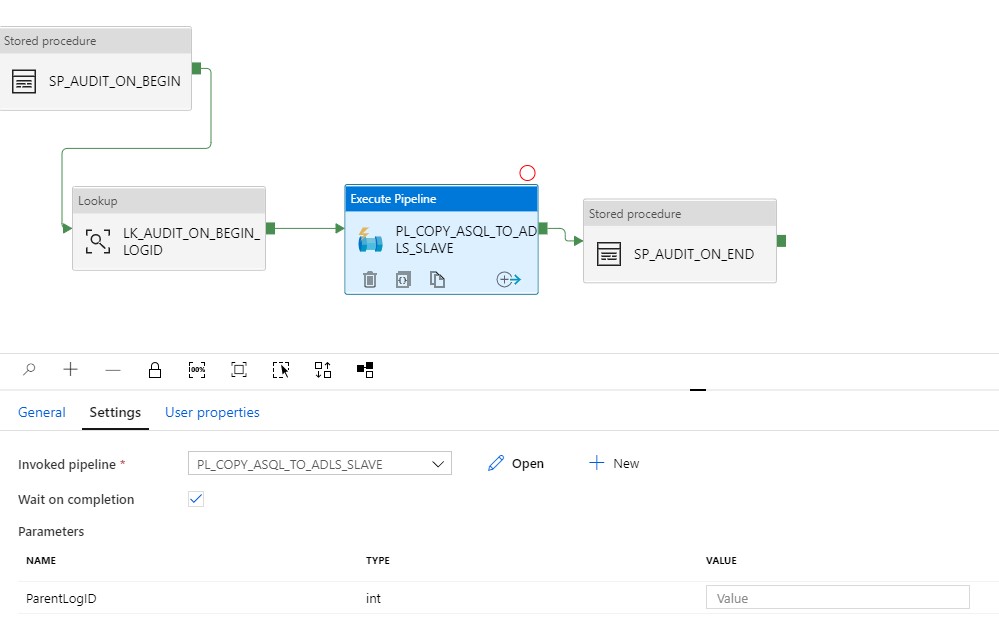
When calling a Pipeline you first had to add the parameters yourself, now they are automatically taken over from the Pipeline you select. Very handy and saves time again if you use a lot of parameters.

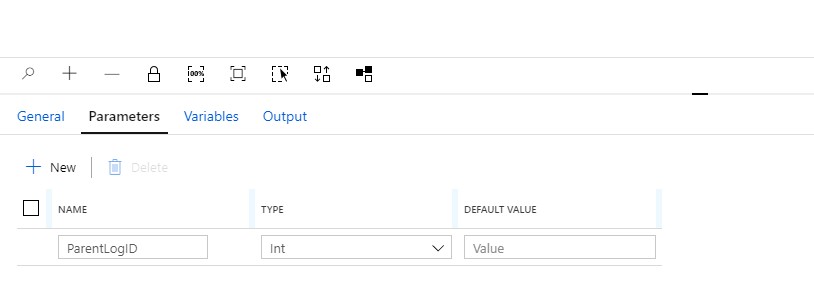
Define a Parameter in one of your Pipelines:

ADF Parameter


Create another Pipeline and add the Execute Pipeline activity. On the settings tab where you have to select the Pipeline you want to execute, you will discover that the option to add Manually the parameters is not there anymore. But, all the Parameters you had defined in your Pipeline are directly shown. Very handy and it reduces errors.

Old Situation:

ADF Parameter 3

New Situation:

ADF Parameter Pipeline

General Tab moved to new Properties Pane

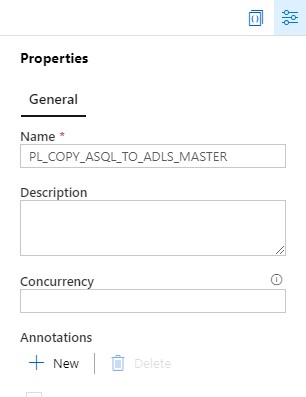
Your General tab is now moved to the right site of the Canvas.

ADF Pane General

To edit it your properties, click on the pane icon located in the top-right corner of the canvas.

ADF Pane Properties

So these were some nice and useful addition to Azure Data Factory. I am very happy with it and what do you think?

Feel free to leave a comment

Azure Data Factory: How to assign a Customer Managed Key

Azure Data Factory: How to assign a Customer Managed Key

Customer key

With this new functionality you can add extra security to your Azure Data Factory environment. Where the data was first encrypted with a randomly generated key from Microsoft, you can now use the customer-managed key feature. With this Bring Your Own Key (BYOK) you can add extra security to your Azure Data Factory environment. If you use the customer-managed key functionality, the data will be encrypted in combination with the ADF system key. You can create your own key or have it generated by the Azure Key Vault API

Be careful,  this new feature can only be enabled on an empty Azure Data Factory environment.  Make sure your Azure Active Directory, Azure Data Factory and Azure KeyVault are all in the same region. If you use an Azure Landing Zone consisting of different subscriptions, this is also possible, as long as the services exist in the same region.

Please follow the steps below how to enable this new feature:

I assume that you already have an existing Azure KeyVault. If not, you will have to create one first. You can read how to do that here.
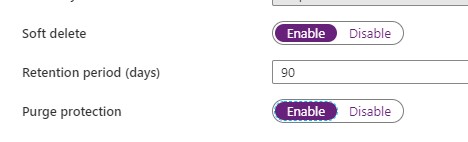
With an existing Azure KeyVault, it is important that you enable the options Soft Deletes and Purge protection.

Enable Soft Deletes and Purge protection

Purge option

If you want to enable this via Powershell use the following command:

[code lang="ps"] ($resource = Get-AzResource -ResourceId (Get-AzKeyVault -VaultName 'YOURKEYVAULTNAME').ResourceId).Properties | Add-Member -MemberType 'NoteProperty' -Name 'enableSoftDelete' -Value 'true'

Set-AzResource -resourceid $resource.ResourceId -Properties $resource.Properties

($resource = Get-AzResource -ResourceId (Get-AzKeyVault -VaultName 'YOURKEYVAULTNAME').ResourceId).Properties | Add-Member -MemberType 'NoteProperty' -Name 'enablePurgeProtection' -Value 'true'

Set-AzResource -resourceid $resource.ResourceId -Properties $resource.Properties

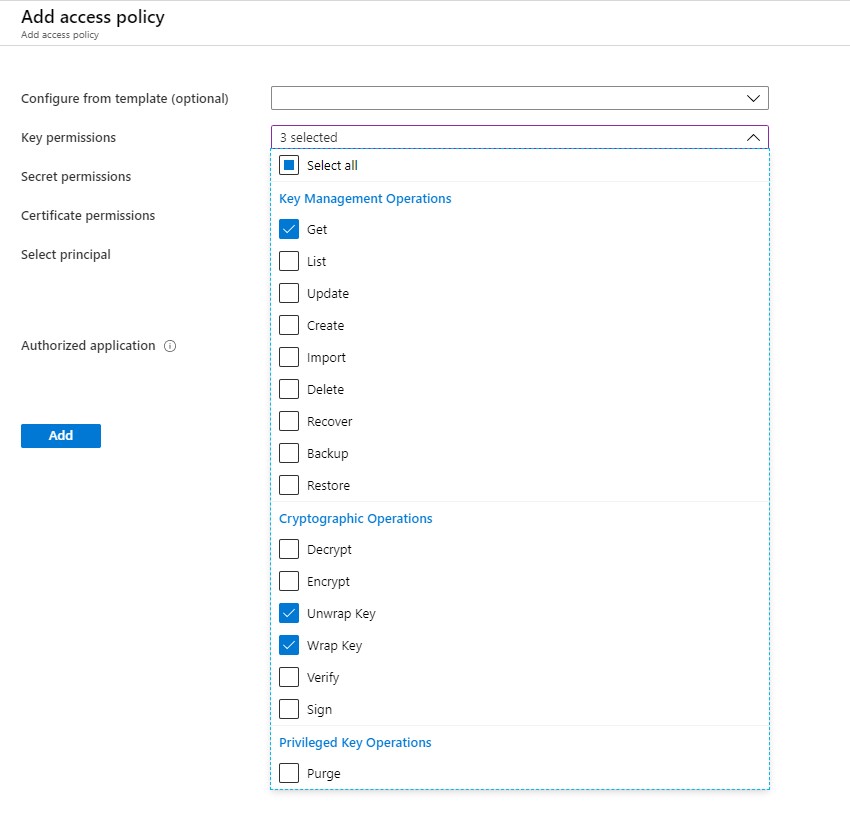
Define Access policy

The next step is to enable your Grant Data Factory access to Azure Key Vault, you have to enable  the following permissions: Get, Unwrap Key, and Wrap Key

ADF Policy

Search for Data Factory Instance and Select the correct one:

ADF Principal

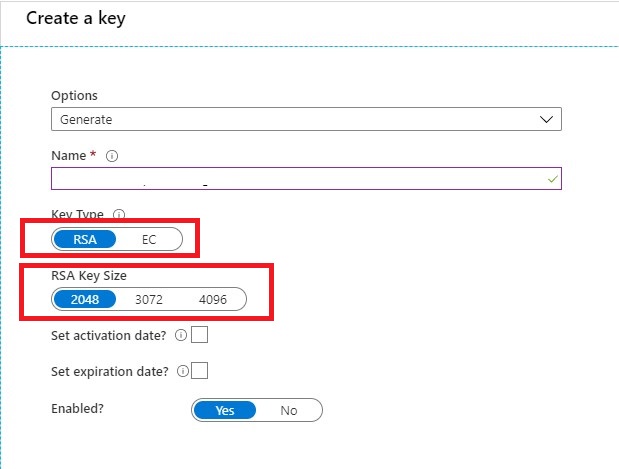
Create KEY

Once you have done that it's time to create your Keys. Keep in mind that only RSA 2048-bit keys are supported by Azure Data Factory encryption.

Create Keys

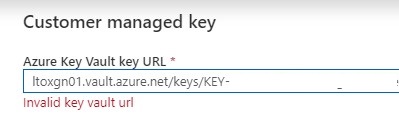
Very important step your key name must be in only letters. KEYADFNAMECUSTOMER will work, but KEY-ADFNAME-CUSTOMER isn't and you will get an error in your Azure Data Factory Instance. It took me a while to figure this out. So it can saves you a lot of time.

After your KEY is created, copy the Key Identifier.

Assign Customer Key

The last step in this article is to assign the key to your Azure Data Factory Instance.

CMK

Customer key ADF

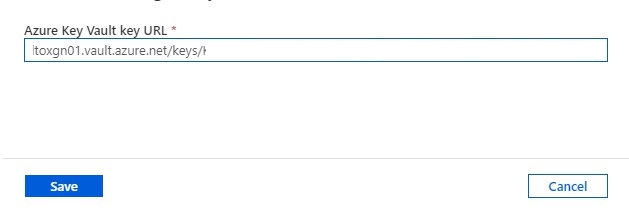
Paste the selected key in your Azure Data Factory Instance and save.

Errors

If your get an error "Invalid key Vault URL"

-Check if the Soft Deletes and Purge protection on your Key Vault is set.

-Check if your Key consists only of letters.

-Check if you enabled your Grant Data Factory access to Azure Key Vault.

-Check if Azure DataFactory, Azure KeyVault and your Azure Active Directory are in the same region.


If you still have errors, please send me a message and I will try to help you out.

Hopefully, this article has helped you to secure your environment.

Working from Home: How do I get my energy and focus back on track?

Working from Home: How do I get my energy and focus back on track?

Erwin

Working from home

 It has now been exactly 7 weeks since I started working from home. In the beginning this went with full energy, but now gradually the energy and the focus on the work is starting to drain.

I'm the only one in here? I'm sure, I'm not.

I regularly hear this among colleagues. Despite the traffic jams, the car ride to and from the office also brought relaxation. You now have to find this relaxation in other ways.

Where I was in Teams meetings all day at the beginning of the Lockdown, I now try to limit that and put more focus time into my agenda. This is not quite 100% successful but the beginning is there.

My children are a bit older now and they don't find it easy to go to school online, but need little or no supervision with their school work. But colleagues with younger children also have to help their children with school in addition to their work and then it becomes completely difficult to keep combining everything, work, school, entertainment, all in all a tough job. Fortunately, my employer helps and supports these colleagues well.

What have I learned for myself recently:

My day starts every day between 7.30am and 8:00 am, not much different then my normal office hours.
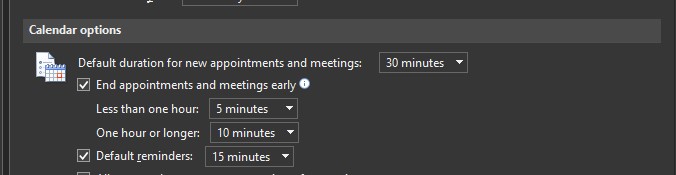
My hourly meetings become 50 minutes and meetings of half an hour 25 minutes, this way you can recover before you go to the next meeting. But try to get away from your screen.

File => Options => Calendar

calendar

I make blocks in my calendar:
An hour in the morning to exercise.
An hour at lunchtime for lunch and walking.
30 minutes in the afternoon, away from screen time.

I plan regular coffee moments with my team.
I dress like I normally would go to the office.
And the spontaneous phone calls are not missing in the above.

In addition to the above, together with colleagues (facilitated by my employer), who want to participate, we have 3 Virtual Gym Moments(20 min) and of course the Friday afternoon drink with music, pub quiz or something else in terms of entertainment.

Where I have not found immediately a solution for, how do I end my day? Often after dinner I go back to work, at that moment I have a lot of focus and because of that it often gets quite late. I'm still looking for a good ending of the day, that used to be the moment when you got into the car at a customer site  or office and you drove home. Any suggestions?

Oh yes, and taking a day off to do nothing at all is also wonderful.

Applying the above points gives me more focus and energy in my work. Which points do you apply? I look forward to hearing your response in the comments below.