Azure Data Factory: Generate Pipeline from the new Template Gallery

Azure

Last week I mentioned that we could save a Pipeline to GIT. But today I found out that you can also create a Pipeline from a predefined Solution Template.

Template Gallery

These template will make it easier to start with Azure Data Factory and it will reduce development time when you start a new project.

Currently Microsoft has released the following templates:

Copy templates:

  • Bulk copy from Database
  • Copy multiple file containers between file-based stores
  • Delta copy from Database

Copy from <source> to <destination>

  • From Amazon S3 to Azure Data Lake Store Gen 2
  • From Google Big Query to Azure Data Lake Store Gen 2
  • From HDF to Azure Data Lake Store Gen 2
  • From Netezza to Azure Data Lake Store Gen 1
  • From SQL Server on premises to Azure SQL Database
  • From SQL Server on premises to Azure SQL Data Warehouse
  • From Oracle on premises to Azure SQL Data Warehouse

SSIS templates

  • Schedule Azure-SSIS Integration Runtime to execute SSIS packages

Transform templates

  • ETL with Azure Databricks

These templates can be found directly in the Azure Data Factory Portal:
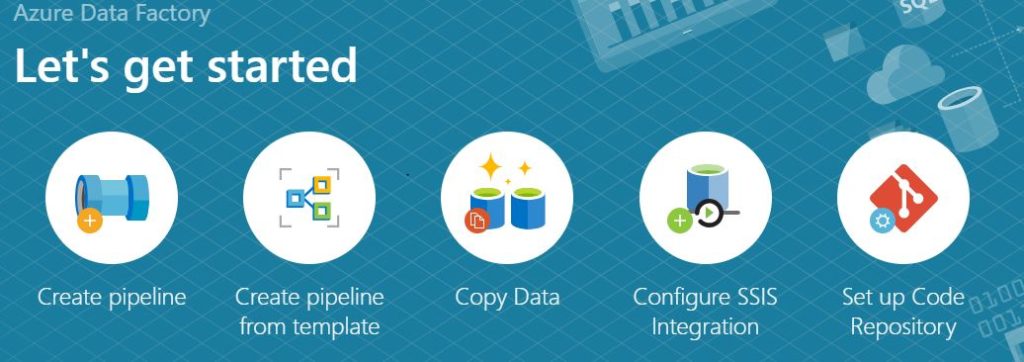
Now you can select the option Create Pipeline from Template.
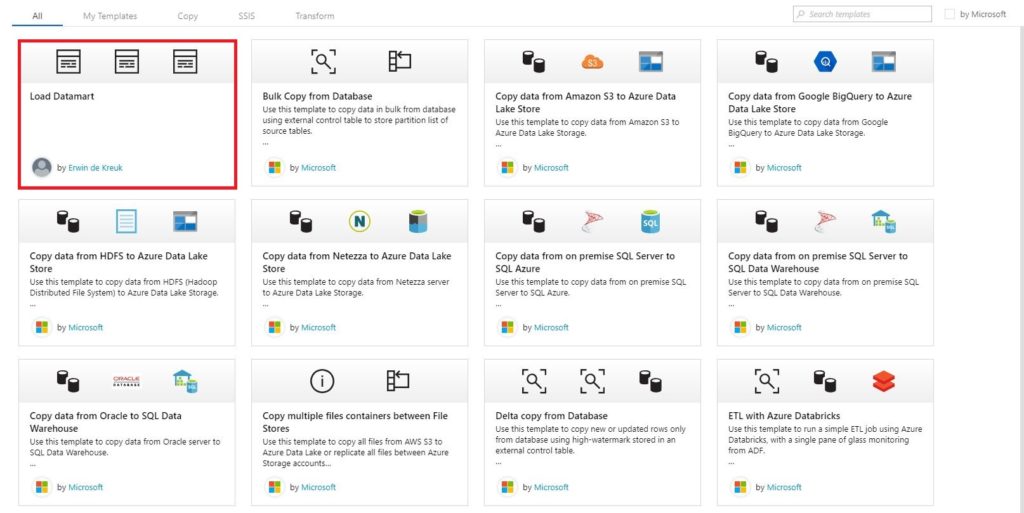
After selecting this option, all templates from the gallery but also the templates you saved yourselves, are visible.

Create a Pipeline from a Template

To start the creating of the template, click on the template you want to create. For this example, I have chosen for the template Bulk Copy from Database. A wizard will open which you have to follow.
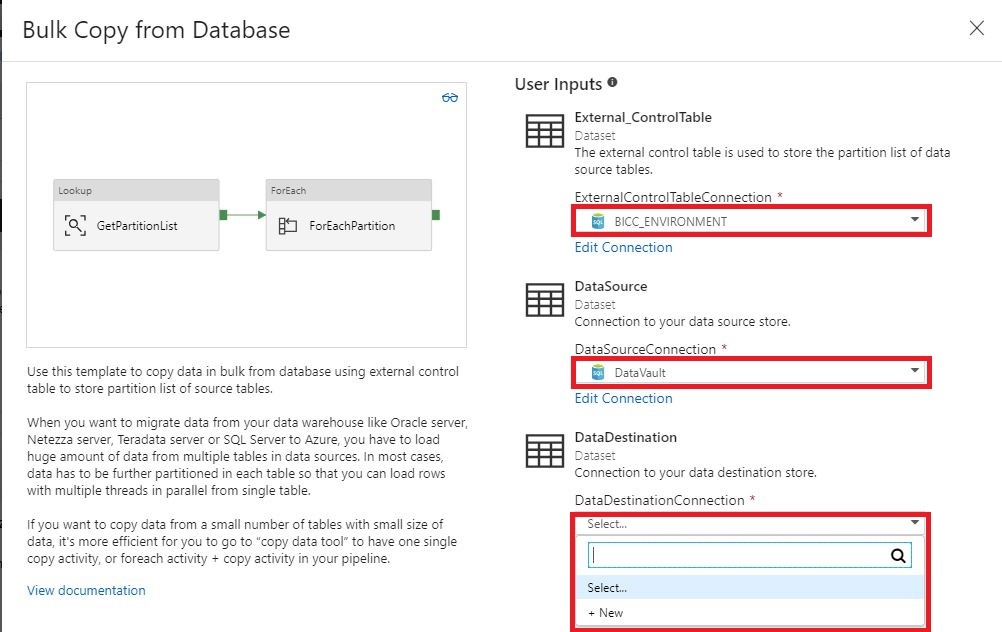
The only thing you need to do right know is selecting the correct inputs. You can also create a new input from the Template wizard.

After selecting all the correct inputs you can finalize the template and the template will be added to your Factory.
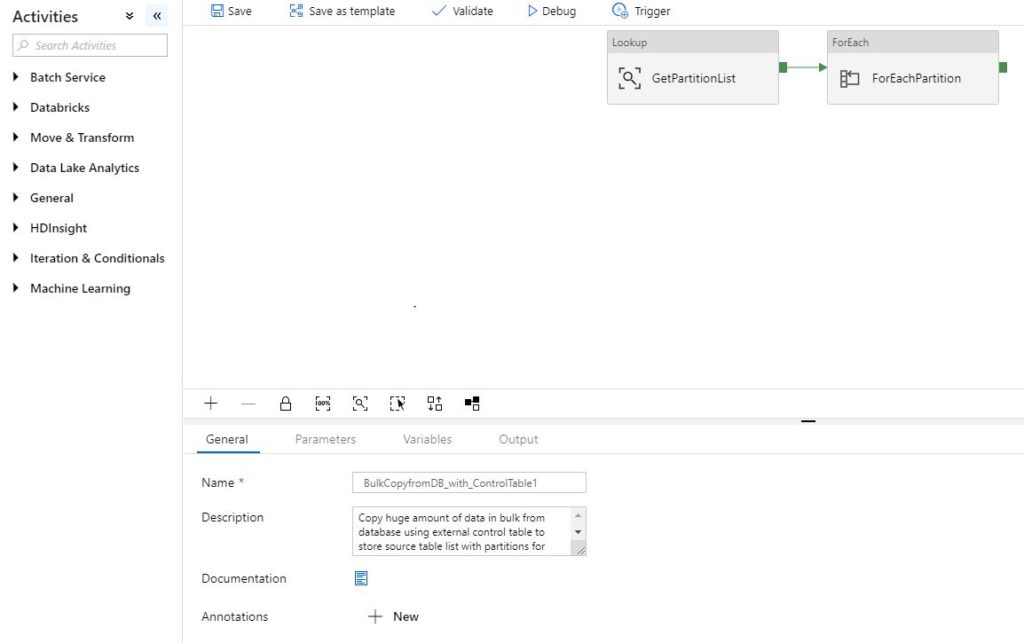
Do you want to follow the detailed steps of creating this pipeline? The details can be found here.

Thanks so much for reading through this article today, and I hope you all take some time to try it out. It’s will make your life easier.

Azure Data Factory: Save a pipeline as a Template

Azure

by Erwin | Feb 8, 2019

Saving a Pipeline

Another great improvement in Azure Data Factory. Saving you template!

How can you save your template?

First of all you need to connect your Azure Data Factory to  a GIT integration. Both Azure DevOps GIT and GitHub are supported. Please follow this link if you don’t have a Git Integration.

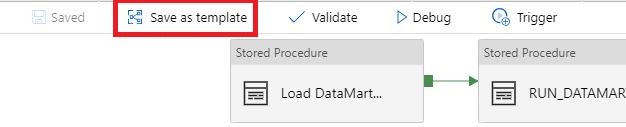
Select the template you want to save:

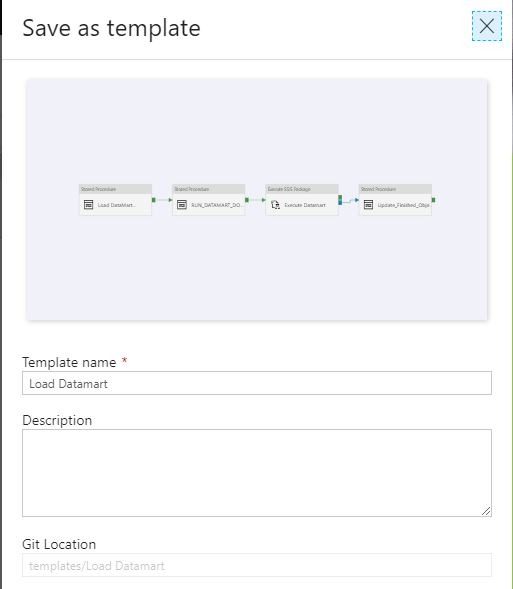
Name your template and save it to a Git Location of your choice:

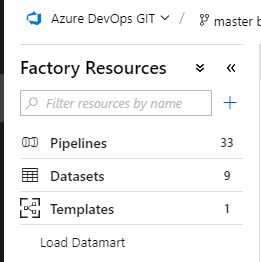
The template you have saved can be found in Factory Resources.

With this new option it will  be easier to share Pipeline Activities with other Azure Data Factory instances.

And most important of saving your template it will save a lot of development time in your new instance.


Happy Saving

Feel free to leave a comment

Service Healths in Azure

Azure

by Erwin | Dec 14, 2018

Creating Service Health Alerts in Azure

Azure Portal

In the Azure Portal go to Monitor – Service Health – Health alerts

Service_Alert_1

If you have created alerts before you will see them over here. Assuming you haven’t created an Alert before, we will start to create an Alert.

1 Define Alert Condition:

Service_Alert_2

Select the correction Subscription

Select the Azure Services where you want to get an Alert for

Select the Azure Region

And for this Alert Condition we will select only the Service issue as the Event Type.

2 Define Alert Details

Service_Alert_5

Define Alert Rule name CustomerName – Service Issue Alert

Define Description

Select the Resource Group where you want to save this Alert. I’ve created a seperate Resource Group where I store everything which is related to Monitoring of my Azure Environment.

3 Define Action Group

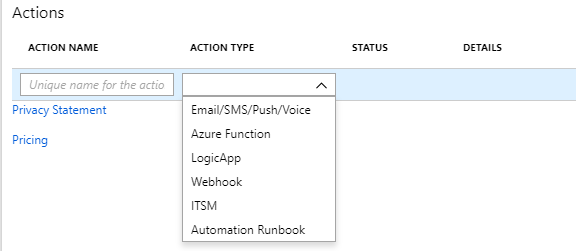
The last step of the alert Creation is to setup how we want to notify people. I the example below I will care take about the  Action Group Type Email/SMS/Push/Voice


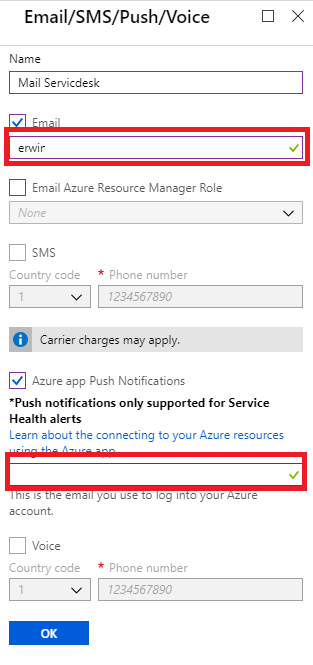
Fill in your email address


Fill in your email address and make your sure you install the Micrsosoft Azure app on your phone to receive push messages.


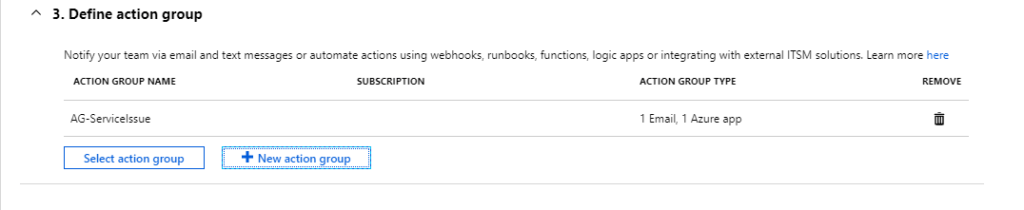
You also have the possibility to define multiple Action Groups.

Next time I will write how to change your Action Group to add or remove Members.

Thanks so much for reading through this article today, and I hope you all take some time to try it out. It's will make your life easier.
Feel free to leave a comment

DataMinds 2018

DataMinds 2018

An event in the Footbal Arena from Gent!

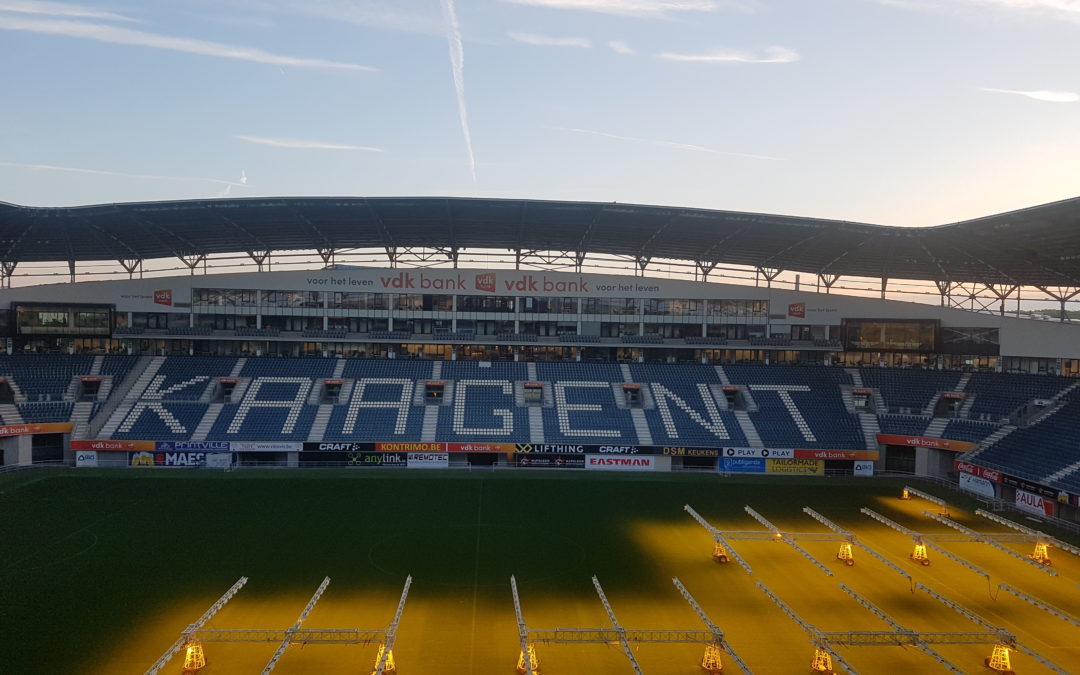
Two days after SQLSatholland it was time for DataMinds Connects, which was held in beautiful Belgian Ghent. The location for this event was in the stadium of KAA Gent.

Because the organization of SQLSatHolland and DataMinds worked well together, top speakers where
present again.

Great event for Speakers

Nice detail, the speaker room was in the Presidential SkyBox with a very nice view in the Stadium.20181015_08325720181015_082654

And every speaker had his own football shirt.
During this event I talked about Migrating your On Premise database to Azure SQL Data Warehouse


Migrate to Azure SQL DataWareHouse

Have you ever tried to migrate your DataWareHouse (DataVault) solution to a Azure SQL DataWareHouse? Azure SQL DW is a MPP system and requires a lot of changes to your current solution.
What are the best practices for Migrate your solution? Why should you migrate to a Azure SQL DW? I did, and would like to share my experience. During the session I spoke about Distribution keys, Replicated Tables, identity Colums, CTAS, scaling, pausing, monitoring and much more.

Great Feedback

The session was well attended and the feedback was very good afterwards. I’m enjoying every time again to share my knowledge with the Community. Speaking at events always gives me a lot of energy.

Organisation

Compliments to the organizers Benni, Stijn and Frederik

My First Blog Post SQLSatHolland 790

Yeah, m y first blog is LIVE After a good talk with Reza Rad from RADACAD during SQLSatHolland, I decided to start my first blog! Knowledge sharing is very important, it gives me a lot of energy. But it also gives others people in the community energies to pick up new…

Speaking at SQL Server Konferenz 2020

SQL Server Konferenz  SQL Server Konferenz 2020 is a international Conference which is held each year in Darmstadt, Germany. Trilled to be speaking This year I will speak and attend SQL Server Konferenz 2020 from March 3th until March 5th. I was very happy when I…

SQL SERVER KONFERENZ 2020

SQL SERVER KONFERENZ 2020 Date: 4-5 March Location: KongressCenter Darmstadt   Speaking Dinner The speaker dinner on Tuesday evening was held in Restaurant Sitte. And yes what do you eat when you are in Germany a delicious Schnitzel with baked potatoes. It was a…

My Virtual Session DataSaturday #14 Oslo

DATA SATURDAY #14 OSLO This Saturday I’ve been speaking during DataSaturday #4 Oslo. If you want to visit more Datasaturday events please visit the Data Saturdays event page. Azure Purview I presented a session on Azure Purview Microsoft’s answer to Data Governance…

SQLBits session: Microsoft Purview Data Policy App

SQLBits 2023 Thanks everyone for visiting my session during SQLBits. It’s great to see such a full room and that so many people have started using Microsoft Purview.   SLIDES The slides can be downloaded via the link below, so that you can view them again at…

Data Saturday #1 Pordenone(Video)

Recording of my session during Data Saturday #1 Pordenone Azure Purview Microsoft’s answer to Data Governance and Data Lineage  

My sessions at Pass Data Community Summit

A hybrid conference in Seattle and online This year’s PASS Data Community Summit is more than a conference – it’s a homecoming. Reconnect with old friends, build new relationships, gain new skills, and get the world-class training you need to take that next step in…

DataSaturday NL 2019

Recording of my session on DataSaturdayNL 2019 Can we store our Connectionstrings or BlobStorageKeys or other Secretvalues somewhere else then in Azure Data Factory(ADF)? Yes you can! You can store these valuable secrets in Azure Key Vault(AKV). But how can we achieve…

DataMinds 2018

An event in the Footbal Arena from Gent! Two days after SQLSatholland it was time for DataMinds Connects, which was held in beautiful Belgian Ghent. The location for this event was in the stadium of KAA Gent. Because the organization of SQLSatHolland and DataMinds…

Datatoboggan 2021(Video)

Recording of my session during Data Toboggan 2021 Azure Purview Microsoft’s answer to Data Governance and Data Lineage

My First Blog Post SQLSatHolland 790

My First Blog Post SQLSatHolland 790

Azure

by Erwin | Oct 15, 2018

Yeah, my first blog is LIVE

After a good talk with Reza Rad from RADACAD during SQLSatHolland, I decided to start my first blog!
Knowledge sharing is very important, it gives me a lot of energy. But it also gives others people in the community energies to pick up new activities. That is the main reason to start this blog.

Now back to SQLSatHolland, which was held on October 13th in Utrecht. This free event is very well attended and with 550 attendees it is one of the largest SQLSaturday’s in the world. Not everyone who registered did show up, but that was mainly due to the extremely hot weather in the Netherlands, 28 degrees in October.

International top speakers
This year there were again international Top speakers to Utrecht, compliments for the organizers André, Peter and Joost and many others. Organizing such a big event is already a challenge, but finding international speakers is not easy either.

Azure Data Factory V2
This year my session was about Migrating to Azure SQL DataWarehouse with Azure Data Factory V2, this was the first time I presented this session, so extra exciting for me. You can find the session details here 

Enthusiastic audience
The session went very well and the room was crowded. You can be very exited about your session, but it is always the question whether others like your session as well.

I got some nice compliments after the session and that is one of the reasons you end up doing it

It was a great day, spoke to a lot of people, see you next year.


Feel free to leave a comment