Speaking at SQLBits in London (postponed to September 2020)

Speaking at SQLBits in London (postponed to September 2020)

SQLBits 2020

SQLBits is the largest Microsoft Data Platform conference in Europe taking place between 29nd September and 3rd October2020 at the Excel London.

Proud to be speaking

I am very proud and happy that one of my sessions was selected for SQLBits. It’s not the first time I will go to SQLBits, but it is the first time I can speak there. Super cool and I am also very proud of it. Great to see so many known people, but also to get to know new people from the #sqlfamily. I will be speaking on Friday October 2nd

The complete schedule can be found here. Tickets are still available here

My Session

Session Title:

Azure Key Vault, Azure Dev Ops and Data Factory how do these Azure Services work perfectly together!

Session Details

Can we store our Connectionstrings or BlobStorageKeys or other Secretvalues somewhere else then in Azure Data Factory(ADF)? Yes you can! You can store these valuable secrets in Azure Key Vault(AKV). But how can we achieve this in ADF? And finally how do we deploy our DataFactories in Azure Dev Ops to Test, Acceptance and Production environments with these Secrets ? Can this be setup dynamically? During this session I will give answers on all of these questions. You will learn how to setup your Azure Key Vault, connect these secrets in ADF and finally deploy these secrets dynamically in Azure Dev Ops. As you can see a lot to talk about during this session.

Do I see you in ExCel London?


Scottisch Summit 2021(Video)

Recording of my session during Scottisch Summit 2021 Is there a way that we can build our Azure DataFactory all with parameters based on MetaData?

Data Saturday Stockholm

Data Saturday Stockholm Bra sÃ¥ alla tillbaka personligen This means great so everyone back in person. Last weekend I had the honor to speak at Data Saturday in Stockholm. About one of my favourite topics Azure Synapse Analytics. It was nice to see everyone in person…

My Virtual Session Cloud Lunch and Learn Marathon

Cloud Lunch and Learn Marathon 2021 This Thursday May 13th 2021 I’ve been speaking during Cloud Lunch and Learn Marathon 2021. It was the first Cloud Lunch and Learn Marathon conference, more then 1200 registered attendees, 24hours Live and pre recorded sessions….

My virtual session at Data Toboggan

Data Toboggan This Saturday I’ve joined the Data Toboggan to talk about Azure Synapse Analytics.   Azure Synapse Analytics Today I’ve been talking on how to deal with all the different roles in Azure Synapse Analytics during Data Toboggan. An event 100% focussed…

Speaking at SQLBits in London (postponed to September 2020)

SQLBits 2020 SQLBits is the largest Microsoft Data Platform conference in Europe taking place between 29nd September and 3rd October2020 at the Excel London. Proud to be speaking I am very proud and happy that one of my sessions was selected for SQLBits. It’s not the…

My Session at TechoramaNL 2019

TechoramaNL 2019 Date: 2 th October Location: Pathé Ede From September 30 th to October 2 nd TechoramaNL was held in the Netherlands for the 2nd time. TechoramaNL is the largest deep knowledge IT conference in the Netherlands with 1500 participants and 120 sessions in…

SQLBits session: Microsoft Purview Data Policy App

SQLBits 2023 Thanks everyone for visiting my session during SQLBits. It’s great to see such a full room and that so many people have started using Microsoft Purview.   SLIDES The slides can be downloaded via the link below, so that you can view them again at…

Video: Learn Live Use Data Factory pipelines in Microsoft Fabric

Below you find the recording form the session for Learn Live which I did together with Javier. Use Data Factory pipelines in Microsoft Fabric Use Data Factory pipelines in Microsoft Fabric – Training | Microsoft Learn     After you have followed above learning…

SQL BITS 2022 Session recordings

Recordings SQL Bits 2022 All sessions of SQLBits 2022 have been made available to everyone and can now be viewed via their Youtube channel . Microsoft asked me to present me this session during SQL Bits in the Cloud Scale Analytics solution area. Session Title: Lake…

My Virtual Session Scottish Summit 2021

Scottisch Summit 2021 This Saturday I’ve been speaking during Scottisch Summit 2021. It was my first Summit, but is was a great event, with more than  400 sessions covering the full Microsoft Stack in 7 different language English, Spanish, German, French, Italian,…

Speaking at SQL Server Konferenz 2020

Speaking at SQL Server Konferenz 2020

SQL Server Konferenz 

SQL Server Konferenz 2020 is a international Conference which is held each year in Darmstadt, Germany.

Trilled to be speaking

This year I will speak and attend SQL Server Konferenz 2020 from March 3th until March 5th. I was very happy when I received a message that my session was selected. It’s going to be my first time that I will be speaking in Germany, it’s definitely going to be fun. A lot of great speakers with a lot great session are selected. Are you curious which sessions are on the schedule please follow this link.

My Session

Session Title:

Azure Key Vault, Azure Dev Ops and Data Factory how do these Azure Services work perfectly together!

Session Details

Can we store our Connectionstrings or BlobStorageKeys or other Secretvalues somewhere else then in Azure Data Factory(ADF)? Yes you can! You can store these valuable secrets in Azure Key Vault(AKV). But how can we achieve this in ADF? And finally how do we deploy our DataFactories in Azure Dev Ops to Test, Acceptance and Production environments with these Secrets ? Can this be setup dynamically? During this session I will give answers on all of these questions. You will learn how to setup your Azure Key Vault, connect these secrets in ADF and finally deploy these secrets dynamically in Azure Dev Ops. As you can see a lot to talk about during this session.

Wednesday March 4th, 2020 17:15pm – 18:15pm

Tickets

No yet tickets yet, they are still available for sale

Do I see you in Darmstadt?


DataGrillen 2022

DataGrillen 2022 Microsoft Purview When we say: Data, bratwurst and beer, we are of course talking about DataGrillen. After more than 2 years of absence, it was time again in recent days, with speakers from all over the world with almost 50 sessions, good weather and…

My virtual session at Data Toboggan

Data Toboggan This Saturday I’ve joined the Data Toboggan to talk about Azure Synapse Analytics.   Azure Synapse Analytics Today I’ve been talking on how to deal with all the different roles in Azure Synapse Analytics during Data Toboggan. An event 100% focussed…

SQL BITS 2022 Session recordings

Recordings SQL Bits 2022 All sessions of SQLBits 2022 have been made available to everyone and can now be viewed via their Youtube channel . Microsoft asked me to present me this session during SQL Bits in the Cloud Scale Analytics solution area. Session Title: Lake…

My First Blog Post SQLSatHolland 790

Yeah, m y first blog is LIVE After a good talk with Reza Rad from RADACAD during SQLSatHolland, I decided to start my first blog! Knowledge sharing is very important, it gives me a lot of energy. But it also gives others people in the community energies to pick up new…

Speaking at Techorama NL

Techorama = Deep Knowledge IT Conference Techorama is a yearly international technology conference which takes place at Pathé Ede, Netherlands from September 30th until October 2nd. This will be the second year the event will be in held in the Netherlands. Last year…

My Virtual Session Scottish Summit 2021

Scottisch Summit 2021 This Saturday I’ve been speaking during Scottisch Summit 2021. It was my first Summit, but is was a great event, with more than  400 sessions covering the full Microsoft Stack in 7 different language English, Spanish, German, French, Italian,…

Data Community Austria

Unleashing the Potential of Metadata-Driven ELT Framework in Synapse Analytics and Microsoft Fabric Today, I had the opportunity to speak at the Data Community Austria Day 2024, a full day of sessions dedicated to data enthusiasts and professionals. The event was held…

DataSaturday NL 2019

Recording of my session on DataSaturdayNL 2019 Can we store our Connectionstrings or BlobStorageKeys or other Secretvalues somewhere else then in Azure Data Factory(ADF)? Yes you can! You can store these valuable secrets in Azure Key Vault(AKV). But how can we achieve…

My Virtual Session Cloud Lunch and Learn Marathon

Cloud Lunch and Learn Marathon 2021 This Thursday May 13th 2021 I’ve been speaking during Cloud Lunch and Learn Marathon 2021. It was the first Cloud Lunch and Learn Marathon conference, more then 1200 registered attendees, 24hours Live and pre recorded sessions….

My Virtual Session at SQLBits 2020

SQL BITS 2020, the greatest data show  Last week was SQL BITS week. After the event was moved from April to September, it eventually became a Virtual event. Setting up a Virtual event requires a lot of adjustments in the Organization. Recording All regular sessions…

Create Virtual Machines with Azure DevTest Lab

A while ago I had to give a training. Normally I would roll out a number of virtual machines in Azure. Until someone brought my attention to an Azure Service, Azure DevTest Labs. With this Azure service you can easily create a basic image and use this image to roll out a series of virtual machines with even the option to automatically clean them up after a training or test period. This way you can also optimally save costs. You have to go through a number of steps and I thought it would be useful to share these steps with you.

Table of Content

  1. Configuration in Azure
  2. Create Master Virtual Machine
  3. Starting the Virtual Machine
  4. Creating Base Image
  5. Create Training Virtual Machines

Configuration in Azure

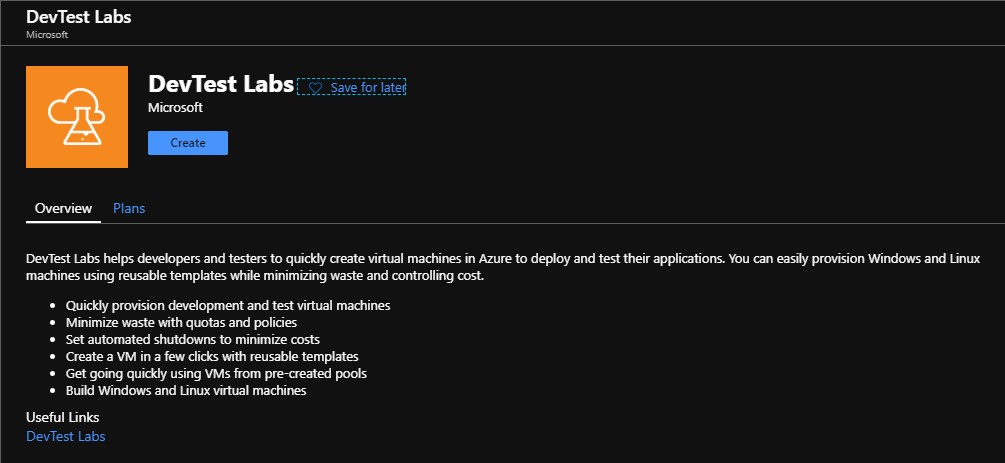
Create a Resource Group in which you want to install the Azure DevTest lab. Search for the Azure Service DevTest Labs and click Create.

Lab name:
The DevTest Lab name

Location:
Western Europe or other desired Region

Tags:
Indicate who the Owner is. 

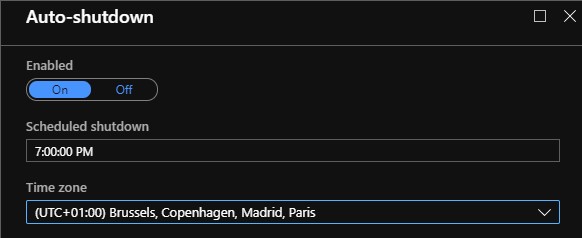
Shut down the machine automatically every day to save costs. Don’t forget to select the correct time zone.
Then click Create to start building the DevTest lab.

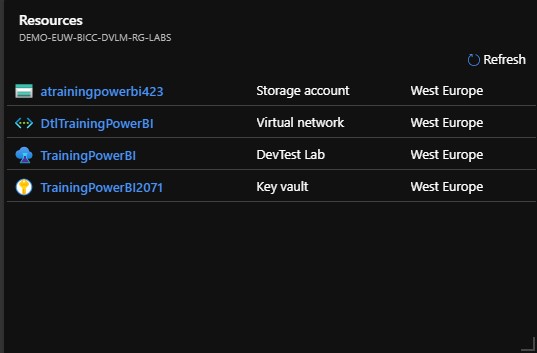
After the DevTest lab has been created, the following resources are also created. 

StorageAccount: Storage location for your Artifacts

KeyVault: Securely store your DevTest Lab passwords

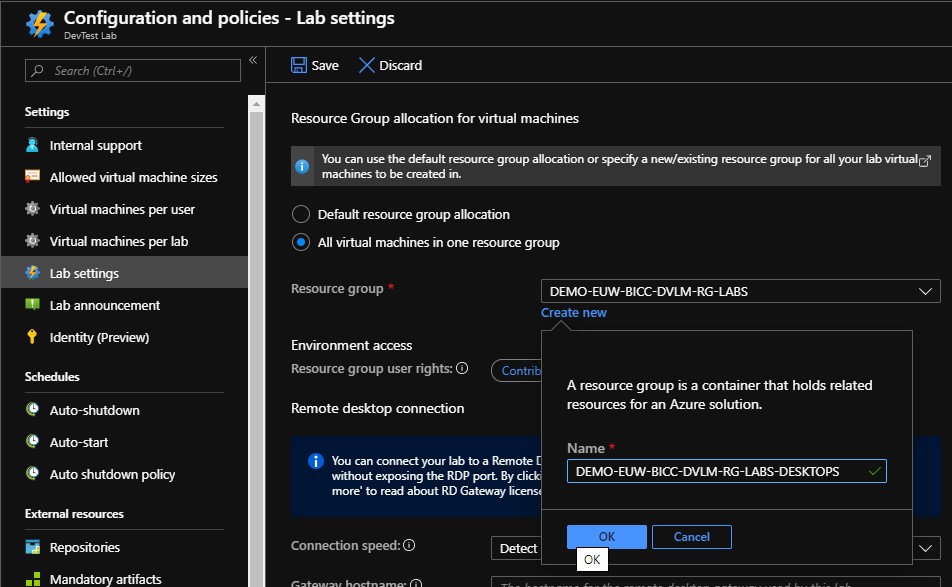
An important step before we create these Virtual machines is that we must indicate in which Resource Group these Virtual machines will be created later. If we don’t do this, a Resource Group will be created automatically with a name that most likely does not comply with various naming conventions in your company.

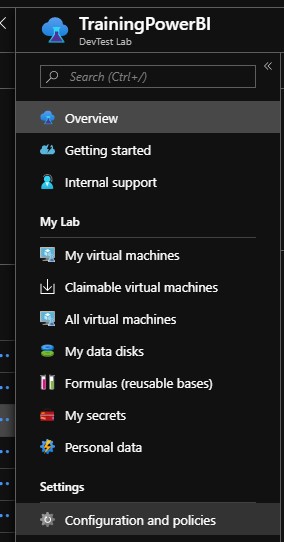
To do this, go to Configuration and Policies.

Click on Lab settings and check the box next to “All Virtual machines in one Resource group“, create a new Resource Group as in the example above. Finally save these settings.


Create Master Virtual Machine

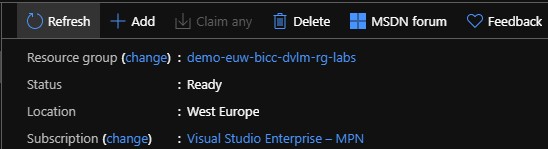
If we want to make in a later stadium several training machines, we will first have to make a Base Image. For this we first have to create a Virtual machine.
Go to the newly created DevTest Lab environment and click Add.

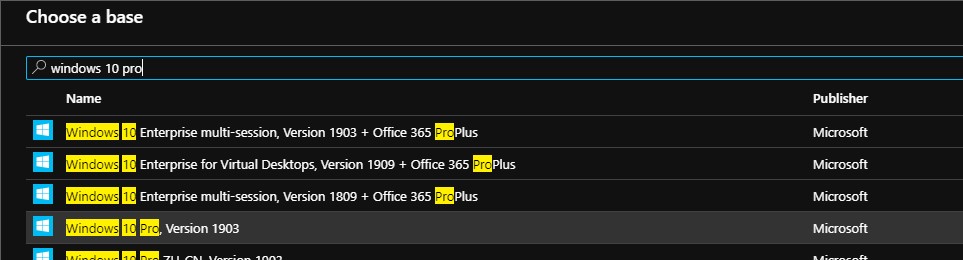
Select a basic Image that you want to use. In this case I have selected a Windows 10 Image.

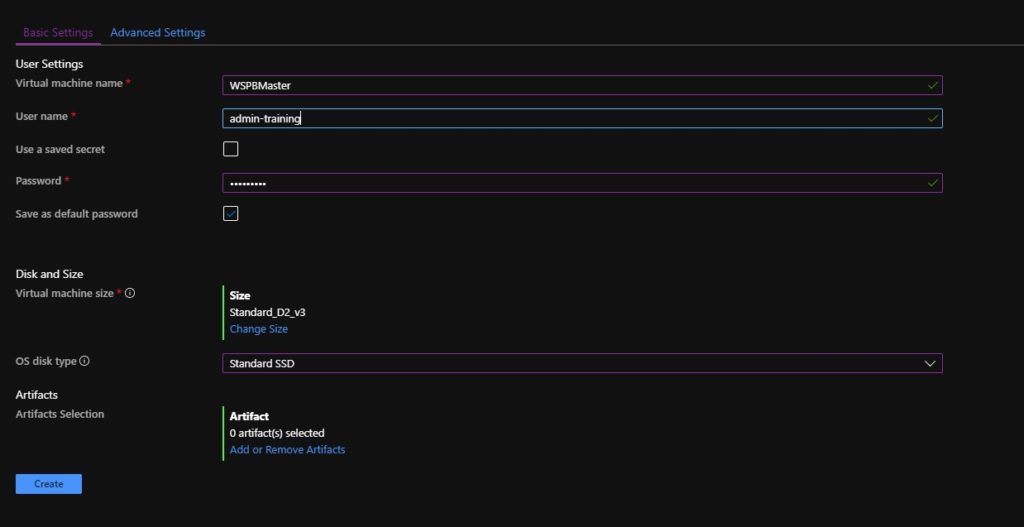
Virtual machine name:
Give the Virtual Machine a name, the 001 is not necessary for the Master. Note that the name may not be longer than 15 characters.

User Name:
Admin account to log in to the Virtual machine

Password:
A default password, check the box next to Save as default Password. The Password is now stored in the Azure Keyvault that was created

Disk and Size:
Select the Size of the Virtual machine here and choose from a Premium SSD, Standard SSD or Standard HDD disk type

Artifacts:
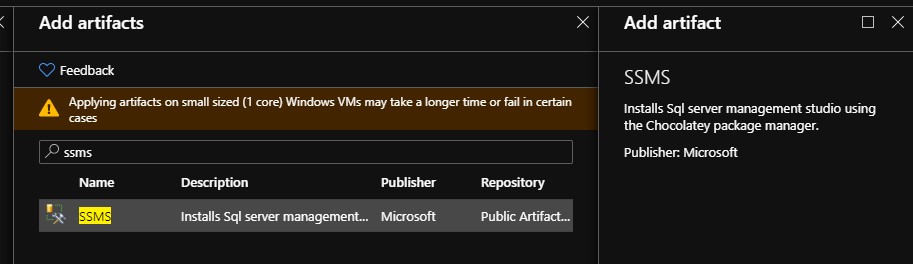
During the creation of the Virtual Machine, we can immediately perform a number of installations so that they are available in the default Image to be created. Below I have selected to add SSMS.

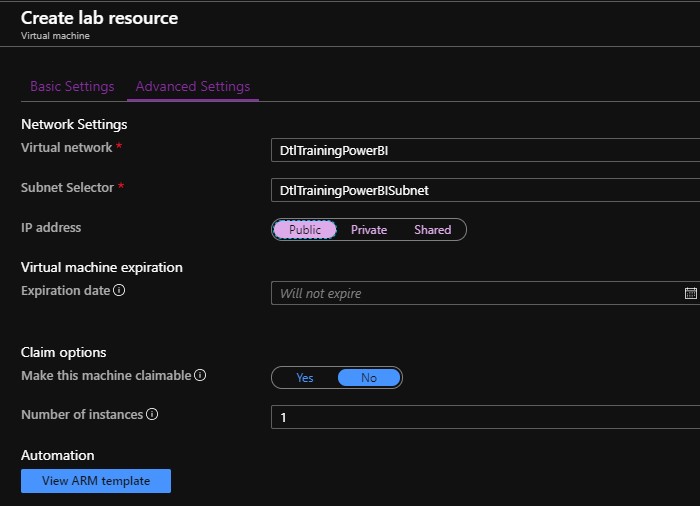
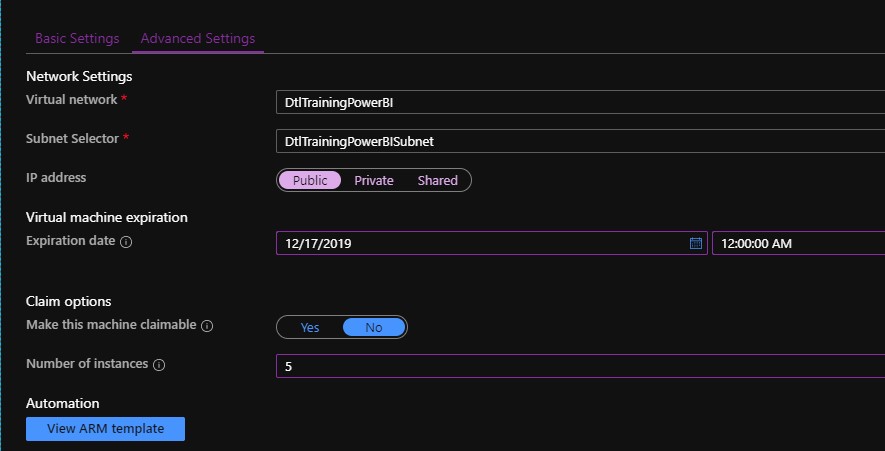
Then click on Advanced settings.

Set the ip-address to Public. 

Go back to Basic Settings and click on Create to create the Virtual Machine

Starting the Virtual Machine

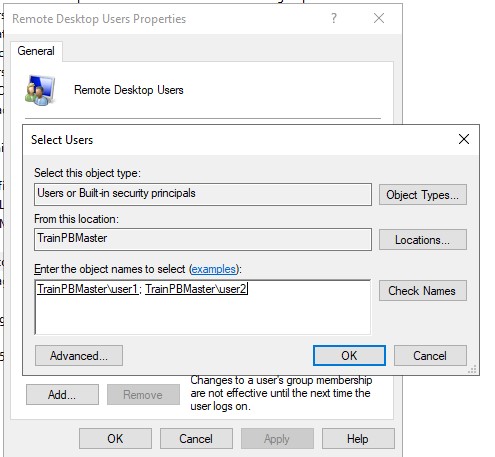
After the machine is started up, create 2 users which can be used during the training. Add this to the Remote Desktop user group, you can also add them to the Administrator group so that the student has all rights to this machine.


Install the Software that you want to use.

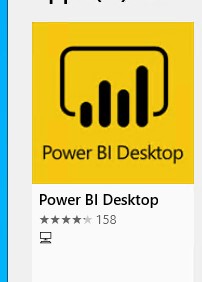
In this situation I have installed Power Desktop from the Windows Store, so that it always stays up to date.

In addition, I have installed SQL Server 2017 Developer Edition with a WorldWIdeImporters database.


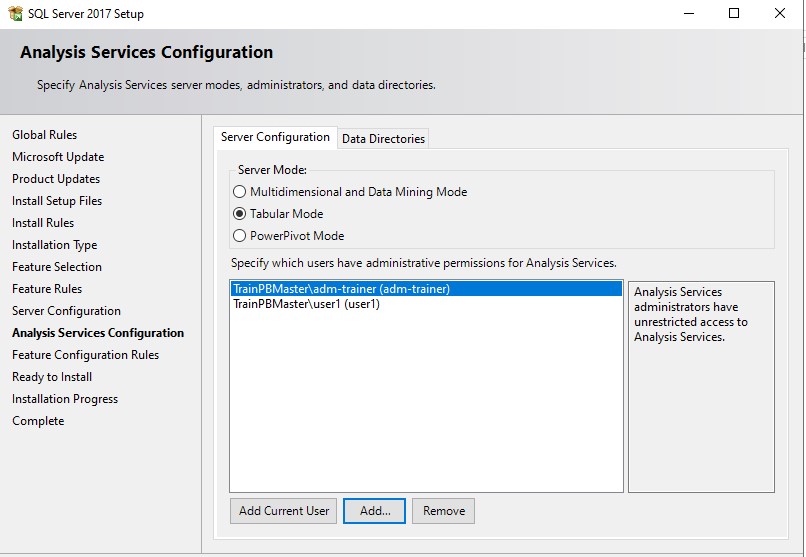
It is important that you add the above created users as Admin users during the installation of eg Analysis services so that a student has sufficient rights to follow his training.

Then log in with 1 of the created users and check if everything works.

Then shutdown the Virtual Machine.


Creating Base Image

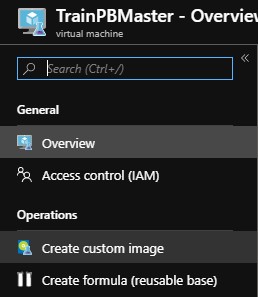
Select the Master Virtual Machine:

Click Create custom Image:

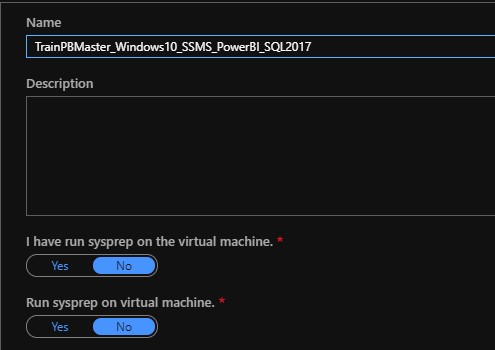
Give the image a name that you recognize it later and click on Create.


Create Training Virtual Machines

To create the Training Virtual Machines, we do actually the same as with the master.

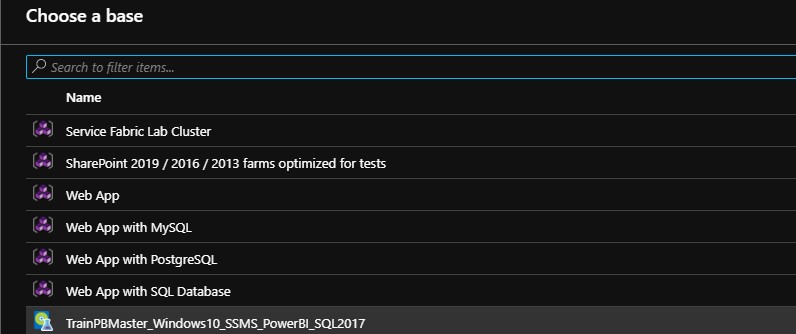
We are adding a new one, only now we select as Base the Image we just made.

Give the machine a name, do not use numbers at the end as specified by default. These numbers will be added automatically when creating multiple machines.

Disk and Size:
Select the Size of the Virtual machine here and choose from a disk type Premium SSD, Standard SSD or Standard HDD. Useful here is to use the same Disk Type that you used with the Master.

Artifacts:
If you want to add another Artifact, you can do that here, but in principle we already have it in our Base Image.

Virtual Machine expiration:
As it concerns training machines, we also want them to be removed automatically after the training.
Then go back to the Basic Settings and click on Create.

Number of instances:
Define how many training machines you would like to create.

Go back to the Tab Basic Settings and click on Create.

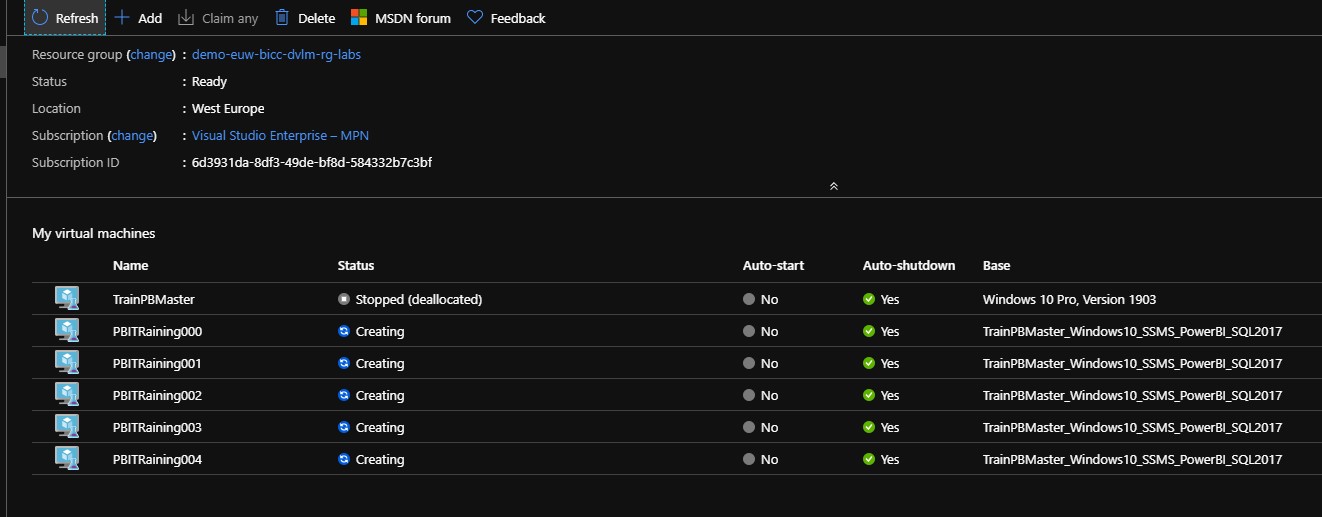
The number of machines you have selected are immediately created with an increasing number. After the creation is complete, Students can now log into this Virtual Machines from their own laptop or desktop at PBITraining001.westeurope.cloudapp.azure.com with the User1 account, which we created in an earlier stage.

Book of News Microsoft Ignite 2019

Azure

by Erwin | Nov 7, 2019

Microsoft Ignite 2019

MSIgnite 2019 has almost come to an end. A lot of new Annoucement have been released and presented.  Would you also like to know which announcements have been made?

Microsoft has released during MSIgnite a "Book of News". This book contains all new announcements made on MSIgnite and with all different subjects such as Dataplatform, PowerBI, Power Automate(new name for Microsoft Flow), Power Virtual Agents, Azure ARC, Azure Security. Azure Synapse Analytics(former Azure SQL DW) and much more.

Sam Cogan wrote a short blog post of all the new features:

https://samcogan.com/azure-announcements-from-microsoft-ignite/

https://erwindekreuk.com/wp-content/uploads/2019/11/Ignite_2019_1573153923.pdf

Feel free to leave a comment

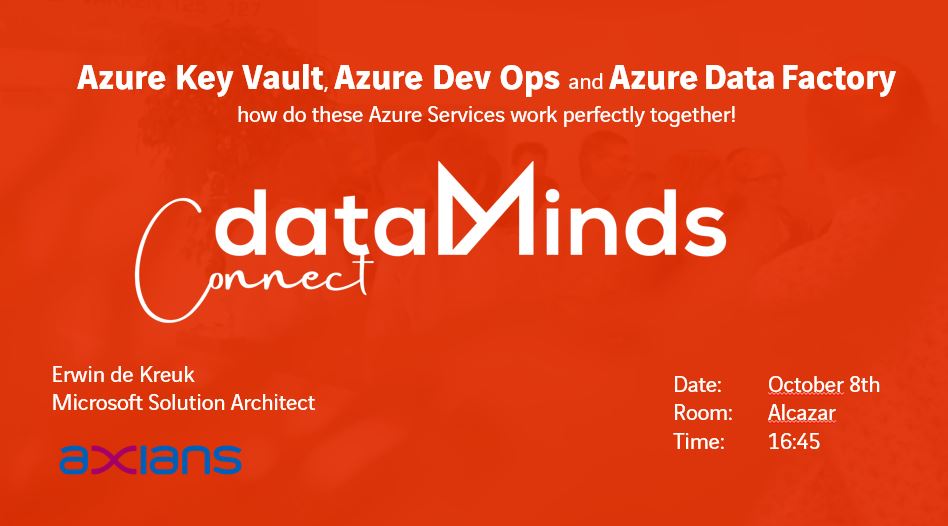
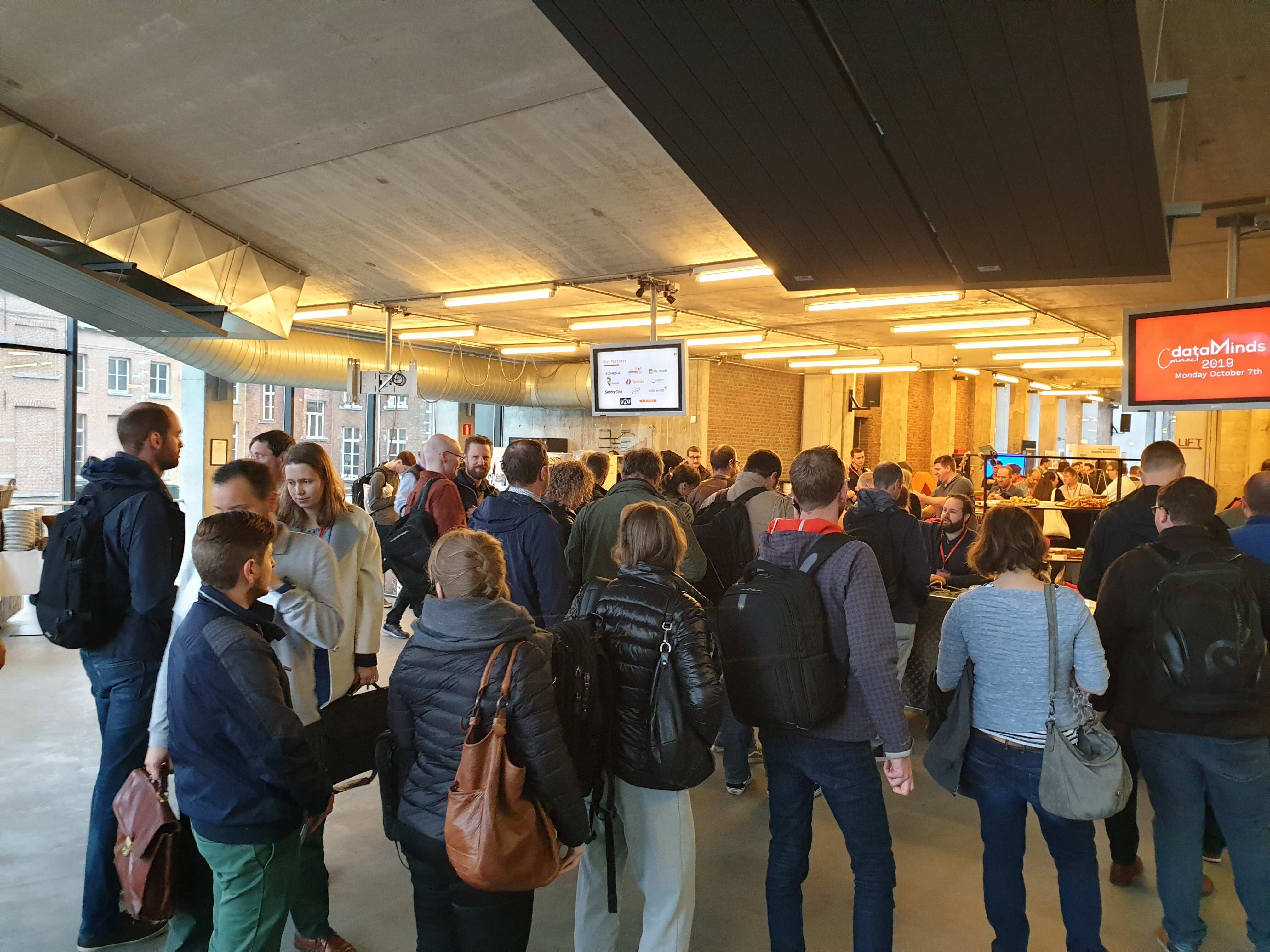
My Session at DataMindsConnect 2019

My Session at DataMindsConnect 2019

DataMindsConnect 2019

Date: 7 and 8 th October

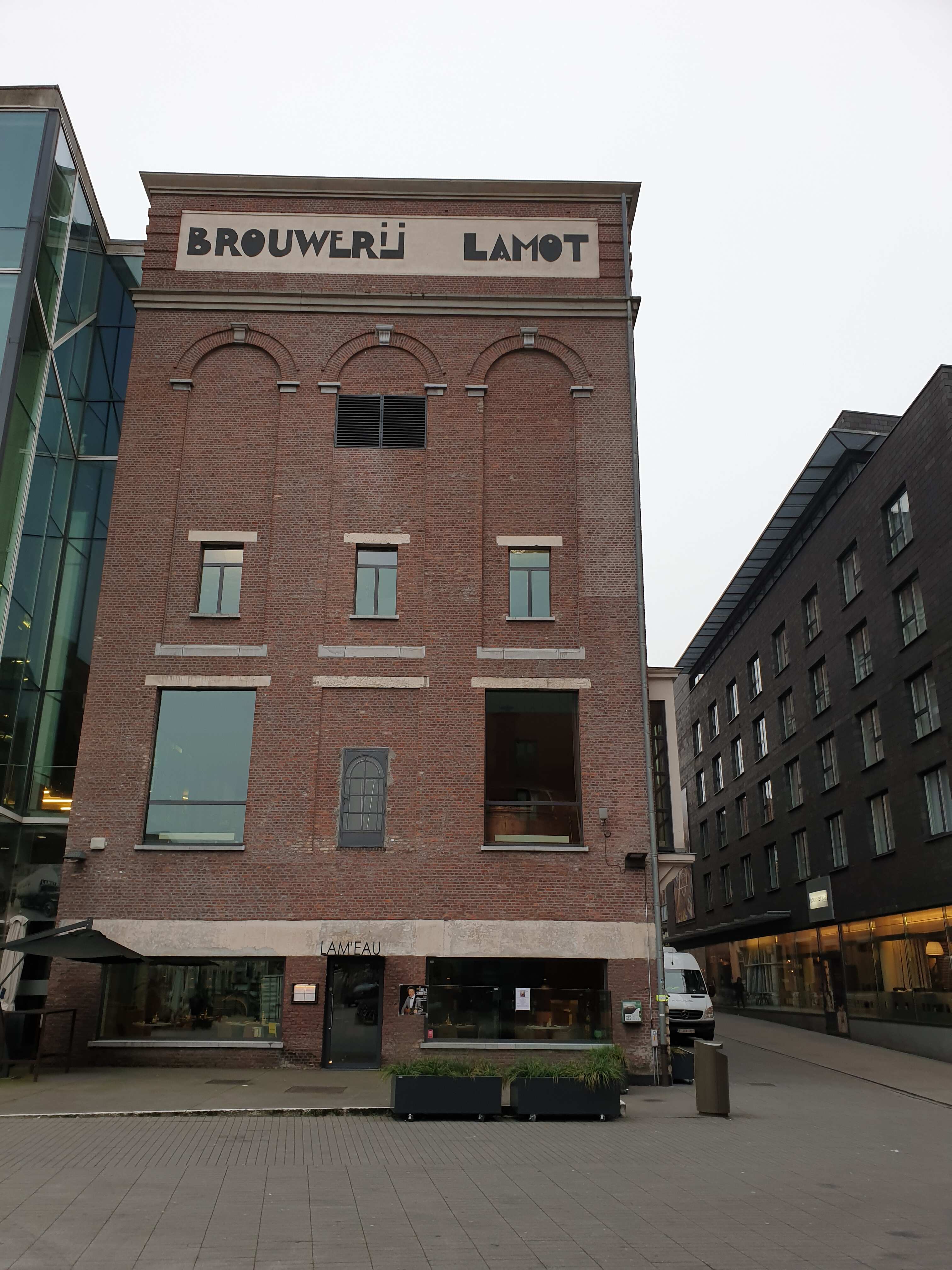
Location: Lamot Mechelen

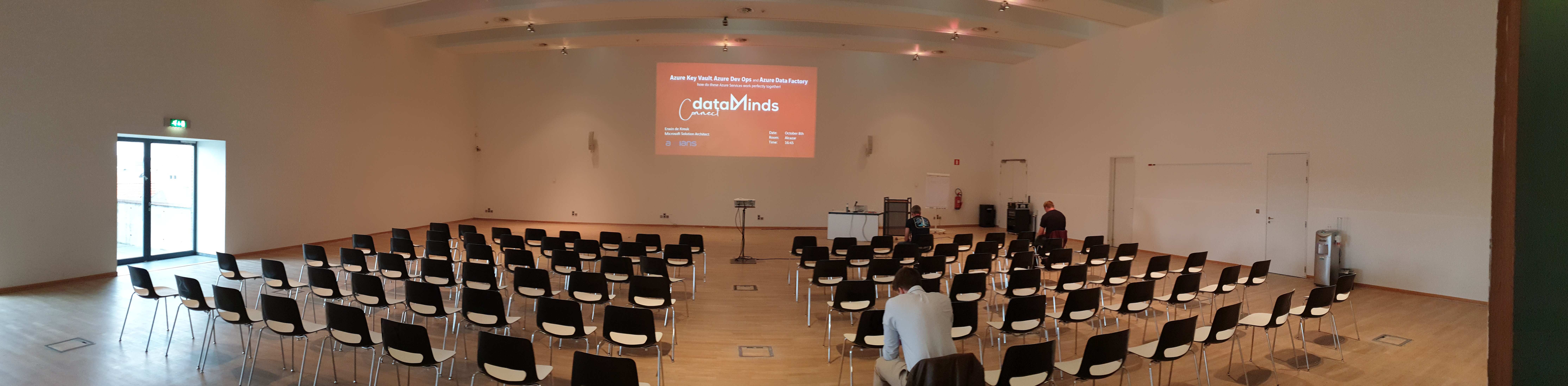
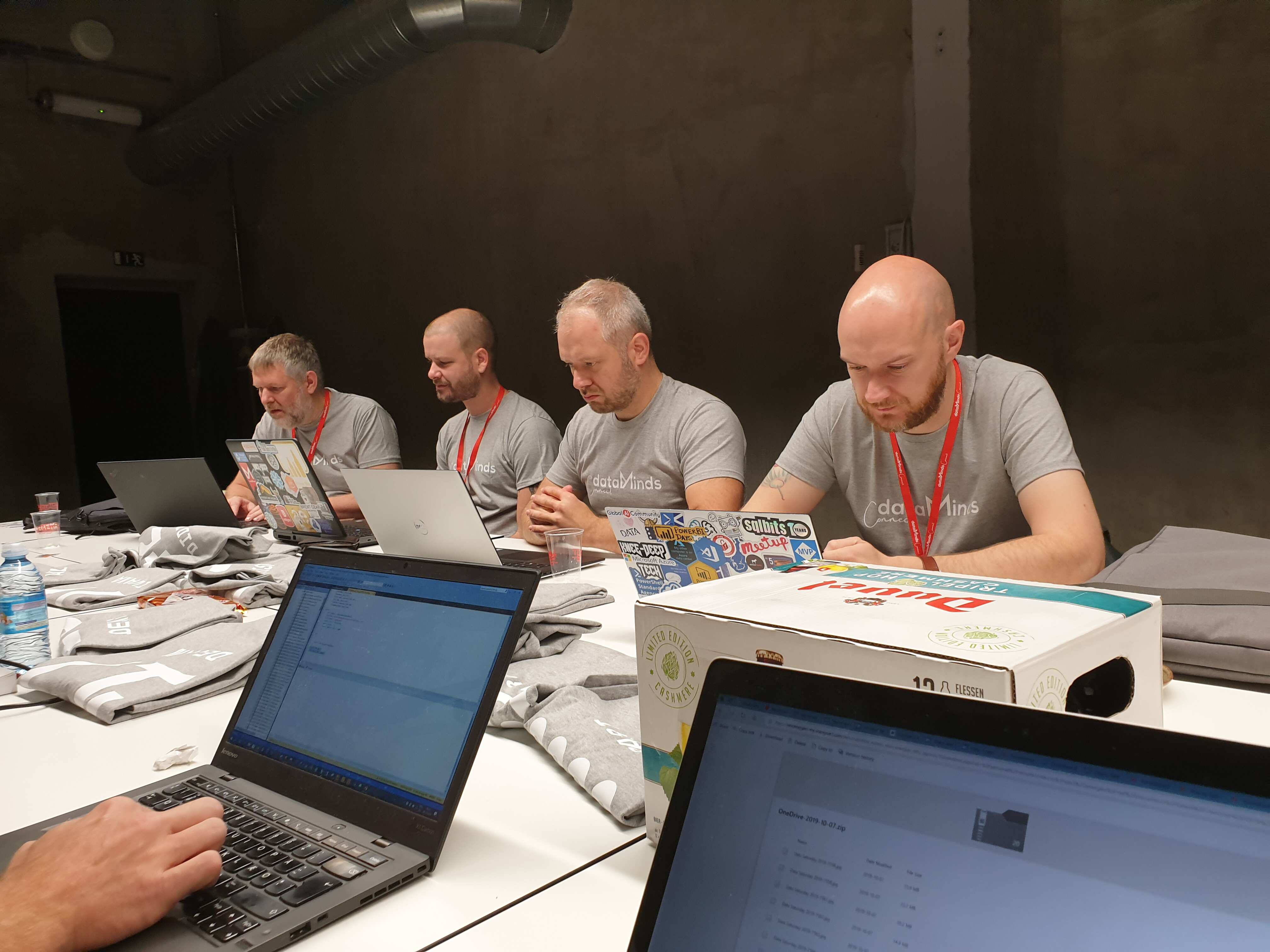
Conference number 3 within 7 days and this time in Mechelen.The location for this conference is in an old beer brewery in the center of Mechelen. Datamindsconnect is the largest Dataplatform event of the BeLux with more than 400 participants. Day 1 consists of various Pre-cons and day 2 consists of 36 different sessions.

Speaking Dinner

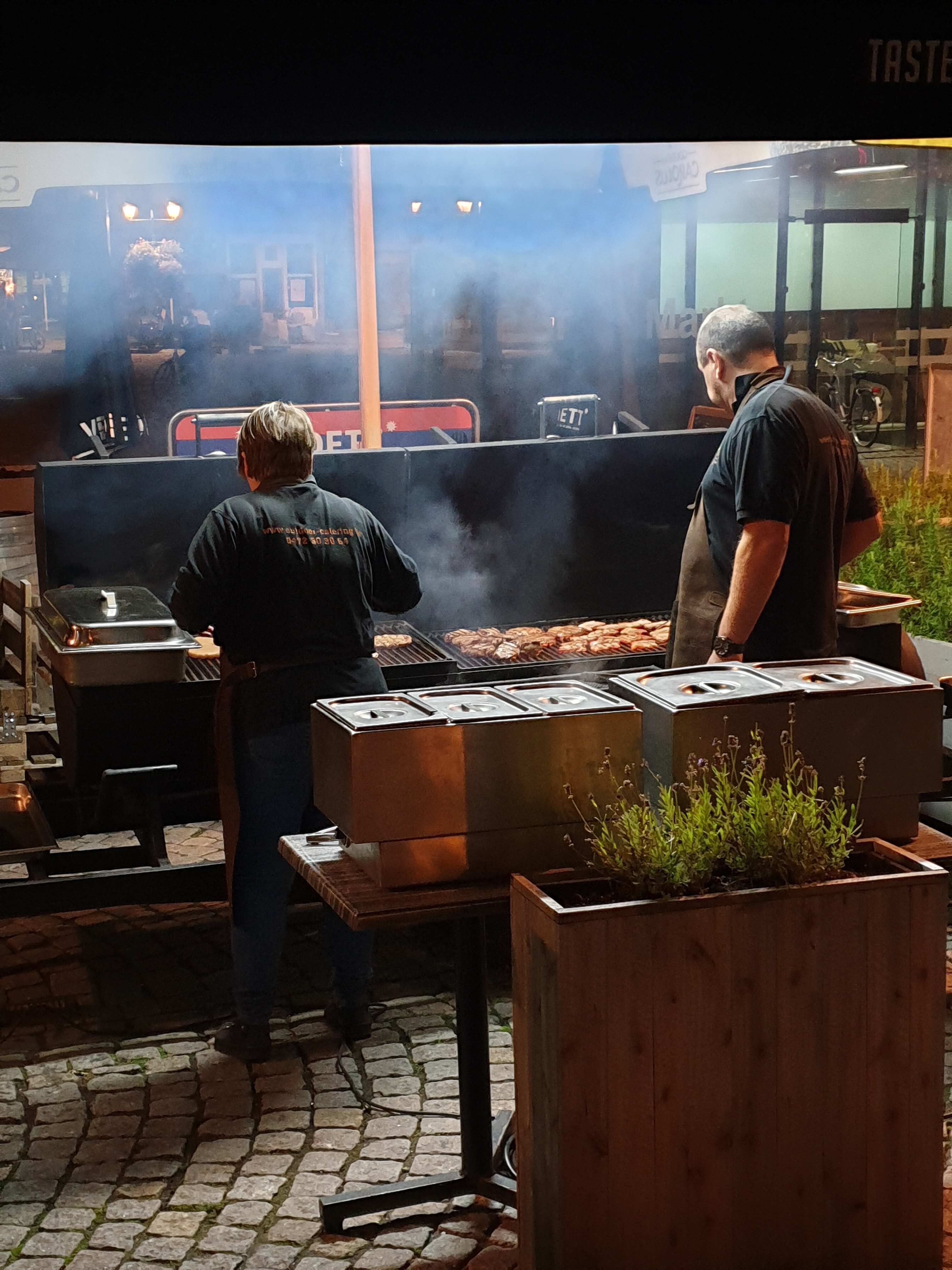
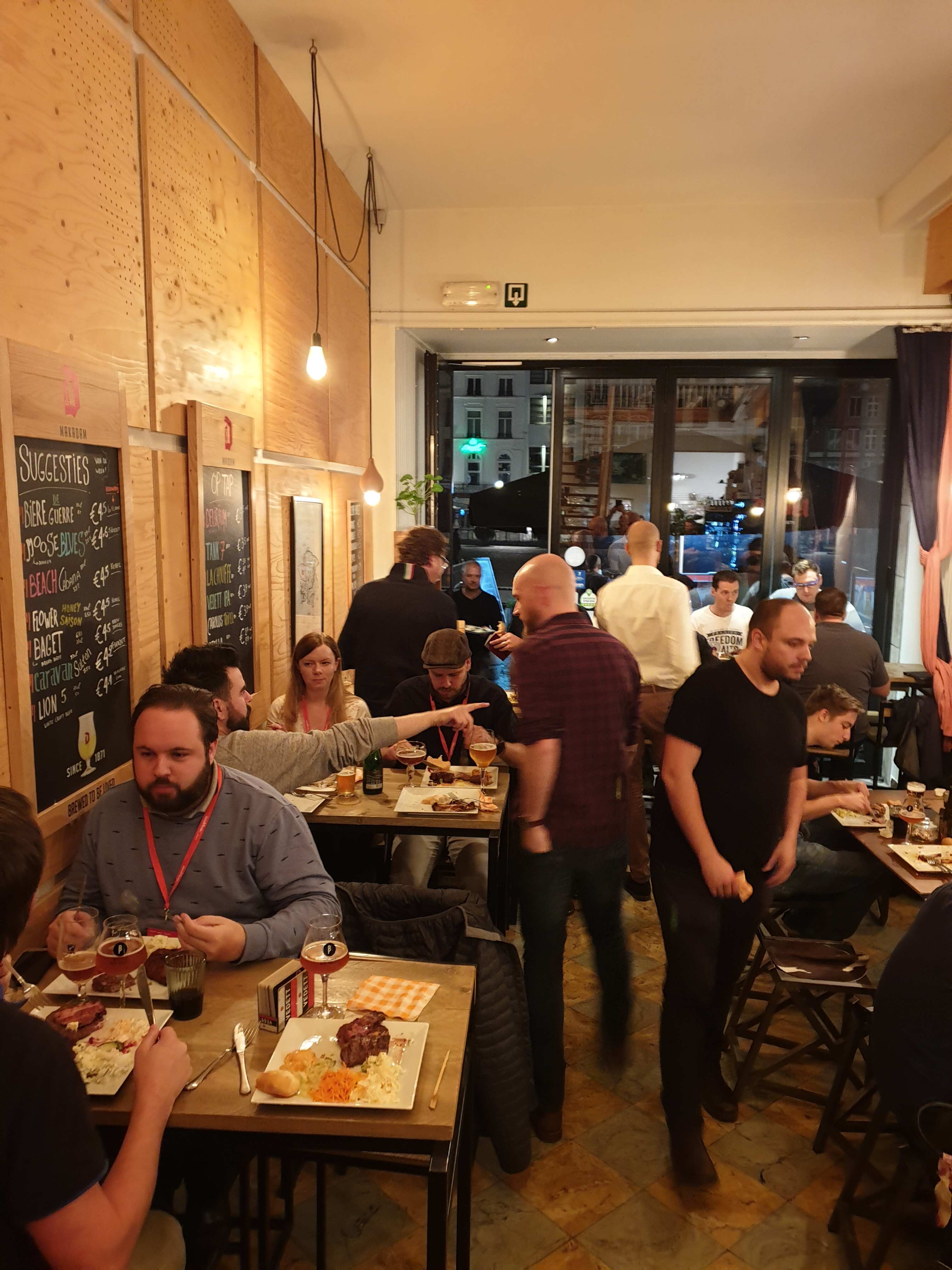
Where else can the speaker dinner be held in Belgium? A Belgian beer café with a tasty barbeque. Was a very successful evening with a beer tasting with chocolate at the end. The owner was very proud and enthusiastic about the different tastes.

Thank you

Benni and all other members of the organization and volunteers, thanks for the hospitality, it was again well organized. All sponsors thank you for your support of the event, because without you,  organizing an event is not possible. I am already looking forward to see you all next year.

The presentations of DatamindsConnect and sample code can be found here.

The new and refreshing Azure Data Factory home page

The Data Factory home page has been redesigned for a modern and more accessible ( WCAG 2.1 ) experience. The new design is more fluid with better contrast and reflow capabilities.  Thank you to the complete product team for this great experience The new and refreshing…

My Virtual Session Cloud Lunch and Learn Marathon

Cloud Lunch and Learn Marathon 2021 This Thursday May 13th 2021 I’ve been speaking during Cloud Lunch and Learn Marathon 2021. It was the first Cloud Lunch and Learn Marathon conference, more then 1200 registered attendees, 24hours Live and pre recorded sessions….

My Virtual session DataWeekender 4.2

DataWeekender 4.2 This Saturday I’ve joined the Van and Spoke at DataWeekender Azure Purview I presented a session on Azure Purview Microsoft’s answer to Data Governance and Data Lineage You can find my slides below on Slideshare: Data weekender4.2 azure purview erwin…

Data Toboggan January 2022 (Video)

Recording of my session during the Data Toboggan January 2022 conference. Dealing with different roles in Azure Synapse Analytics

My Virtual Session Scottish Summit 2021

Scottisch Summit 2021 This Saturday I’ve been speaking during Scottisch Summit 2021. It was my first Summit, but is was a great event, with more than  400 sessions covering the full Microsoft Stack in 7 different language English, Spanish, German, French, Italian,…

Datagrillen: Data, Bratwurst und Beer

Data, Bratwurst and Beer An event that started 5 years ago as a small event, that has grown into an event with 200 participants, 50+ sessions, 5 tracks, 2 days and a BBQ in a small place in Germany, called Lingen. William Durkin and Ben Weissman are the main…

DataGrillen 2022

DataGrillen 2022 Microsoft Purview When we say: Data, bratwurst and beer, we are of course talking about DataGrillen. After more than 2 years of absence, it was time again in recent days, with speakers from all over the world with almost 50 sessions, good weather and…

SQLBits session: Microsoft Purview Data Policy App

SQLBits 2023 Thanks everyone for visiting my session during SQLBits. It’s great to see such a full room and that so many people have started using Microsoft Purview.   SLIDES The slides can be downloaded via the link below, so that you can view them again at…

My Virtual Session at SQLBits 2020

SQL BITS 2020, the greatest data show  Last week was SQL BITS week. After the event was moved from April to September, it eventually became a Virtual event. Setting up a Virtual event requires a lot of adjustments in the Organization. Recording All regular sessions…

DataSaturday NL 2019

Recording of my session on DataSaturdayNL 2019 Can we store our Connectionstrings or BlobStorageKeys or other Secretvalues somewhere else then in Azure Data Factory(ADF)? Yes you can! You can store these valuable secrets in Azure Key Vault(AKV). But how can we achieve…